
电子- node.js - ng :无法加载文件path\ng.ps1,因为在此系统上禁用了运行的脚本。
我试图在Windows 10上用Visual Studio Code编译一个项目,我的设置如下:
1) npm版本6.12
2) Node.js版本12.13
3) Angular CLI: 8.3.19
我遇到的问题是,一旦我试图运行ng serve,就会收到以下输入:ng : File C:\Users\name\AppData\Roaming\npm\ng.ps1 cannot be loaded because running scripts is disabled on this system。其次是For more information, see about_Execution_Policies at https:/go.microsoft.com/fwlink/?LinkID=135170.
到目前为止我尝试了什么,
1)我在网站上提到,发现Set-ExecutionPolicy -ExecutionPolicy RemoteSigned应该是我必须在shell中输入的命令。因此,我所做的是:
PS C:\Users\raggi\OneDrive\Desktop\pitalkdashboard> Set-ExecutionPolicy -ExecutionPolicy RemoteSigned
但这导致了以下错误:
Set-ExecutionPolicy : Access to the registry key HKEY_LOCAL_MACHINE\SOFTWARE\Microsoft\PowerShell\1\ShellIds\Microsoft.PowerShell is denied. To change the execution policy for the default (LocalMachine) scope, start Windows PowerShell with the "Run as administrator" option. To change the execution policy for the current user, run "Set-ExecutionPolicy -Scope CurrentUser".
这正是我所做的,所以,为了:
PS C:\Users\raggi\OneDrive\Desktop\pitalkdashboard> Set-ExecutionPolicy -Scope CurrentUser
下面是Shell的提示,我只需插入RemoteSigned
cmdlet Set-ExecutionPolicy at command pipeline position 1
Supply values for the following parameters:
ExecutionPolicy: RemoteSigned
在那之后,我尝试ng serve启动整个项目,但是收到了一个不同的错误,因为它太长了,所以我把它放在打印屏幕下面:
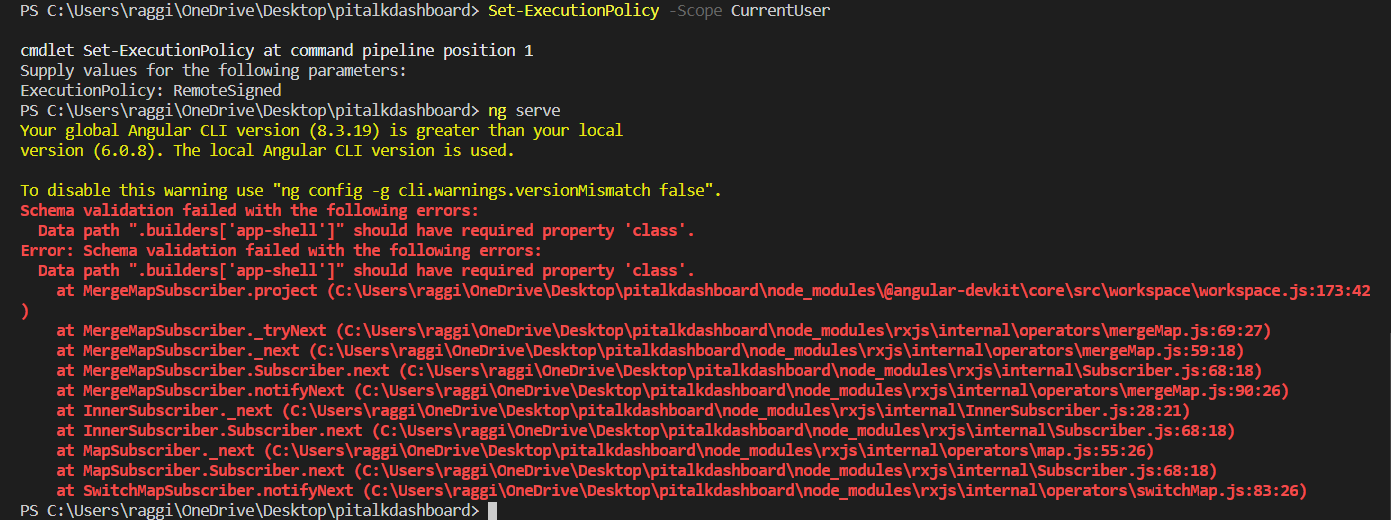
在这条路上不要再有任何想法了。
我试图访问并以administrator的形式运行,如下面的打印屏幕所示:
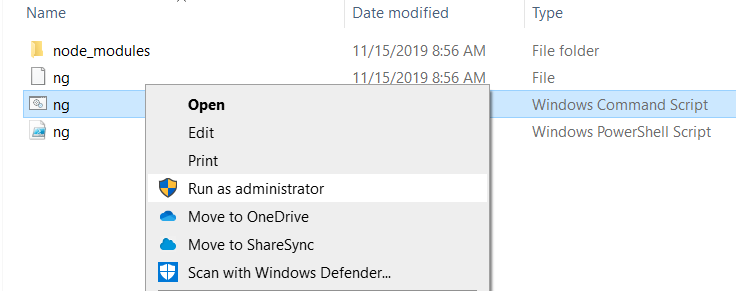
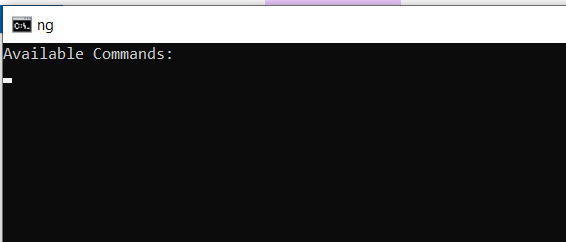
但是,我在shell上看到的唯一东西是下面的内容(但是外壳马上就消失了,我只有时间拿出打印屏幕)。
3)我更深入地研究了这个问题,并发现了一些额外的见解,比如这一个和这个额外的来源。然而,这篇文章所指出的唯一一件事是,再次使用Set-ExecutionPolicy -ExecutionPolicy RemoteSigned,我在上面的第一点上尝试过这一点。
4)在做了更多的研究之后,我遇到了,但不幸的是,我并没有使用任何有用的信息。
代码
下面是我的package.json中的内容,如果这是有用的话:
{
  "name": "pi-talk-dashboard",
  "version": "0.0.0",
  "scripts": {
    "ng": "ng",
    "start": "ng serve",
    "build": "ng build",
    "test": "ng test",
    "lint": "ng lint",
    "e2e": "ng e2e"
  },
  "private": true,
  "dependencies": {
    "@agm/core": "^1.0.0-beta.5",
    "@angular/animations": "^6.0.3",
    "@angular/common": "^6.0.3",
    "@angular/compiler": "^6.0.3",
    "@angular/core": "^6.0.3",
    "@angular/forms": "^6.0.3",
    "@angular/http": "^6.0.3",
    "@angular/platform-browser": "^6.0.3",
    "@angular/platform-browser-dynamic": "^6.0.3",
    "@angular/router": "^6.0.3",
    "chart.js": "^2.7.3",
    "core-js": "^2.5.4",
    "electron": "^7.1.0",
    "express": "^4.17.1",
    "moment": "^2.22.2",
    "ng2-charts": "^1.6.0",
    "rxjs": "^6.0.0",
    "zone.js": "^0.8.26"
  },
  "devDependencies": {
    "@angular-devkit/build-angular": "^0.803.17",
    "@angular/cli": "~6.0.8",
    "@angular/compiler-cli": "^6.0.3",
    "@angular/language-service": "^6.0.3",
    "@types/jasmine": "~2.8.6",
    "@types/jasminewd2": "~2.0.3",
    "@types/node": "~8.9.4",
    "codelyzer": "~4.2.1",
    "jasmine-core": "~2.99.1",
    "jasmine-spec-reporter": "~4.2.1",
    "karma": "~1.7.1",
    "karma-chrome-launcher": "~2.2.0",
    "karma-coverage-istanbul-reporter": "~2.0.0",
    "karma-jasmine": "~1.1.1",
    "karma-jasmine-html-reporter": "^0.2.2",
    "protractor": "^5.4.1",
    "ts-node": "~5.0.1",
    "tslint": "~5.9.1",
    "typescript": "~2.7.2"
  }
}
编辑
在以管理员身份不受限制地运行-ExecutionPolicy之后,下面的脚本将在notepad中打开,但我不确定它的使用情况。我正在附加打印屏幕和打开的文件的代码:
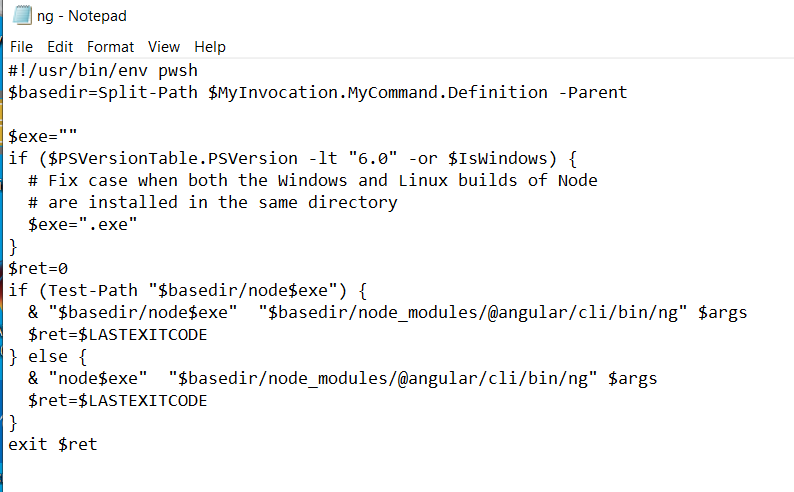
代码如下:
#!/usr/bin/env pwsh
$basedir=Split-Path $MyInvocation.MyCommand.Definition -Parent

$exe=""
if ($PSVersionTable.PSVersion -lt "6.0" -or $IsWindows) {
  # Fix case when both the Windows and Linux builds of Node
  # are installed in the same directory
  $exe=".exe"
}
$ret=0
if (Test-Path "$basedir/node$exe") {
  & "$basedir/node$exe"  "$basedir/node_modules/@angular/cli/bin/ng" $args
  $ret=$LASTEXITCODE
} else {
  & "node$exe"  "$basedir/node_modules/@angular/cli/bin/ng" $args
  $ret=$LASTEXITCODE
}
exit $ret
编辑2
在PowerShell -ExecutionPolicy Unrestricted上运行之后,没有什么改变。但出现了一个错误。Data path ".builders['app-shell']" should have required property 'class'.见下面的打印屏幕
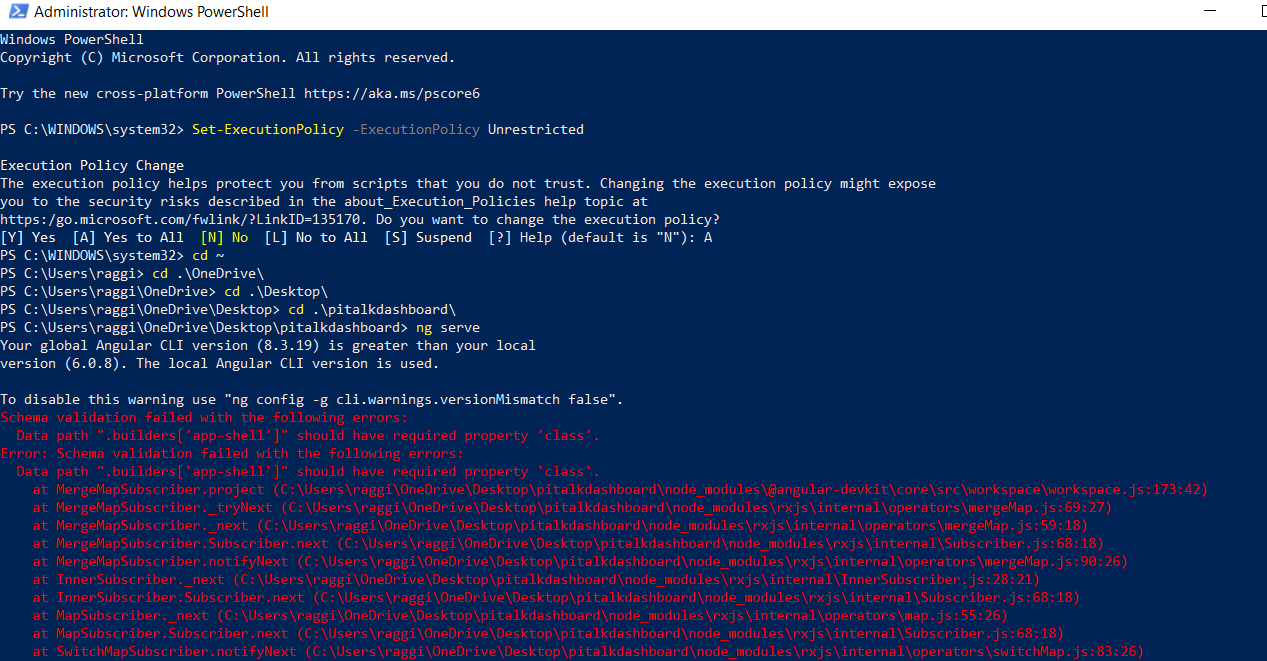
关于如何运行这个项目和如何解决这个ng serve问题,我的想法已经不多了,任何其他方面的见解或指导对于解决这个问题都是有用的。
回答 13
Stack Overflow用户
发布于 2019-11-15 16:05:21
您必须将执行策略设置为无限制的而不是RemoteSigned。根据Set-执行策略
RemoteSigned.要求从Internet下载的所有脚本和配置文件都由受信任的发布服务器签名。Windows服务器计算机的默认执行策略。
由于99%的PowerShell脚本没有签名,因此99%的时间您将无法在此策略下运行它们。
- 打开PowerShell作为管理员。
- 运行:
。
Set-ExecutionPolicy -ExecutionPolicy UnrestrictedStack Overflow用户
发布于 2020-01-14 18:12:58
- 问题
我也面临同样的问题,经过一些研究,我发现我只是绕过限制,通过服务器启动你的应用程序。
- 在终端中,您可以键入以下内容:
PS C:\Users\\ClientApp> Set-ExecutionPolicy -ExecutionPolicy旁路-Scope CurrentUser
PS C:\Users\\ClientApp> ng服务器
- 重新运行应用程序:
http://localhost:4200/
Stack Overflow用户
发布于 2020-04-12 09:51:39
尝试使用"npx“而不是"ng”。如果我尝试使用任何"ng“命令(包括"ng new”),则会得到相同的权限错误。使用这个npm包运行程序解决了它为我。
https://stackoverflow.com/questions/58880139
复制相似问题
腾讯云开发者

Copyright © 2013 - 2026 Tencent Cloud. All Rights Reserved. 腾讯云 版权所有
深圳市腾讯计算机系统有限公司 ICP备案/许可证号:粤B2-20090059  粤公网安备44030502008569号
腾讯云计算(北京)有限责任公司 京ICP证150476号 | 京ICP备11018762号