
成熟的PDF.js查看器
我希望在PDF.js项目中使用功能齐全的Next.js组件,如火狐和这个在线演示中所示。这里的一些重要特性是能够通过键入某个页码并在PDF中搜索文本来导航到特定的页码。是否有反应组件可供使用?
库react pdf很适合呈现单个页面,但没有提供工具栏或在可滚动视图中延迟加载页面的方便方法。
类似于问题如何在webpack和Vuejs中使用带有工具栏的完整PDF.js查看器? (其中接受的答案提供了Vue组件)和将完整的Mozilla pdf.js查看器嵌入到vue.js中(通过vue-cli使用webpack ),但是对于React.js。
通过执行以下操作,我尝试将/web/viewer.html作为React组件的内部HTML的一部分,但是它没有成功。
- 下载最新发布并将其解压缩到Next.js项目的一个文件夹中(我称之为
pdfjs)。我尝试了几个文件夹,例如/client、/client / components、/pages、/node_modules和/。 - 运行
npm install --save-dev html-loader - 使用这个解析HTML文件的Webpack加载程序,方法是将
next.config.js更改为:
module.exports = {
  // …
  webpack: (config, options) => {
    config.module.rules.push({
      test: /\.html$/,
      exclude: /node_modules/,
      use: { loader: 'html-loader' }
    });
    return config;
  },
}- 在/pages下创建一个简单页面,如下所示:
import React from 'react';
import PdfViewer from '../pdfjs/web/viewer.html'

export default function () {
  return (
    <div className="content" dangerouslySetInnerHTML={{ __html: PdfViewer }} />
  );
};- 在终端中运行
next以启动开发服务器并在浏览器中导航到该页面后,我会发现内存不足的JavaScript堆出现了错误。
即使我的电脑有足够的内存,我也不确定这是否真的会导致PDF渲染-更不用说使用dangerouslySetInnerHTML的危险了。看起来,更好的解决方案可能是拥有一个实际的React组件,而不是尝试嵌入HTML文件。
回答 2
Stack Overflow用户
发布于 2020-04-09 20:50:25
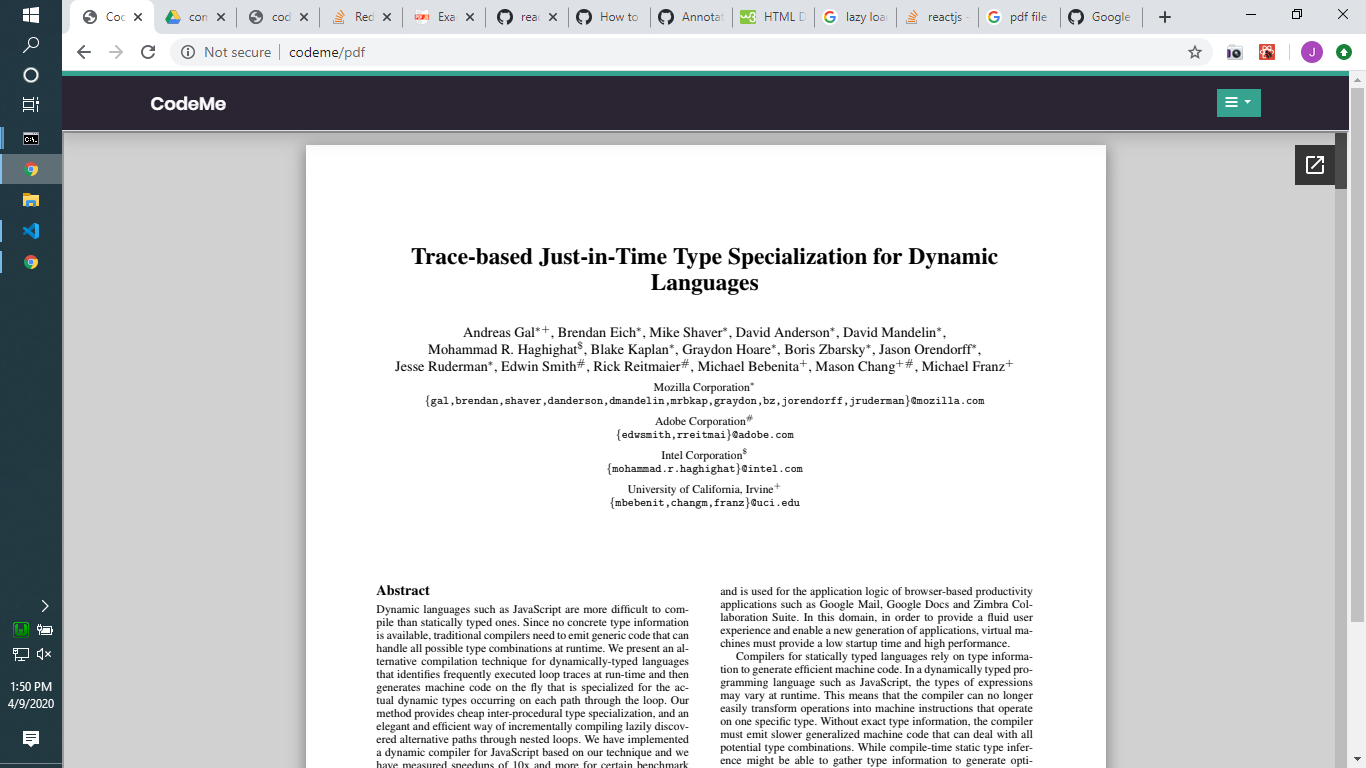
我想这可能更像是你的目标。我已经为您包装了一个组件,但是这是一个文档查看器,它可以在不需要大量工作的情况下查看PDF文档。
import  React,{  Component } from 'react';
import ReactDOM from 'react-dom';


class DocView extends React.Component{

    constructor(props){
        super(props);
    }

    render(){
        var url = "https://docs.google.com/viewerng/viewer?url="+this.props.src+"&embedded=true";
        return(
            <iframe style={this.props.style} src={url}></iframe>
        );
    }
}

export default DocView;
Stack Overflow用户
发布于 2020-06-24 21:06:28
CloudPDF提供了一个React查看器。它基本上是pdf.js,但随后在服务器上预呈现。这就提供了延迟加载大型pdf文件并保持性能的可能性。默认情况下,为查看者提供了一个很好的布局。
import CloudPdfViewer from '@openbook/cloudpdf-viewer';

export default function () {
  return (
    <CloudPdfViewer documentId="346467a6-fa61-43ad-b45a-d1fdc3da0007" width="100%" height="500px" />
  );
};
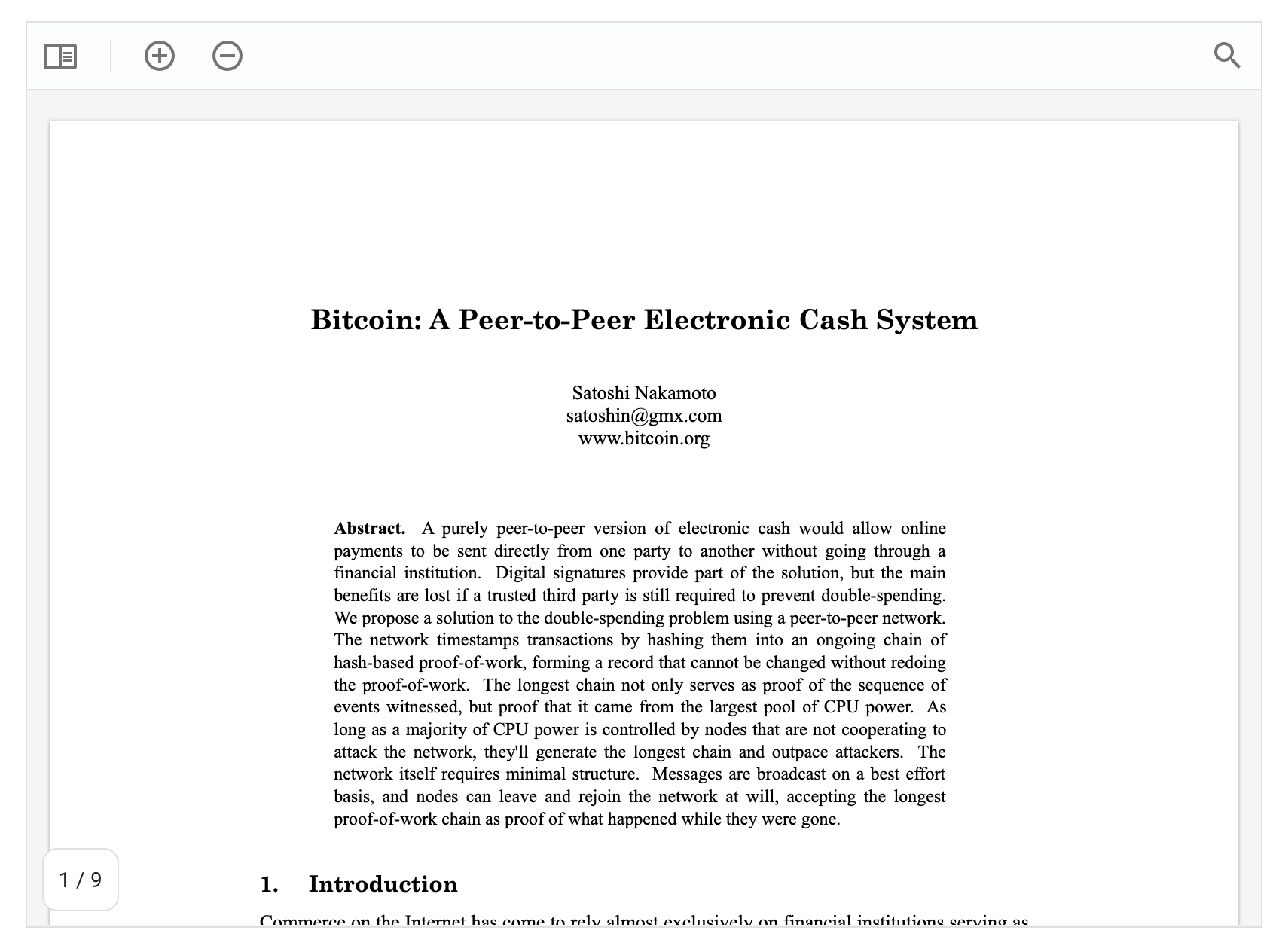
我正在为CloudPDF工作,它仍然是一个测试版。
https://stackoverflow.com/questions/61092174
复制相似问题
腾讯云开发者

Copyright © 2013 - 2026 Tencent Cloud. All Rights Reserved. 腾讯云 版权所有
深圳市腾讯计算机系统有限公司 ICP备案/许可证号:粤B2-20090059  粤公网安备44030502008569号
腾讯云计算(北京)有限责任公司 京ICP证150476号 | 京ICP备11018762号