
iOS:在没有权利文件的情况下,如何为应用程序实现关键警报?
iOS:在没有权利文件的情况下,如何为应用程序实现关键警报?
提问于 2021-02-05 05:06:05
当你没有权利文件时,你会做什么?
回答 2
Stack Overflow用户
回答已采纳
发布于 2021-02-05 05:07:37
有几个来源可以帮助您为您的iOS应用程序实现关键警报。我发现有两个非常有用的:
https://www.tapcode.co/2018/10/17/how-to-implement-critical-alerts-in-ios-12/
这两种方法都描述了请求苹果批准所需的内容,以及如何更新您的项目以包括关键警报通知--只有一个例外。文章解释了如何更新应享待遇文件以添加关键警报键。但是,当你的应用程序目前没有权利文件时,你会做什么?经过一番研究,我得出了以下步骤,可以作为解决这一困境的指南。当您进入文章中处理更新应享权利文件的部分时,请按以下方式进行:
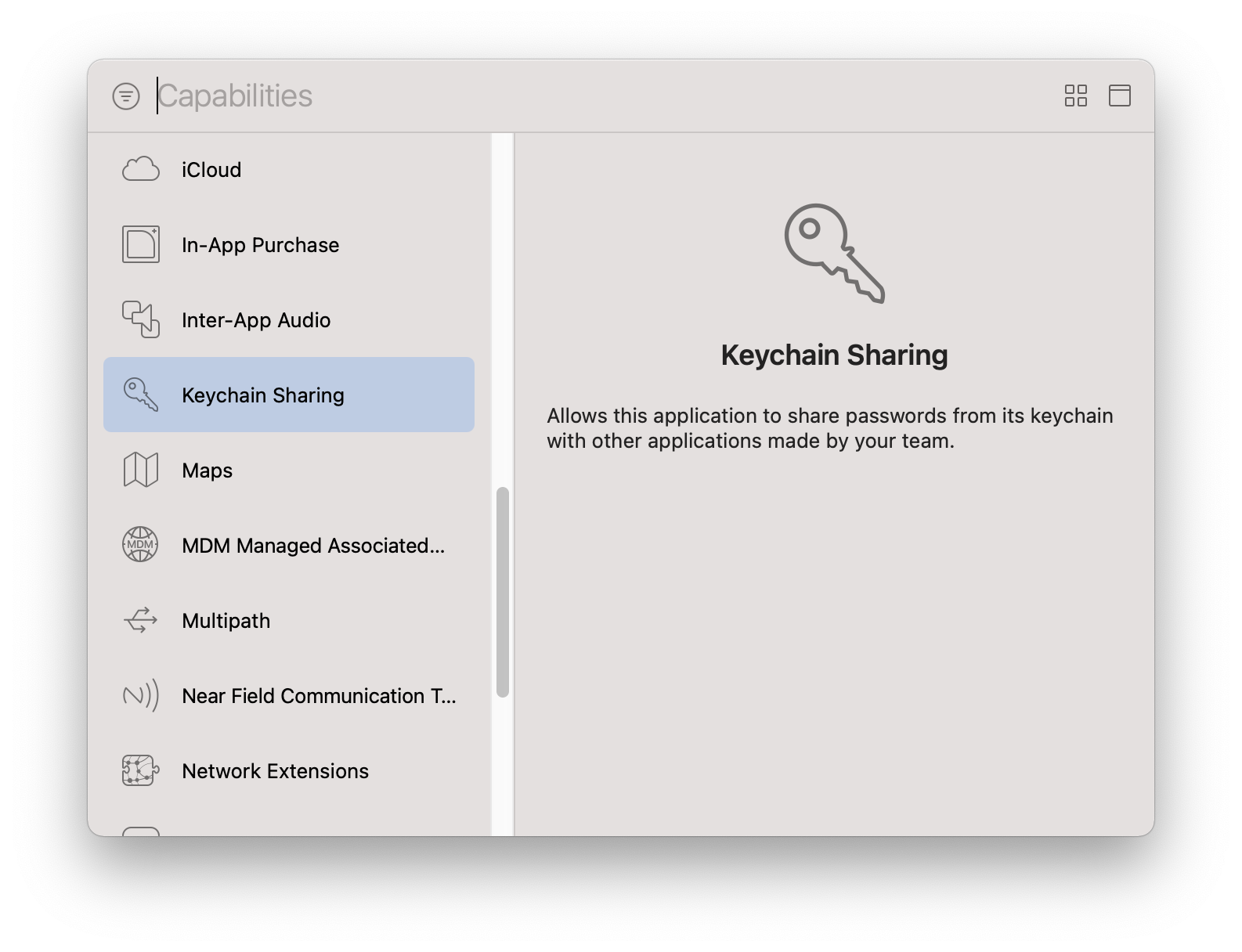
- 在“功能”选项卡下,单击+(加号)以添加功能(我选择了密钥链共享)。这将导致Xcode生成一个.entitlements文件(克服了主要障碍)。
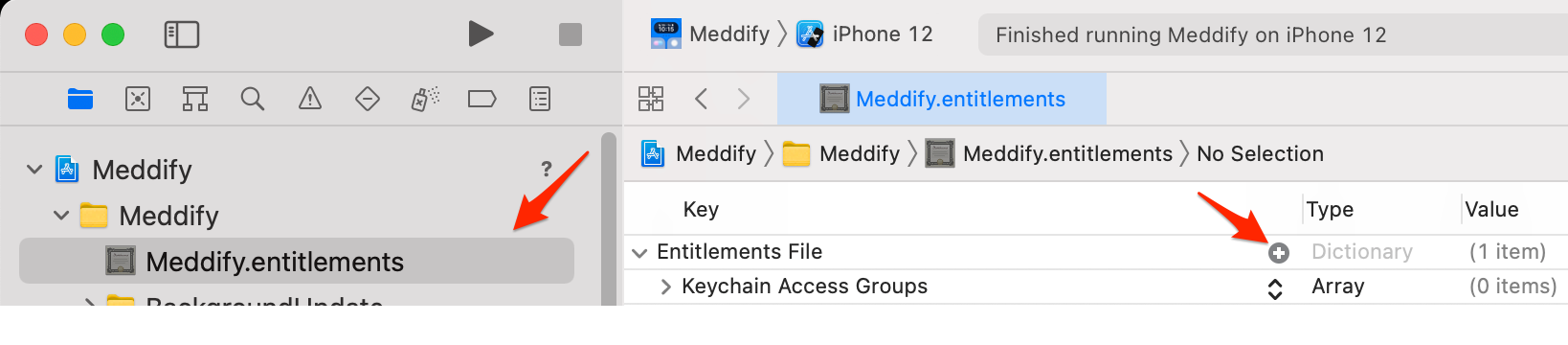
- 单击中的该文件来打开它。如果权利文件旁边的泄露三角是打开的,您将看到所选择的功能的密钥(密钥链共享)。如果披露三角没有打开,请单击它来打开它。
- 单击“应享权利文件”旁边的+(加号)以添加“应享权利”。将出现带有选择的下拉列表,但您必须键入关键警报通知的键,才能手动输入。
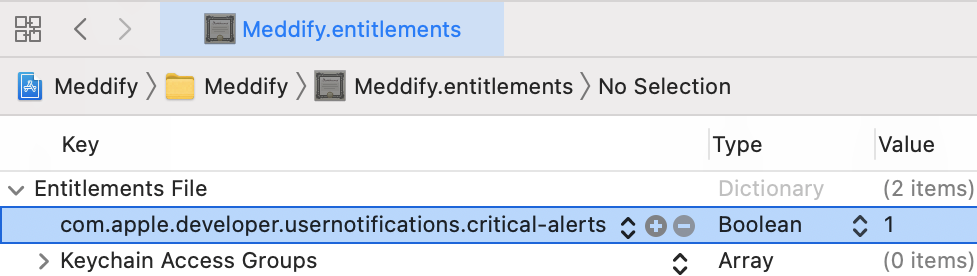
- 输入文章中的关键警报通知键: com.apple.developer.usernotifications.critical-alerts
- 将类型更改为布尔值,并选择YES作为值。
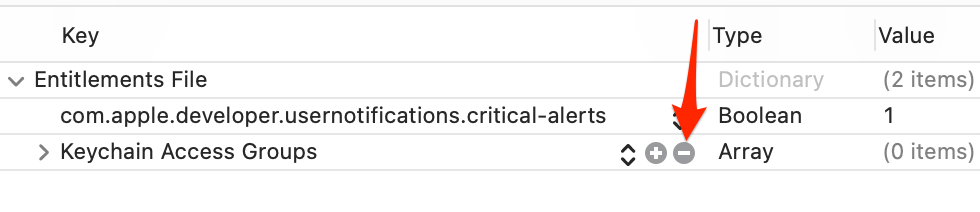
- 单击步骤1(密钥链共享)中用于创建应享权利文件的功能旁边的-(破折号)删除它。您现在有了一个包含所需关键警报的权益文件。
- 构建并运行您的应用程序,您应该会看到要求用户允许关键警报的提示。
任务完成!
特里·查瓦松
Stack Overflow用户
发布于 2021-07-25 21:23:15
关于如何实现IOS关键警报的指南2021年7月
第一步
- 您需要在苹果网站上发布一个关键警报通知权限。
- 然后,你需要等待苹果方面批准你的请求。他们会给你发一封邮件。就我而言,我只等了3天。一些开发人员等待了大约1-4周的答案。
请求批准后您需要做什么?
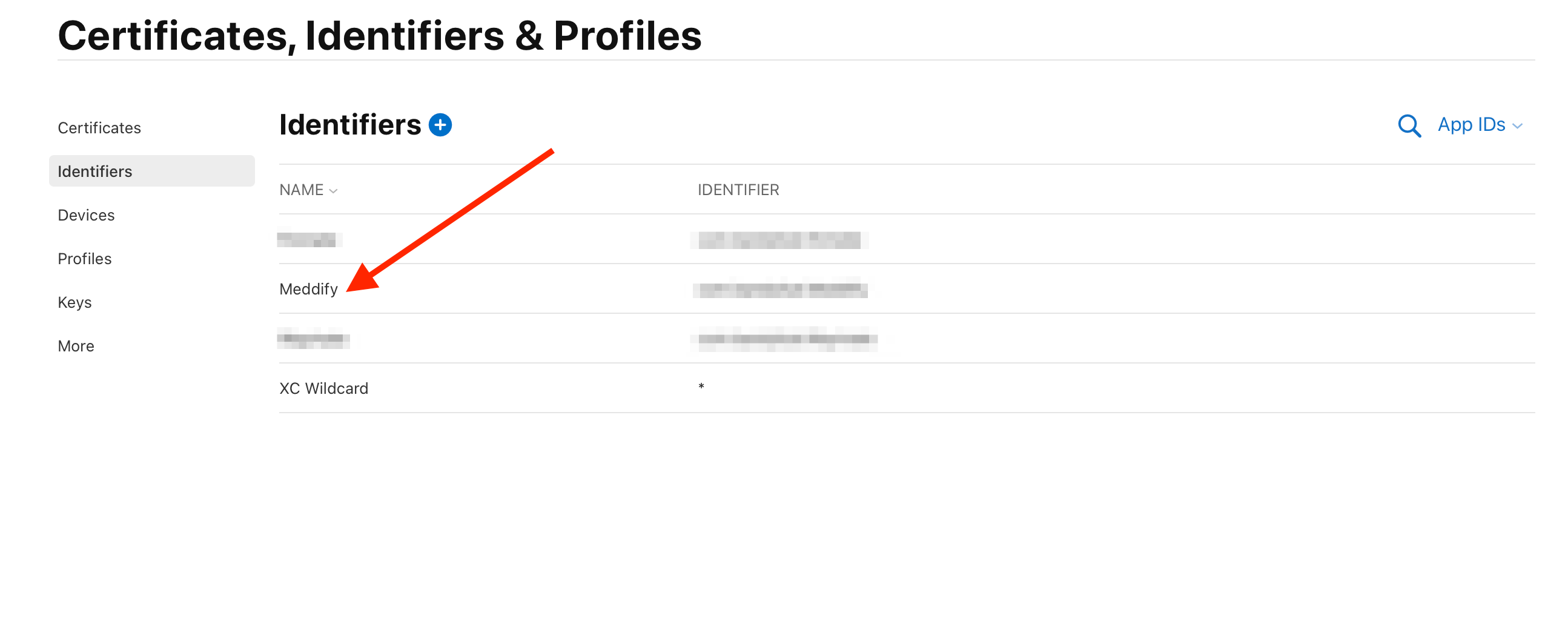
- 在标识符上打开developer.apple.com页面,并选择要启用关键警报的应用程序标识符。
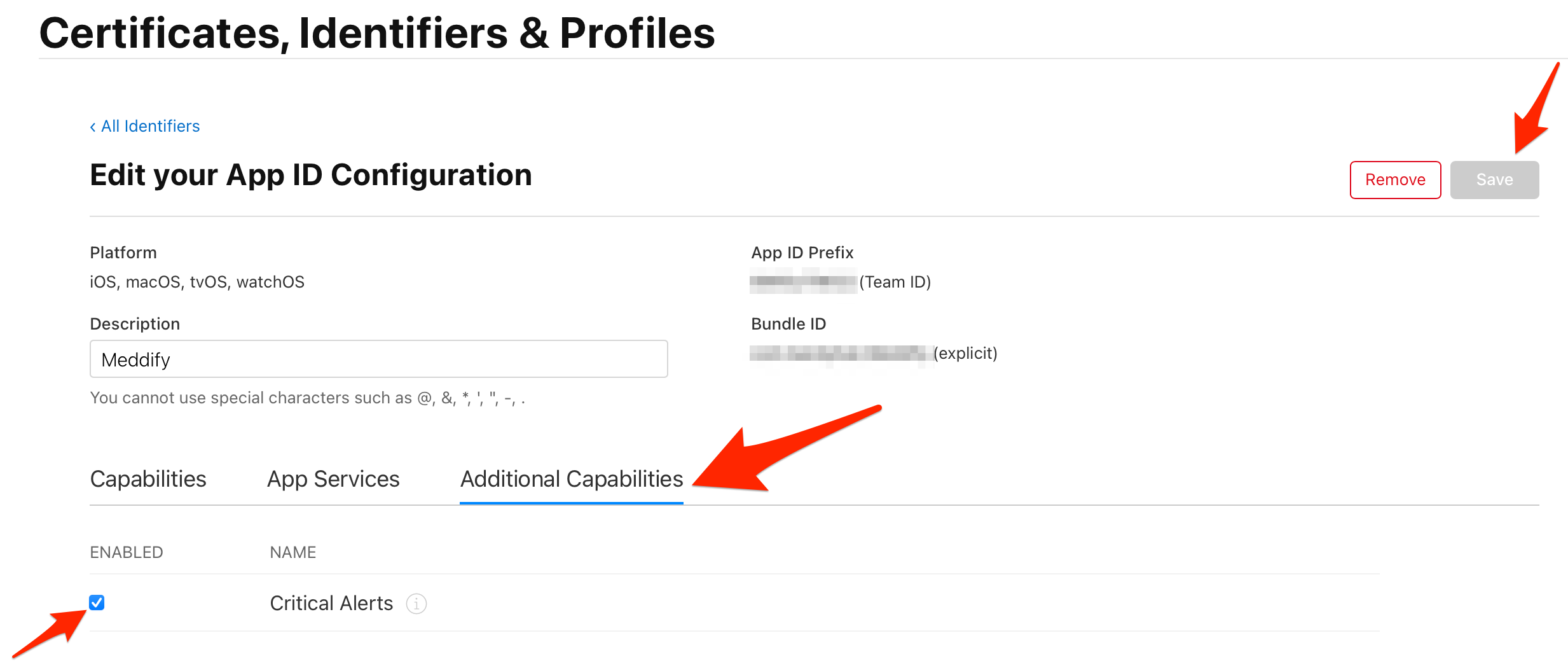
- 在打开的页面上,单击“附加功能”并勾选“关键警报”框。然后单击“保存”按钮。
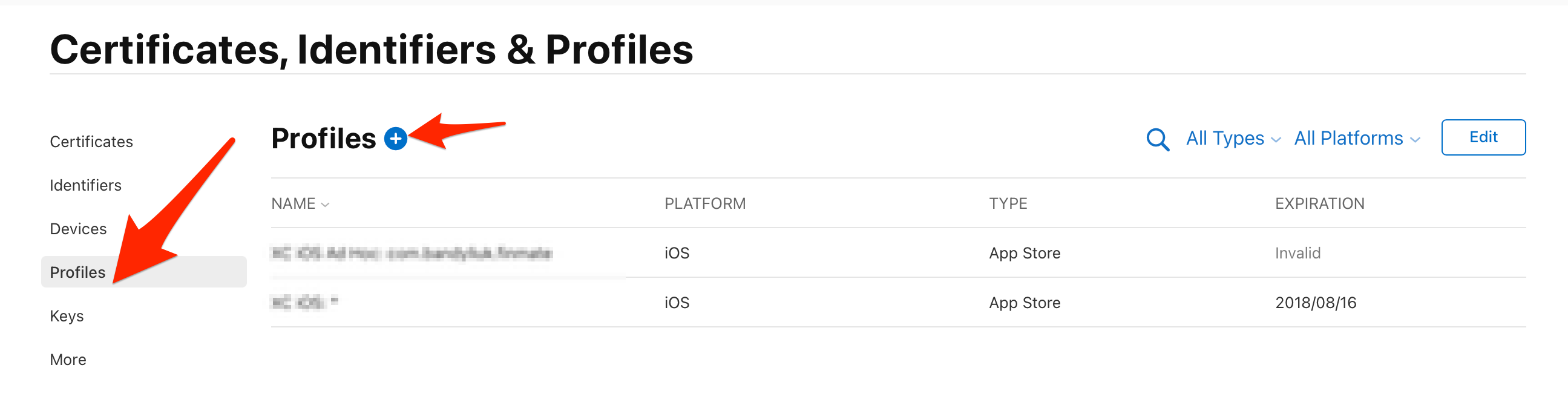
- 导航到配置文件页并单击加号按钮注册一个新的供应配置文件。
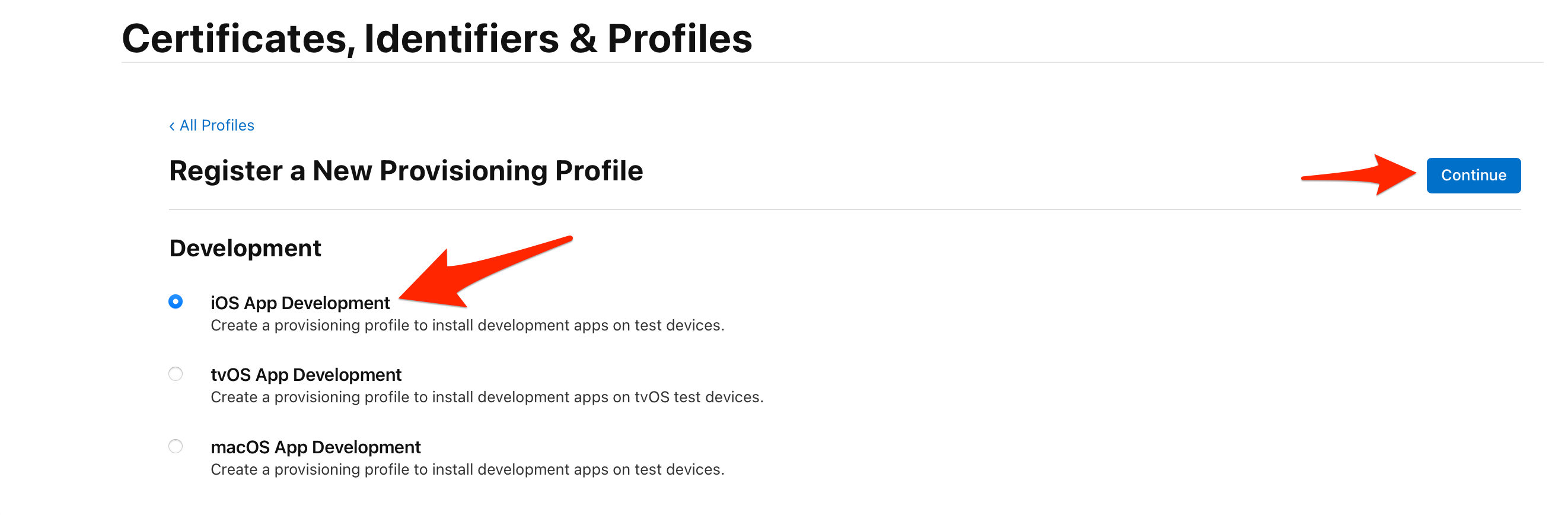
- 选择iOS应用程序开发选项,然后单击“继续”按钮。
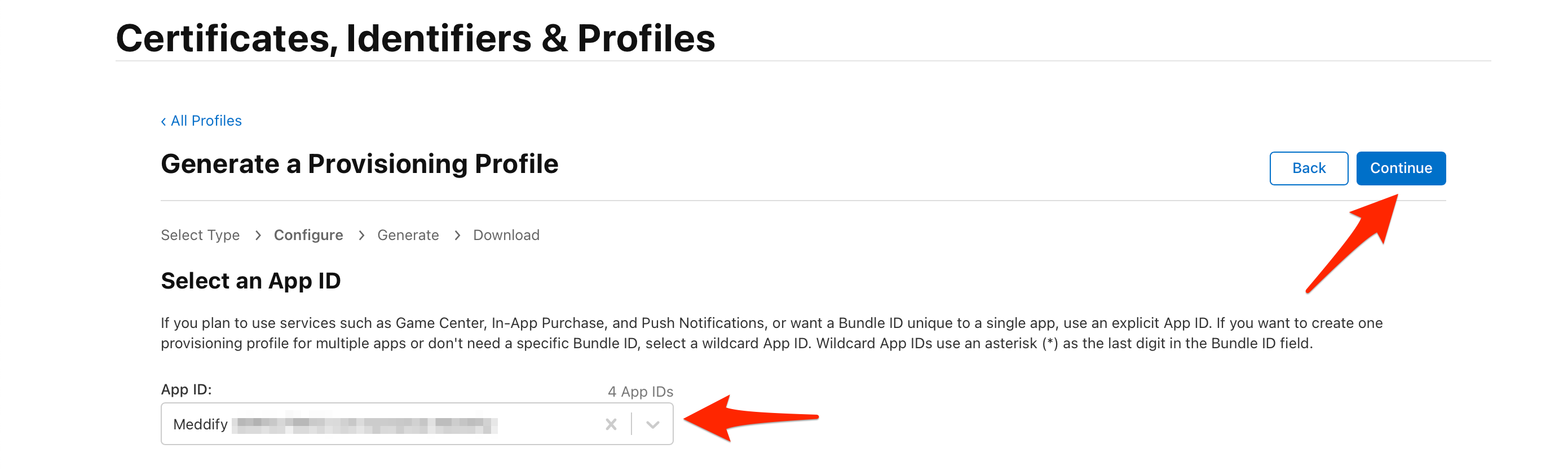
- 选择您的应用程序ID并单击“继续”按钮。
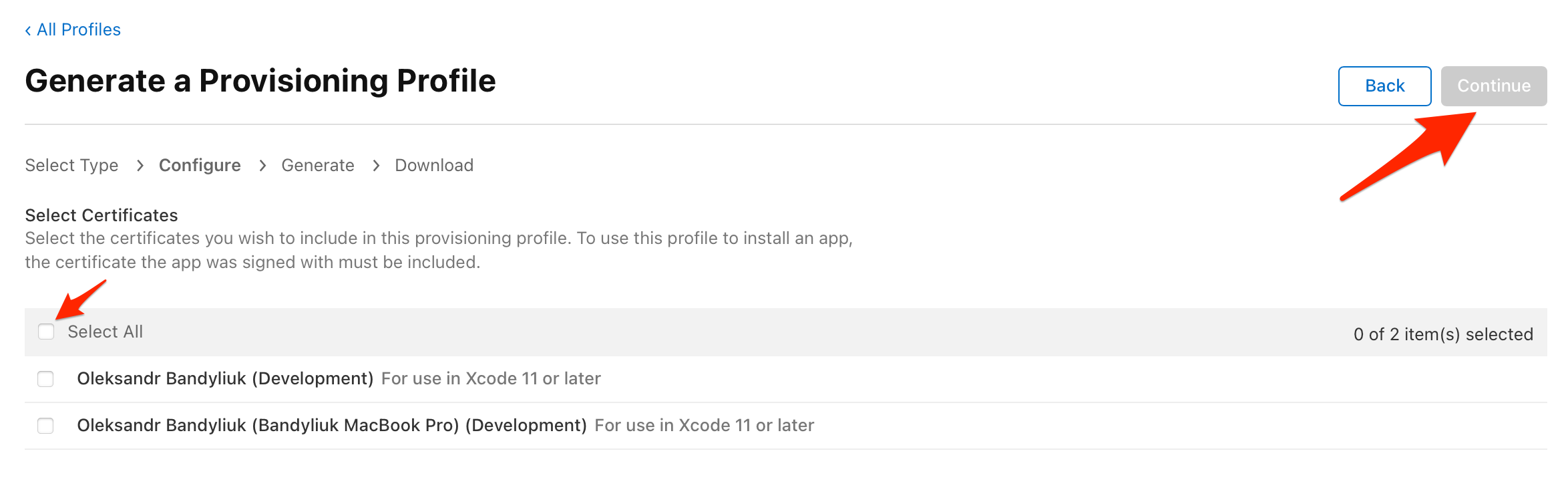
- 选择“所有证书”并单击“继续”按钮。
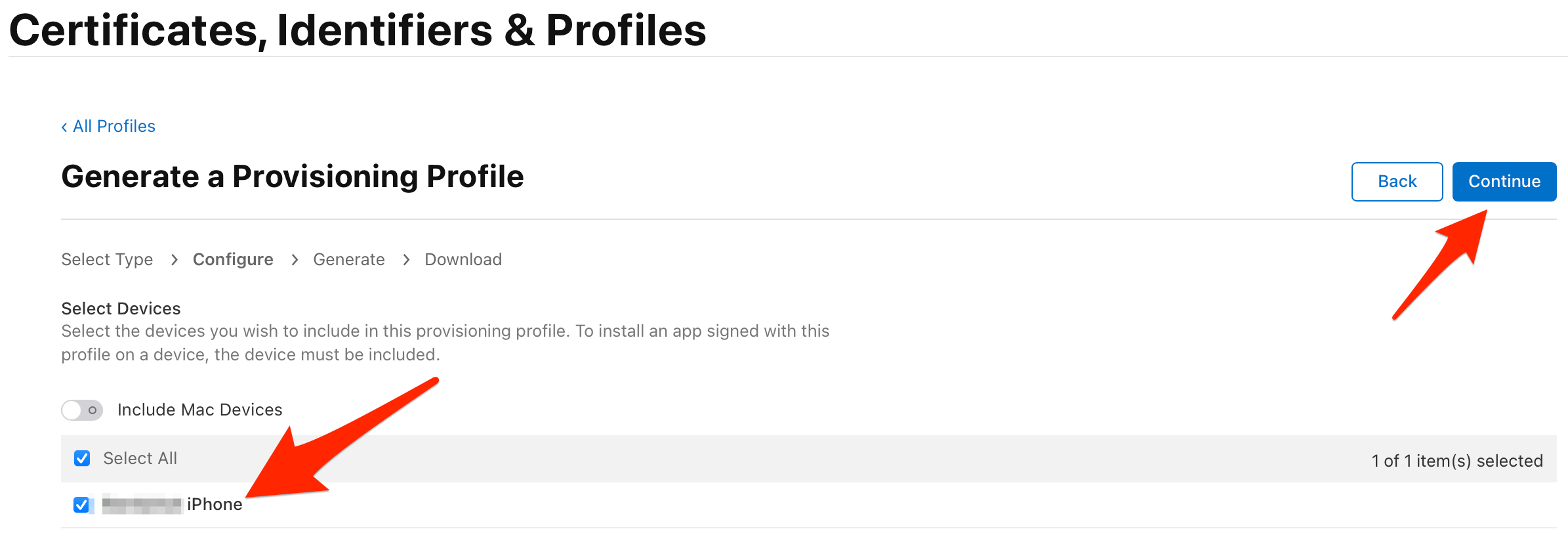
- 选择设备并单击“继续”按钮。
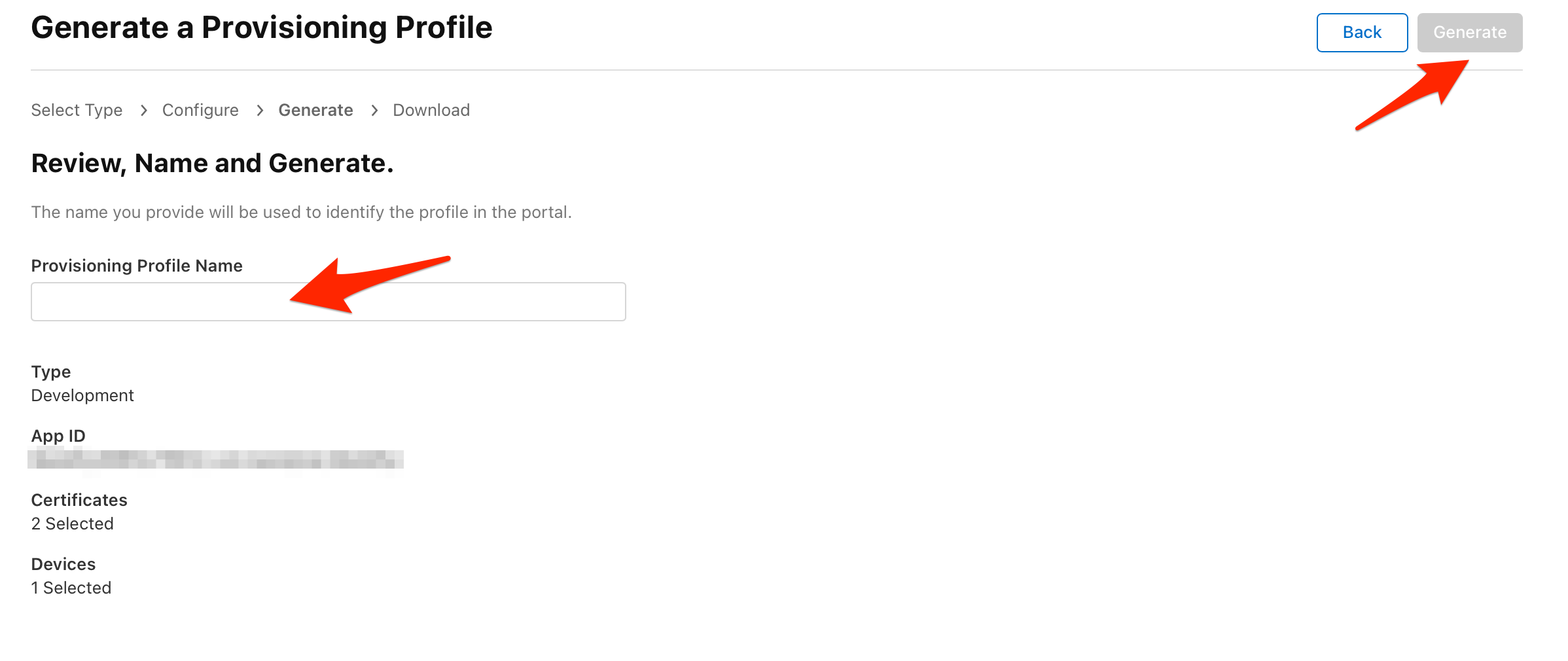
- 键入供应配置文件的名称,然后单击“生成”按钮。例如,这个名称可以是您的应用程序名。
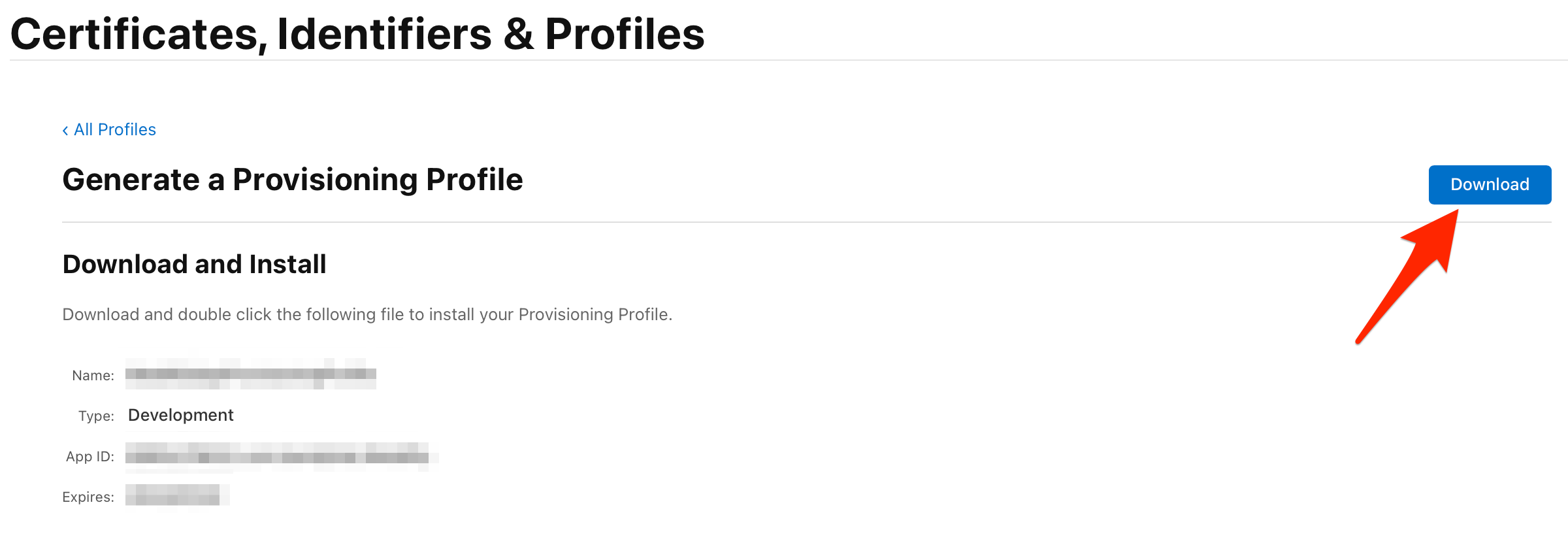
- 您的配置文件已经准备好了。单击下载按钮。然后双击以下文件来安装您的配置文件。
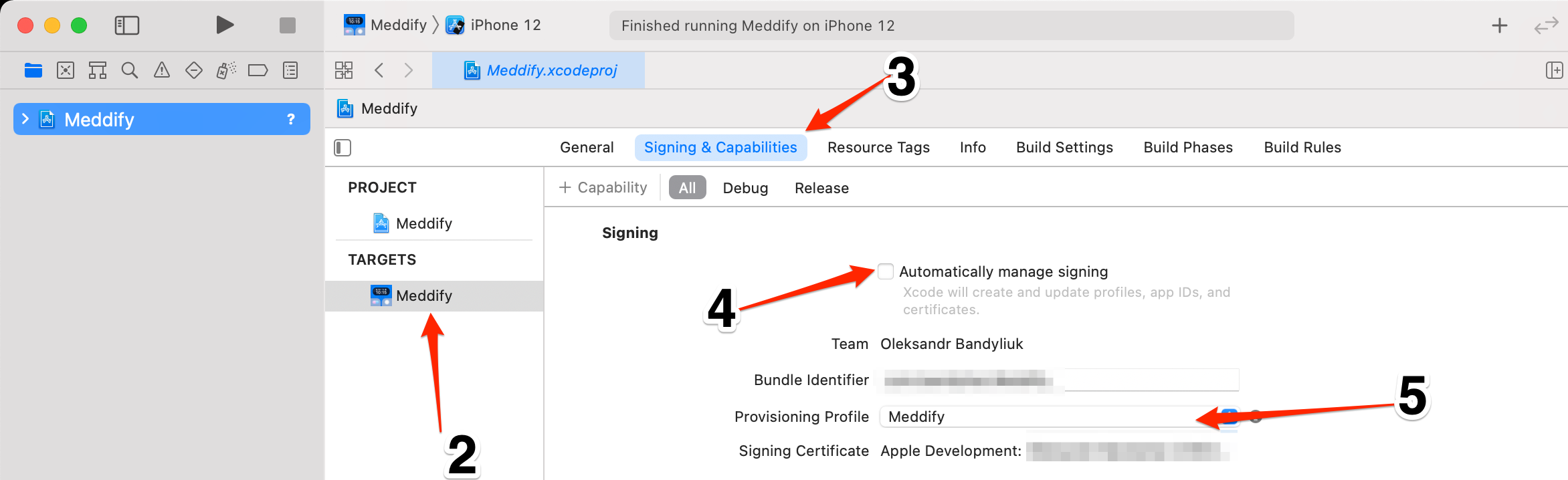
如何在XCODE中选择您的配置文件
- 打开Xcode项目。
- 选择你的目标。
- 选择签名和功能。
- 取消选中自动管理签名。
- 在供应配置文件字段中,选择您在前面步骤中下载和安装的配置文件。
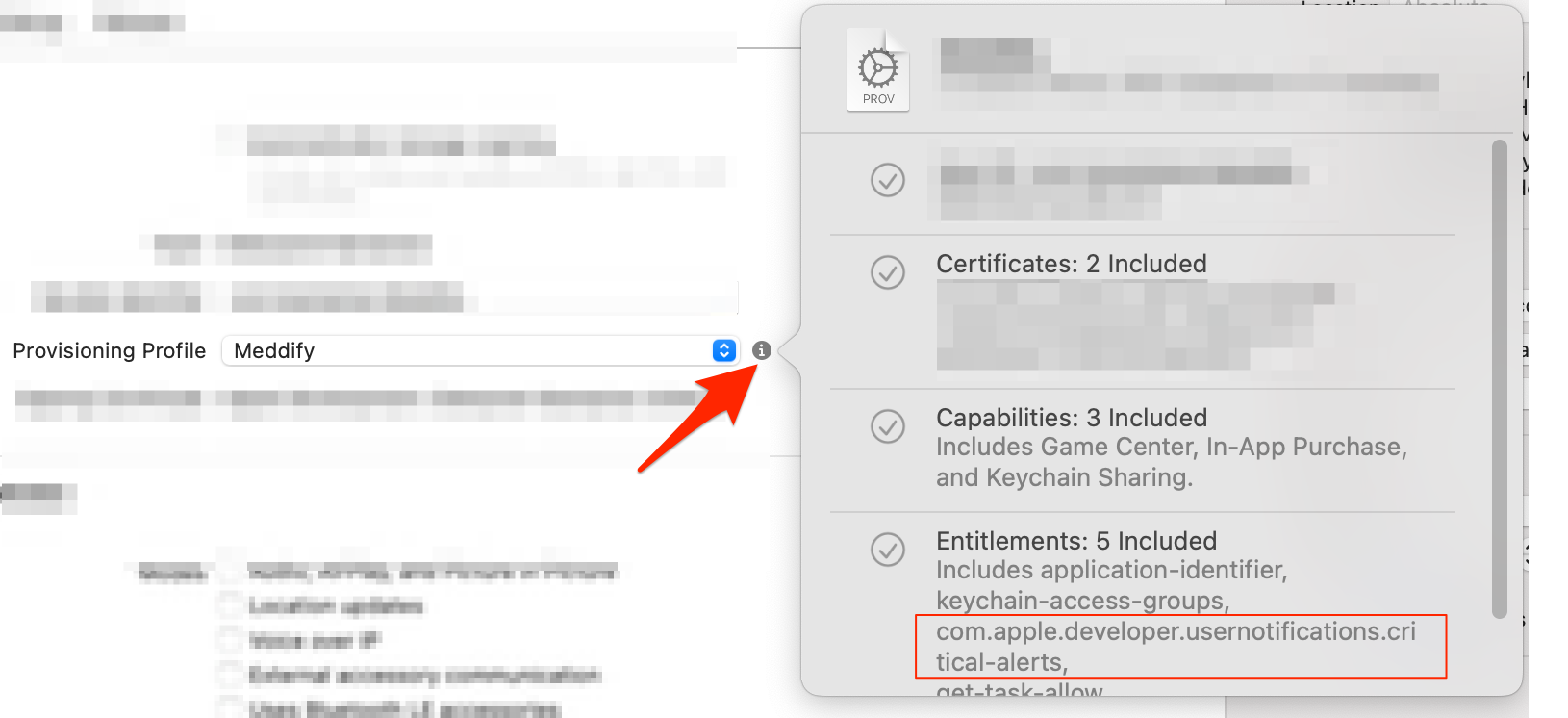
- 检查应享权利。
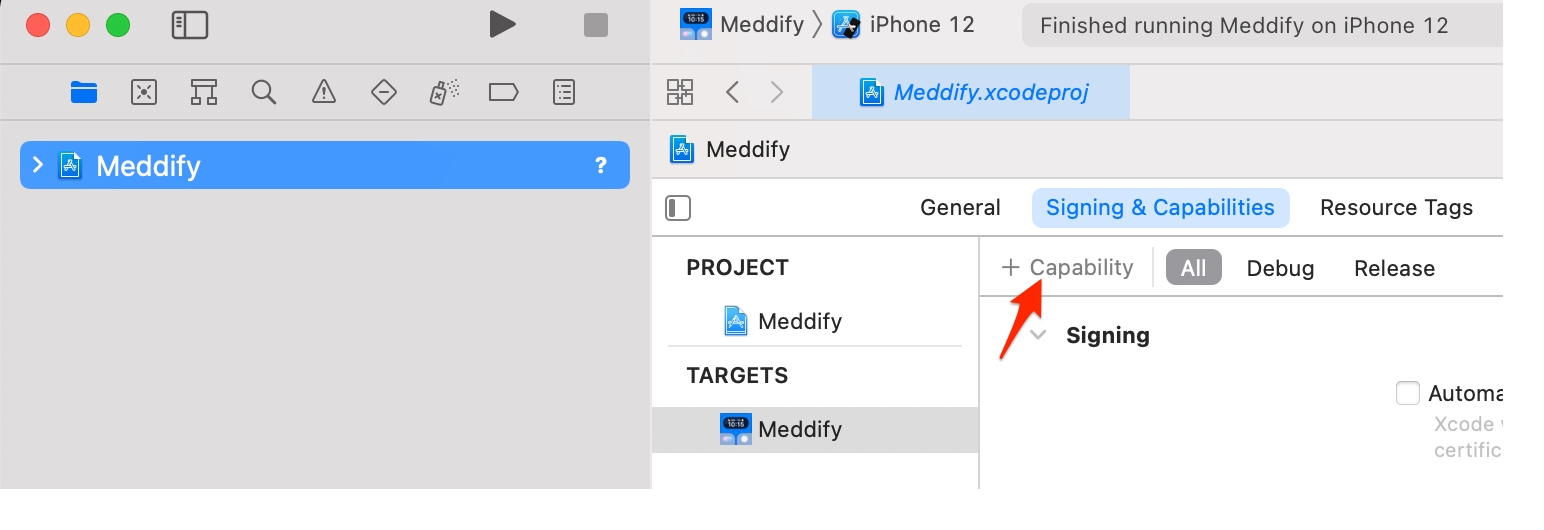
如何添加应享权利文件
- 单击加号以添加功能。
- 选择密钥链共享
- 打开.entitlements文件。将光标悬停到“权益文件”字段,然后单击“加号”按钮。
- 将值键名更改为«com.apple.developer.usernotifications.critical-alerts»,类型为布尔型,将值更改为1。
- 然后将光标悬停到字段,然后单击减号按钮。
我们需要添加到代码中的内容
请求授权
let center = UNUserNotificationCenter.current()
center.requestAuthorization(options: [.alert, .badge, .sound, .criticalAlert]) { (granted, error) in}
用于本地通知的
将您的UNMutableNotificationContent声音更改为下一个:
let notificationContent = UNMutableNotificationContent()
notificationContent.sound = UNNotificationSound.defaultCritical
如果要使用自定义声音,则需要将代码替换为以下代码:
let notificationContent = UNMutableNotificationContent()
notificationContent.sound = UNNotificationSound.criticalSoundNamed(UNNotificationSoundName(rawValue:"YourCustomSound.mp3"))推送通知的(来自Tapcode教程)
{
   "aps":{
       "alert": "This is a Critical Alert!",
       "badge": 1,
       "sound": {
         "critical": 1,
         "name": "your_custom_sound.aiff",
         "volume": 1.0
        }
     }
}页面原文内容由Stack Overflow提供。腾讯云小微IT领域专用引擎提供翻译支持
原文链接:
https://stackoverflow.com/questions/66057840
复制相关文章
相似问题
腾讯云开发者

Copyright © 2013 - 2026 Tencent Cloud. All Rights Reserved. 腾讯云 版权所有
深圳市腾讯计算机系统有限公司 ICP备案/许可证号:粤B2-20090059  粤公网安备44030502008569号
腾讯云计算(北京)有限责任公司 京ICP证150476号 | 京ICP备11018762号