
UIImageView和UIScrollView缩放
我真的需要一个UIPinchGestureRecognizer在一个UIScrollView内让捏工作吗?如果是,我该怎么做?我正在尝试实现flipboard所拥有的功能,它基本上是放大图像,并在缩放后具有滚动功能。我该怎么做?
更新:
下面是一些我没有调用滚动视图委托的代码
CGRect imgFrame;
imgFrame.size.width = originalImageSize.width;
imgFrame.size.height = originalImageSize.height;
imgFrame.origin.x = imageOriginPoint.x;
imgFrame.origin.y = imageOriginPoint.y;

NSData *data = [request responseData];
UIImage * image = [UIImage imageWithData:data];
imageView = [[UIImageView alloc] initWithImage:image];
[imageView setUserInteractionEnabled:YES];
[imageView setBackgroundColor:[UIColor clearColor]];
[imageView setAutoresizingMask:UIViewAutoresizingFlexibleWidth | UIViewAutoresizingFlexibleHeight];
[imageView setFrame:CGRectMake(0, 0, imgFrame.size.width, imgFrame.size.height)];

UIScrollView * imgScrollView = [[UIScrollView alloc] initWithFrame:imageView.frame];
imgScrollView.delegate = self;
imgScrollView.showsVerticalScrollIndicator = NO;
imgScrollView.showsHorizontalScrollIndicator = NO;
[imgScrollView setScrollEnabled:YES];
[imgScrollView setClipsToBounds:YES];
[imgScrollView addSubview:imageView];
[imgScrollView setBackgroundColor:[UIColor blueColor]];
[imgScrollView setMaximumZoomScale:1.0];回答 6
Stack Overflow用户
发布于 2012-01-17 16:33:48
您所需要做的就是将UIImageView (或任何想缩放的视图)添加到UIScrollView中。
将maximumZoomScale在UIScrollView上设置为任何高于1.0f的值。
将自己设置为UIScrollView的委托,并在viewForZooming委托方法中返回UIImageView。
就这样。不需要捏捏的姿势,什么也不需要。UIScrollView为您处理捏缩。
Stack Overflow用户
发布于 2016-02-25 13:50:23
目标C
夹点-滚动视图中的缩放图像(目标C)
1.滚动视图约束
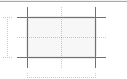
2.在ScrollView中添加ImageView并设置约束
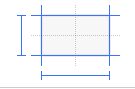
3.以IBOutlets为例
IBOutlet UIScrollView * bgScrollView;
IBOutlet UIImageView * imageViewOutlet;
4. viewDidLoad方法
- (void)viewDidLoad
 {
    [super viewDidLoad];

    float minScale=bgScrollView.frame.size.width / imageViewOutlet.frame.size.width;
    bgScrollView.minimumZoomScale = minScale;
    bgScrollView.maximumZoomScale = 3.0;
    bgScrollView.contentSize = imageViewOutlet.frame.size;
    bgScrollView.delegate = self;
}
5.滚动视图代理方法
- (UIView *)viewForZoomingInScrollView:(UIScrollView *)scrollView
{
    return imageViewOutlet;
}
Swift
夹点-滚动视图步骤中的缩放图像(Swift)
1.滚动视图约束
2.在ScrollView中添加ImageView并设置约束
3.以IBOutlets为例
@IBOutlet weak var bgScrollView : UIScrollView!
@IBOutlet weak var imageView : UIImageView!
4. viewDidLoad方法
 override func viewDidLoad() {
    super.viewDidLoad()

    let minScale = bgScrollView.frame.size.width / imageView.frame.size.width;
    bgScrollView.minimumZoomScale = minScale
    bgScrollView.maximumZoomScale = 3.0
    bgScrollView.contentSize = imageView.frame.size
    bgScrollView.delegate = self
}
5.滚动视图代理方法
func viewForZooming(in scrollView: UIScrollView) -> UIView? {
    return imageView
}Stack Overflow用户
发布于 2012-01-17 08:15:42
不久前,我做了一个定制的图像查看器,没有夹点识别器。只有UIImageView在UIScrollView上面。在那里,您传递一个带有指向图像的链接的字符串,并且它还有一个进度条。完成该图像后,将显示该图像。下面是代码:
-(UIView *)viewForZoomingInScrollView:(UIScrollView *)scrollView
{
  return self.theImageView;
}

- (CGRect)centeredFrameForScrollView:(UIScrollView *)scroll andUIView:(UIView *)rView {
  CGSize boundsSize = scroll.bounds.size;
  CGRect frameToCenter = rView.frame;
  // center horizontally
  if (frameToCenter.size.width < boundsSize.width) {
    frameToCenter.origin.x = (boundsSize.width - frameToCenter.size.width) / 2;
  }
  else {
    frameToCenter.origin.x = 0;
  }
  // center vertically
  if (frameToCenter.size.height < boundsSize.height) {
    frameToCenter.origin.y = (boundsSize.height - frameToCenter.size.height) / 2;
  }
  else {
    frameToCenter.origin.y = 0;
  }
  return frameToCenter;
}

-(void)scrollViewDidZoom:(UIScrollView *)scrollView
{
  self.theImageView.frame = [self centeredFrameForScrollView:self.theScrollView andUIView:self.theImageView];
}

- (void)connection:(NSURLConnection *)connection didReceiveResponse:(NSURLResponse *)response {
  [self.resourceData setLength:0];
  self.filesize = [NSNumber numberWithLongLong:[response expectedContentLength]];
}

-(void)connection:(NSURLConnection *)connection didReceiveData:(NSData *)data
{
  [self.resourceData appendData:data];
  NSNumber *resourceLength = [NSNumber numberWithUnsignedInteger:[self.resourceData length]];
  self.progressBar.progress = [resourceLength floatValue] / [self.filesize floatValue];
}

-(void)connectionDidFinishLoading:(NSURLConnection *)connection
{
  self.theImage = [[UIImage alloc]initWithData:resourceData];
  self.theImageView.frame = CGRectMake(0, 0, self.theImage.size.width, self.theImage.size.height);
  self.theImageView.image = self.theImage;
  self.theScrollView.minimumZoomScale = self.theScrollView.frame.size.width / self.theImageView.frame.size.width;
  self.theScrollView.maximumZoomScale = 2.0;
  [self.theScrollView setZoomScale:self.theScrollView.minimumZoomScale];
  self.theScrollView.contentSize = self.theImageView.frame.size;
  self.theLabel.hidden = YES;
  self.progressBar.hidden = YES;
}

-(void)setImageInImageView
{
  NSURLRequest *req = [[NSURLRequest alloc]initWithURL:[NSURL URLWithString:self.imageLink]];
  NSURLConnection *conn = [[NSURLConnection alloc]initWithRequest:req delegate:self];
  if (conn)
  {
    self.resourceData = [NSMutableData data];
  }
  else
  {
    NSLog(@"Connection failed: IMageViewerViewController");
  }
}

-(void)loadView
{
  self.filesize = [[NSNumber alloc]init];
  self.progressBar = [[UIProgressView alloc]initWithProgressViewStyle:UIProgressViewStyleBar];
  self.progressBar.frame = CGRectMake(20, 240, 280, 40);
  [self.progressBar setProgress:0.0];
  self.theImageView = [[[UIImageView alloc]initWithFrame:[[UIScreen mainScreen]applicationFrame]]autorelease];
  self.theScrollView = [[[UIScrollView alloc]initWithFrame:[[UIScreen mainScreen]applicationFrame]]autorelease];
  self.theScrollView.delegate = self;
  [self.theScrollView addSubview:self.theImageView];
  self.view = self.theScrollView;
  self.theLabel = [[UILabel alloc]initWithFrame:CGRectMake(0, 200, 320, 40)];
  self.theLabel.font = [UIFont boldSystemFontOfSize:15.0f];
  self.theLabel.text = @"Please wait, file is being downloaded";
  self.theLabel.textAlignment = UITextAlignmentCenter;
  self.theLabel.hidden = NO;
  [self.view addSubview:self.progressBar];
  [self.view bringSubviewToFront:self.progressBar];
  [self.view addSubview:self.theLabel];
  [self.view bringSubviewToFront:self.    theLabel];
  [self performSelectorOnMainThread:@selector(setImageInImageView) withObject:nil waitUntilDone:NO];
}
以及头文件:
@interface ImageViewerViewController : UIViewController<UIScrollViewDelegate, NSURLConnectionDelegate, NSURLConnectionDataDelegate>

@property (nonatomic, retain) IBOutlet UIImageView *theImageView;
@property (nonatomic, retain) IBOutlet UIScrollView *theScrollView;
@property (nonatomic, retain) NSString *imageLink;
@property (nonatomic, retain) UIImage *theImage;
@property (nonatomic, retain) UILabel *theLabel;
@property (nonatomic, retain) UIProgressView *progressBar;
@property (nonatomic, retain) NSMutableData *resourceData;
@property (nonatomic, retain) NSNumber *filesize;
@end
希望它能帮上忙
https://stackoverflow.com/questions/8891356
复制相似问题
腾讯云开发者

Copyright © 2013 - 2026 Tencent Cloud. All Rights Reserved. 腾讯云 版权所有
深圳市腾讯计算机系统有限公司 ICP备案/许可证号:粤B2-20090059  粤公网安备44030502008569号
腾讯云计算(北京)有限责任公司 京ICP证150476号 | 京ICP备11018762号