
如何正确地将图像插入到具有URL的BIRT报表中?
如何正确地将图像插入到具有URL的BIRT报表中?
提问于 2014-08-12 12:39:49
我使用Eclipse中的URL将来自web的图像插入到BIRT报告中,但它不起作用。它在布局屏幕上显示一个小小的红色X,如果我选择Run/View Report/As PDF,它会说“此报表项的资源不可访问”。
这里有什么问题?我在谷歌上搜索了几个小时,但什么也没找到。
提前感谢您的帮助!
回答 2
Stack Overflow用户
回答已采纳
发布于 2014-08-12 12:51:22
尝试从网页中添加图片,您可以通过浏览器访问这些图像。这样,您就可以确保您在通过URI访问您的映像时不会遇到问题。
例如,添加此URL
http://hajduk.hr/sadrzaj/slike-za-vijesti/640x320/2010-06-08-jerkovic.jpg你可以在你的报告中看到这样的画面:

将图像作为嵌入图像包含在报表文件中的其他方法。在这个片段上
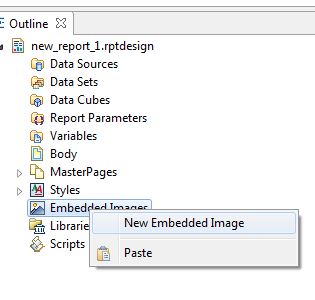
您可以看到如何向报表文件中添加图像。完成后,将显示小红图标的图像元素与嵌入的图像绑定。通过双击report上的image元素并从对话框中选择embedded image来实现这一点。
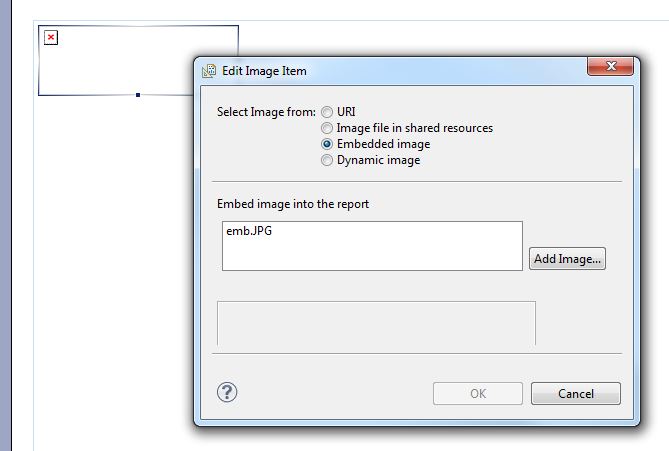
从第二个片段中,您可以看到可以包含来自共享资源的图像,如果您有更多的带有相同图像的报告,就会派上用场。例如,你的客户的标志,你的公司标志等。
Stack Overflow用户
发布于 2017-10-01 10:38:08
Using Dynamic Images in Birt Report
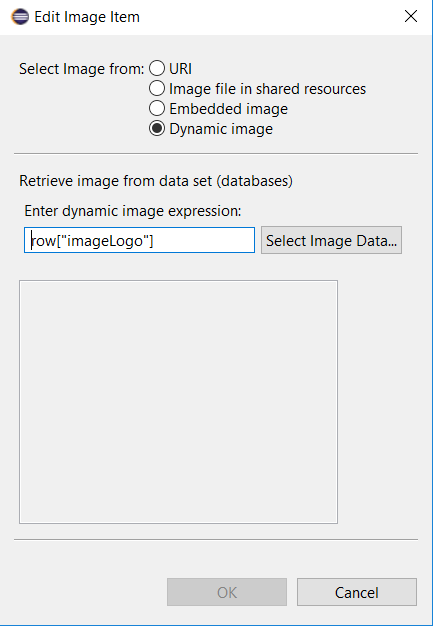

Steps:

1) Create class

class BirtReport {
   public byte[] imageLogo;
}

2) Convert your image into bytes

public byte[] readImagesBytes(String url) {
     byte[] imageBytes = new byte[5024];
     try {
            // Apachae IOUtils
            imageBytes = IOUtils.toByteArray(new URL(url));
     } catch (IOException e) {
            imageBytes = new byte[0];
     }

     return imageBytes;
}

BirtReport birtReport = new BirtReport();
birtReport.imageLogo = readImagesBytes("http://www.underconsideration.com/brandnew/archives/google_2015_logo_detail.png");


3) In the Birt Report create Data Set

   BirtReportData with Blog type of imageLogo


Create the Data Set with imageLogo of Blog Data Type in Birt Report. Convert the image into bytes from server side.
I have solved "The resource of this report item is not reachable" error页面原文内容由Stack Overflow提供。腾讯云小微IT领域专用引擎提供翻译支持
原文链接:
https://stackoverflow.com/questions/25264555
复制相关文章
相似问题
腾讯云开发者

Copyright © 2013 - 2026 Tencent Cloud. All Rights Reserved. 腾讯云 版权所有
深圳市腾讯计算机系统有限公司 ICP备案/许可证号:粤B2-20090059  粤公网安备44030502008569号
腾讯云计算(北京)有限责任公司 京ICP证150476号 | 京ICP备11018762号