
matplotlib与latex之间的一致字体
matplotlib与latex之间的一致字体
提问于 2015-11-26 15:29:35
我正拼命地寻找“最简单的方法”,在我的matplotlib图形和我的胶乳文档中获得外观相同的文本。
到目前为止我的策略是:
- 为我的Latex图形设置一个显式宽度,并使用Matplotlib设置相同的大小。这样,在mpl中设置与Latex字体大小相等的字体大小应该是第一步。
- 在mpl中使用
usetex = True选项。我理解这将使mpl使用Latex来处理图中的所有文本(标题、标签、文本、注释等)。
我的问题是,到最后,我仍然不能像我想要的那样设置字体。
这里有一个例子,在这个例子中,水平轴标签字体明显不同于滴答标签,我确信这些标签与我的latex文档的文本是相同的。
下面是生成图的代码:
import matplotlib as mpl
import matplotlib.pyplot as plt
import numpy as np

with plt.style.context('journal'):
  fig_size = [3.4, 2.1]
  fig = plt.figure(1, figsize=fig_size)
  ax1 = plt.subplot(111)
  ax1.plot([1,2,3,4,5], '+--')
  ax1.set_xlabel(r'1 2 3 4.0 intensity [$10^{13}p$]')
  plt.tight_layout()
fig.savefig('test.png') # I saved to png for SO but the goal is eps我的journal mpl样式表是
backend: PS
text.usetex: True
text.latex.unicode: True
font.family: lmodern # apparently no effect as usetex is true anyway
font.size: 10
axes.titlesize: 10
axes.labelsize: 10
axes.unicode_minus: True
axes.linewidth: 1
legend.fontsize: 10
xtick.labelsize: 10
xtick.major.size: 4
xtick.major.width: 0.5
ytick.labelsize: 10
lines.linewidth: 1.5
lines.markersize: 3
figure.titleweight: normal
savefig.dpi: 600
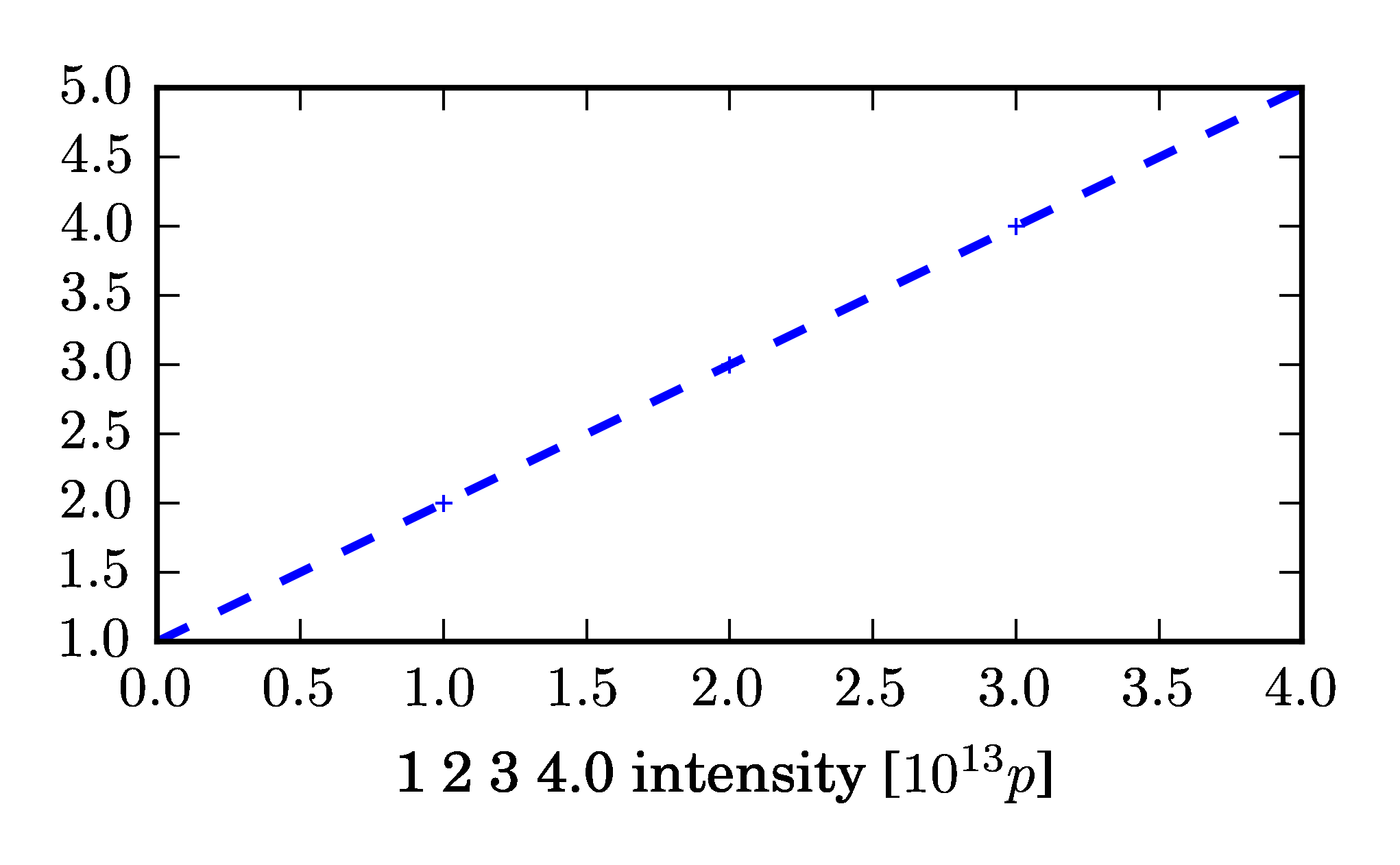
此外,我甚至不确定我是否能够选择/转换从计算机现代到拉丁现代,部分原因是我的眼睛无法区分他们(这在某种程度上使问题无关,但你知道.(极客.)
Stack Overflow用户
回答已采纳
发布于 2015-11-26 16:49:33
多年来,我一直没有遇到任何问题;只需在text.latex preamble中指定与我在LaTeX文档中使用的字体相同的字体,例如:
import matplotlib.pylab as pl
from matplotlib import rc
rc('text', usetex=True)
rc('font', size=14)
rc('legend', fontsize=13)
rc('text.latex', preamble=r'\usepackage{cmbright}')

pl.figure()
pl.plot([0,1], [0,1], label=r'$\theta_{\phi}^3$')
pl.legend(frameon=False, loc=2)
pl.xlabel(r'change of $\widehat{\phi}$')
pl.ylabel(r'change of $\theta_{\phi}^3$')
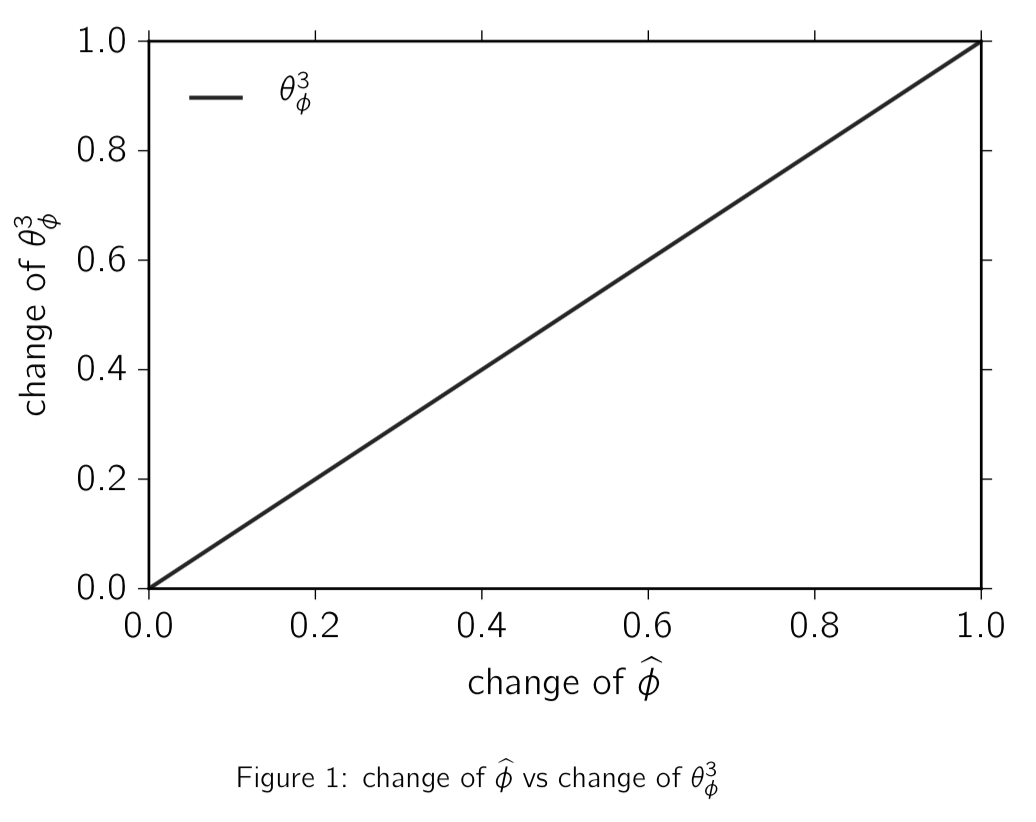
编辑我以前从未使用过样式表,但是当我将它放在一个空样式表中时,它似乎也同样有效:
text.usetex: True
font.size: 14
legend.fontsize: 13
text.latex.preamble: \usepackage{cmbright}页面原文内容由Stack Overflow提供。腾讯云小微IT领域专用引擎提供翻译支持
原文链接:
https://stackoverflow.com/questions/33942210
复制相关文章
相似问题
腾讯云开发者

Copyright © 2013 - 2026 Tencent Cloud. All Rights Reserved. 腾讯云 版权所有
深圳市腾讯计算机系统有限公司 ICP备案/许可证号:粤B2-20090059  粤公网安备44030502008569号
腾讯云计算(北京)有限责任公司 京ICP证150476号 | 京ICP备11018762号