
Android -通过GCM发送推送通知,前台/后台有应用程序
我正在通过GCM向我的应用程序添加推送通知,但我被困在了一些东西上。
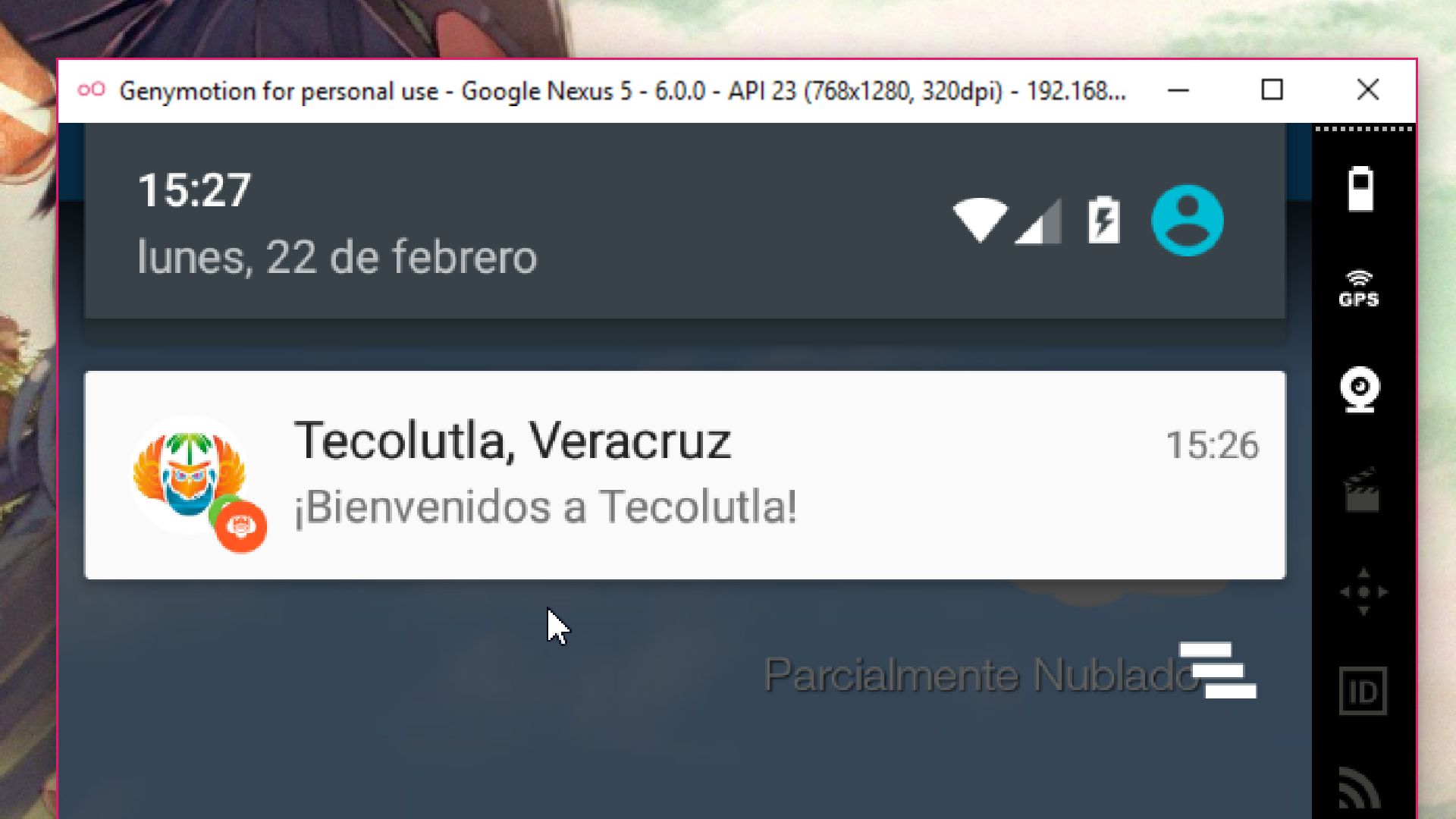
当我在前台(打开和屏幕上)发送带有应用程序的推送通知时,它将按预期正常显示:
但是,当我把它和我的应用程序一起发送到后台时,它会像这样显示:
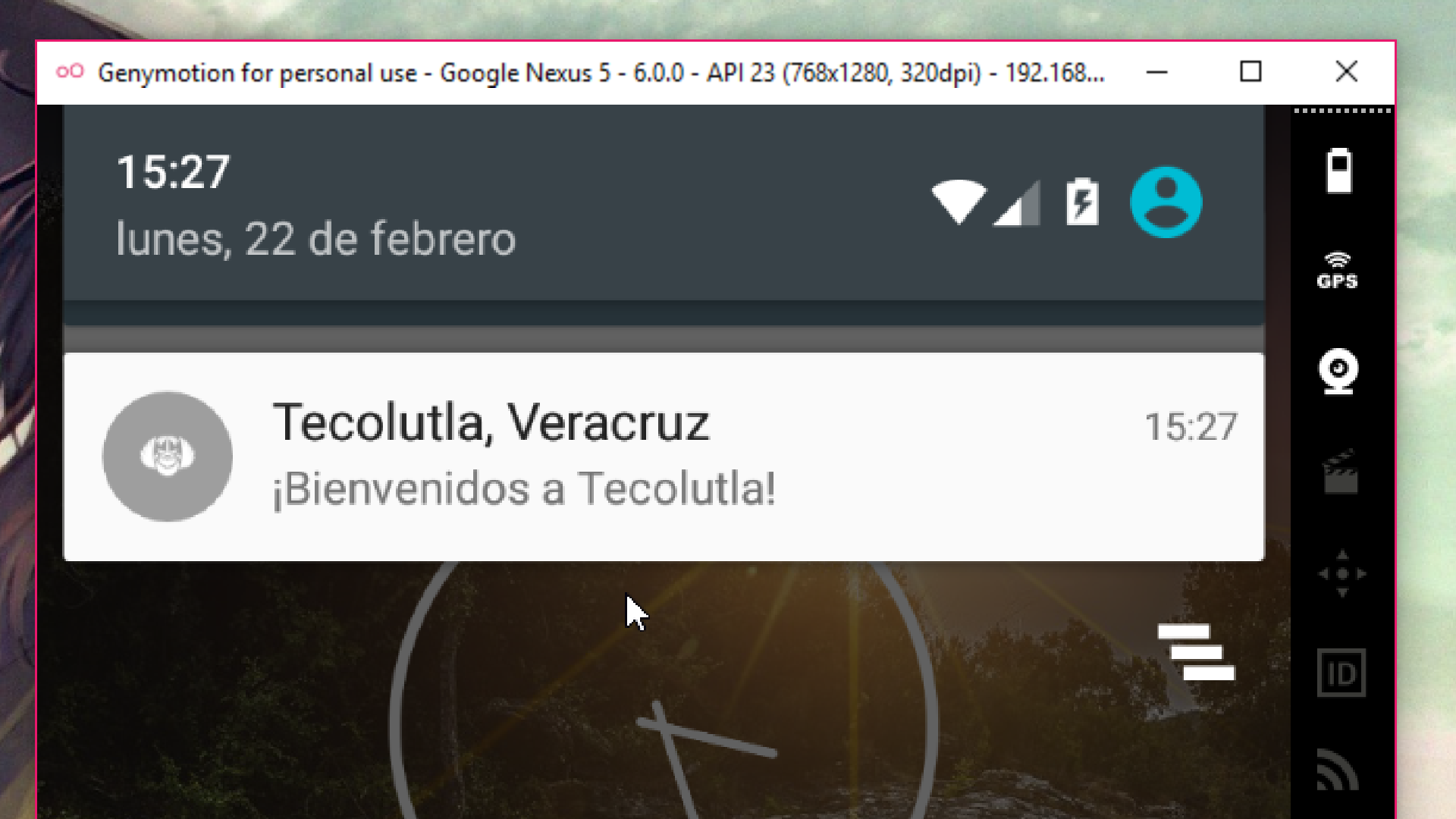
所以我的大图像和图标背景色不显示。
调用代码:
{
  "notification": {
    "title": "Tecolutla, Veracruz",
    "body": "¡Bienvenidos a Tecolutla!",
    "icon": "push"
  },
  "priority": "high",
  "data": {
    "Mensaje": "Descubre muchísimos lugares en Visita Xalapa.",
    "Class" : "Festividades"
  },
  "to": "/topics/global"
}
GsmListenerService代码:
@SuppressWarnings("ConstantConditions")
    private void sendNotification(Bundle data) {
        Intent intent = new Intent(this, TecolutlaVeracruz.class);
        intent.addFlags(Intent.FLAG_ACTIVITY_CLEAR_TOP);
        intent.putExtra("Push_Title", data.getBundle("notification").getString("title"));
        intent.putExtra("Push_Body", data.getBundle("notification").getString("body"));
        intent.putExtra("Push_Mensaje", data.getString("Mensaje"));
        int Color = ColorManager.getColorBase(Main.INICIO);
        if(data.containsKey("Class")){
            if(data.getString("Class").equals("Inicio")) Color = ColorManager.getColorBase(Main.INICIO);
            else if(data.getString("Class").equals("Nuestro Municipio")) Color = ColorManager.getColorBase(Main.NUESTRO_MUNICIPIO);
            else if(data.getString("Class").equals("Festividades")) Color = ColorManager.getColorBase(Main.FESTIVIDADES);
        }
        PendingIntent pendingIntent = PendingIntent.getActivity(this, 0 /* Request code */, intent, PendingIntent.FLAG_ONE_SHOT);
        NotificationCompat.Builder notificationBuilder = new NotificationCompat.Builder(this)
                .setSmallIcon(R.mipmap.push)
                .setLargeIcon(BitmapFactory.decodeResource(getResources(), R.drawable.acercade_applogo))
                .setContentTitle(data.getBundle("notification").getString("title"))
                .setContentText(data.getBundle("notification").getString("body"))
                .setAutoCancel(true)
                .setSound(RingtoneManager.getDefaultUri(RingtoneManager.TYPE_NOTIFICATION))
                .setColor(Color)
                .setVibrate(new long[]{ 0, 100, 200, 300 })
                .setContentIntent(pendingIntent);
        NotificationManager notificationManager = (NotificationManager) getSystemService(Context.NOTIFICATION_SERVICE);
        notificationManager.notify(0 /* ID of notification */, notificationBuilder.build());
    }
我遇到的另一个问题是,如果应用程序被杀死或没有运行,通知就不会显示。这是正常的吗?
Stack Overflow用户
发布于 2016-02-23 06:18:25
,这样我的大图像和图标背景色就不会显示.
这是因为Android现在使用的是材料设计,推的默认图标将是完全白色的。此外,一个大图标应该始终有一个背景(即化身)。它显示在不同的背景色上,因此它应该是一个不透明的图片.
请参考以下问题:Android通知大图标不工作和Android通知大图标不工作
的另一个问题是,如果应用程序被关闭或不运行,通知将不会显示。这正常吗?
Android通知被实现为由BroadcastReceiver启动的服务。当应用程序为强制关闭时,您不再收到通知的原因是因为此服务也是强制关闭的。启动服务的BroadcastReceiver侦听已完成事件和现在时事件。这意味着服务器在启动时启动,并在用户解锁锁定屏幕时重新启动。
如前所述,这里
你的应用程序只能接受GCM广播,只要你不明确地关闭它。一旦你杀死它,它将不会接收任何广播,直到下一次你发射它。但是,如果你把你的应用程序移到后台(例如,启动另一个应用程序或按后退按钮,直到你移动到主屏幕或另一个应用程序),你的应用程序仍然会收到来自GCM的消息。
因此,如果您强制关闭您的应用程序通过进入设置,那么推送通知将停止工作。当您再次打开应用程序时,您将收到通知。
https://stackoverflow.com/questions/35563313
复制相似问题
腾讯云开发者

Copyright © 2013 - 2026 Tencent Cloud. All Rights Reserved. 腾讯云 版权所有
深圳市腾讯计算机系统有限公司 ICP备案/许可证号:粤B2-20090059  粤公网安备44030502008569号
腾讯云计算(北京)有限责任公司 京ICP证150476号 | 京ICP备11018762号