
在Android安装后无法使用Android抽屉导入插件
在Android安装后无法使用Android抽屉导入插件
提问于 2016-04-06 12:51:57
我正在开发一个Android应用程序。在我的应用程序中,我想玩图标。所以我试着把图标导入到我的项目中,就像我们导入字体一样--在web开发中非常棒。所以我在网上搜索,然后跟踪这个链接:How to import set of icons into Android Studio project。
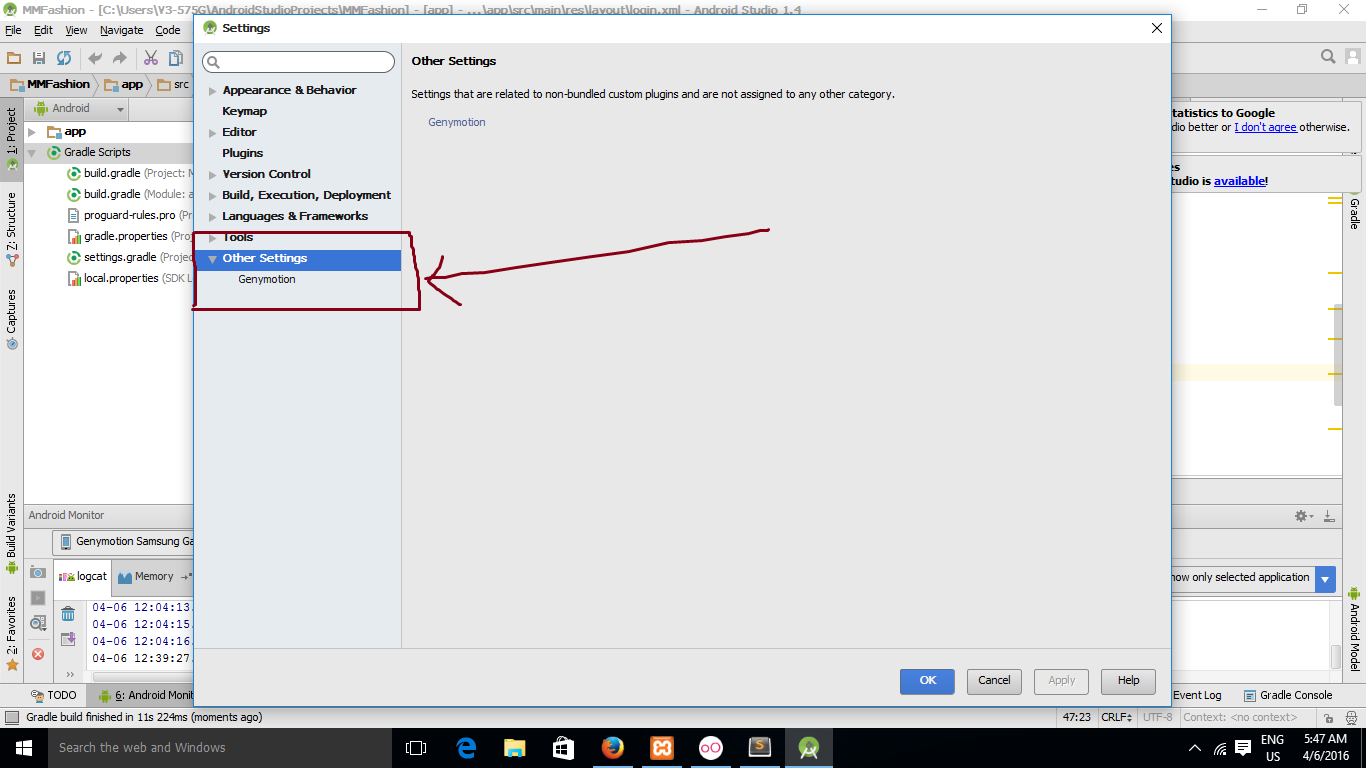
安装之后,我重新启动了Android。当我在其他设置下搜索android导入插件时,我找不到它。看下面的截图。
我很确定我成功地安装了它。请看下面的截图。
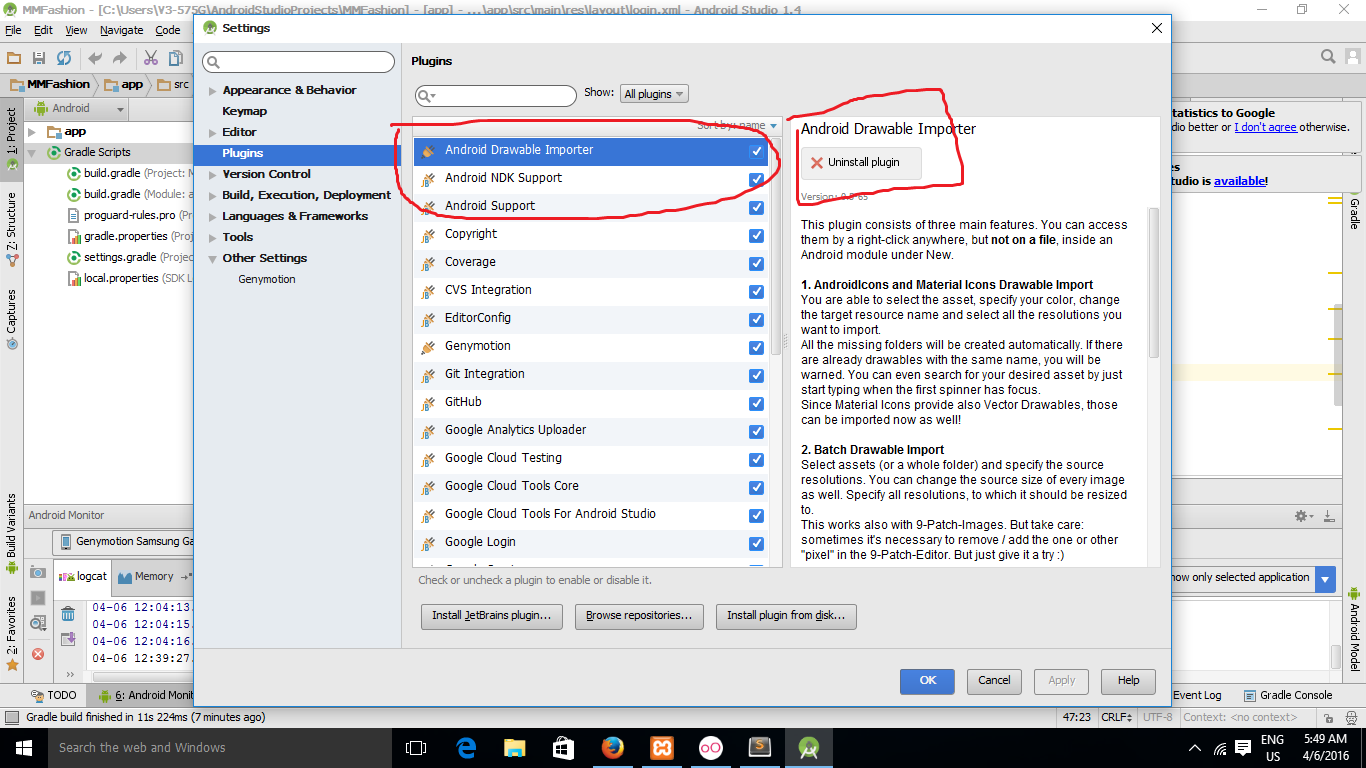
那我为什么找不到它?如何将图标导入到Android中的项目中?我正在使用AndroidStudio1.4。
回答 2
Stack Overflow用户
回答已采纳
发布于 2016-04-06 13:09:10
我使用mikepenz库来使用字体很棒的图标。
https://github.com/mikepenz/Android-Iconics
添加文件build.gradle
compile 'com.mikepenz:fontawesome-typeface:4.5.0.1@aar'示例xml
       <com.mikepenz.iconics.view.IconicsImageView
                android:layout_width="match_parent"
                android:layout_height="match_parent"
                android:layout_weight="2"
                android:id="@+id/img_addCart"
                app:iiv_size="25dp"
                app:iiv_color="@color/md_blue_grey_300"
                app:iiv_icon="faw-cart-arrow-down" />
或者代码
icon = new IconicsDrawable (getContext ())
                     .icon (FontAwesome.Icon.faw_star)
                     .color (ContextCompat.getColor
                           (getContext () R.color.md_yellow_600))
                     .sizeDp (25);

((IconicsImageView) view) .setIcon (icon)Stack Overflow用户
发布于 2016-04-06 15:49:14
因此,我在文本视图中使用了:
    SpannableStringBuilder ssb = new SpannableStringBuilder( "My String   contains one icon." );

    Bitmap fvorito = new IconicsDrawable(getContext(), FontAwesome.Icon.faw_star_o)
            .sizeDp(25)
            .color(ContextCompat.getColor(getContext(), R.color.md_blue_grey_300))
            .toBitmap();

     //ImageSpan imageSpan = new ImageSpan(null, fvorito, ImageSpan.ALIGN_BOTTOM);
    ImageSpan imageSpan = new CenteredImageSpan(null, fvorito, ImageSpan.ALIGN_BOTTOM);

    ssb.setSpan( imageSpan, 10, 11, Spannable.SPAN_INCLUSIVE_INCLUSIVE );
    txtDescricao.setText( ssb, TextView.BufferType.SPANNABLE );
我不知道我能不能帮你
CenteredImageSpan是类
public class CenteredImageSpan extends ImageSpan {

    //http://stackoverflow.com/questions/25628258/align-text-around-imagespan-center-vertical

    public CenteredImageSpan(Context context, Bitmap b, int verticalAlignment) {
        super(context, b, verticalAlignment);
    }

    @Override
    public void draw(Canvas canvas, CharSequence text, int start, int end, float x, int top, int y, int bottom, Paint paint) {
        Drawable b = getDrawable();
        canvas.save();

        int transY = bottom - b.getBounds().bottom;
        // this is the key
        transY -= paint.getFontMetricsInt().descent / 2;

        canvas.translate(x, transY);
        b.draw(canvas);
        canvas.restore();
    }
}
输出:

页面原文内容由Stack Overflow提供。腾讯云小微IT领域专用引擎提供翻译支持
原文链接:
https://stackoverflow.com/questions/36451750
复制相关文章
相似问题
腾讯云开发者

Copyright © 2013 - 2026 Tencent Cloud. All Rights Reserved. 腾讯云 版权所有
深圳市腾讯计算机系统有限公司 ICP备案/许可证号:粤B2-20090059  粤公网安备44030502008569号
腾讯云计算(北京)有限责任公司 京ICP证150476号 | 京ICP备11018762号