
如何捕捉添加的XIB视图(注释)中的按钮单击
如何捕捉添加的XIB视图(注释)中的按钮单击
提问于 2016-04-08 12:21:23
1)我有ViewController和MapKit
1.1)我在Map中添加了一些引脚
class ViewController: UIViewController, MKMapViewDelegate2)我为自定义引脚标注和注释编写了新的类
class CustomPointAnnotation: MKPointAnnotation {

class CustomCalloutView: UIView {
3)我为我的自定义引脚标注创建了.xib
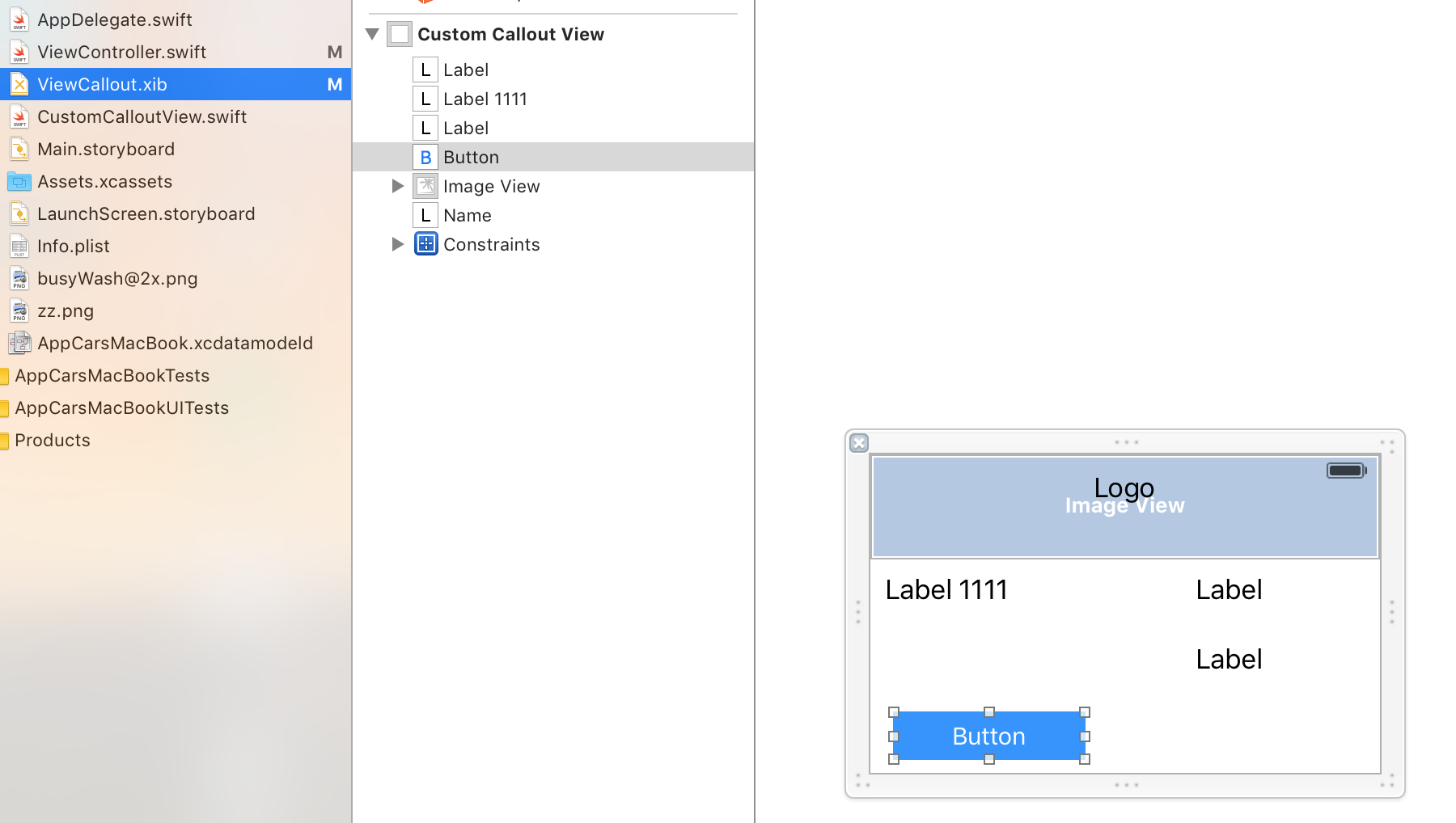
4)我在我的.xib中创建了按钮,这个按钮必须做一些事情,例如
    @IBAction func clickTest(sender: AnyObject) {
    print("aaaaa")
}
5)这个按钮不工作
这方面的做法通常是什么?我想让我的按钮正常工作。按钮是蓝色的:
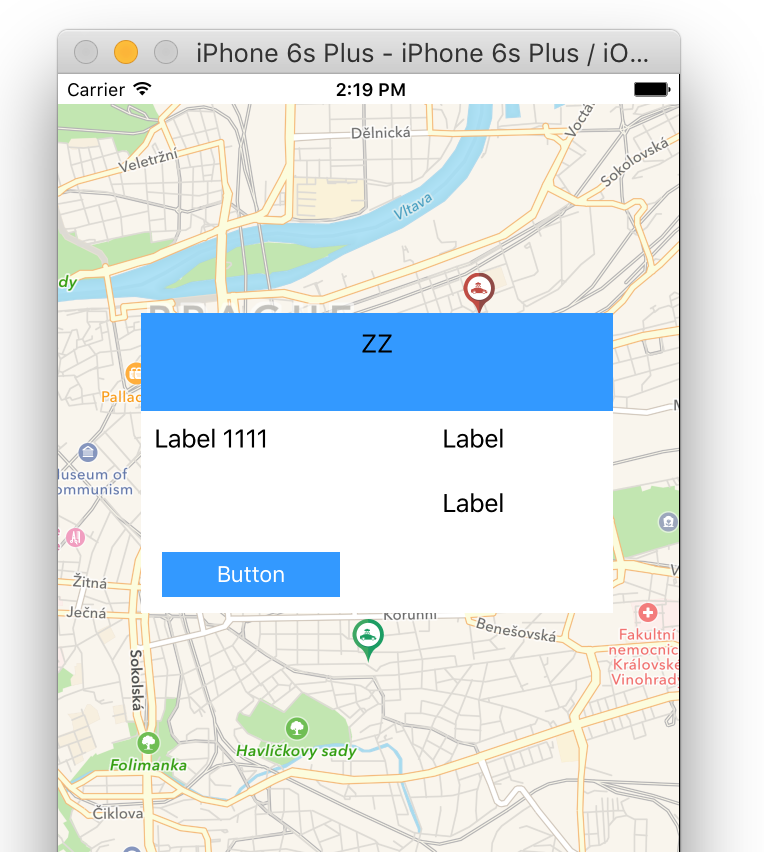
所有你能看到的https://github.com/genFollowMe1/forStack项目:谢谢,抱歉,英语)
回答 2
Stack Overflow用户
回答已采纳
发布于 2016-04-08 13:28:13
目标C的: https://github.com/nfarina/calloutview
更新
斯威普
子类MKAnnotationView,用于自定义调用和重写hitTest:和pointInside:方法。
import UIKit
import MapKit

class CustomCalloutView: MKAnnotationView {

@IBOutlet weak var name: UILabel!

@IBAction func goButton(sender: AnyObject) {

    print("button clicked sucessfully")
}

override func hitTest(point: CGPoint, withEvent event: UIEvent?) -> UIView? {
    let hitView = super.hitTest(point, withEvent: event)
    if hitView != nil {
        superview?.bringSubviewToFront(self)
    }
    return hitView
}

override func pointInside(point: CGPoint, withEvent event: UIEvent?) -> Bool {
    let rect = self.bounds
    var isInside = CGRectContainsPoint(rect, point)
    if !isInside {
        for view in subviews {
            isInside = CGRectContainsPoint(view.frame, point)
            if isInside {
                break
            }
        }
    }
    return isInside
}
}Stack Overflow用户
发布于 2016-04-08 12:58:46
您必须做的方法是将按钮从.xib引用到关联的.swift文件中。
在您的ViewController中,您可以这样做:
let button:UIButton!

[...]

button.targetForAction("tappedButton:", withSender: self)

func tappedButton() {
    print("Taped !")
}页面原文内容由Stack Overflow提供。腾讯云小微IT领域专用引擎提供翻译支持
原文链接:
https://stackoverflow.com/questions/36499455
复制相关文章
相似问题
腾讯云开发者

Copyright © 2013 - 2026 Tencent Cloud. All Rights Reserved. 腾讯云 版权所有
深圳市腾讯计算机系统有限公司 ICP备案/许可证号:粤B2-20090059  粤公网安备44030502008569号
腾讯云计算(北京)有限责任公司 京ICP证150476号 | 京ICP备11018762号