
是Firefox还是Geckodriver创建了"rust_mozprofile“目录?
是Firefox还是Geckodriver创建了"rust_mozprofile“目录?
提问于 2017-09-07 05:25:52
每当我们调用Firefox时,都会在'/tmp‘目录下创建rust_mozprofile目录。当Firefox内部调用Geckodriver时,我们不确定Firefox还是Geckodriver正在创建rust_mozprofile目录。
我确实想知道Geckodriver还是Firefox,因为我的'/tmp‘目录内存较少。
所以问题是我真的很想修改为rust_mozprofile创建目录的路径。
我正在使用以下技术,
- 硒- 3.3.0
- Firefox - 52.2.0
- Geckodriver 13
如果有的话,请给我们一些建议。
回答 4
Stack Overflow用户
回答已采纳
发布于 2017-09-07 06:24:56
如果仔细查看geckodriverv0.18.0日志,您将在下面的行中观察到rust_mozprofile的第一次出现:
1504762617094 Marionette CONFIG Matched capabilities: {"browserName":"firefox","browserVersion":"56.0","platformName":"windows_nt","platformVersion":"6.2","pageLoadStrategy":"normal","acceptInsecureCerts":false,"timeouts":{"implicit":0,"pageLoad":300000,"script":30000},"rotatable":false,"specificationLevel":0,"moz:processID":5848,"moz:profile":"C:\\Users\\AtechM_03\\AppData\\Local\\Temp\\rust_mozprofile.OfFuR9ogm33d","moz:accessibilityChecks":false,"moz:headless":false}此日志清楚地表明木偶正在配置以下内容:
"moz:profile":"C:\\Users\\AtechM_03\\AppData\\Local\\Temp\\rust_mozprofile.OfFuR9ogm33d" 这个配置由WebDriver实例(即GeckoDriver )完成。
GeckoDriver内部配置Marionette,启动Mozilla浏览器。
IMO,自从我们从Legacy Firefox迁移到基于Marionette的Firefox之后,这个工作流就已经在实践中了。因此,同样的情况也必须发生在Geckodriver 13以及。
更新:
GeckoDriver作为应用程序/exe文件:
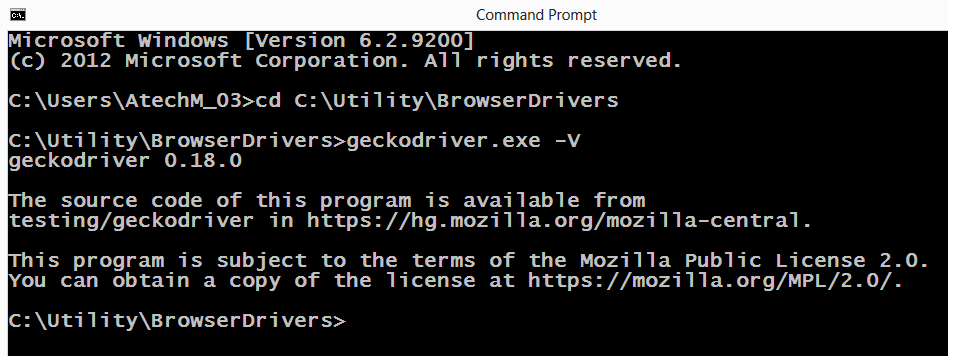
Stack Overflow用户
发布于 2019-03-08 13:30:22
您可以使用TMPDIR envvar设置位置。同时为其他程序设置TMP和TEMP也很有用。
Stack Overflow用户
发布于 2018-04-16 20:15:48
一个解决方案是使用driver.quit() --关闭所有浏览器并处理配置文件
另一个解决方案是添加自定义配置文件。
fp = webdriver.FirefoxProfile('specify location to profile .default')
driver = webdriver.Firefox(firefox_profile=fp)页面原文内容由Stack Overflow提供。腾讯云小微IT领域专用引擎提供翻译支持
原文链接:
https://stackoverflow.com/questions/46088442
复制相关文章
相似问题
腾讯云开发者
