
Visual studio中断使用未处理异常对话框处理的异常。
我的代码调用当前未运行的WCF服务。所以我们应该期待EndPointNotFoundException。using语句尝试Close()错误连接,该连接导致异常的CommunicationObjectFaultedException。此异常在using块周围的try catch块中捕获:
class Program
{
    static void Main()
    {
        try
        {
            using (ChannelFactory<IDummyService> unexistingSvc = new ChannelFactory<IDummyService>(new NetNamedPipeBinding(), "net.pipe://localhost/UnexistingService-" + Guid.NewGuid().ToString()))
            {
                using (IClientChannel chan = (unexistingSvc.CreateChannel() as IClientChannel))
                {
                    (chan as IDummyService)?.Echo("Hello");
                }
            }
        }
        catch (EndpointNotFoundException ex)
        {
            Console.WriteLine("Expected");
        }
        catch (CommunicationObjectFaultedException ex)
        {
            Console.WriteLine("Expected: caused by closing channel that has thrown EndPointNotFoundException");
        }
    }
}
注意,服务EndPoint使用一个新的Guid,这样它就不会有一个服务侦听。
IDummyService是:
[ServiceContract]
interface IDummyService
{
    [OperationContract]
    string Echo(string e);
}
这将导致Visual调试器(,2017年15.4.1)与“未处理的异常”弹出:
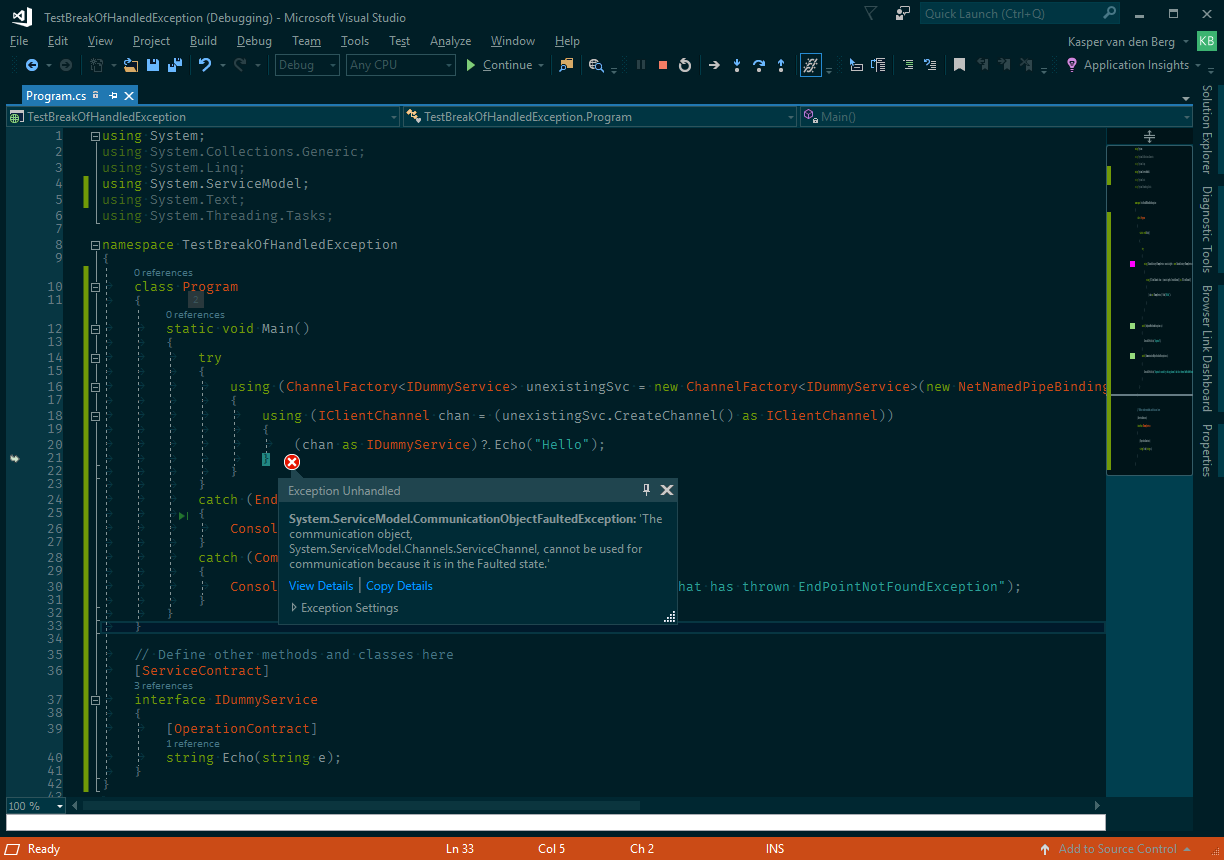
Visual中断的异常是System.ServiceModel.CommunicationObjectFaultedException,是代码中捕获的。
步进继续执行显示达到了catch(CommunicationObjectFaultedException ex)。使用LinqPad运行演示程序还显示,异常是按预期捕获的。
我还尝试显式(双)关闭通道,而不是使用using-block:
class Program
{
    static void Main()
    {
        try
        {
            using (ChannelFactory<IDummyService> unexistingSvc = new ChannelFactory<IDummyService>(new NetNamedPipeBinding(), "net.pipe://localhost/UnexistingService-" + Guid.NewGuid().ToString()))
            {
                IDummyService chan = null;
                try
                {
                    chan = unexistingSvc.CreateChannel();
                    chan.Echo("Hello");
                }
                catch (EndpointNotFoundException ex)
                {
                    Console.WriteLine($"Expected: {ex.Message}");
                }
                finally
                {
                    try
                    {
                        (chan as IClientChannel)?.Close();
                    }
                    catch (CommunicationObjectFaultedException ex)
                    {
                        Console.WriteLine($"Caused by Close: {ex.Message}");
                    }
                }
            }
        }
        catch (EndpointNotFoundException ex)
        {
            Console.WriteLine("Expected");
        }
        catch (CommunicationObjectFaultedException ex)
        {
            Console.WriteLine("Expected: caused by closing channel that has thrown EndPointNotFoundException");
        }
    }
}这仍然会导致调试器中断Close语句。
我的异常设置没有选中System.ServiceModel.CommunicationObjectFaultedException。(选中它时,Visual会按预期中断,并使用“异常抛出”对话框而不是“未处理的异常”对话框)。
当我启用“Options”\“调试”“\”General“\”“只启用我的代码”时,调试器不会中断。但是,我有一些async方法,在这些方法中,异常应该留在我的代码中,然后在await运行Task时捕获异常。对于这些方法,我需要“只启用我的代码”,请参阅停止visual studio在任务中中断异常。
使用“使用新异常助手”禁用(如杰克·翟志伟所建议的),Visual仍然中断,并显示
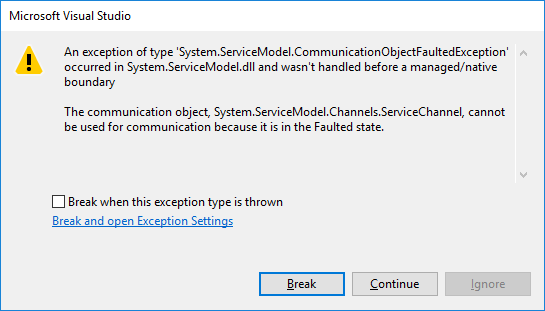
该对话框提供了一些附加信息:
异常在跨越托管/本机边界之前不会被捕获。
我怀疑使用块可能引入了这个托管/本机边界。
是什么原因导致调试器出错,以及如何使调试器既不中断也不处理CommunicationObjectFaultedException或以后的处理程序async异常?
回答 2
Stack Overflow用户
发布于 2017-10-24 10:32:00
Close()(https://msdn.microsoft.com/en-us/library/system.servicemodel.iclientchannel.close(v=vs.110%29.aspx)-ing a Faulted IClientChannel )导致CommunicationObjectFaultedException
公共空关闭(TimeSpan超时){.开关(originalState) { case CommunicationState.Created: case CommunicationState.Opening: case CommunicationState.Faulted: this.Abort();if (originalState == CommunicationState.Faulted) {抛出CommunicationState.Created Guid.Empty,this);}CommunicationState.Created;.}}
-- (见CommunicationObject.Close(TimeSpan)行#299 in the .NET框架4.7参考源)。
当块离开时,using-block被转换为try { ... } finally { Dispose(); },Dispose()调用Close()。CreateChannel()返回的代理是通过RealProxy (src)和RemotingServices.CreateTransparentProxy()实现的--这些代理将托管代码和非托管代码结合在一起,这可能导致异常跨越边界。
设置的组合(在TOOLS->OPTIONS->Debugger->General):
- 当异常跨越AppDomain或托管/本机边界时,☑中断
- ☐只启用我的代码
导致Visual中断显示:新的非模态异常弹出“异常未处理”:
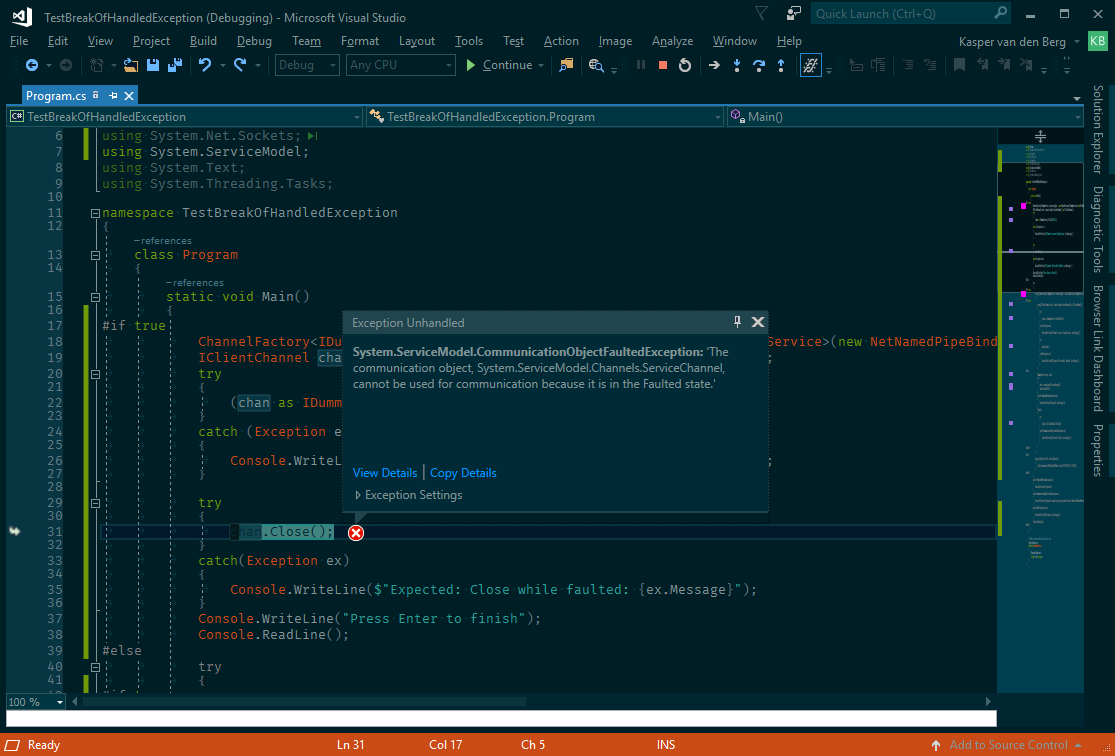
或模态对话框:
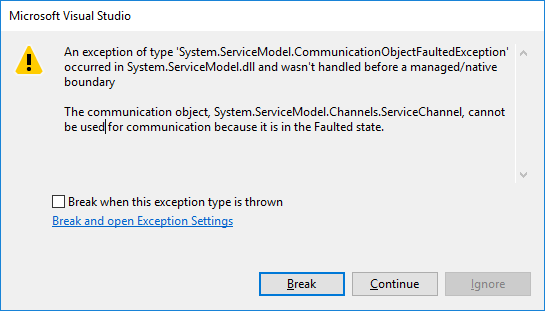
CommunicationObjectFaultedException以“Not”开头;它跨越托管/非托管或AppDomain边界,而仍处于“Not”中;最后输入“My”,由catch-block处理(但Visual此时已停止执行)。
由于异常以“not My Code”开头,并在越界时保留在那里,因此选择"Enable Code“选项会导致Visual在越过AppDomain或托管/非托管边界时也不会中断异常。
取消选择“当异常跨越AppDomain或托管/本机边界时中断”也会导致Visual不中断异常。
这给出了两种解决方案/解决办法。
- 选择不同的组合“当异常跨越AppDomain或托管/本机边界时中断”和“只启用我的代码”
- 做而不是,使用
using-block作为IClientChannel,并在Close()之前检查IClientChannel.State。正如在街区问题?中所做的那样
Stack Overflow用户
发布于 2017-10-24 07:08:25
新的异常特性在VS2017中,我们可以禁用工具->选项->调试->General下的调试选项“使用新的异常助手”,它可以为您提供旧的异常消息,您可以访问它。
旧的异常消息显示异常跨越托管/本机边界:
在“工具->选项->调试->通用”下检查“当异常跨越AppDomain或托管/本机边界时的中断”。禁用“当异常跨越AppDomain或托管/本机边界时中断”,以避免Visual破坏OP的情况(但是要小心,因为在其他情况下,当异常跨越AppDomain或托管/本机边界时,也会禁用中断)。
https://stackoverflow.com/questions/46850595
复制相似问题
腾讯云开发者

Copyright © 2013 - 2026 Tencent Cloud. All Rights Reserved. 腾讯云 版权所有
深圳市腾讯计算机系统有限公司 ICP备案/许可证号:粤B2-20090059  粤公网安备44030502008569号
腾讯云计算(北京)有限责任公司 京ICP证150476号 | 京ICP备11018762号