
 MCP图像生成器添加福利群:解决AI开发者的「MCP实战痛点」
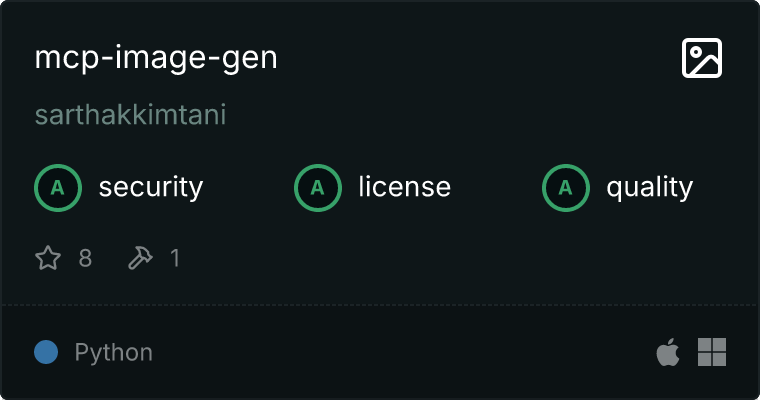
一个模型上下文协议服务器,通过 Together AI 使用 Flux.1 Schnell 模型生成高质量图像,允许用户通过可自定义尺寸的文本提示创建图像。
By sarthakkimtani
 github
详情内容
图像生成 MCP 服务器
一个模型上下文协议 (MCP) 服务器,通过 Together AI 实现无缝生成高质量图像。该服务器提供了一个标准化接口来指定图像生成参数。
功能
- 由 Flux.1 Schnell 模型驱动的高质量图像生成
- 支持自定义尺寸(宽度和高度)
- 清晰的错误处理,用于提示验证和 API 问题
- 与支持 MCP 的客户端轻松集成
安装
Claude 桌面版
- 在 MacOS 上:
~/Library/Application\ Support/Claude/claude_desktop_config.json - 在 Windows 上:
%APPDATA%/Claude/claude_desktop_config.json
{
  "mcpServers": {
    "image-gen": {
      "command": "uv",
      "args": ["--directory", "/ABSOLUTE/PATH/TO/image-gen/", "run", "image-gen"],
      "env": {
        "TOGETHER_AI_API_KEY": "<API KEY>"
      }
    }
  }
}

可用工具
该服务器实现了一个工具:
generate_image
根据给定的文本提示和可选尺寸生成图像。
输入模式:
{
  "prompt": {
    "type": "string",
    "description": "A descriptive prompt for generating the image (e.g., 'a futuristic cityscape at sunset')"
  },
  "width": {
    "type": "integer",
    "description": "Width of the generated image in pixels (optional)"
  },
  "height": {
    "type": "integer",
    "description": "Height of the generated image in pixels (optional)"
  },
  "model": {
    "type": "string",
    "description": "The exact model name as it appears in Together AI. If incorrect, it will fallback to the default model (black-forest-labs/FLUX.1-schnell)."
  }
}
前提条件
- Python 3.12 或更高版本
- httpx
- mcp
贡献
欢迎贡献!请按照以下步骤进行贡献:
- 分叉仓库
- 创建新分支 (
feature/my-new-feature) - 提交您的更改
- 将分支推送到您的分叉
- 打开拉取请求
对于重大更改,请先打开一个问题以讨论您提议的更改。
许可证
该项目根据 MIT 许可证许可。有关详细信息,请参阅 LICENSE 文件。
腾讯云开发者

Copyright © 2013 - 2026 Tencent Cloud. All Rights Reserved. 腾讯云 版权所有
深圳市腾讯计算机系统有限公司 ICP备案/许可证号:粤B2-20090059  粤公网安备44030502008569号
腾讯云计算(北京)有限责任公司 京ICP证150476号 | 京ICP备11018762号