
 MCP文件流添加福利群:解决AI开发者的「MCP实战痛点」
 github
文件操作 MCP 服务器

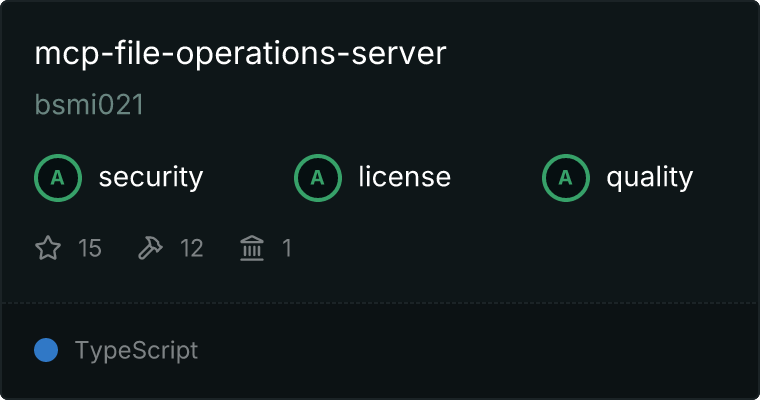
一个提供增强文件操作功能的模型上下文协议(MCP)服务器,支持流式传输、补丁和变更跟踪。
功能
- 基本文件操作:复制、读取、写入、移动和删除文件
- 目录操作:创建、移除和复制目录
- 文件监视:监视文件和目录的变更
- 变更跟踪:跟踪和查询文件操作历史
- 流式传输支持:通过流式传输高效处理大文件
- HTTP 接口:支持流式传输的 HTTP 接口,使用服务器发送事件(SSE)
- 资源支持:通过 MCP 资源访问文件和目录
- 进度报告:实时更新长时间操作的进度
- 速率限制:防止过多请求的保护机制
- 增强安全性:路径验证和输入清理
- 健壮的错误处理:全面的错误处理和报告
- 类型安全:完全支持 TypeScript,严格类型检查
- Docker 支持:支持容器化部署,支持卷挂载
安装
通过 Smithery 安装
要通过 Smithery自动为 Claude Desktop 安装文件操作服务器:
npx -y @smithery/cli install @bsmi021/mcp-file-operations-server --client claude
手动安装
npm install
Docker 安装
有关包括 Windows 和 Linux 本地驱动器挂载的详细 Docker 设置说明,请参阅 DOCKER.md。
快速 Docker 启动:
# Stdio 传输(适用于 MCP 客户端)
docker run -it --rm -v "$(pwd):/workspace" ghcr.io/bsmi021/mcp-file-operations-server

# HTTP 传输(适用于 Web/远程访问)
docker run -it --rm -p 3001:3001 -v "$(pwd):/workspace" -e MCP_TRANSPORT=http ghcr.io/bsmi021/mcp-file-operations-server

使用
传输模式
服务器支持两种传输模式:
1. Stdio 传输(默认)
适用于与 Claude Desktop 等 MCP 客户端的直接集成:
npm start
2. HTTP 传输与 SSE(v1.5 新增)
适用于远程连接和 Web 应用程序:
npm run start:http
HTTP 服务器提供:
- SSE 端点:
GET http://localhost:3001/sse- 建立流式连接 - 消息端点:
POST http://localhost:3001/messages- 接收客户端消息 - 健康检查:
GET http://localhost:3001/health- 服务器状态 - 会话:
GET http://localhost:3001/sessions- 活动连接信息
启动服务器
开发模式
# Stdio 传输,自动重载
npm run dev

# HTTP 传输,自动重载
npm run dev:http
生产模式
# Stdio 传输
npm start

# HTTP 传输
npm run start:http

# 自定义 HTTP 端口
npm run start:http -- --port 8080
可用工具
基本文件操作
copy_file:将文件复制到新位置read_file:从文件中读取内容write_file:将内容写入文件move_file:移动/重命名文件delete_file:删除文件append_file:将内容追加到文件
目录操作
make_directory:创建目录remove_directory:移除目录copy_directory:递归复制目录(带进度报告)
监视操作
watch_directory:开始监视目录的变更unwatch_directory:停止监视目录
变更跟踪
get_changes:获取记录的变更列表clear_changes:清除所有记录的变更
可用资源
静态资源
file:///recent-changes:最近文件系统变更列表
资源模板
file://{path}:访问文件内容metadata://{path}:访问文件元数据directory://{path}:列出目录内容
示例用法
使用 Stdio 传输(MCP 客户端)
// 复制文件
await fileOperations.copyFile({
    source: 'source.txt',
    destination: 'destination.txt',
    overwrite: false
});

// 监视目录
await fileOperations.watchDirectory({
    path: './watched-dir',
    recursive: true
});

// 通过资源访问文件内容
const resource = await mcp.readResource('file:///path/to/file.txt');
console.log(resource.contents[0].text);

// 复制目录并跟踪进度
const result = await fileOperations.copyDirectory({
    source: './source-dir',
    destination: './dest-dir',
    overwrite: false
});
// 结果中的进度令牌可用于跟踪进度
console.log(result.progressToken);
使用 HTTP 传输(Web/远程)
通过 JavaScript 连接:
// 建立 SSE 连接
const eventSource = new EventSource('http://localhost:3001/sse');
let sessionId = null;

eventSource.onopen = function() {
    console.log('已连接到 MCP 服务器');
};

eventSource.onmessage = function(event) {
    const message = JSON.parse(event.data);

    // 从第一条消息中提取会话 ID
    if (!sessionId && message.sessionId) {
        sessionId = message.sessionId;
    }

    console.log('收到:', message);
};

// 向服务器发送消息
async function sendMessage(method, params) {
    const message = {
        jsonrpc: '2.0',
        id: Date.now(),
        method: method,
        params: params
    };

    const response = await fetch('http://localhost:3001/messages', {
        method: 'POST',
        headers: {
            'Content-Type': 'application/json',
            'X-Session-ID': sessionId
        },
        body: JSON.stringify(message)
    });

    return response.json();
}

// 示例:列出工具
sendMessage('tools/list', {});

// 示例:读取文件
sendMessage('tools/call', {
    name: 'read_file',
    arguments: { path: '/workspace/example.txt' }
});
使用 curl 进行测试:
# 在后台启动 SSE 连接
curl -N http://localhost:3001/sse &

# 检查服务器健康状态
curl http://localhost:3001/health

# 列出活动会话
curl http://localhost:3001/sessions
交互式 Web 客户端:
完整的交互式示例可在 examples/http-client.html 中找到。在 Web 浏览器中打开此文件,使用用户友好的 GUI 测试 HTTP 接口。
v1.5 中的新功能
MCP SDK v1.5 升级
- 流式 HTTP 接口:新增支持服务器发送事件(SSE)的 HTTP 传输
- 增强的 API:升级到 MCP SDK v1.5,改进了基于 zod 的架构
- 多连接支持:支持同时进行 HTTP 连接,支持会话管理
- 更好的类型安全:改进的 TypeScript 集成和错误处理
流式功能
- 大文件支持:高效处理大文件操作的流式传输
- 实时进度:通过 SSE 更新长时间操作的进度
- 会话管理:支持多个客户端连接,会话隔离
- HTTP API:与传统 MCP 协议并行的 RESTful 端点
Docker 支持
快速启动 Docker
# 构建镜像
docker build -t mcp-file-operations-server .

# 使用 stdio 运行(适用于 MCP 客户端)
docker run -it --rm -v "$(pwd):/workspace" mcp-file-operations-server

# 使用 HTTP 接口运行
docker run -it --rm -p 3001:3001 -v "$(pwd):/workspace" -e MCP_TRANSPORT=http mcp-file-operations-server
卷挂载
Windows:
docker run -it --rm -v "C:\MyProject:/workspace" -p 3001:3001 -e MCP_TRANSPORT=http mcp-file-operations-server
Linux/macOS:
docker run -it --rm -v "/home/user/project:/workspace" -p 3001:3001 -e MCP_TRANSPORT=http mcp-file-operations-server
有关包括 Windows 和 Linux 本地驱动器挂载的详细 Docker 设置说明,请参阅 DOCKER.md。
速率限制
服务器实现了速率限制以防止滥用:
- 工具:每分钟 100 次请求
- 资源:每分钟 200 次请求
- 监视操作:每分钟 20 次操作
速率限制错误信息中包含重试间隔时间。
安全功能
路径验证
所有文件路径都经过验证,以防止目录遍历攻击:
- 无父目录引用(
../) - 正确的路径规范化
- 输入清理
资源保护
- 所有操作的速率限制
- 正确的错误处理和日志记录
- 所有参数的输入验证
- 安全的资源清理
进度报告
长时间运行的操作(如目录复制)提供进度更新:
interface ProgressUpdate {
    token: string | number;
    message: string;
    percentage: number;
}
可以通过操作结果中的进度令牌跟踪进度。
开发
构建
npm run build
代码检查
npm run lint
格式化
npm run format
测试
npm test
配置
环境变量
| 变量 | 默认值 | 描述 |
|---|---|---|
MCP_TRANSPORT |
stdio |
传输模式:stdio 或 http |
MCP_HTTP_PORT |
3001 |
HTTP 传输的端口 |
传输选择
- Stdio:最适合 Claude Desktop 等 MCP 客户端,直接集成
- HTTP:最适合 Web 应用程序、远程访问、开发/测试
服务器可以通过各种设置进行配置:
- 速率限制:配置请求限制和窗口
- 进度报告:控制更新频率和详细程度
- 资源访问:配置资源权限和限制
- 安全设置:配置路径验证规则
- 变更跟踪:设置保留期和存储选项
- 监视设置:配置防抖时间和递归监视
错误处理
服务器通过 FileOperationError 类和 MCP 错误代码提供详细的错误信息:
标准 MCP 错误代码
InvalidRequest:无效的参数或请求格式MethodNotFound:请求了未知的工具或资源InvalidParams:无效的参数(例如,路径验证失败)InternalError:服务器端错误
自定义错误类型
- 文件操作失败
- 超出速率限制
- 路径验证错误
- 资源访问错误
每个错误包括:
- 特定的错误代码
- 详细的错误信息
- 相关的元数据(文件路径、限制等)
- 开发模式下的堆栈跟踪
贡献指南
- 分叉仓库
- 创建你的功能分支 (
git checkout -b feature/amazing-feature) - 提交你的更改 (
git commit -m '添加了很棒的功能') - 推送到分支 (
git push origin feature/amazing-feature) - 打开一个拉取请求
许可证
本项目采用 MIT 许可证 - 详情请参阅 LICENSE 文件。
腾讯云开发者

Copyright © 2013 - 2026 Tencent Cloud. All Rights Reserved. 腾讯云 版权所有
深圳市腾讯计算机系统有限公司 ICP备案/许可证号:粤B2-20090059  粤公网安备44030502008569号
腾讯云计算(北京)有限责任公司 京ICP证150476号 | 京ICP备11018762号