
 esa文档管理服务添加福利群:解决AI开发者的「MCP实战痛点」
 github
详情内容
esa MCP Server
阅读日文版
概述
该服务器是一个使用Model Context Protocol (MCP)的接口,使得Claude AI能够与esa API进行交互。
通过这个MCP服务器,Claude AI可以执行诸如搜索、创建和更新esa文档等操作。
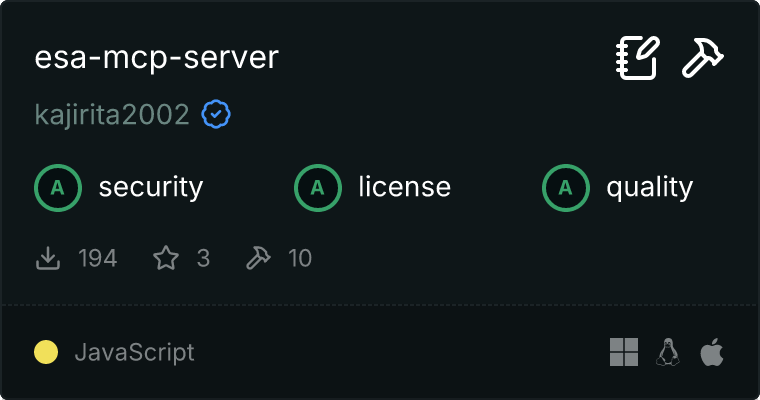
关于仓库
此仓库提供了一个独立的esa MCP服务器实现。它将Claude AI与esa集成,以简化文档管理流程。
设置
前提条件
- Node.js 18或更高版本
- esa API访问令牌
- esa团队名称
安装
# Install globally
npm install -g @kajirita2002/esa-mcp-server

# Or use directly with npx
npx @kajirita2002/esa-mcp-server

设置环境变量
# Set environment variables
export ESA_ACCESS_TOKEN="your_esa_access_token"
export ESA_TEAM="your_team_name"
MCP配置示例
如果您正在使用此MCP服务器,请在您的mcp_config.json文件中添加以下配置:
"esa": {
  "command": "npx",
  "args": ["-y", "@kajirita2002/esa-mcp-server"],
  "env": {
    "ESA_ACCESS_TOKEN": "your_esa_access_token",
    "ESA_TEAM": "your_team_name"
  }
}
启动服务器
# Start the server
npm start
可用工具
此MCP服务器提供了以下工具:
发布相关
-
esa_list_posts- 获取团队中的帖子列表
- 输入参数:
q(字符串, 可选): 搜索查询include(字符串, 可选): 在响应中包含的相关数据(例如:'comments,stargazers')sort(字符串, 可选): 排序方法 (updated, created, number, stars, watches, comments, best_match)order(字符串, 可选): 排序顺序 (desc, asc)per_page(数字, 可选): 每页的结果数量 (最大: 100)page(数字, 可选): 要检索的页码
-
esa_get_post- 获取特定帖子的详细信息
- 输入参数:
post_number(数字, 必填): 要检索的帖子编号include(字符串, 可选): 在响应中包含的相关数据(例如:'comments,stargazers')
-
esa_create_post- 创建新帖子
- 输入参数:
name(字符串, 必填): 帖子标题body_md(字符串, 可选): 帖子正文(Markdown 格式)tags(字符串数组, 可选): 帖子标签列表category(字符串, 可选): 帖子分类wip(布尔值, 可选, 默认: true): 是否标记为 WIP(进行中)message(字符串, 可选): 更改消息user(字符串, 可选): 发帖人的 screen_name(仅团队所有者可以指定)template_post_id(数字, 可选): 用作模板的帖子 ID
-
esa_update_post- 更新现有帖子
- 输入参数:
post_number(数字, 必填): 要更新的帖子编号name(字符串, 可选): 帖子的新标题body_md(字符串, 可选): 帖子的新正文(Markdown 格式)tags(字符串数组, 可选): 帖子的新标签列表category(字符串, 可选): 帖子的新分类wip(布尔值, 可选): 是否标记为 WIP(进行中)message(字符串, 可选): 更改消息created_by(字符串, 可选): 发帖人的 screen_name(仅团队所有者可以指定)original_revision(字符串, 可选): 作为更新基础的修订版本
评论相关
-
esa_list_comments- 获取帖子的评论列表
- 输入参数:
post_number(数字, 必填): 获取评论的帖子编号page(数字, 可选): 要检索的页码per_page(数字, 可选): 每页的结果数量 (最大: 100)
-
esa_get_comment- 获取特定评论
- 输入参数:
comment_id(数字, 必填): 要检索的评论 IDinclude(字符串, 可选): 在响应中包含的相关数据(例如:'stargazers')
-
esa_create_comment- 对文章发表评论
- 输入参数:
post_number(数字, 必填): 要评论的帖子编号body_md(字符串, 必填): 评论正文(Markdown 格式)user(字符串, 可选): 发表者的 screen_name(仅团队所有者可以指定)
成员相关
-
esa_get_members- 获取团队成员列表
- 输入参数:
page(数字, 可选): 要检索的页码per_page(数字, 可选): 每页的结果数量(最大: 100)
-
esa_get_member- 获取特定团队成员的信息
- 输入参数:
screen_name_or_email(字符串, 必填): 要检索的成员的屏幕名称或电子邮件
使用示例
这里有一个 Claude 使用此 MCP 服务器创建 esa 帖子的例子:
[Claude] Please create a new post in esa. The title should be "Project X Progress Report" and the body should include "# This Week's Progress\n\n- Implementation of Feature A completed\n- Testing of Feature B started\n\n## Next Week's Plan\n\n- Start implementation of Feature C".

[MCP Server] Using the esa_create_post tool to create a new post.

[Result]
{
  "number": 123,
  "name": "Project X Progress Report",
  "body_md": "# This Week's Progress\n\n- Implementation of Feature A completed\n- Testing of Feature B started\n\n## Next Week's Plan\n\n- Start implementation of Feature C",
  "wip": false,
  "created_at": "2023-06-01T12:34:56+09:00",
  "updated_at": "2023-06-01T12:34:56+09:00",
  "url": "https://your-team.esa.io/posts/123"
}

[Claude] The post has been created successfully. The post number is 123, and you can access it at the following URL:
https://your-team.esa.io/posts/123
故障排除
访问令牌问题
Error: Request failed with status code 401
如果看到此错误,您的 esa 访问令牌可能无效或已过期。请从 esa 设置页面生成新的访问令牌,并更新您的环境变量。
权限问题
Error: Request failed with status code 403
如果看到此错误,当前访问令牌没有必要的权限。请在 esa 设置页面检查访问令牌的权限,并根据需要重新发放新令牌。
许可证
本项目依据 MIT 许可证提供。
腾讯云开发者

Copyright © 2013 - 2026 Tencent Cloud. All Rights Reserved. 腾讯云 版权所有
深圳市腾讯计算机系统有限公司 ICP备案/许可证号:粤B2-20090059  粤公网安备44030502008569号
腾讯云计算(北京)有限责任公司 京ICP证150476号 | 京ICP备11018762号