
 Cloudflare 浏览器渲染 MCP 工具添加福利群:解决AI开发者的「MCP实战痛点」
 github
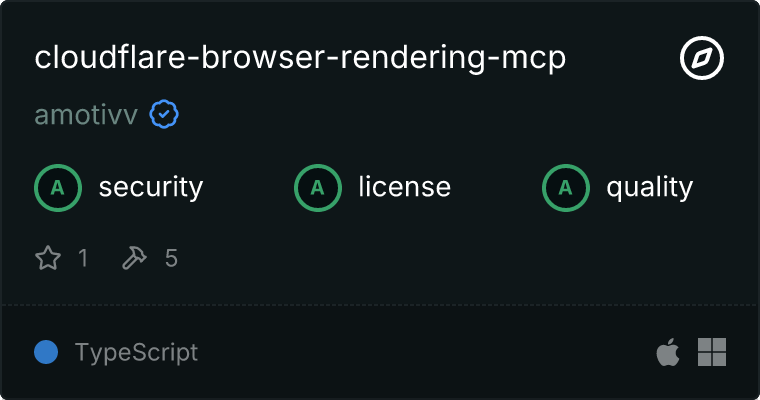
Cloudflare Browser Rendering MCP 服务器
此 MCP(模型上下文协议)服务器提供了使用 Cloudflare 浏览器渲染来获取和处理网页内容的工具,以便在 LLM 中用作上下文。它设计用于 Claude 和 Cline 客户端环境。
特性
- 网页内容获取:为 LLM 上下文获取和处理网页
- 文档搜索:搜索 Cloudflare 文档并返回相关内容
- 结构化内容提取:使用 CSS 选择器从网页中提取结构化内容
- 内容摘要:对网页内容进行摘要,以提供更简洁的 LLM 上下文
- 截图捕获:截取网页截图
前提条件
- Node.js v18 或更高版本
- 拥有浏览器渲染 API 访问权限的 Cloudflare 账户
- 使用提供的
puppeteer-worker.js文件部署的 Cloudflare Worker
安装
通过 Smithery 安装
要通过 Smithery自动安装适用于 Claude Desktop 的 Cloudflare 浏览器渲染:
npx -y @smithery/cli install @amotivv/cloudflare-browser-rendering-mcp --client claude
-
克隆此仓库:
git clone https://github.com/yourusername/cloudflare-browser-rendering.git
cd cloudflare-browser-rendering
-
安装依赖项:
npm install -
构建项目:
npm run build
Cloudflare Worker 设置
-
使用 Wrangler 将
puppeteer-worker.js文件部署到 Cloudflare Workers:npx wrangler deploy -
确保在您的 Cloudflare Worker 中配置以下绑定:
- 名为
browser的浏览器渲染绑定 - 名为
SCREENSHOTS的 KV 命名空间绑定
- 名为
-
记录已部署 worker 的 URL(例如
https://browser-rendering-api.yourusername.workers.dev)
配置
对于 Claude Desktop
-
打开 Claude Desktop 配置文件:
# macOS code ~/Library/Application\ Support/Claude/claude_desktop_config.json # Windows code %APPDATA%\Claude\claude_desktop_config.json -
添加 MCP 服务器配置:
{ "mcpServers": { "cloudflare-browser-rendering": { "command": "node", "args": ["/path/to/cloudflare-browser-rendering/dist/index.js"], "env": { "BROWSER_RENDERING_API": "https://your-worker-url.workers.dev" }, "disabled": false, "autoApprove": [] } } } -
重启 Claude Desktop
对于 Cline
-
打开 Cline MCP 设置文件:
# macOS code ~/Library/Application\ Support/Code/User/globalStorage/saoudrizwan.claude-dev/settings/cline_mcp_settings.json # Windows code %APPDATA%\Code\User\globalStorage\saoudrizwan.claude-dev\settings\cline_mcp_settings.json -
添加 MCP 服务器配置:
{
  "mcpServers": {
    "cloudflare-browser-rendering": {
      "command": "node",
      "args": ["/path/to/cloudflare-browser-rendering/dist/index.js"],
      "env": {
        "BROWSER_RENDERING_API": "https://your-worker-url.workers.dev"
      },
      "disabled": false,
      "autoApprove": []
    }
  }
}
使用方法
配置完成后,MCP 服务器将可用于 Claude Desktop 和 Cline。您可以使用以下工具:
fetch_page
获取并处理网页以供 LLM 上下文使用。
参数:
url(必需):要获取的 URLmaxContentLength(可选):返回的最大内容长度
示例:
Can you fetch and summarize the content from https://developers.cloudflare.com/browser-rendering/?
search_documentation
搜索 Cloudflare 文档并返回相关内容。
参数:
query(必需):搜索查询maxResults(可选):返回的最大结果数
示例:
Search the Cloudflare documentation for information about "browser rendering API".
extract_structured_content
使用 CSS 选择器从网页中提取结构化内容。
参数:
url(必需):要从中提取内容的 URLselectors(必需):用于提取内容的 CSS 选择器
示例:
Extract the main heading and first paragraph from https://developers.cloudflare.com/browser-rendering/ using the selectors h1 and p.
summarize_content
为更简洁的 LLM 上下文总结网页内容。
参数:
url(必需):要总结的 URLmaxLength(可选):摘要的最大长度
示例:
Summarize the content from https://developers.cloudflare.com/browser-rendering/ in 300 words or less.
take_screenshot
对网页进行截图。
参数:
url(必需):要截图的 URLwidth(可选):视口宽度(像素,默认值:1280)height(可选):视口高度(像素,默认值:800)fullPage(可选):是否对整个页面或仅视口进行截图(默认值:false)
示例:
Take a screenshot of https://developers.cloudflare.com/browser-rendering/ with a width of 1024 pixels.
故障排除
日志记录
MCP 服务器使用全面的日志记录,具有以下前缀:
[Setup]:初始化和配置[API]:API 请求和响应[Error]:错误处理和调试
查看日志的方法:
- Claude Desktop:在
~/Library/Logs/Claude/mcp*.log(macOS)或%APPDATA%\Claude\Logs\mcp*.log(Windows)中检查日志 - Cline:日志出现在 VSCode 扩展的输出控制台中
常见问题
-
"BROWSER_RENDERING_API 环境变量未设置"
- 确保已在 MCP 服务器配置中设置了正确的 Cloudflare Worker URL
-
"Cloudflare worker API 不可用或未配置"
- 验证您的 Cloudflare Worker 是否已部署并正在运行
- 检查 URL 是否正确且可访问
-
"浏览器绑定不可用"
- 确保您已在 Cloudflare Worker 中配置了 Browser Rendering 绑定
-
"SCREENSHOTS KV 绑定不可用"
- 确保您已在 Cloudflare Worker 中配置了 KV 命名空间绑定
开发
项目结构
src/index.ts: 主入口点src/server.ts: MCP 服务器实现src/browser-client.ts: 与 Cloudflare 浏览器渲染交互的客户端src/content-processor.ts: 处理用于 LLM 上下文的网页内容puppeteer-worker.js: Cloudflare Worker 实现
构建
npm run build
测试
项目包含一个全面的测试脚本,用于验证所有 MCP 工具是否正常工作:
npm test
这将:
- 启动 MCP 服务器
- 使用示例请求测试每个工具
- 验证响应
- 提供测试结果摘要
您也可以为特定组件运行单独的测试:
# Test the Puppeteer integration
npm run test:puppeteer
为了使测试正常运行,请确保:
- 使用
npm run build构建了项目 - 将
BROWSER_RENDERING_API环境变量设置为您的 Cloudflare Worker URL - 部署了带有必要绑定的 Cloudflare Worker
许可证
MIT
腾讯云开发者

Copyright © 2013 - 2026 Tencent Cloud. All Rights Reserved. 腾讯云 版权所有
深圳市腾讯计算机系统有限公司 ICP备案/许可证号:粤B2-20090059  粤公网安备44030502008569号
腾讯云计算(北京)有限责任公司 京ICP证150476号 | 京ICP备11018762号