
 图像压缩工具 MCP添加福利群:解决AI开发者的「MCP实战痛点」
图像工具MCP是一种模型上下文协议(MCP)服务,它通过TinyPNG API从URL和本地文件中检索图像尺寸并压缩图像。它支持将图像转换为webp、jpeg/jpg和png等格式,并提供关于宽度、高度、类型和压缩的详细信息。
By kshern
 github
详情内容
图像工具 MCP

一个用于获取图像尺寸和压缩图像的模型上下文协议(MCP)服务,支持 URL 和本地文件来源。
功能
- 从 URL 获取图像尺寸
- 从本地文件获取图像尺寸
- 使用 TinyPNG API 压缩来自 URL 的图像
- 使用 TinyPNG API 压缩本地图像
- 将图像转换为不同格式(webp、jpeg/jpg、png)
- 返回宽度、高度、类型、MIME 类型和压缩信息
示例结果
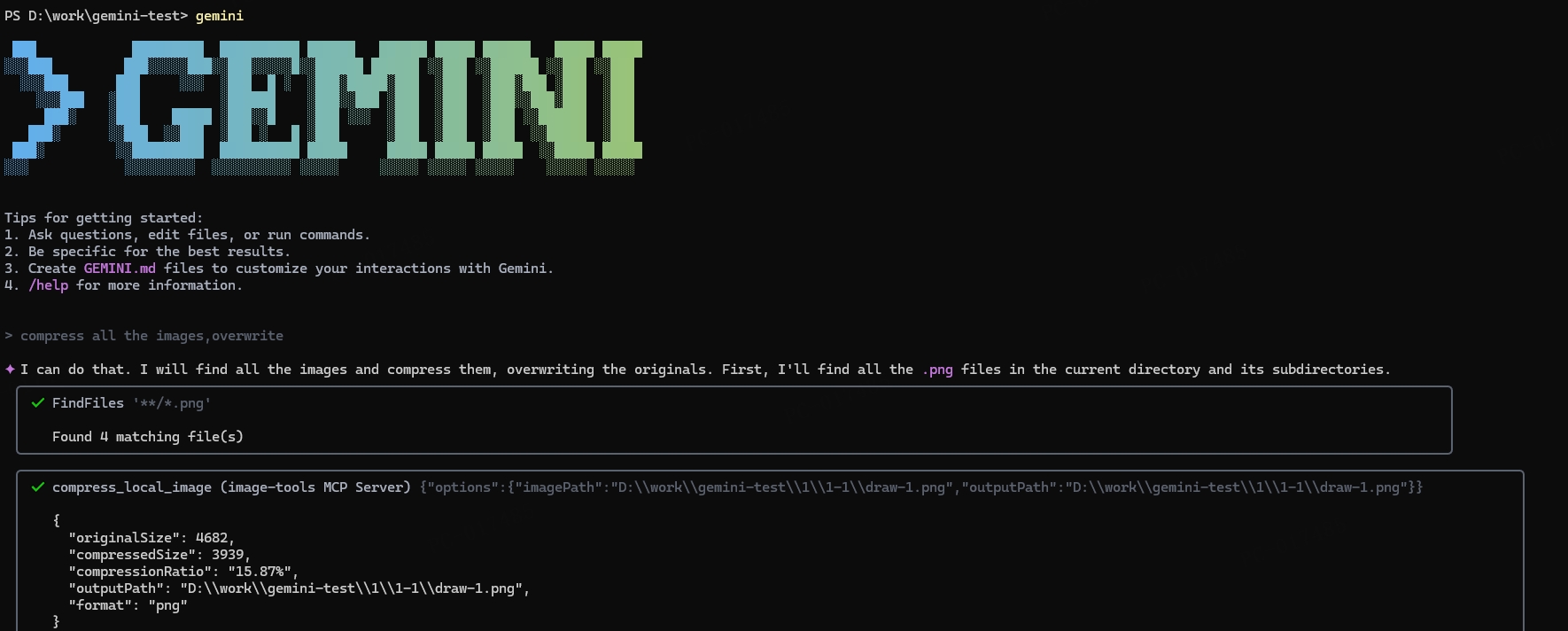
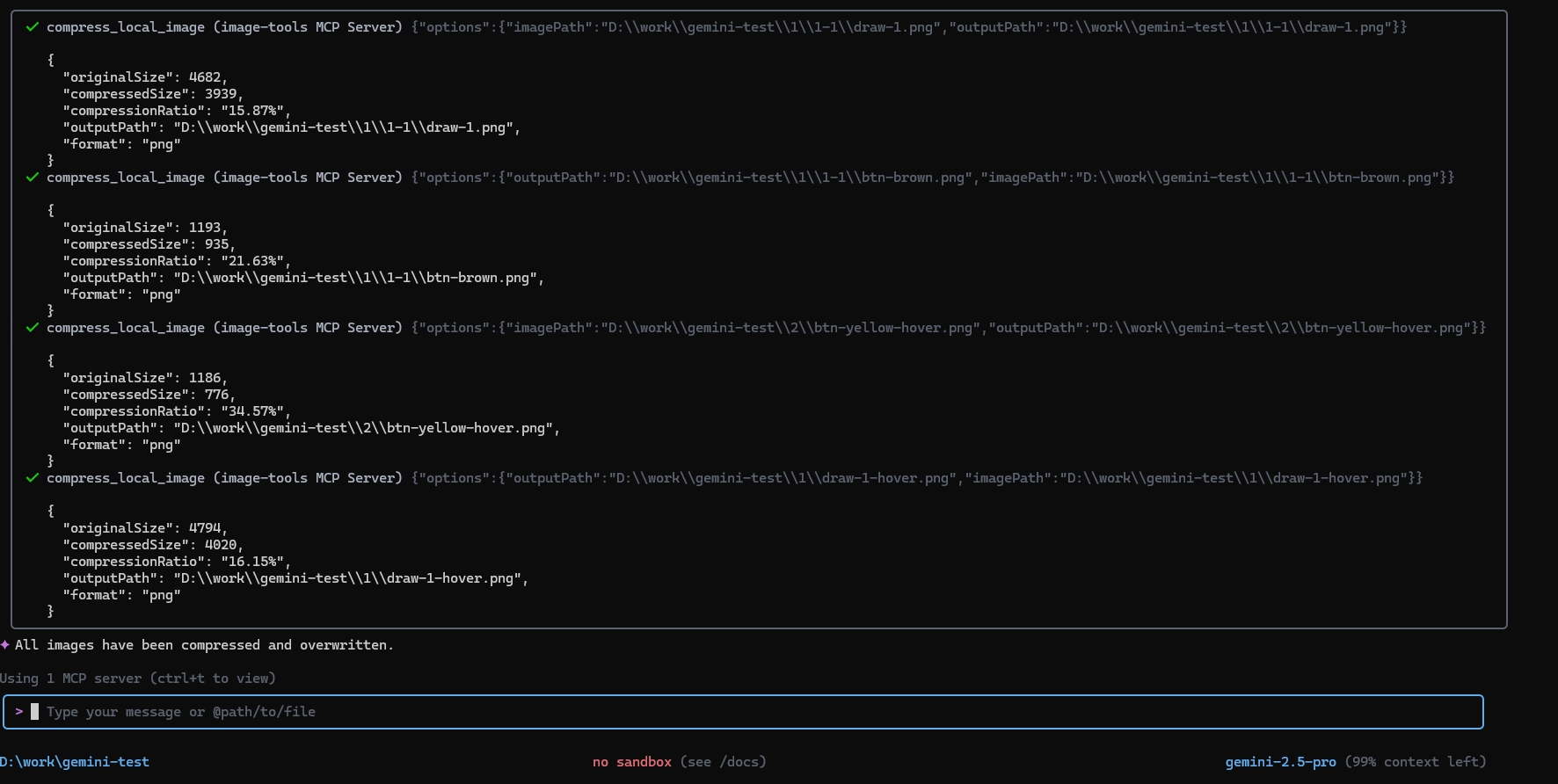
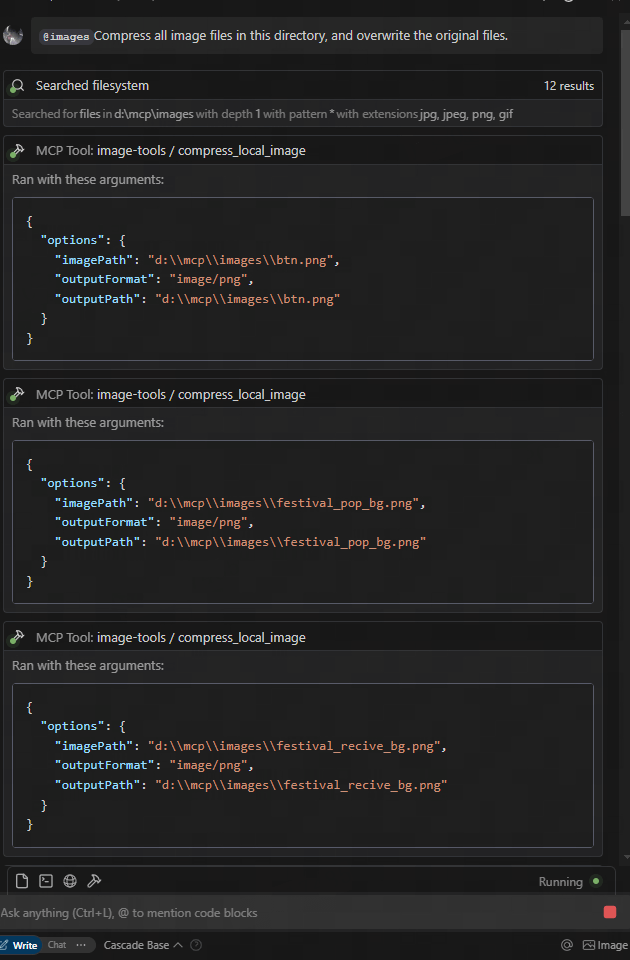
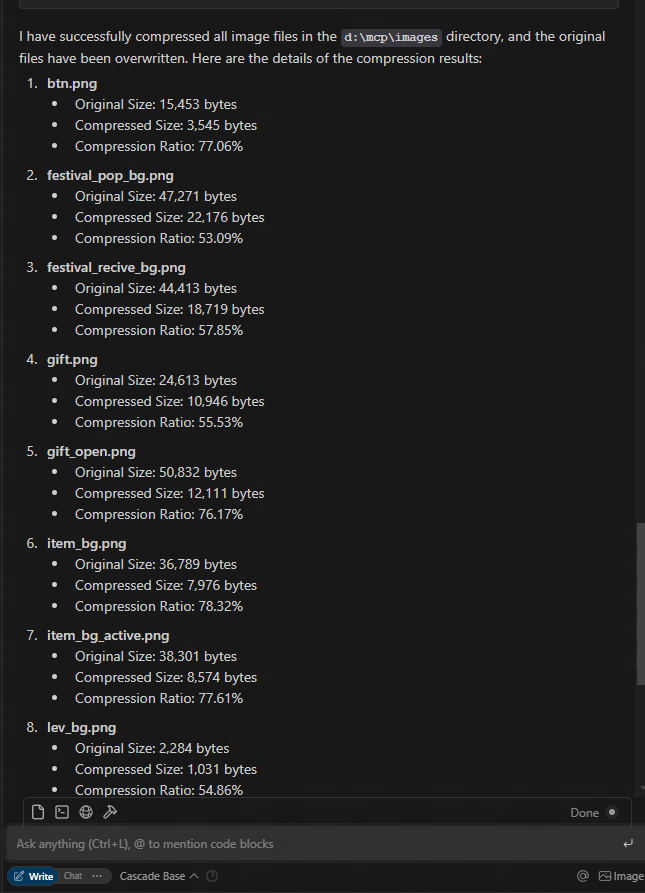
从 Figma URL 下载并压缩
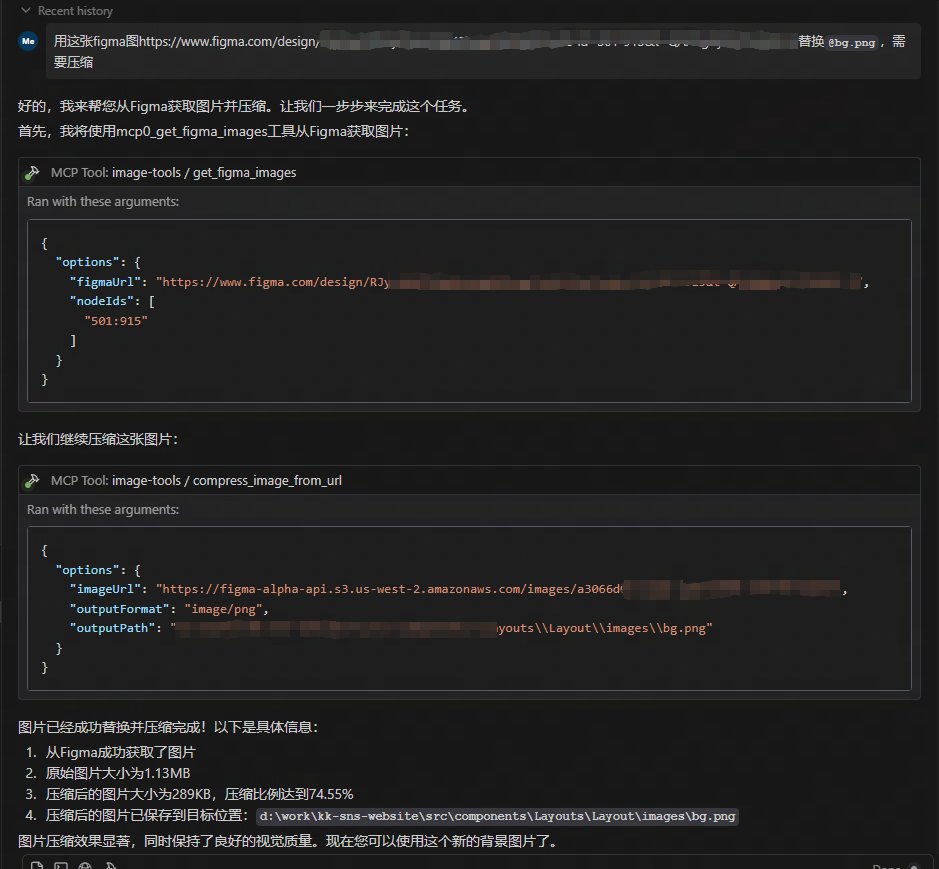
使用
作为 MCP 服务使用
该服务提供五个工具函数:
get_image_size- 获取远程图像的尺寸get_local_image_size- 获取本地图像的尺寸compress_image_from_url- 使用 TinyPNG API 压缩远程图像compress_local_image- 使用 TinyPNG API 压缩本地图像figma- 从 Figma API 获取图像链接并使用 TinyPNG API 压缩
客户端集成
要使用此 MCP 服务,您需要从 MCP 客户端连接到它。以下是不同客户端的集成示例:
使用
{
  "mcpServers": {
    "image-tools": {
      "command": "npx",
      "args": ["image-tools-mcp"],
      "env": {
        "TINIFY_API_KEY": "<YOUR_TINIFY_API_KEY>",
        "FIGMA_API_TOKEN": "<YOUR_FIGMA_API_TOKEN>"
      }
    }
  }
}

使用 MCP 客户端库
import { McpClient } from "@modelcontextprotocol/client";

// 初始化客户端
const client = new McpClient({
  transport: "stdio" // 或其他传输选项
});

// 连接到服务器
await client.connect();

// 从 URL 获取图像尺寸
const urlResult = await client.callTool("get_image_size", {
  options: {
    imageUrl: "https://example.com/image.jpg"
  }
});
console.log(JSON.parse(urlResult.content[0].text));
// 输出: { width: 800, height: 600, type: "jpg", mime: "image/jpeg" }

// 从本地文件获取图像尺寸
const localResult = await client.callTool("get_local_image_size", {
  options: {
    imagePath: "D:/path/to/image.png"
  }
});
console.log(JSON.parse(localResult.content[0].text));
// 输出: { width: 1024, height: 768, type: "png", mime: "image/png", path: "D:/path/to/image.png" }

// 从 URL 压缩图像
const compressUrlResult = await client.callTool("compress_image_from_url", {
  options: {
    imageUrl: "https://example.com/image.jpg",
    outputFormat: "webp" // 可选: 转换为 webp, jpeg/jpg 或 png
  }
});
console.log(JSON.parse(compressUrlResult.content[0].text));
// 输出: { originalSize: 102400, compressedSize: 51200, compressionRatio: "50.00%", tempFilePath: "/tmp/compressed_1615456789.webp", format: "webp" }

// 压缩本地图像
const compressLocalResult = await client.callTool("compress_local_image", {
  options: {
    imagePath: "D:/path/to/image.png",
    outputPath: "D:/path/to/compressed.webp", // 可选
    outputFormat: "image/webp" // 可选: 转换为 image/webp, image/jpeg 或 image/png
  }
});
console.log(JSON.parse(compressLocalResult.content[0].text));
// 输出: { originalSize: 102400, compressedSize: 51200, compressionRatio: "50.00%", outputPath: "D:/path/to/compressed.webp", format: "webp" }

// 从 Figma API 获取图像链接

const figmaResult = await client.callTool("figma", {
  options: {
    figmaUrl: "https://www.figma.com/file/XXXXXXX"
  }
});
console.log(JSON.parse(figmaResult.content[0].text));
// 输出: { imageLinks: ["https://example.com/image1.jpg", "https://example.com/image2.jpg"] }

### 工具模式

#### get_image_size

```typescript
{
  options: {
    imageUrl: string // 要获取尺寸的图像的 URL
  }
}
get_local_image_size
{
  options: {
    imagePath: string; // 本地图像文件的绝对路径
  }
}
compress_image_from_url
{
  options: {
    imageUrl: string // 要压缩的图像的 URL
    outputFormat?: "image/webp" | "image/jpeg" | "image/jpg" | "image/png" // 可选的输出格式
  }
}
compress_local_image
{
  options: {
    imagePath: string // 本地图像文件的绝对路径
    outputPath?: string // 压缩后输出图像的绝对路径(可选)
    outputFormat?: "image/webp" | "image/jpeg" | "image/jpg" | "image/png" // 可选的输出格式
  }
}
figma
{
  options: {
    figmaUrl: string; // 要获取图像链接的 Figma 文件的 URL
  }
}
变更日志
- 2025-05-12: 更新了 Figma API 以支持更多参数,包括 2x 图像缩放。
技术实现
该项目基于以下库构建:
- probe-image-size - 用于图像尺寸检测
- tinify - 通过 TinyPNG API 进行图像压缩
环境变量
TINIFY_API_KEY- 图像压缩功能所需。从 TinyPNG 获取您的 API 密钥- 未提供时,压缩工具(
compress_image_from_url和compress_local_image)将不会被注册
- 未提供时,压缩工具(
FIGMA_API_TOKEN- 从 Figma API 获取图像链接所需。从 Figma 获取您的 API 令牌- 未提供时,Figma 工具(
figma)将不会被注册
- 未提供时,Figma 工具(
注意:基本的图像尺寸工具(get_image_size 和 get_local_image_size)无论 API 密钥如何都始终可用。
许可证
MIT
腾讯云开发者

Copyright © 2013 - 2026 Tencent Cloud. All Rights Reserved. 腾讯云 版权所有
深圳市腾讯计算机系统有限公司 ICP备案/许可证号:粤B2-20090059  粤公网安备44030502008569号
腾讯云计算(北京)有限责任公司 京ICP证150476号 | 京ICP备11018762号