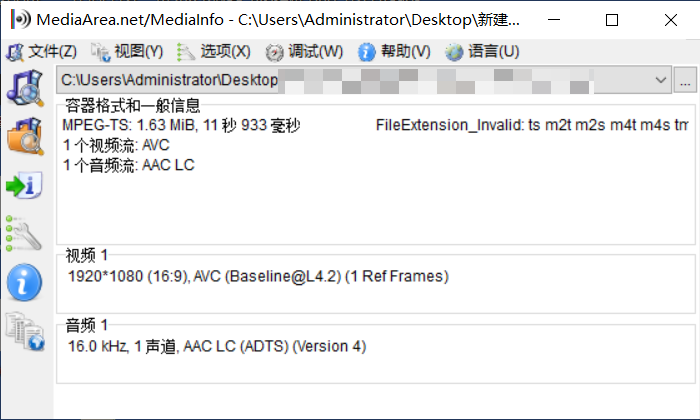
Use MediaInfo to open the video file and you can see the basic information.
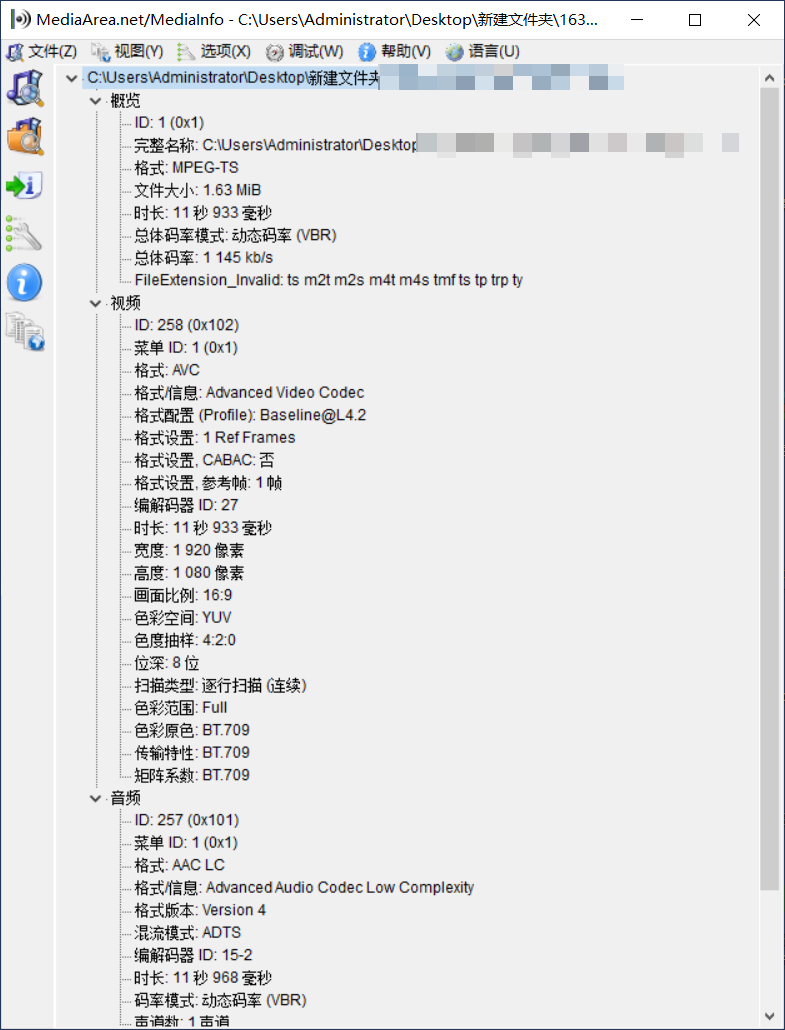
Click View > Dendrogram to see more detailed information.
Based on this information, you can perform basic checks on the video, such as whether the video resolution is correct, whether the frame rate is normal, whether the audio stream data is missing, etc.
Time Anomaly Issue of Cloud Storage Recording
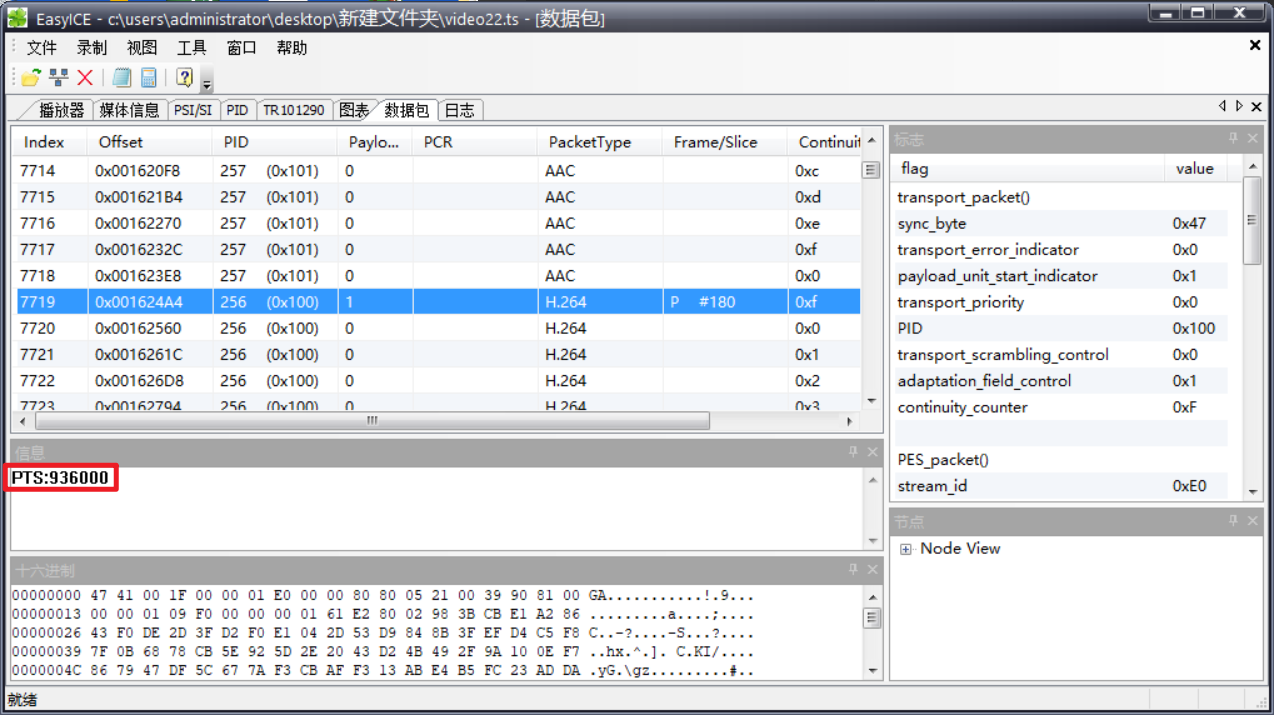
Use EasyICE to open the video, click on the Data Packet tab page, find any consecutive video frames, and calculate whether the pts interval between them is correct.
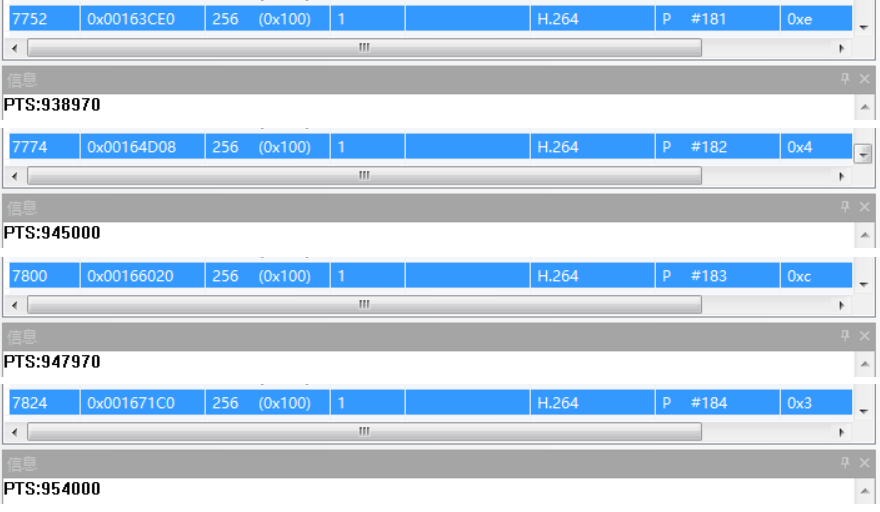
As shown below, starting from frame 180, the PTS of several video frames are 936000, 938970, 945000, 947970, 954000 respectively.
The MPEG-TS standard specifies that audio and video should be synchronized using a 90KHz relative or absolute clock. Therefore, to convert them into milliseconds, divide by 90. The calculation results are: 10400, 10433, 10500, 10533, 10600.
Assuming the frame rate on the device side is 25fps, although these timestamps are unevenly distributed, the differences between them are basically around 50ms, so the video timestamps can be considered normal.
Similarly, audio frames can also be checked in this way. However, it should be noted that cloud storage will convert all non-aac audio to aac format. Each aac audio frame has 1024 sampling points. Assuming the audio sample rate is 44.1KHz, then the duration of each audio frame is 1024/44100 = 0.02322s = 23.22ms.
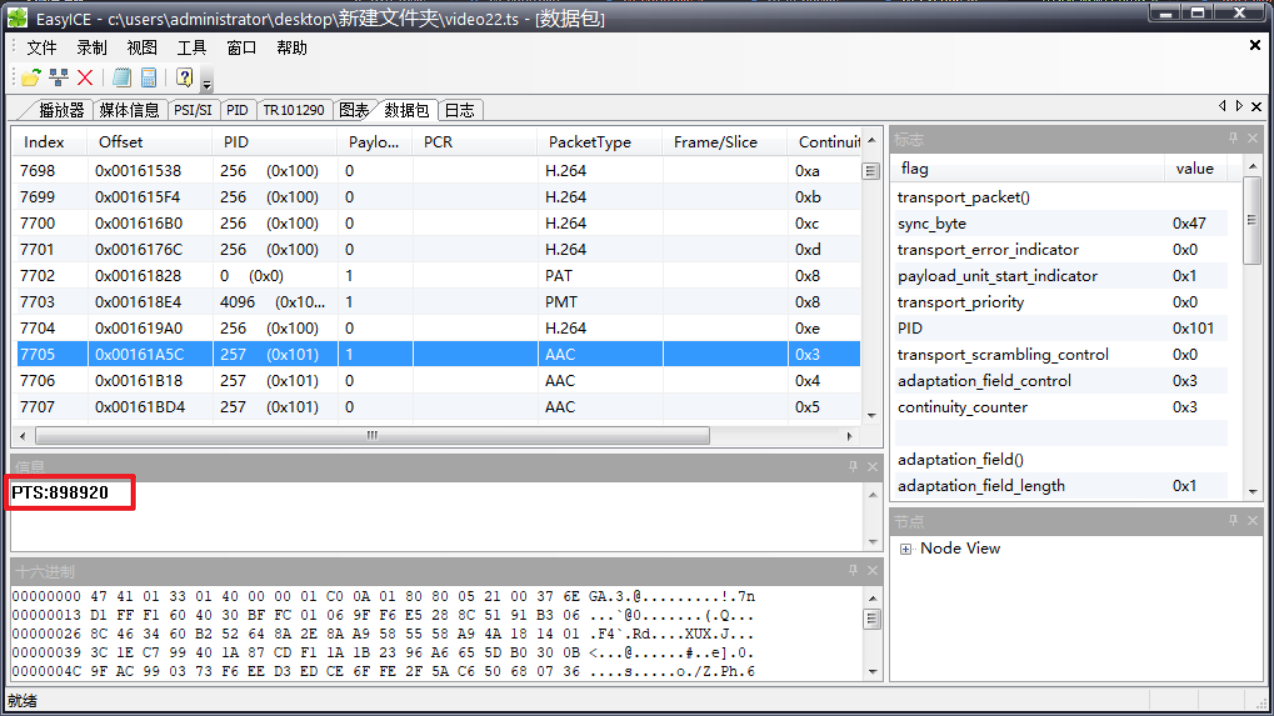
Next, check whether the audio and video timestamps are synchronized. Randomly find some audio near the video frames and observe whether the PTS deviation between the audio frames and video frames is too large.
As shown above, this is an audio frame before frame 180. The PTS is 898920, which is 9988ms. It differs from the video frame by 412ms (the video frame is 10400ms). This deviation is a bit large, but generally normal. Generally speaking, a deviation within a few hundred milliseconds is within the acceptable range. If the timestamp deviation between audio and video is too large, please check whether the timestamp is normal when pushing the stream.
Blurred Screen Issue of Cloud Storage Recording
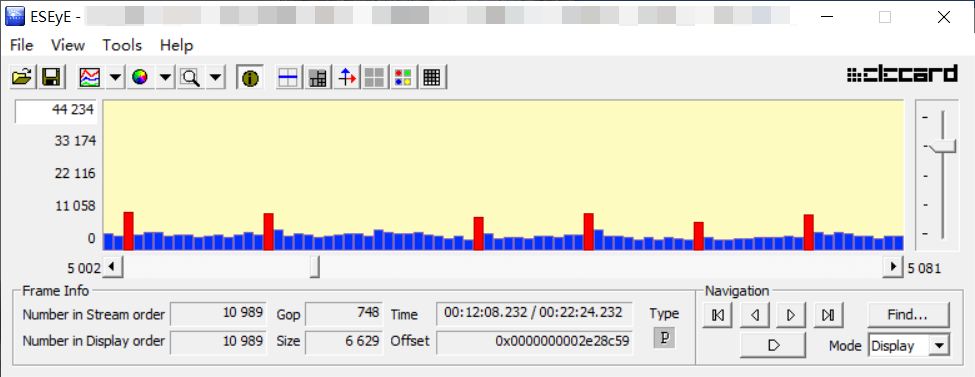
Use Elecard StreamEye Tools to open the video.
Assuming the GOP is 15 frames, as shown below, the distribution of I frames and P frames here is uneven, and there is an obvious loss of a large number of video frames. The Cloud Storage Video will glitch when playing to this point.
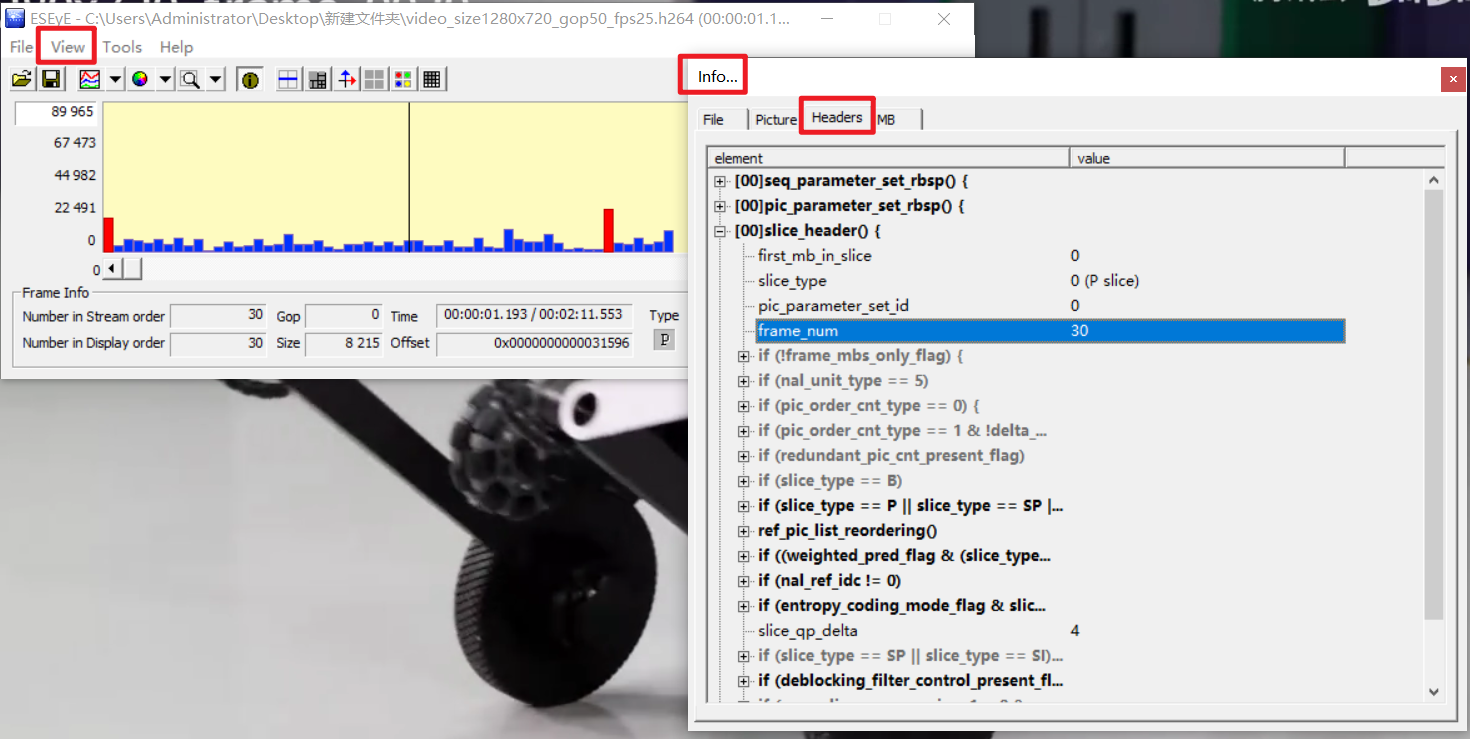
You can also click View > Info > Headers > slice_header() to check whether the frame_num of the previous and next frames is consecutive. If not, there is frame loss.