How to initiate a contract?
Can initiated contracts be revoked?
Initiated contracts can be revoked before the signing is completed. Please refer to the Revoke the Contract documentation guide for detailed instructions.
When my company's entity is Company A, can I initiate a contract and have both Company B and Company C sign it?
Yes. When initiating a contract, simply add the required companies or individuals as signatories, and provide the relevant controls for these signatories. Please refer to the Initiate Contract documentation for instructions on how to initiate a contract.
I used Tencent E-Sign Service to sign a contract. Can this contract be exported and saved locally?
Signed contracts can be downloaded as follows:
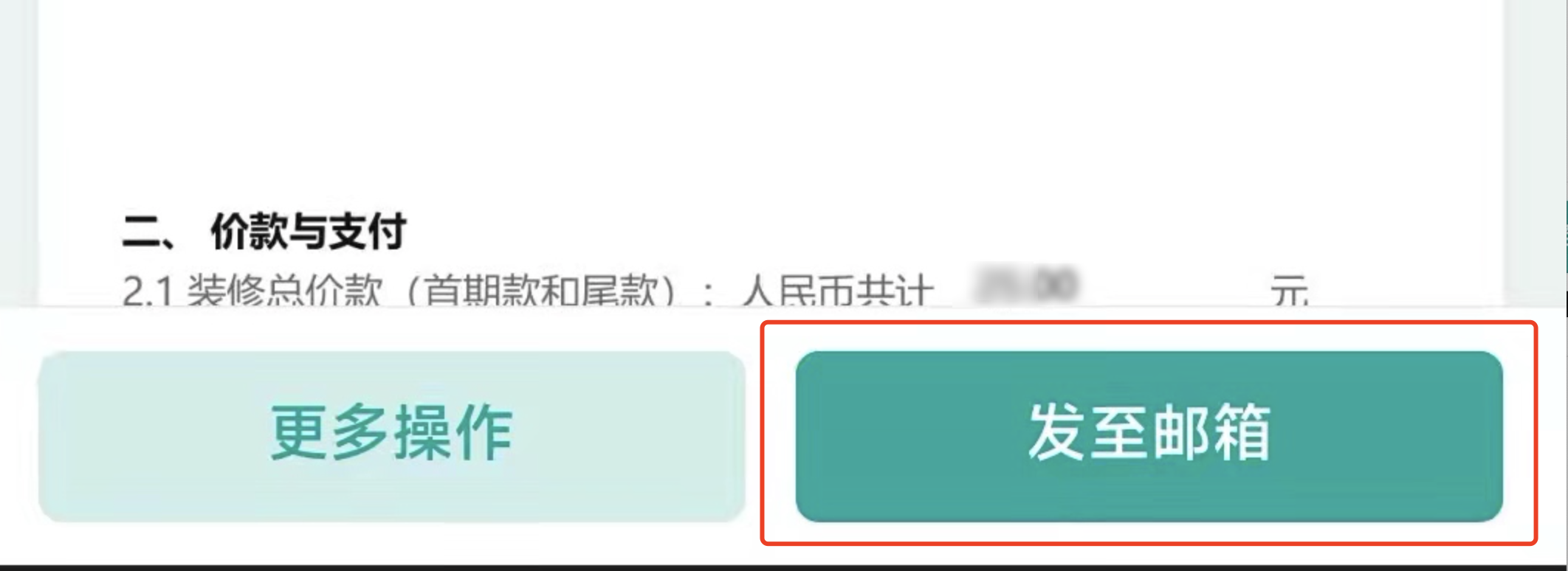
1. Tencent E-Sign Service Mini Program: In the contract details, click Send to email to send the contract file to a specified email address (as shown below).

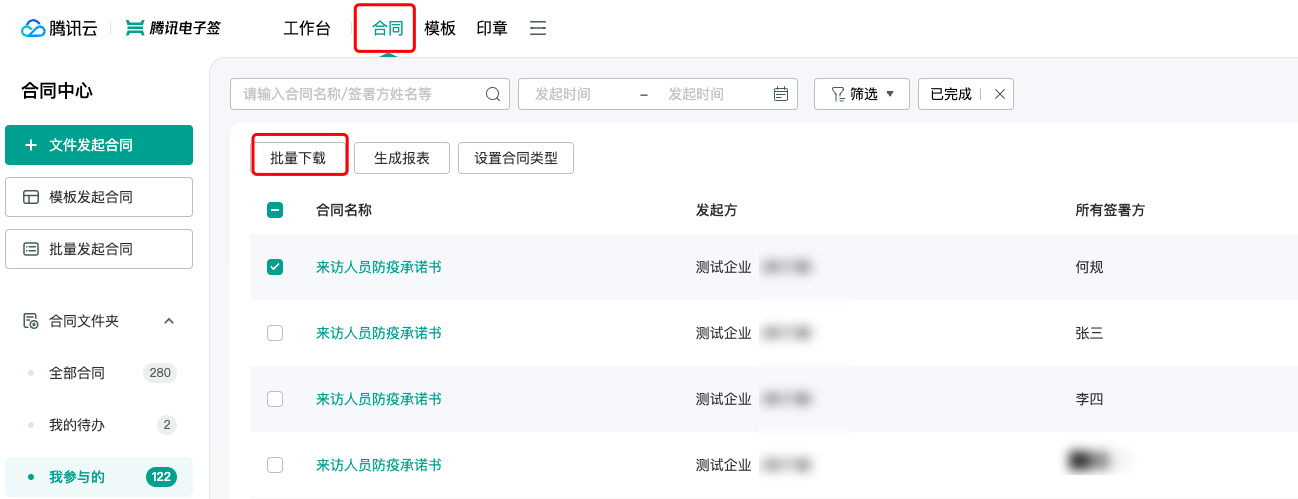
2. Tencent E-Sign Service Desktop: Employees with viewing permissions can download the relevant contract from the Contract Management section.

Why is there a prompt during contract initiation that says: 'At least one signing control must be added for the signatory', and the contract cannot be initiated?
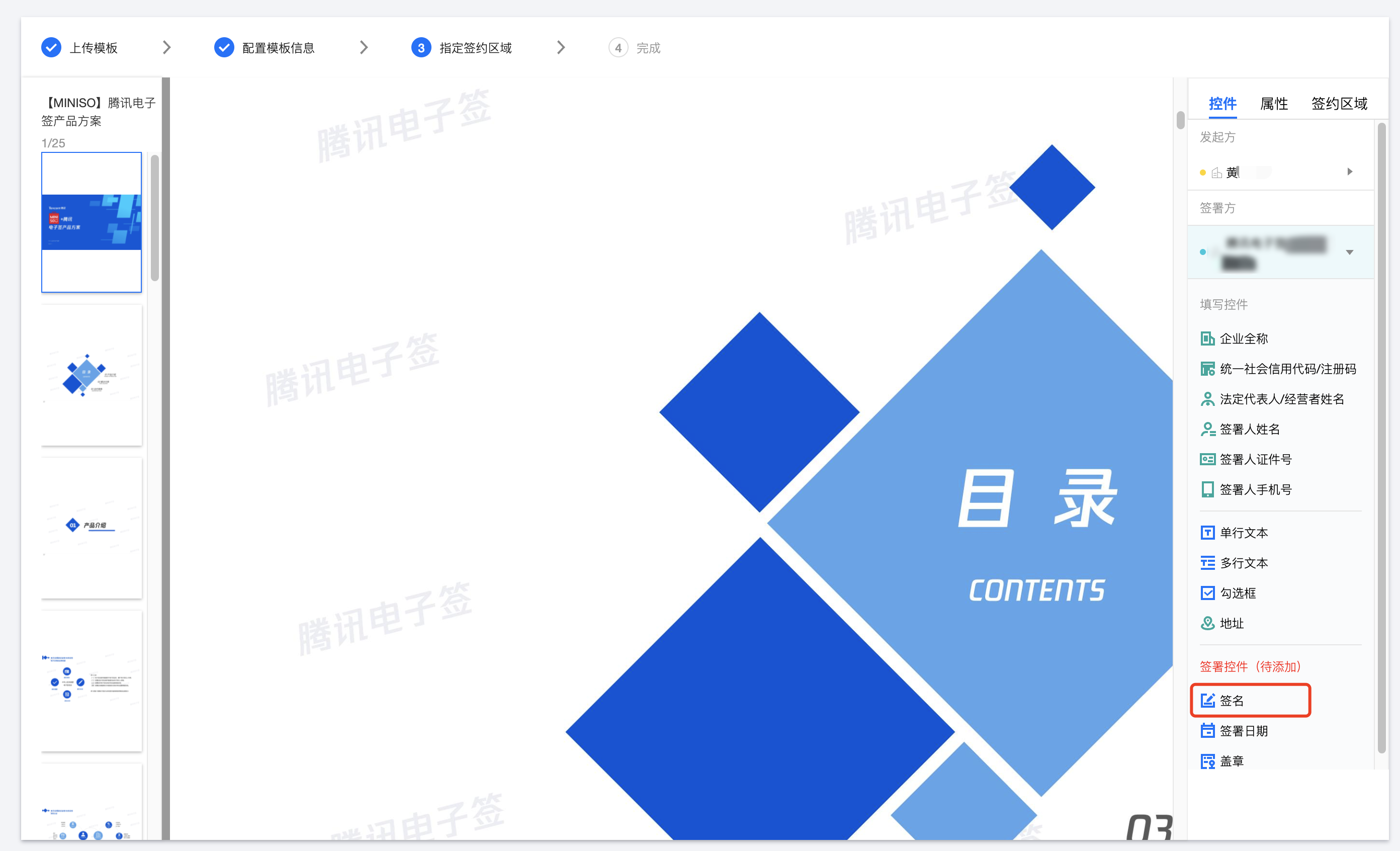
Signing controls must be added to the contract. At least one signing control must be added for each signatory to initiate the contract.
Operation method: Select the Signatory on the right, click to display the corresponding controls for the signatory, and drag the signing control under their name to generate it (as shown below).

How are signatories notified after a contract is initiated?
Once the contract is successfully initiated, the system will automatically notify the signatories via SMS to sign the contract.
What is the difference between Multi-signature with One Code and Group Flash Sign features?
In terms of features, both Multi-signature with One Code and Group Flash Sign support generating a signature code through a contract template, allowing multiple people to sign the contract by scanning once.
The difference lies in the simplicity of the Multi-signature with One Code feature, where only one signature code can be generated from the same template, suitable for single-scenario activities like event check-ins and beta agreement signings.
On the other hand, Group Flash Sign supports generating multiple signature codes from the same template based on the hierarchy of the signing institutions. For example, in the summer safety commitment letter for primary and secondary school students in XX City, different signature codes can be generated according to different schools, grades, and classes, aiding in hierarchical data statistics management.
Besides, Group Flash Sign provides a multi-dimensional signing data visualization dashboard, allowing real-time viewing of signing details and achieving precise data recovery.