The content of this page has been automatically translated by AI. If you encounter any problems while reading, you can view the corresponding content in Chinese.

Anti-DDoS Pro Package

Last updated: 2025-03-19 21:34:15
Anti-DDoS Pro provides higher DDoS protection capabilities for Tencent Cloud public IP addresses, supporting the protection of products and services such as CVM, CLB, NAT, WAF, etc. Anti-DDoS Pro is easy to connect, requiring no changes to business IP addresses, allowing for quick completion of protection configuration.

Prerequisites

Before binding a protected IP, you need to successfully purchase Anti-DDoS Pro (Standard Edition) or Anti-DDoS Pro (Lite Edition).

Operation Steps

1. Log in to the Anti-DDoS (New Version) console, and click Anti-DDoS instances in the left sidebar.
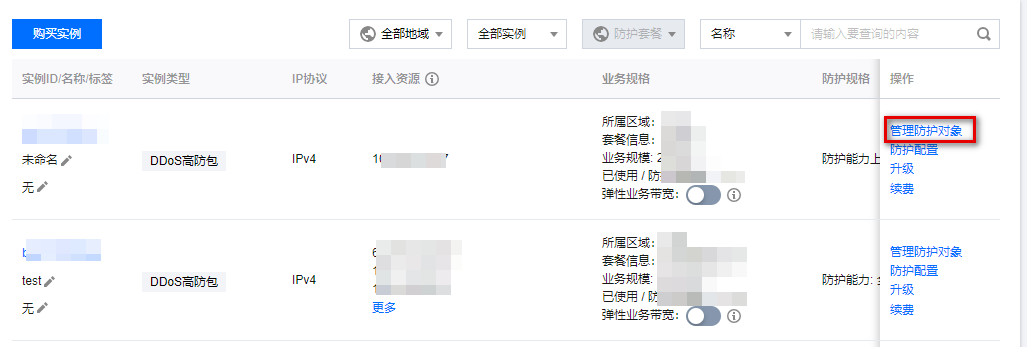
2. On the Anti-DDoS instances page, select the target instance and click manage protection object in the operation column.

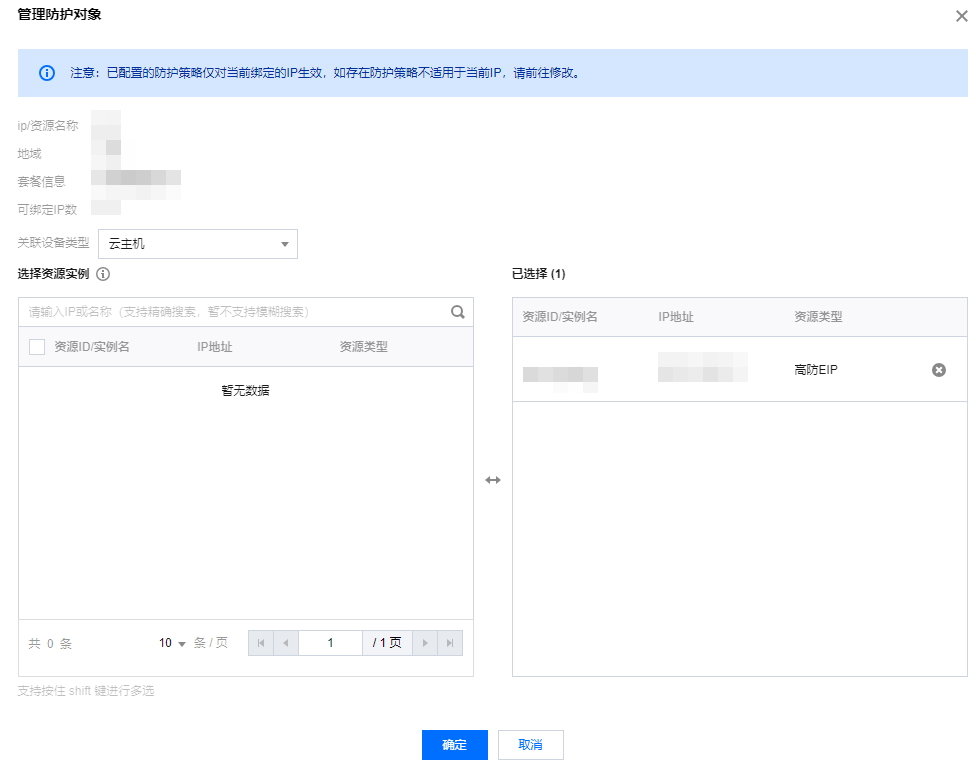
3. In the manage protection object window, select "Associated Device Type" and "Resource Instance" according to actual protection needs.
Note:
Anti-DDoS Pro supports managed IP, which is currently available for use in the allowlist. If a user uses Tencent Cloud's managed IP and needs to connect to Anti-DDoS Pro, please call 4009100100 ext. 1 (Monday to Friday, 9:00 am - 6:00 pm) for consultation, or submit a ticket to apply for use.
Associated device types: Supports Cloud Host, Cloud Load Balancer, Web Application Firewall, and other public cloud resources with a public IP address.
Select resource instances: Multi-option selection is allowed. The number of "selected resource instances" must not exceed the number of IP addresses that can be bound.

4. After completing the selection, click Confirm.
Note:
After the connection is completed, if personalized protection is required, you can configure it on the Protection Configuration page. For details, please refer to the Protection Configuration document.