The content of this page has been automatically translated by AI. If you encounter any problems while reading, you can view the corresponding content in Chinese.

Meeting Room Connector

Last updated: 2024-08-28 11:21:28

Overview

In the Meeting Room Connector section of the Conference Dashboard, after purchasing a Meeting Room Connector account, the dashboard can display relevant data information, including Resource Usage Data, Registered Device Usage Data, and Registered Device Usage List.

Resource Usage Data

Current Concurrency: The number of concurrent calls for the enterprise's Meeting Room Connector during the selected time period. Click the number to display the current call list (clicking is not available when the number is 0).
Number of Meetings of the Day: The total number of meetings for the enterprise's Meeting Room Connector during the selected time period.
Usage Data Statistical Chart:
Usage data statistics include: Current Concurrency, Number of Meetings of the Day.
Displayed in a line chart, with support for downloading in chart or Excel Spreadsheet format.
Choose freely between Daily Report, Weekly Report, and Monthly Report for display, or select the time by Definition.
Hovering the mouse over a time point displays the specific value and details at that time point.


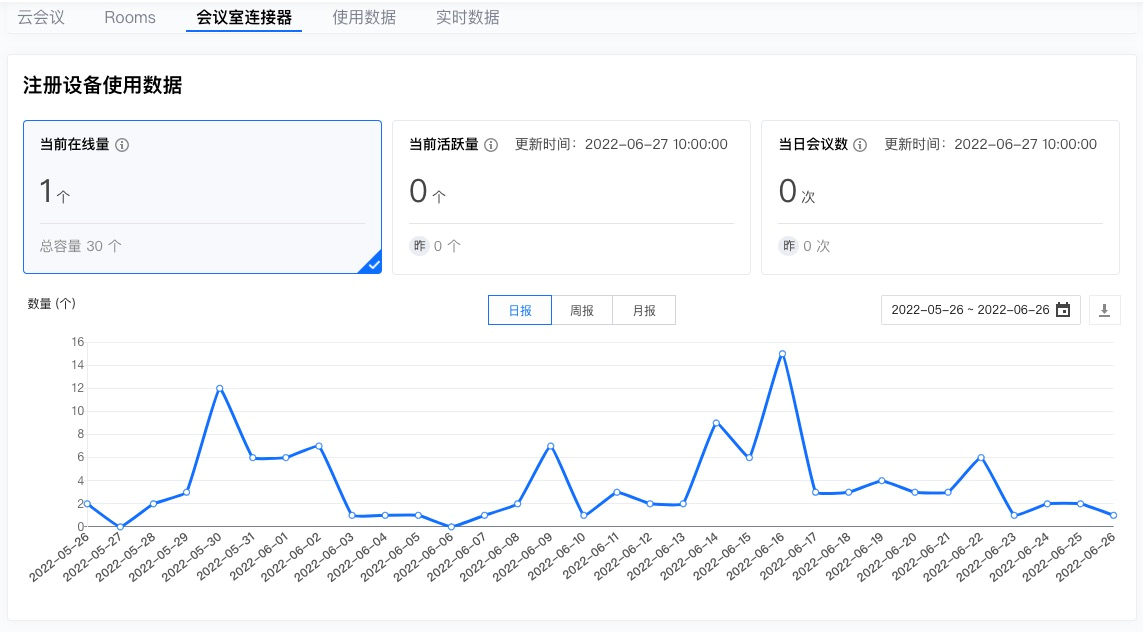
Registered Device Usage Data

Current Online Devices: The number of currently registered devices online for the enterprise during the selected time period.
Daily Active Devices: The number of registered devices that were used on a single day within the selected time period.
Number of Meetings of the Day: The number of meetings attended by registered devices for the enterprise on a single day within the selected time period.
Usage Data Statistical Chart:
Usage data statistics include: Current Online Devices, Daily Active Devices, Number of Meetings of the Day.
Displayed in a line chart, with support for downloading in chart or Excel Spreadsheet format.
Choose freely between Daily Report, Weekly Report, and Monthly Report for display, or select the time by Definition.
Hovering the mouse over a time point displays the specific value at that time point.

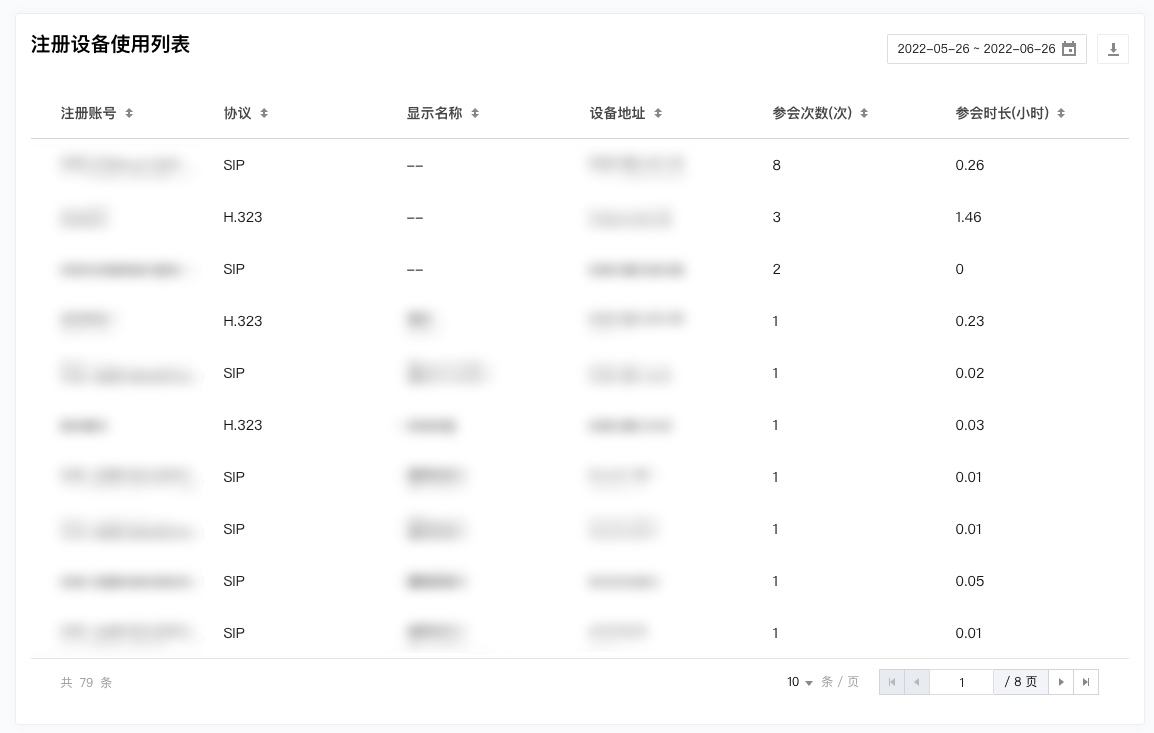
Registered Device Usage List

Registered Account: Statistics are up to yesterday. The current registered accounts for the enterprise during the selected time period, supporting sorting in ascending or descending order by characters.
Protocol: Statistics are up to yesterday. The content of the current account protocol for the enterprise during the selected time period, supporting sorting in ascending or descending order by characters.
Display Name: Statistics are up to yesterday. The current account display name for the enterprise during the selected time period, supporting sorting in ascending or descending order by characters.
Device Address: Statistics are up to yesterday. The current account device address for the enterprise during the selected time period, supporting sorting in ascending or descending order by characters.
Number of Attendances: Statistics are up to yesterday. The cumulative number of attendances for the current account of the enterprise during the selected time period, supporting sorting in ascending or descending order by cumulative attendances.
Meeting Duration: Statistics are up to yesterday. The cumulative meeting duration for the current account of the enterprise during the selected time period, supporting sorting in ascending or descending order by cumulative duration.
The meeting list supports exporting as an Excel file based on search criteria.