The content of this page has been automatically translated by AI. If you encounter any problems while reading, you can view the corresponding content in Chinese.

View VPC Boundary Firewall (Primary/Secondary Mode)

Last updated: 2025-05-20 10:45:44

Viewing Status Monitoring

Inter-VPC firewall status monitoring supports the statistics of the overall firewall bandwidth as well as the bandwidth of each instance. These statistics can be queried through multiple entry points.
1. Log in to the CFW console, in the left sidebar, select Firewall Switch > Inter-VPC Switch.
2. On the VPC switch page, the monitoring panel can be accessed using the following three methods:
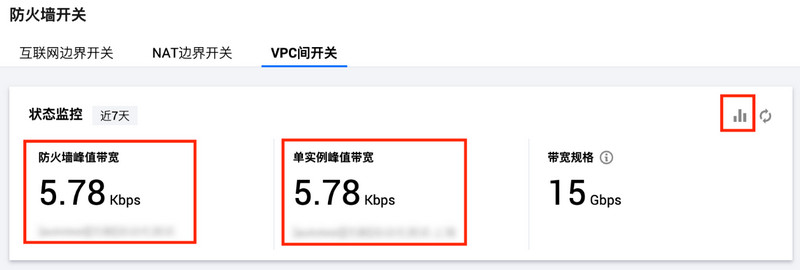
Click the

in the upper-right corner of the status monitoring, or click the firewall peak bandwidth and single instance peak bandwidth panels to quickly access the monitoring panel.

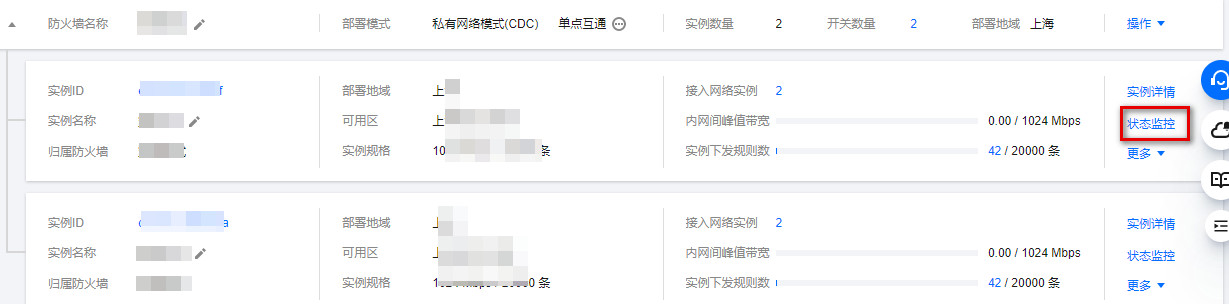
Click firewall instance, select the desired firewall, click Operation > Bandwidth Monitoring to quickly launch the monitoring panel.

Click the firewall instance, select the desired firewall instance, and then click Status Monitoring to quickly access the monitoring panel.

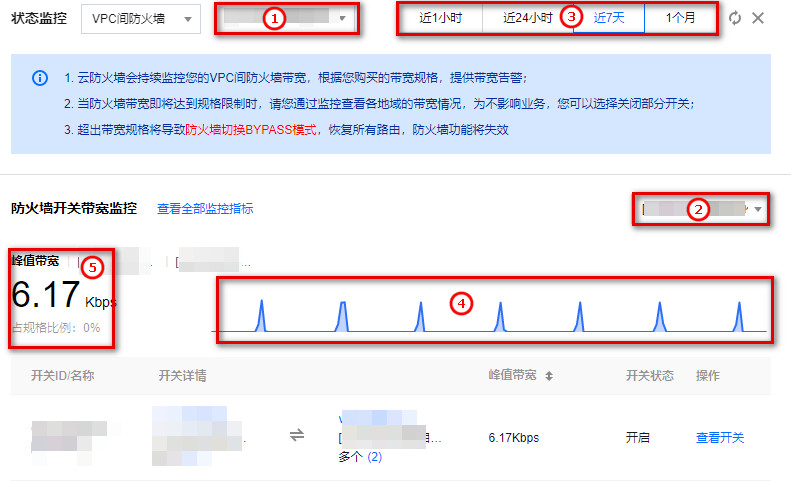
3. In the monitoring panel, you can filter the monitoring dimensions based on ① firewall name or ② firewall instance name. You can also modify the statistical dimensions by selecting ③ the time range. You can view the ④ monitoring curve of the bandwidth, as well as check the ⑤ peak bandwidth data for the switches associated with the firewall or instance.
Notes:
The minimum statistical granularity for statistics of different time ranges varies and may result in discrepancies with the actual peak values. It is advisable to refer to the data from Tencent Cloud Observability Platform or the statistics of specific protection units as the standard.

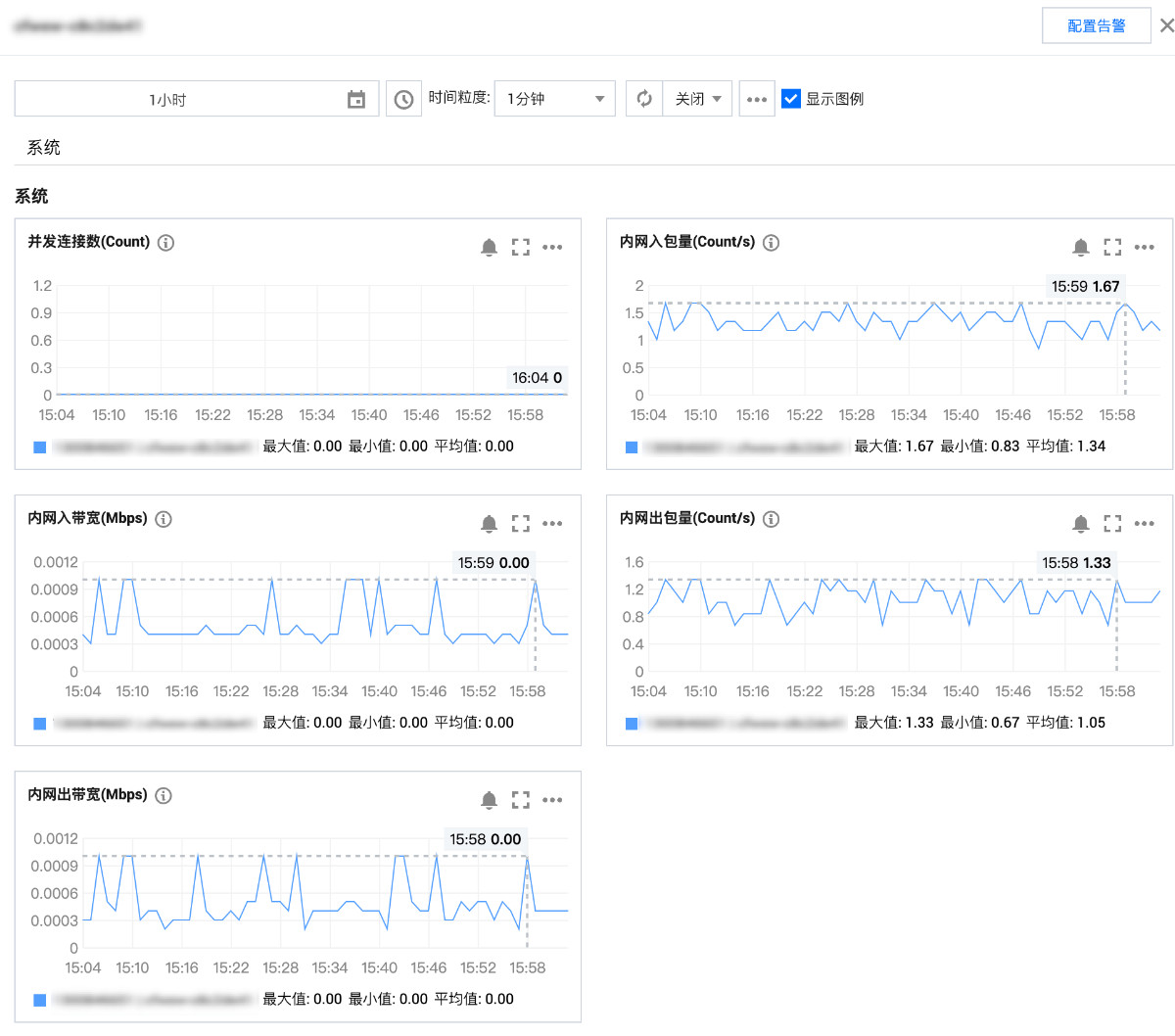
4. In the monitoring panel, click View Monitoring Metrics to open the sidebar of the Tencent Cloud Observability Platform, view all monitoring metric data of the firewall instance, including concurrent connection number, private network inbound packet volume, private network outbound packet volume, private network outbound bandwidth, and private network inbound bandwidth. Alternatively, you can go to the Tencent Cloud Observability Platform Console to view detailed metrics or configure related alarms.


View Specification Information

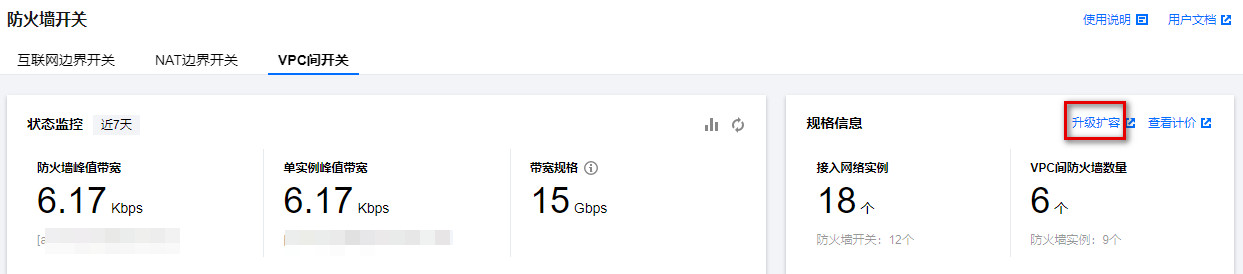
In the specification information module on the firewall switch page, you can view specification information, including access network instances and inter-VPC firewall instances. Click scale-out in the upper-right corner of the rule information to navigate to the expansion interface. Under the default specification, enterprise edition users can create a maximum of 1 inter-VPC firewall, while flagship edition users can create 3 inter-VPC firewalls. To expand capacity, you can upgrade the version or use expansion resources.