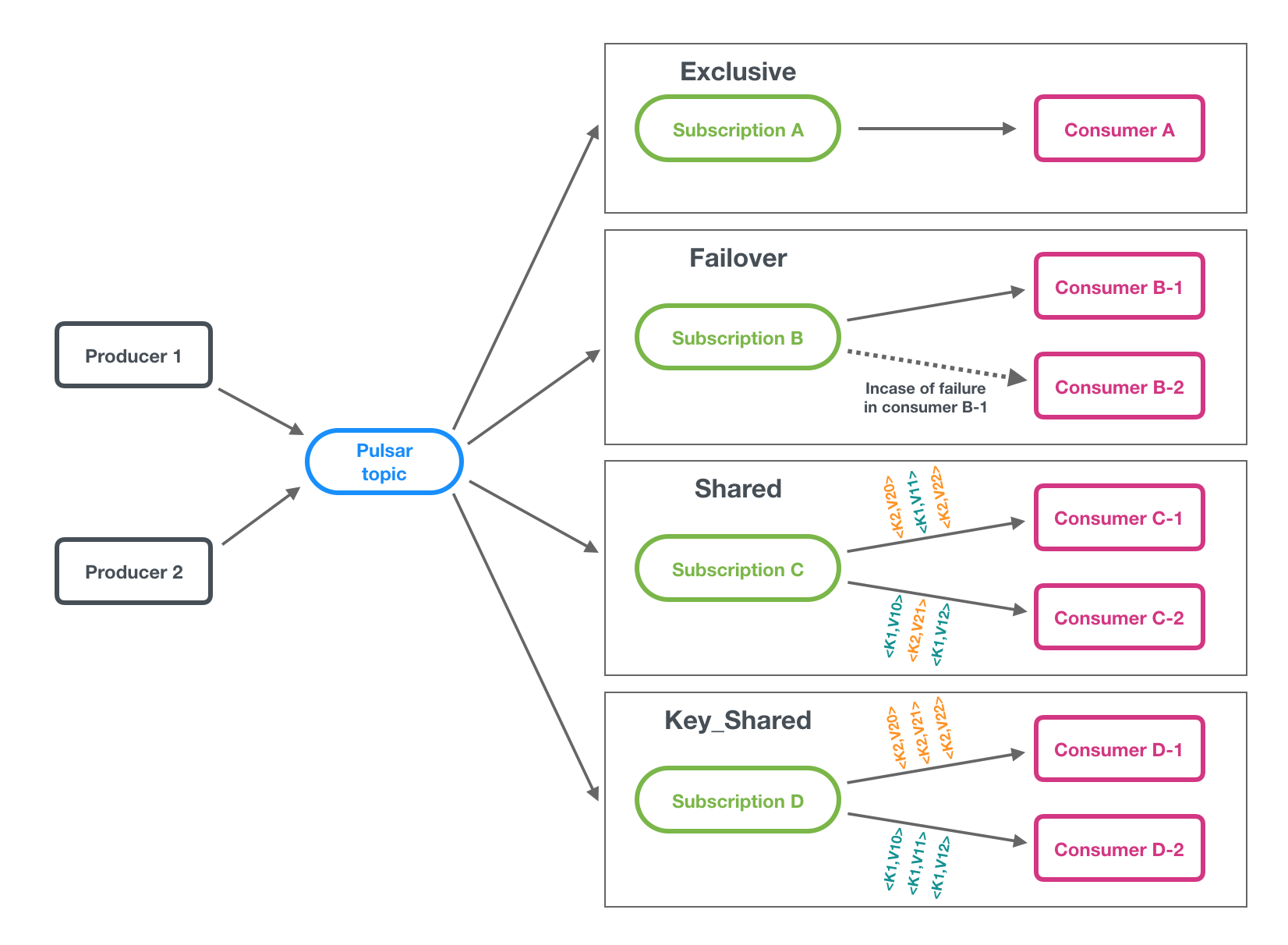
In order to meet the needs of different use cases, TDMQ for Pulsar supports four subscription modes: exclusive, shared, failover, and key_shared.
Exclusive Mode
Exclusive Mode (Default): Exclusive mode (default): A subscription can only be associated with one consumer. Only this consumer can receive all messages in the topic, and if it fails, consumption stops.
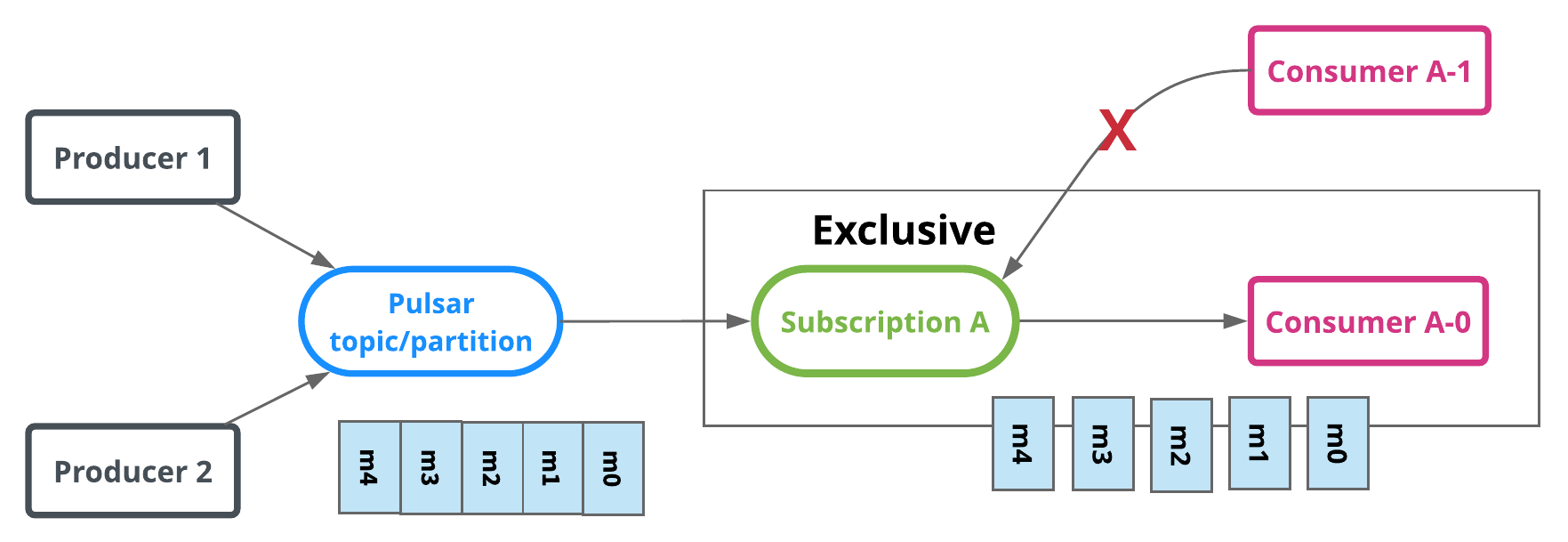
In the exclusive subscription mode, only one consumer in a subscription can consume messages in the topic. If multiple consumers subscribe to the topic, an error is reported. This mode is suitable for globally sequential consumption scenarios.
//Full path of topic, in the format of persistent://cluster (tenant) ID/namespace/Topic name, copied from Topic Management
.topic("persistent://pulsar-xxx/sdk_java/topic1")
// You need to create a subscription on the Topic details page in the console. Fill in the subscription name here.
.subscriptionName("sub_topic1")
// Declare the consumption mode to be the Exclusive mode
.subscriptionType(SubscriptionType.Exclusive)
.subscribe();
If multiple consumers are started, an error will be reported. This is shown in the following figure:
Shared Mode
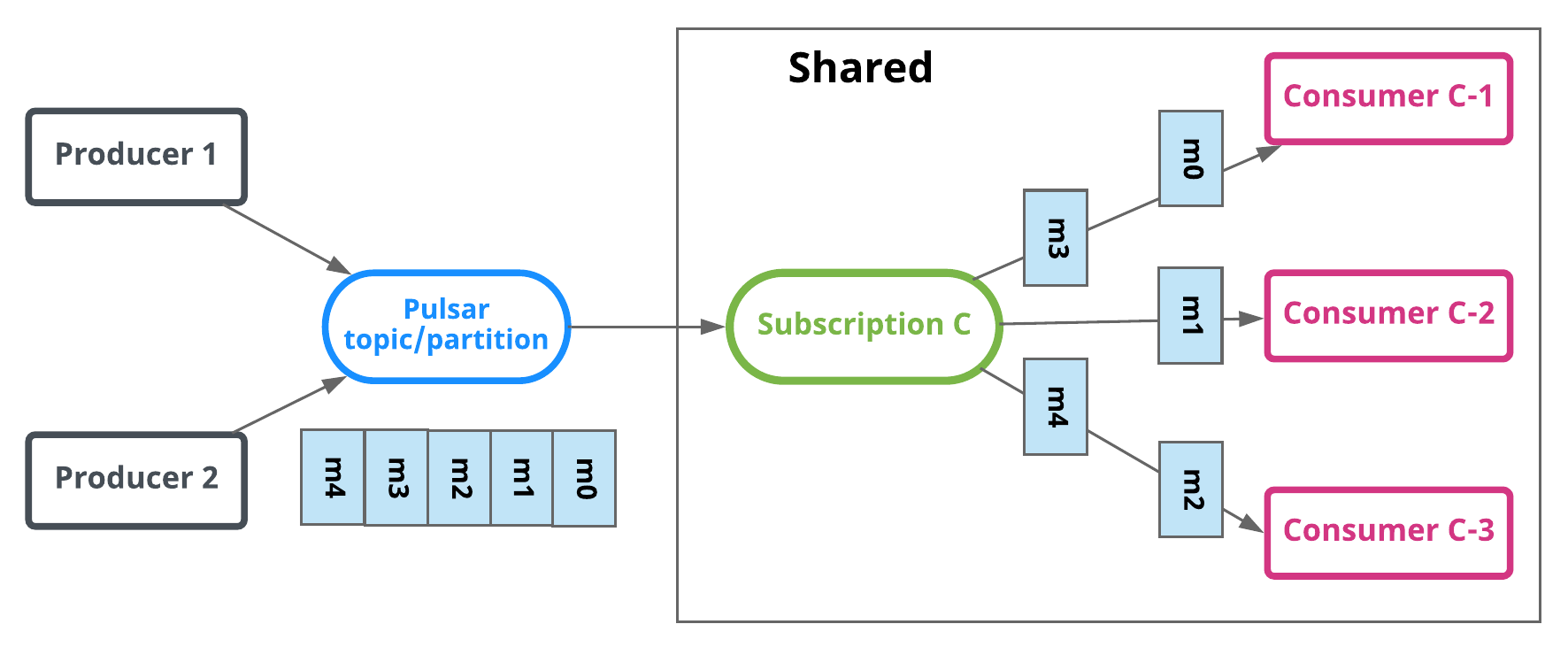
Messages are distributed to different consumers through round-robin polling (customizable), and each message is only distributed to one consumer. When a consumer disconnects, all messages sent to it but not acknowledged will be rescheduled and distributed to other active consumers.
//Full path of topic, in the format of persistent://cluster (tenant) ID/namespace/Topic name, copied from Topic Management
.topic("persistent://pulsar-xxx/sdk_java/topic1")
// You need to create a subscription on the Topic details page in the console. Fill in the subscription name here.
.subscriptionName("sub_topic1")
// Declare the shared mode to be the consumption mode.
.subscriptionType(SubscriptionType.Shared)
.subscribe();
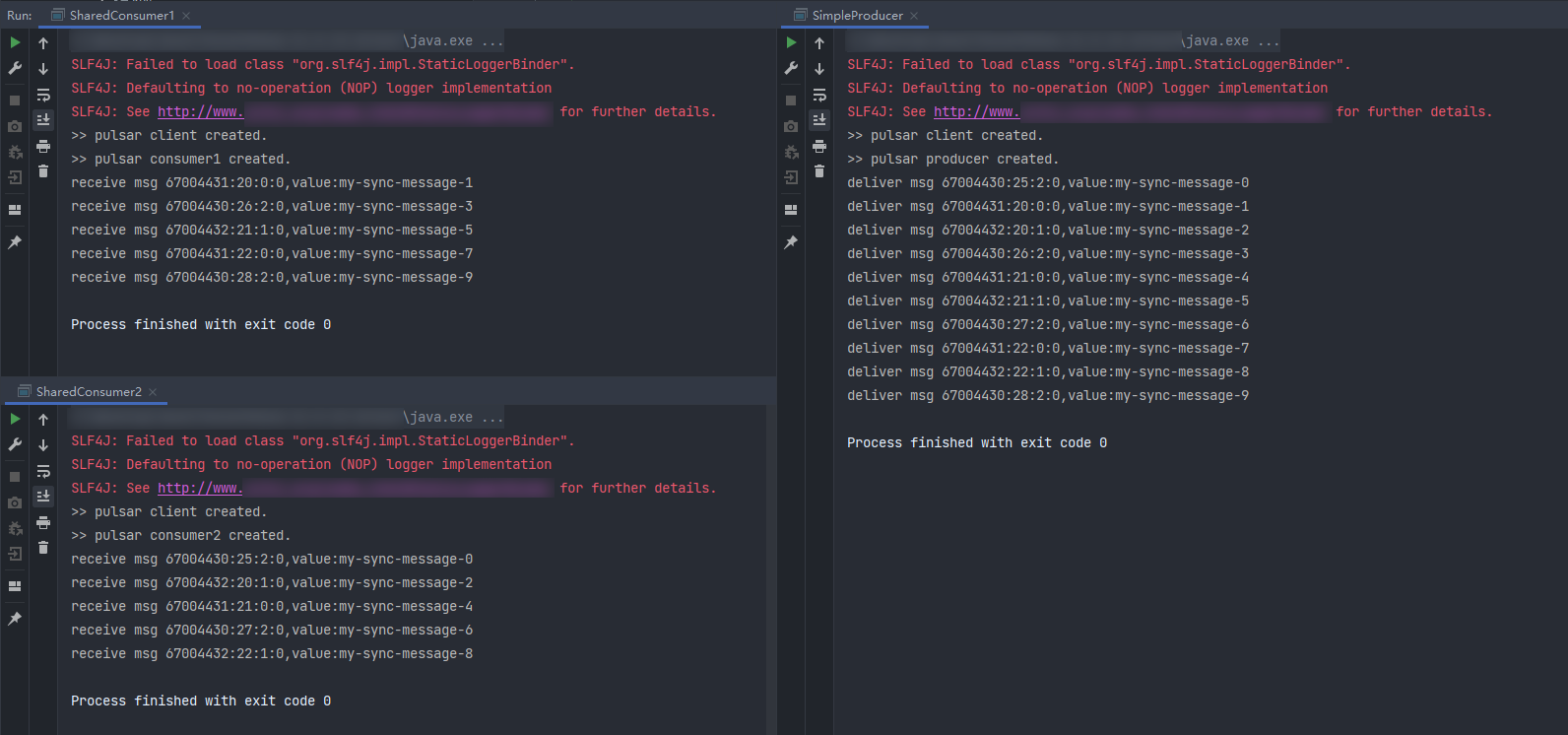
There can be multiple consumers in the shared mode. This is shown in the following figure:
Failover Mode
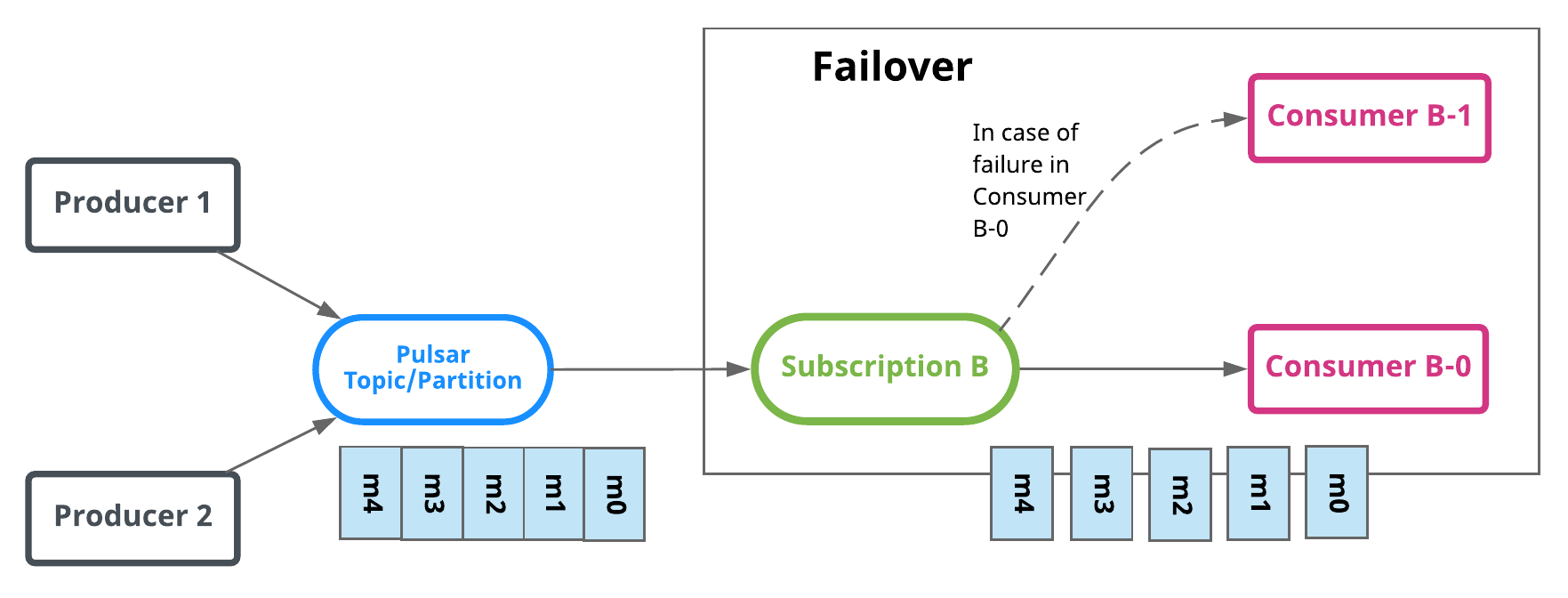
In this mode, when there are multiple consumers, they will be sorted lexicographically, and the first consumer is initialized to be the only one who can receive messages. When the first consumer is disconnected, all the unacknowledged and upcoming messages will be distributed to the next consumer in the queue.
//Full path of topic, in the format of persistent://cluster (tenant) ID/namespace/Topic name, copied from Topic Management
.topic("persistent://pulsar-xxx/sdk_java/topic1")
// You need to create a subscription on the Topic details page in the console. Fill in the subscription name here.
.subscriptionName("sub_topic1")
// Declare the consumption mode to be the failover mode.
.subscriptionType(SubscriptionType.Failover)
.subscribe();
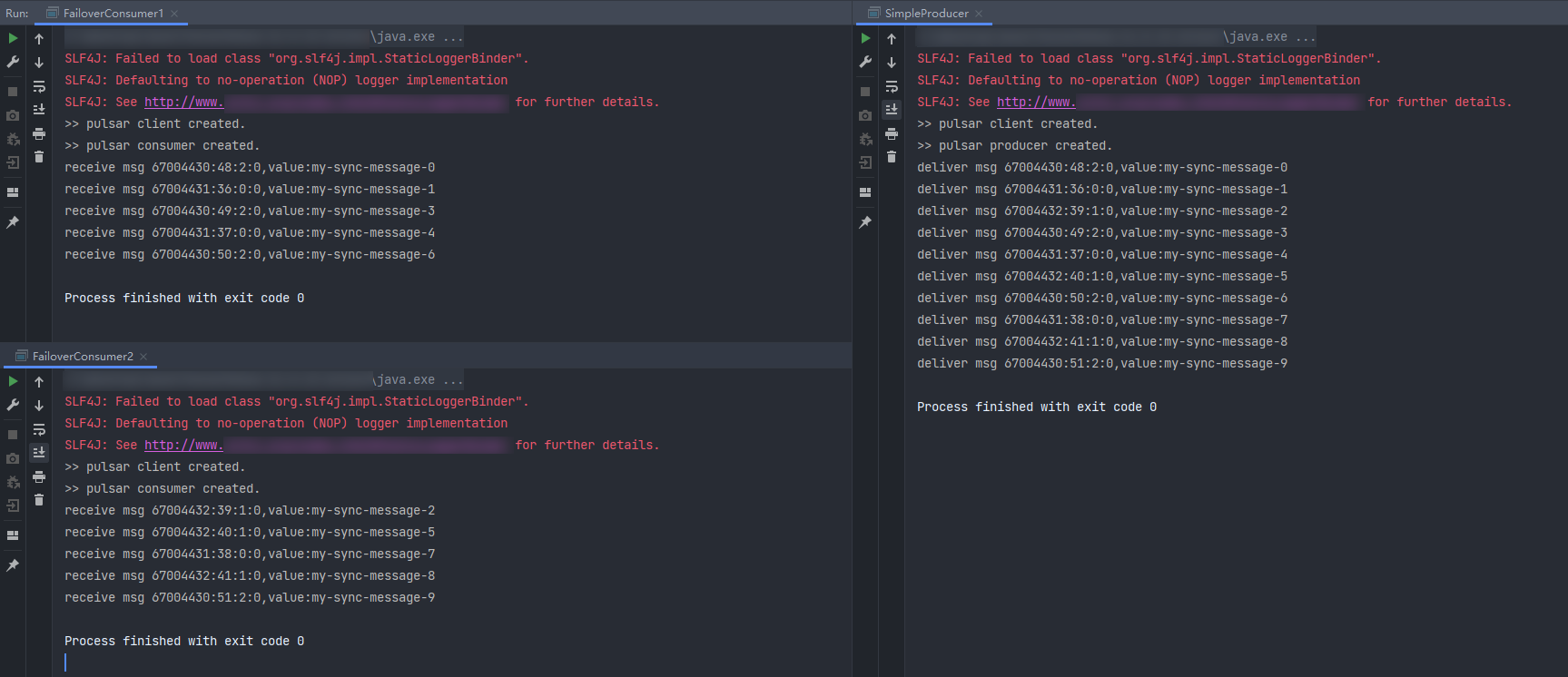
There can be multiple consumers in the failover mode. This is shown in the following figure:
Key_Shared Mode
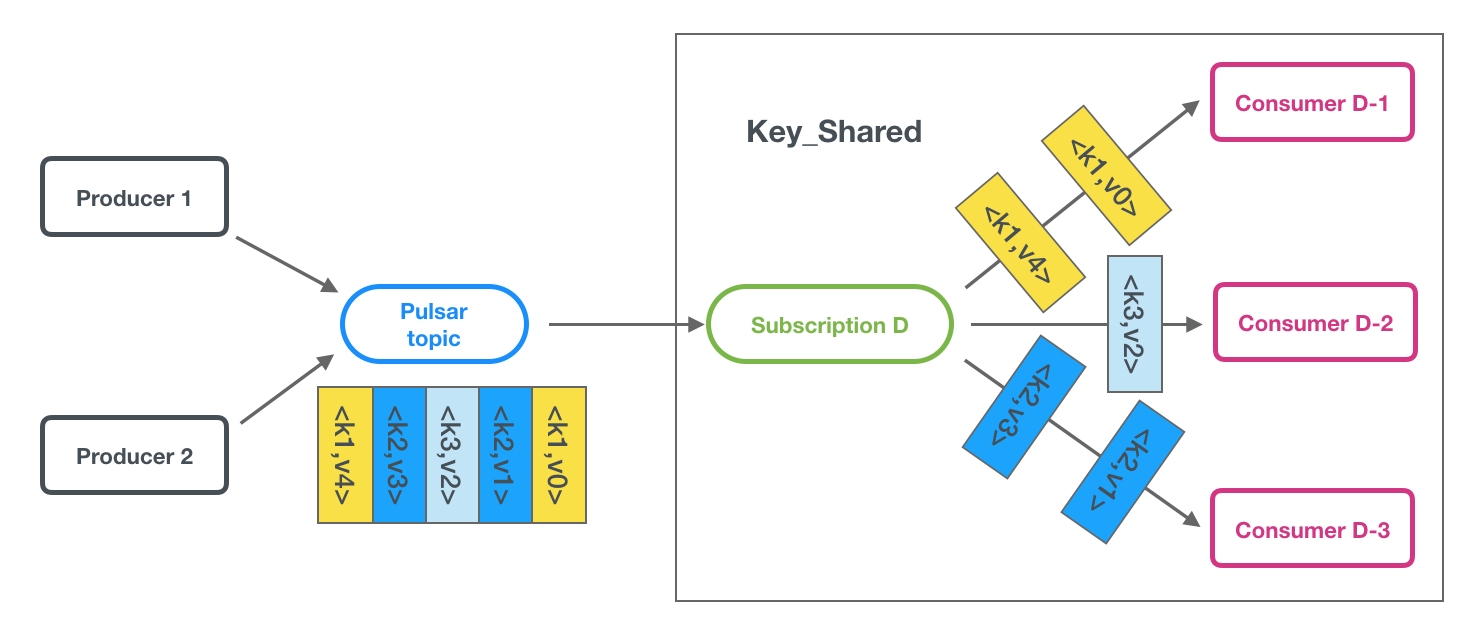
If there are multiple consumers, messages will be distributed by key, and messages with the same key will only be distributed to the same consumer.
Notes:
Key_Shared itself has certain use limits. Due to its high engineering complexity, there have been continuous improvements and optimizations of Key_Shared's features in the community edition iterations. Overall, its stability is relatively weaker compared to the three subscription types: Exclusive, Failover, and Shared. We recommend that you first select the other three modes if they can meet your business needs.
Professional clusters can guarantee the sequential delivery of messages with the same key, while virtual clusters cannot.
Suggestions For the Key_shared Mode
When to use the key_shared mode?
Choose the shared mode for general production/consumption scenarios.
If you want messages with the same key to be distributed to the same consumer, you cannot use the shared mode. You have two options:
Choose the key_shared mode.
Use a multi-partition topic + failover mode.
Where to use the key_shared mode
There are a lot of message keys with even message distribution.
Consumption is fast with no message heap.
If the above two conditions cannot be met in the production process, we recommend that you use the multi-partition topic + Failover mode.
Sample Code
Sample of key_shared subscription
By default, Pulsar enables the batch feature when it produces messages and batch messages are parsed on the consumer side. Therefore, a batch of messages on the broker side is treated as one entry. Since messages with different keys may be packaged into the same batch, the key_shared mode becomes ineffective in this case because it achieves sequential subscription based on the same message key. There are two ways to avoid this when you create a producer:
// Set the key here. Messages with the same key are only distributed to the same consumer.
.key("youKey1")
.send();
Sample code for the consumer:
// Construct a consumer.Consumer<byte[]> consumer = pulsarClient.newConsumer()// Full path of topic, in the format of persistent://cluster (tenant) ID/namespace/Topic name, copied from Topic Management..topic("persistent://pulsar-xxx/sdk_java/topic1")// You need to create a subscription on the Topic details page in the console. Fill in the subscription name here..subscriptionName("sub_topic1")// Declare the key_shared mode to be the consumption mode..subscriptionType(SubscriptionType.Key_Shared).subscribe();
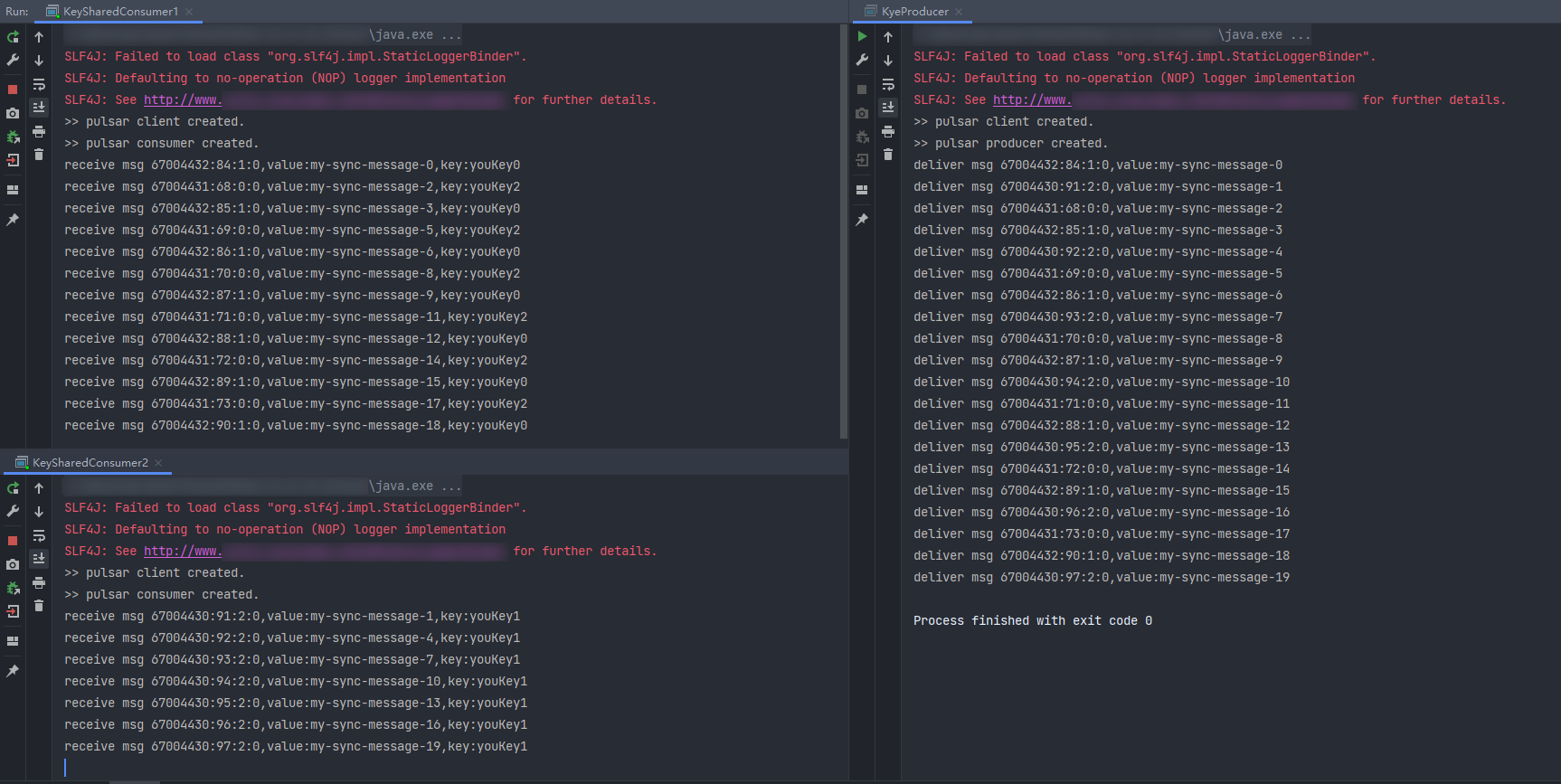
There can be multiple consumers in the key_shared mode.
In this mode, each partition is assigned to only one consumer instance at a time. When there are more consumers than partitions, the excessive consumers cannot consume messages. This problem can be solved by adding more partitions, and the scale-out number of partitions should be no less than the number of consumers.
Try to ensure an even key distribution when you design keys.
The delayed message is not supported in failover mode.
Cluster version 2.7.2 does not support order preserving, which may cause message push to block and fail to consume.
When order preserving is enabled, the consumption rate may decrease and message backlog may occur after the consumer restarts. This is because in order preserving mode, the new consumer needs to wait for all messages before the consumer came online to be consumed (confirmed) before it can continue to consume subsequent messages.