This document mainly introduces how to complete the electronic signature enterprise authentication through a Tencent Cloud account.
Prerequisites
Create a Tencent Cloud account and complete enterprise real-name authentication.
If you already have a Tencent Cloud enterprise account with real-name authentication, you can skip this step.
If you do not have a Tencent Cloud account with enterprise real-name authentication, you need to Register Tencent Cloud account and complete Enterprise Real-name Authentication.
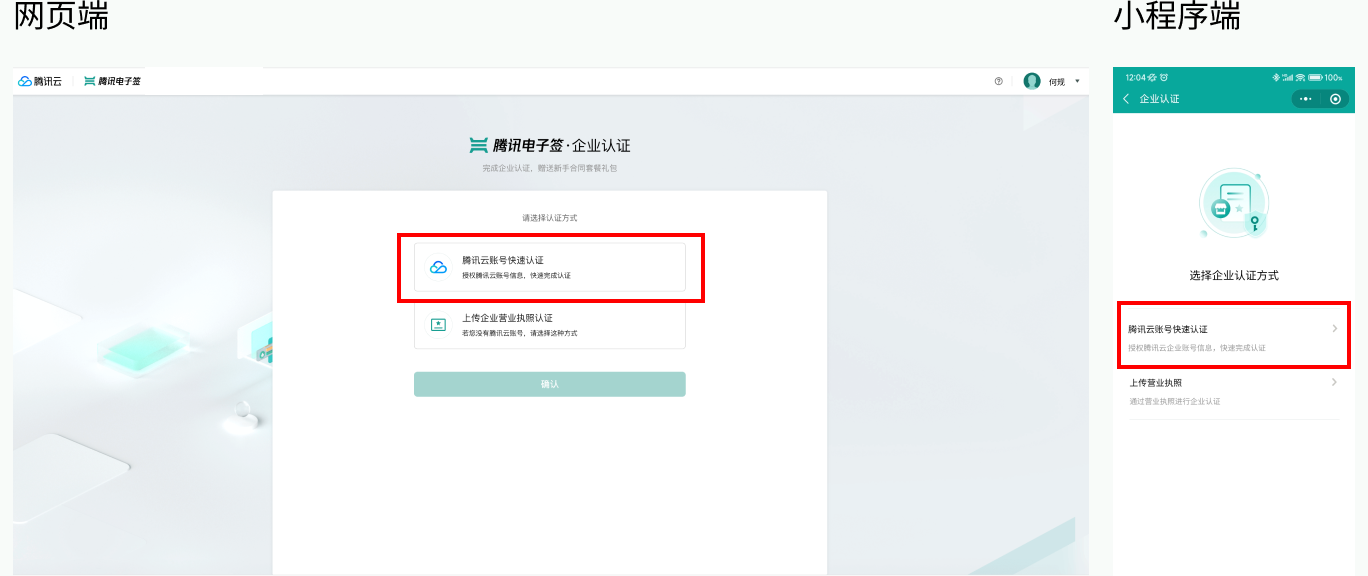
Step 1: Select the authentication method
Click Enterprise Authentication Entrance to enter the enterprise authentication method selection page. Please select Tencent Cloud Account Quick Authentication.

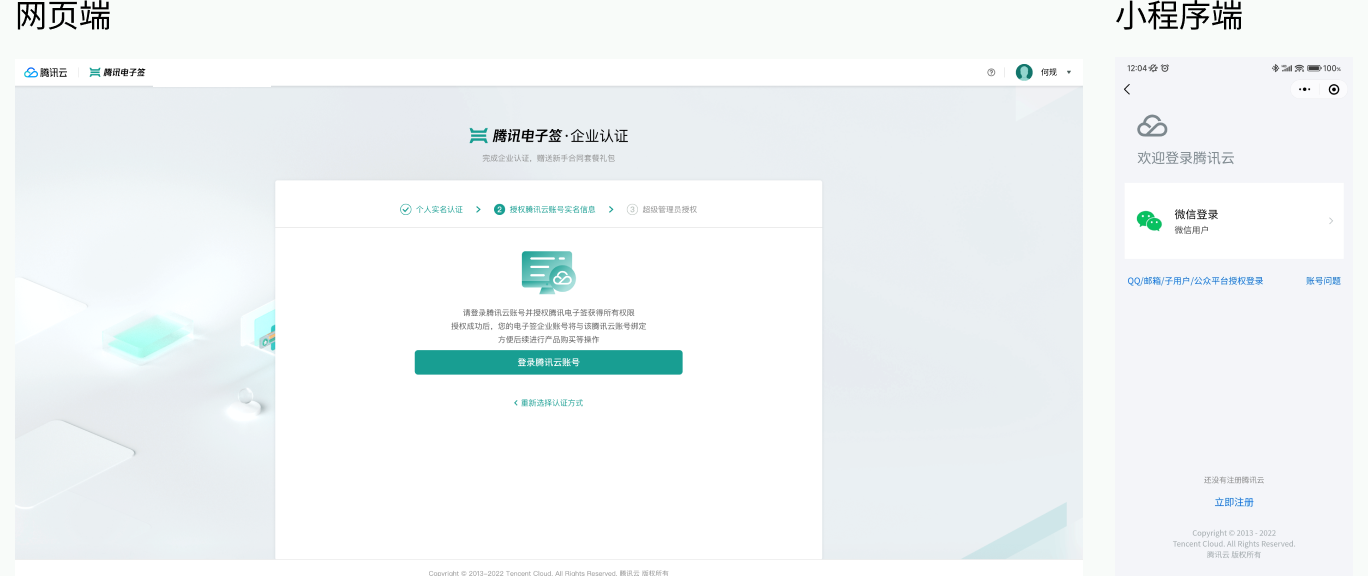
Step 2: Log in to Tencent Cloud account
Follow the page instructions to complete Tencent Cloud account log in through the app or web.

Note:
Before logging in, please make sure that the customer's Tencent Cloud account has completed the enterprise authentication operation on the Tencent Cloud official website. For the Tencent Cloud official website enterprise authentication guide, please refer to Enterprise Real-name Authentication.
You can use the root account or a sub-user account with authorized electronic signing policies to log in. Sub-user accounts need to be authorized by CAM before they can be used for electronic signature authentication. For CAM authorization guide, please refer to How to log in to electronic signing with a Sub-user account?
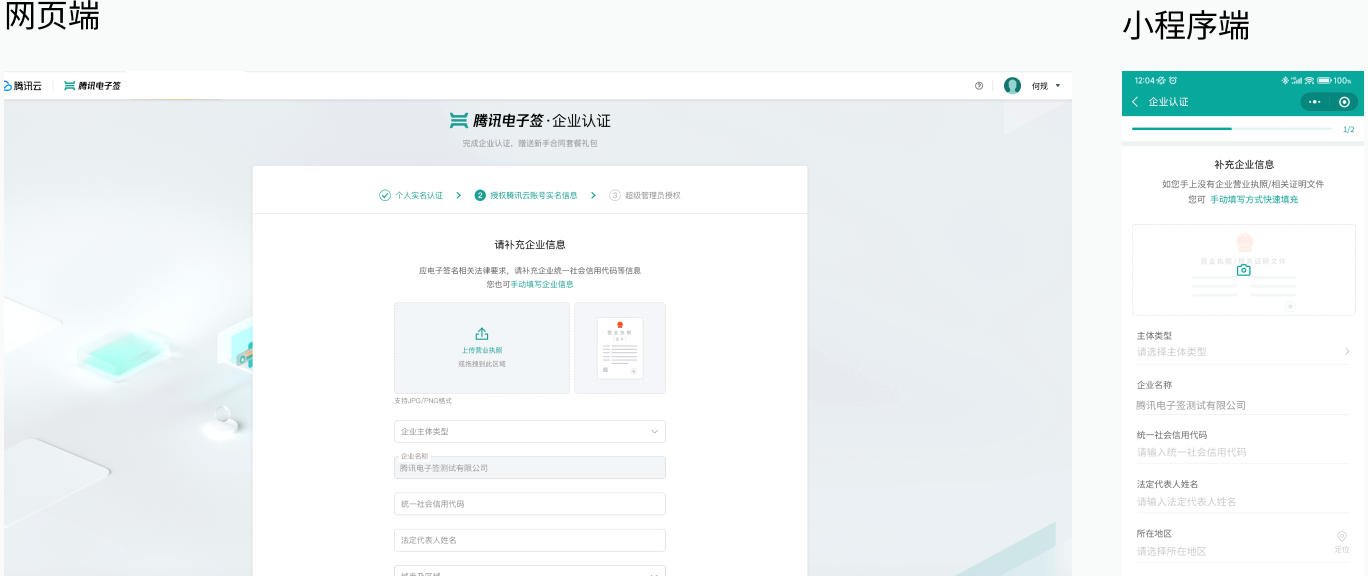
Step 3: Supplementary enterprise information
Supplement the enterprise unified social credit code, legal representative name, and other information.
Customers can quickly fill in the information by uploading the business license. If there is no photo of the business license at hand, the information can also be completed manually.

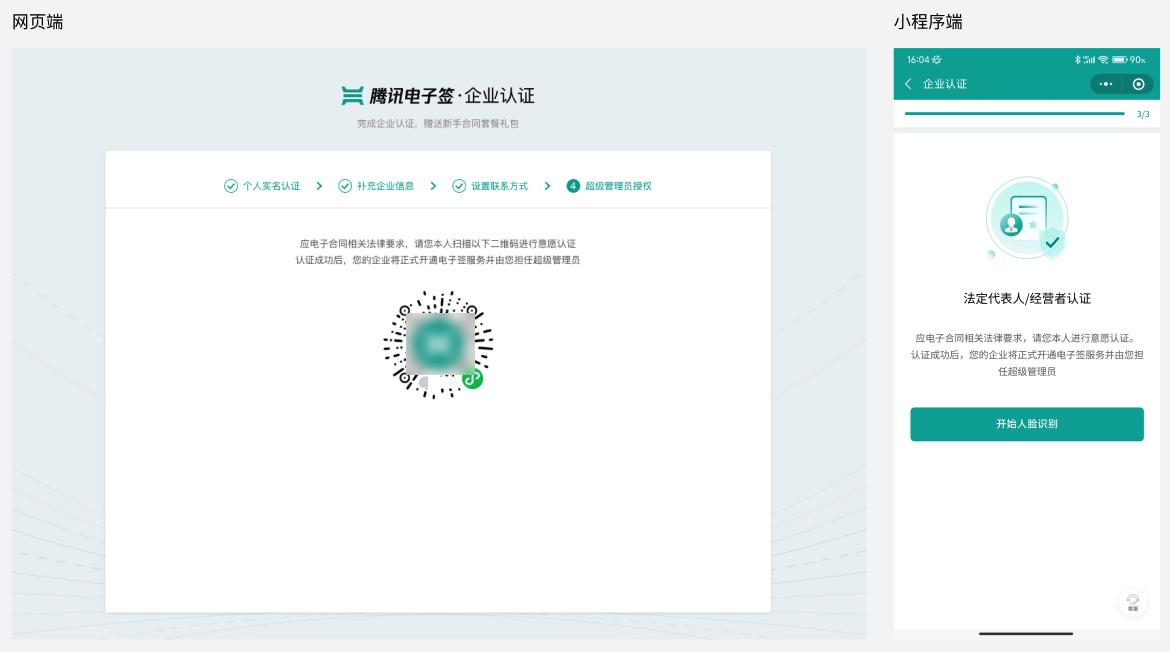
Step 4: Super Administrator Authorization
After contact information verification is complete, the system will offer the following authorization methods based on different entity types and your role within the enterprise:
Entity Type = Enterprise or Individual Business
Please follow the mini program or website instructions to complete Face Recognition. Once successful, you will become the Super Administrator of the enterprise.

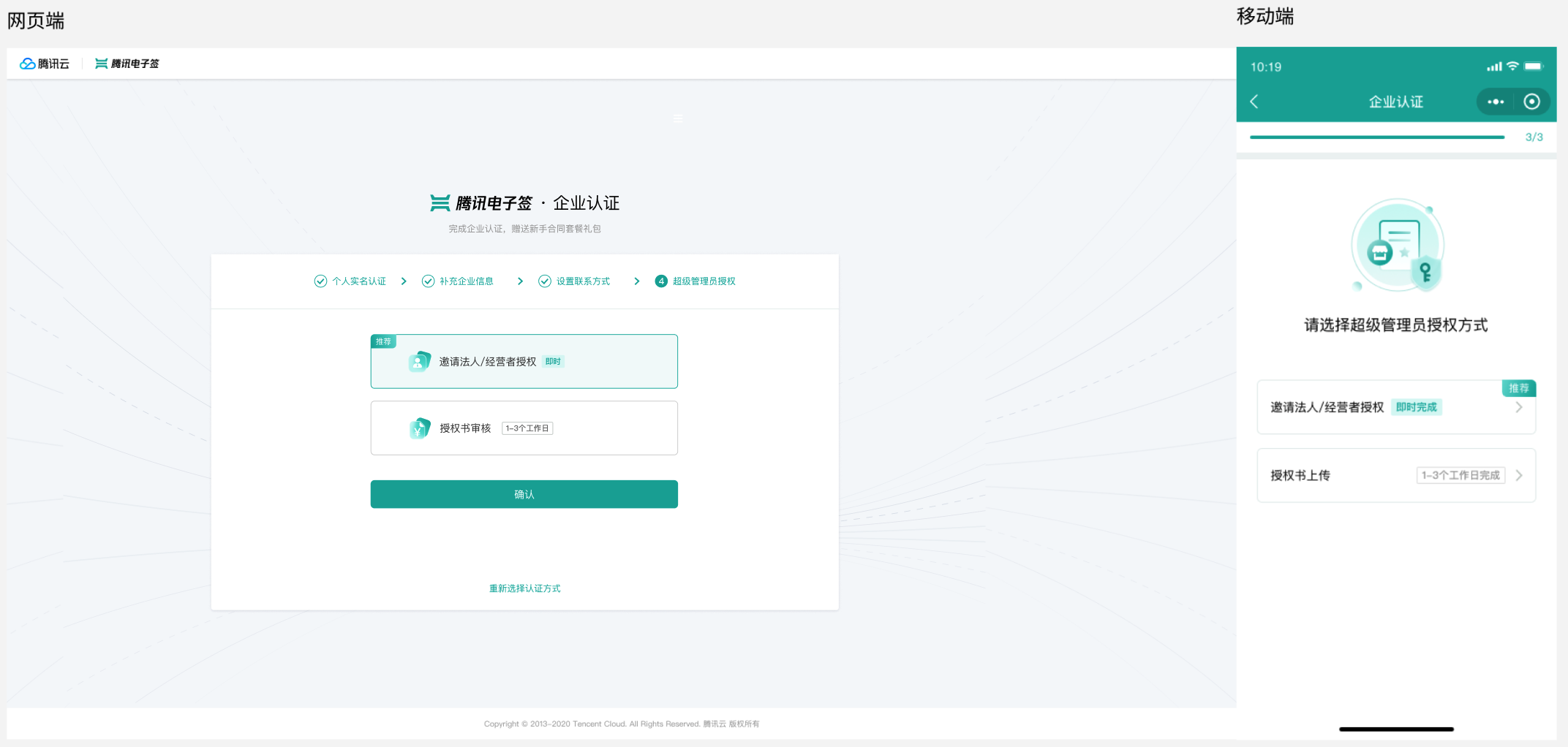
You can complete the Super Administrator authorization in one of the following two ways. After completion, you will become the Super Administrator of the enterprise account.
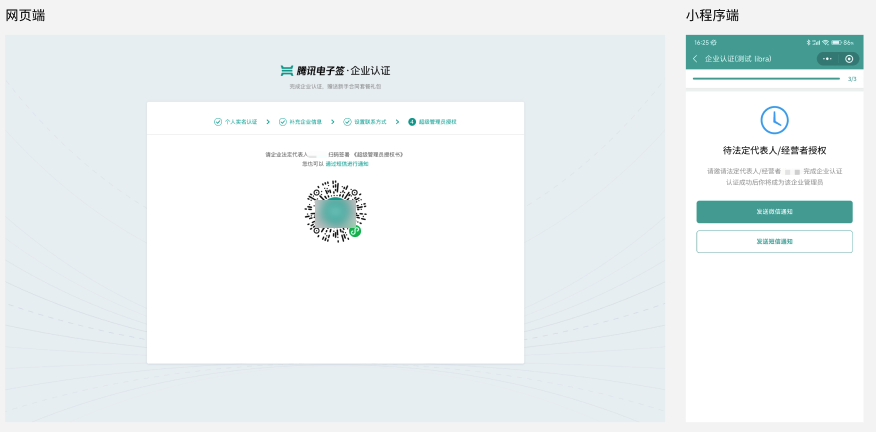
Legal Representative Authorization: Contact the enterprise’s Legal Representative or operator to authorize you as the Super Administrator of the enterprise (recommended, real-time completion).
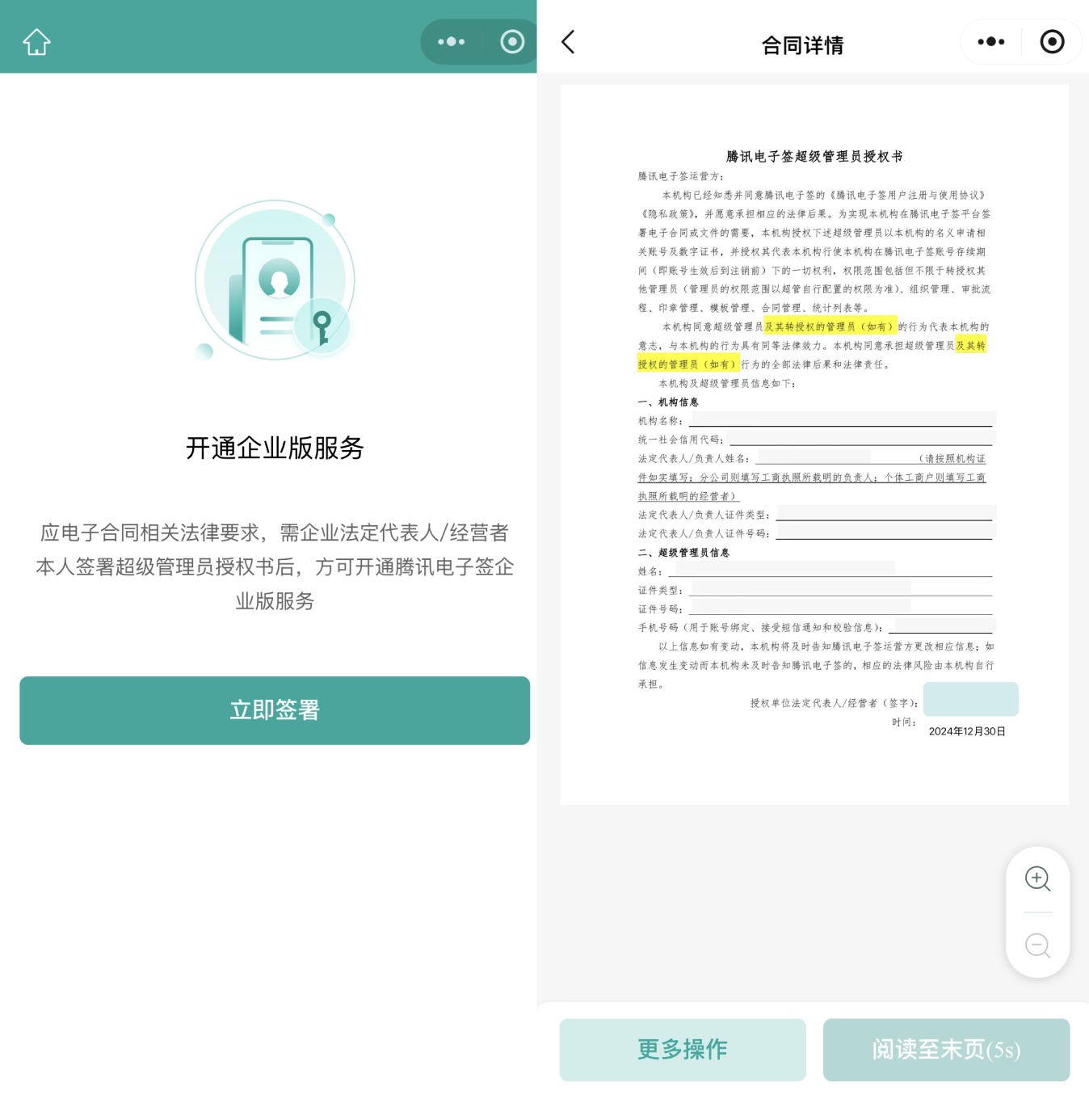
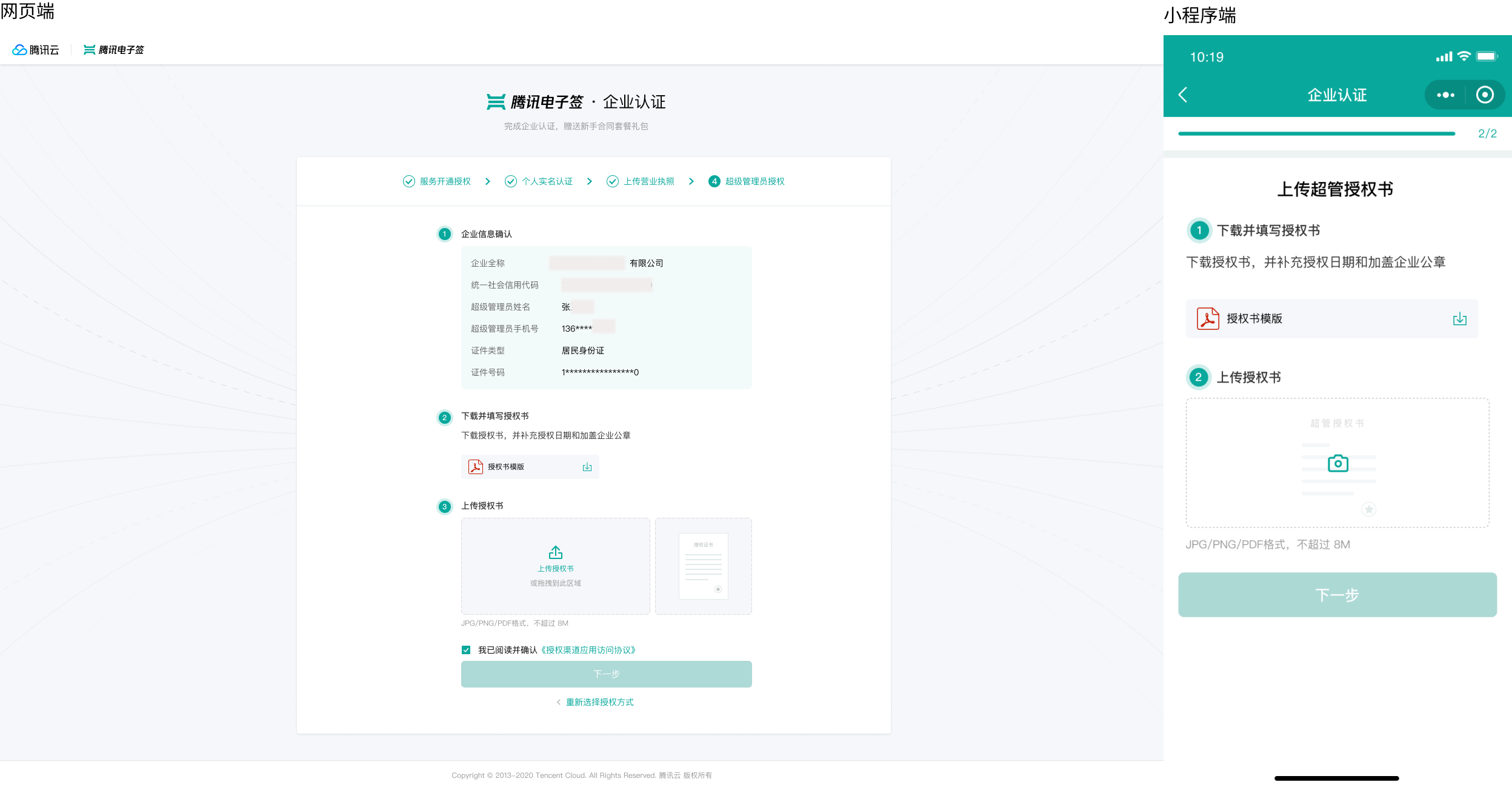
Power of Attorney Upload: Upload the Power of Attorney stamped with the enterprise's Official Seal for authorization (requires manual backend approval, 1-3 business days to complete).
Note:
To avoid affecting the authorization review results, please note the following when filling out the Power of Attorney:
Please complete the date fully.
Please upload the official template file and do not make any changes to the template during the filling process.
Ensure that the Super Administrator’s information (phone number, etc.) in the Power of Attorney matches that in the Electronic Signature System.
Ensure that the uploaded images are clear and recognizable.

Entity Type = Government and Public Institutions or Other Organizations
Please fill in the relevant information according to the template requirements, affix the institutional seal, and upload the Power of Attorney. Then, wait for the authorization review.
Note:
Power of Attorney Attachment
To avoid affecting the authorization review results, please note the following when filling out the Power of Attorney:
Please complete the date fully.
Please upload the official template file and do not make any changes to the template during the filling process.
Ensure that the Super Administrator’s information (phone number, etc.) in the Power of Attorney matches that in the Electronic Signature System.
Ensure that the uploaded images are clear and recognizable.

Step 5: Complete enterprise authentication
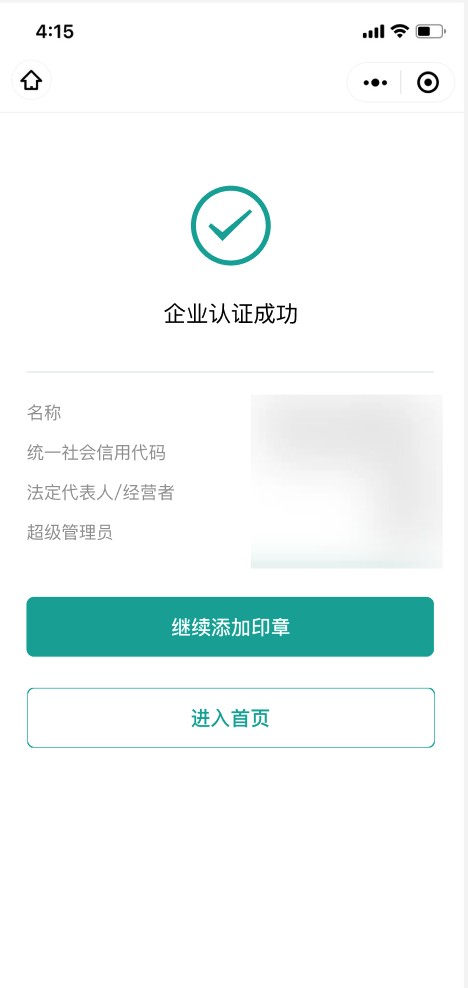
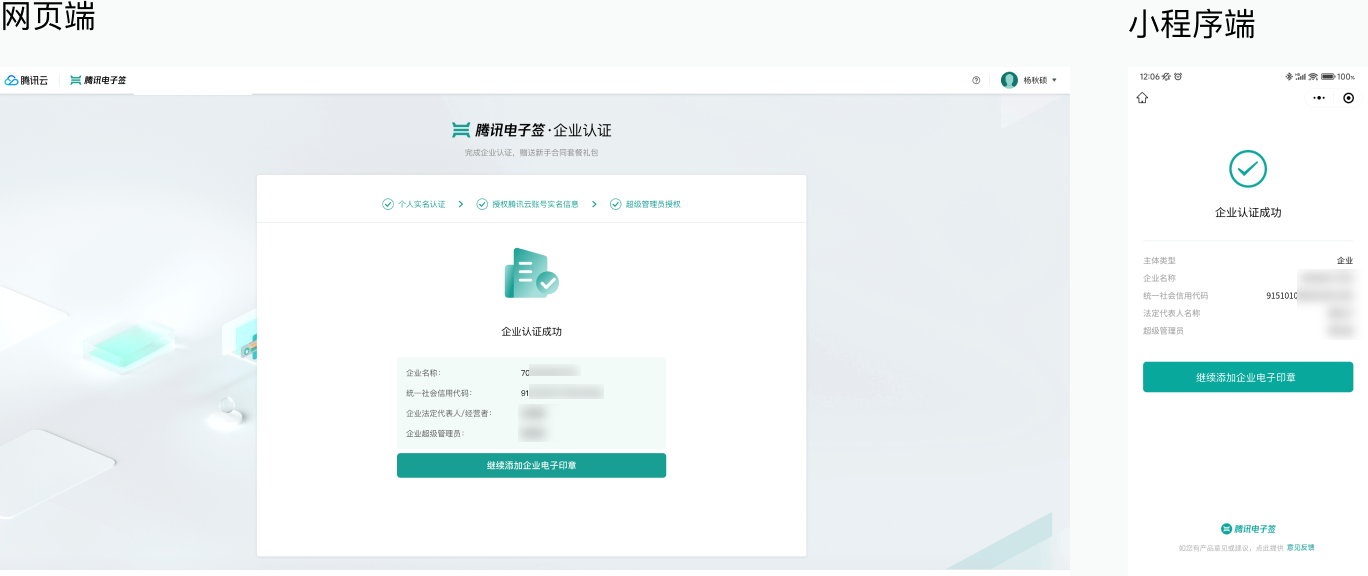
After completing the above steps, the enterprise authentication process will be complete, and customers can then experience and use the complete services of the Enterprise Edition.

Use Tencent E-Sign Service
Once the Super Administrator completes activation via SMS and is authorized, you can experience all the features of the Tencent E-Sign Service. For usage guidelines, please refer to Enterprise Edition.
Contact Us
If you encounter any issues during the operation according to the documentation, you can contact us at e-contract@tencent.com. We will be at your service!