The content of this page has been automatically translated by AI. If you encounter any problems while reading, you can view the corresponding content in Chinese.
For data of the cold storage type, use this feature for data thawing, after which the retrieved data can be played back or downloaded.
Operation step
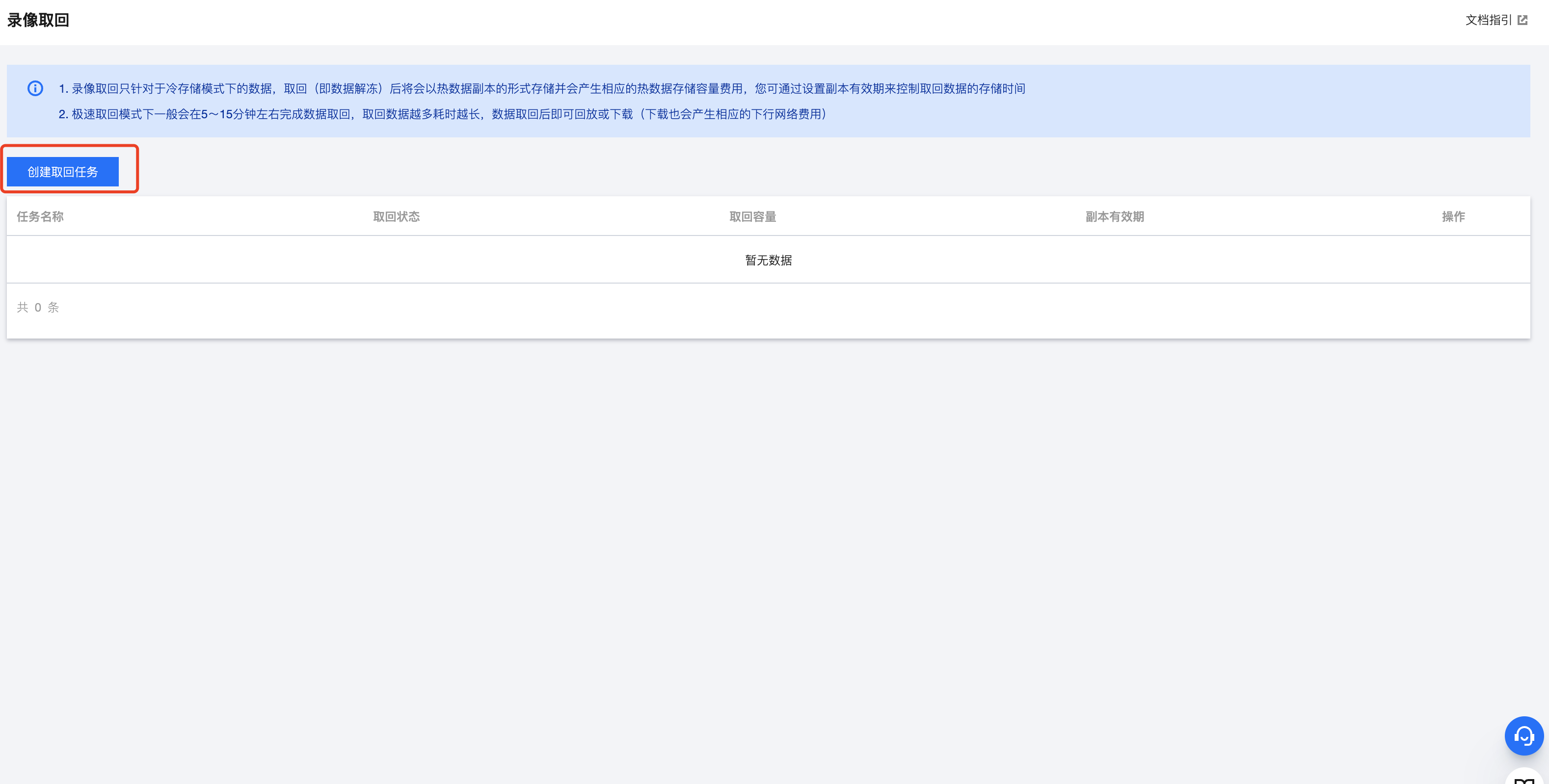
1.In the left navigation bar, select the Recording Retrieval feature, click the top left Create Retrieval Task.
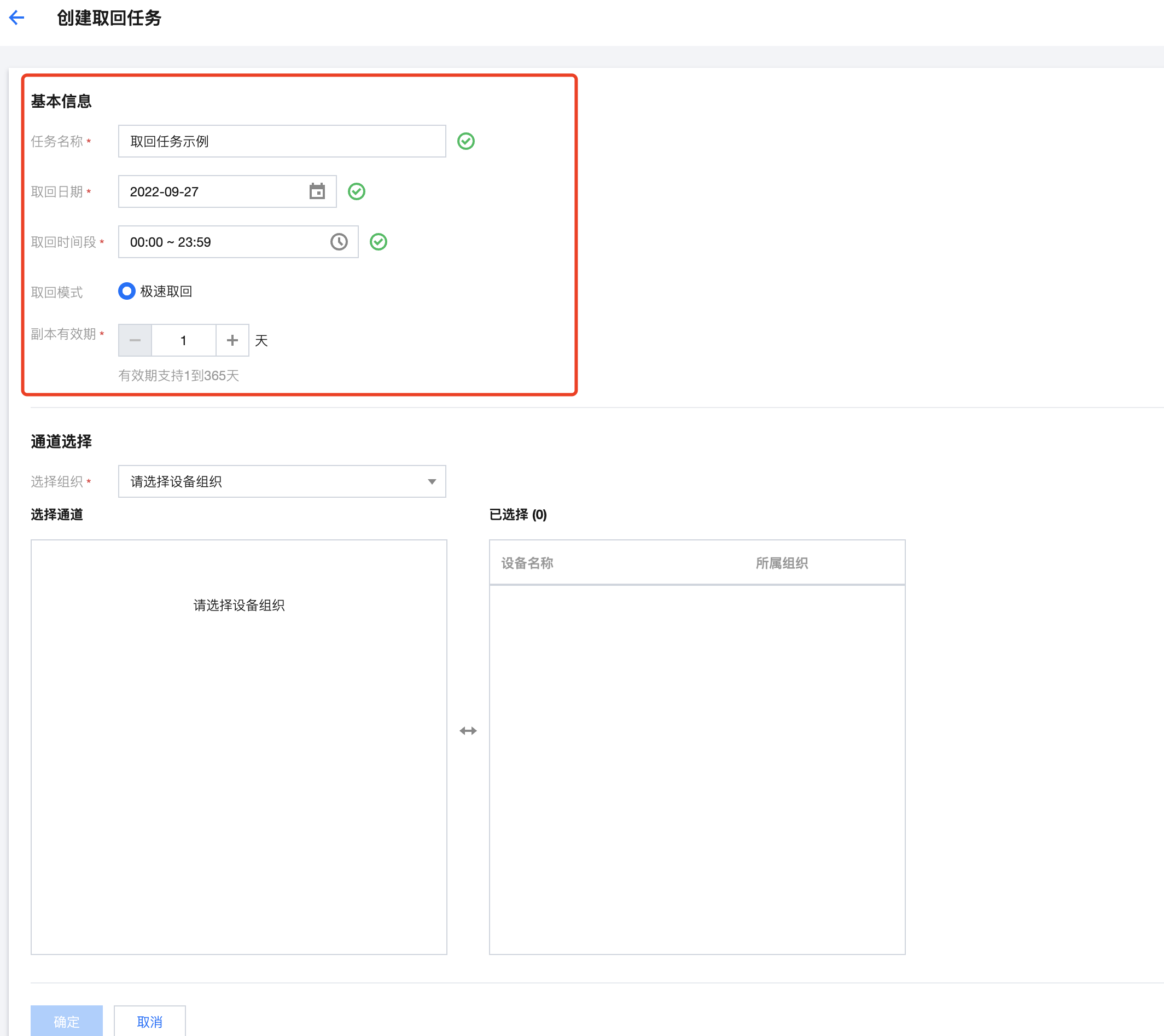
2.Fill in the basic information. The retrieval time period is up to 24 hours (retrieve all data for the day); replica validity period means the retrieved data will be stored as hot storage type, during which it can be played back and downloaded. After expiration, the data will be deleted.
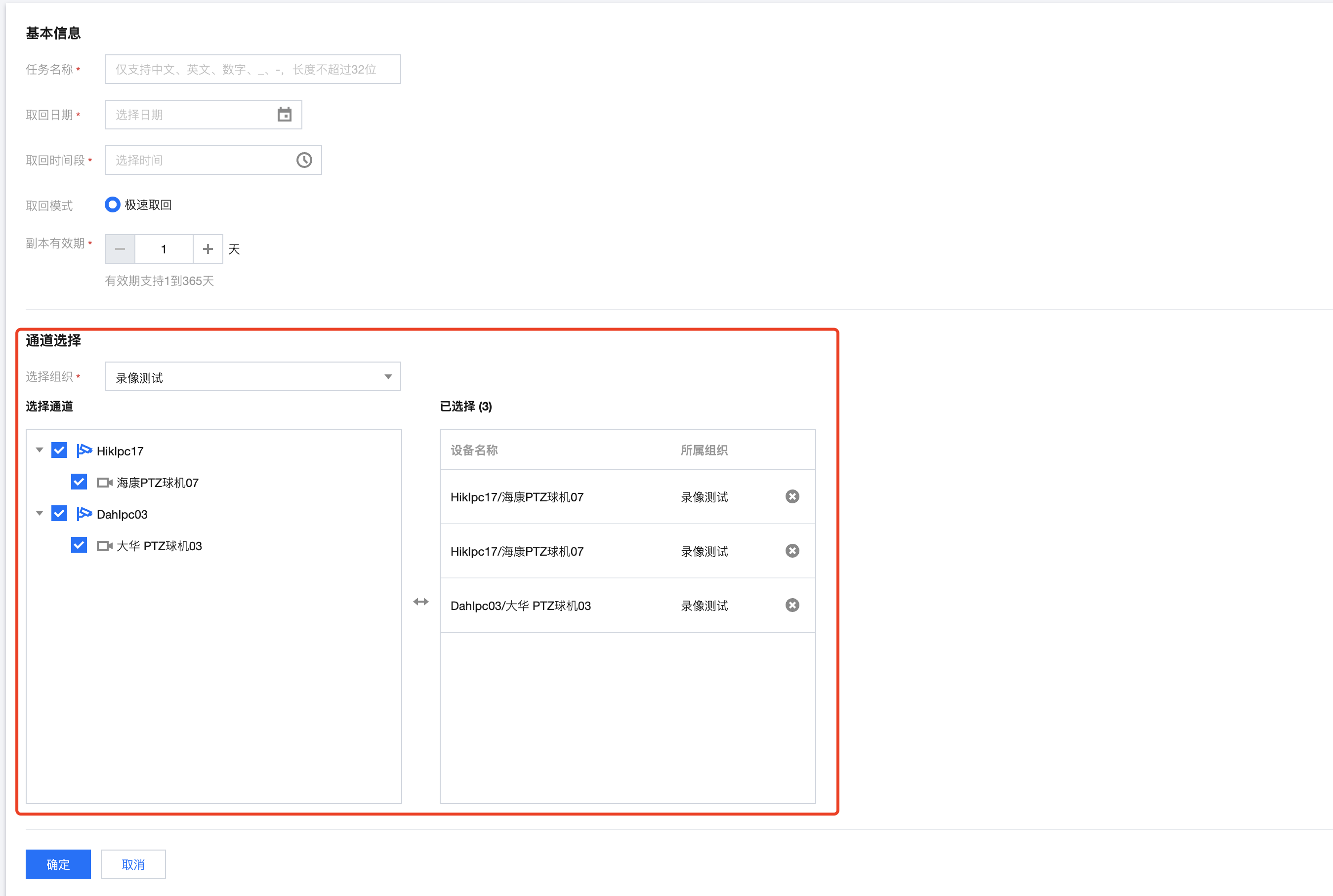
3.Select the organization and device channels. A single task supports retrieval of up to 32 video channels.