Feature Overview
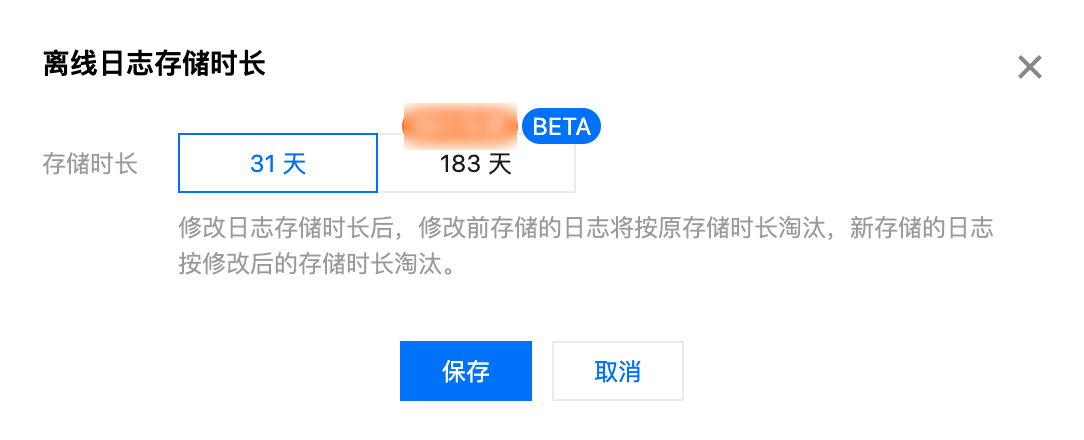
Access logs are collected at an hourly granularity, which can be downloaded within the default retention period of 30 days.
Instructions
1. Log in to the Edge Security Acceleration Platform Console, and select Log Service > Offline Logs from the left sidebar.
2. On the offline logs page, select the logs of a site or a subdomain name. You can also filter offline logs by time.

3. Click Download in the Operation column to download the log package for the corresponding domain.
Note
The access logs are packaged by hour by default. If there is no request to the domain name for the hour, no log package will be generated for this hour.
The log package is compressed into .gz format using gzip. Due to a flaw in the MacOS directory system, double-clicking to decompress may result in an error. If this occurs, you can decompress using the following Terminal command (in the directory where you store your logs).
gunzip {your_file_name}.log.gz
EdgeOne nodes are distributed over the globe. To synchronize the time across time zones, logs are stored and queried in UTC+00:00 by default.
It normally takes around 30 minutes to generate log data as it is collected from all EdgeOne nodes. The log data will be complete within 24 hours after being generated.
Field Description
Logs are stored in JSON format by default. The log fields are described as follows:
When a field is not specified:
For a string field, the field value is set to
- if the field has no data.For an integer field, the field value is set to
-1 if the field has no data.Site acceleration logs
Name | Data Type | Note |
RequestID | String | Unique ID of the client request |
ClientIP | String | The client IP |
ClientRegion | Sting | Country/Region derived from the client IP. Format: ISO-3166 alpha-2 |
RequestTime | String | |
RequestStatus | int | Status of the client request. Values: 0 (not completed), 1 (completed successfully), 2 (completed abnormally) |
RequestHost | String | Host of the client request |
RequestBytes | int | Size of the client request, in bytes |
RequestMethod | String | The HTTP method used by the client |
RequestUrl | String | The URL for the client request |
RequestUrlQueryString | String | The query string contained in the request URL |
RequestUA | String | The User-Agent sent by the client |
RequestRange | String | The Range parameter sent by the client |
RequestReferer | String | The Referer parameter sent by the client |
RequestProtocol | String | The application layer protocol used by the client. Values: HTTP/1.0, HTTP/1.1, HTTP/2.0, HTTP/3, WebSocket |
RemotePort | int | The port for establishing a connection between the client and the node under the TCP protocol |
EdgeCacheStatus | String | Whether the client request results in a cache hit. Values: HIT (resources are served by the node cache), MISS (resources are served by the origin and can be cached), Dynamic (resources cannot be cached) |
EdgeResponseStatusCode | int | The status code that the node returns to the client |
EdgeResponseBytes | int | Size of the response that the node returns to the client, in bytes |
EdgeResponseTime | int | The amount of time elapsed between EdgeOne receiving a request from the client and waiting till the client receives the response from the server side. Unit: ms |
EdgeInternalTime | int | The duration from the moment EdgeOne receives a client-initiated request to the delivery of the first byte of the response to the client. Unit: ms. |
EdgeServerIP | String | IP address of the EdgeOne server, which can be resolved from the host using DNS. |
EdgeServerID | String | The unique ID that identifies the EdgeOne server accessed by the client |
SecurityAction | String | The rule action. Values: Monitor (observe), JSChallenge (JavaScript challenge), Deny (block), Allow (allow), BlockIP (block the IP), Redirect (redirect), ReturnCustomPage (return the custom page), ManagedChallenge (implement the managed challenge) |
SecurityRuleID | String | ID of the security rule used |
SecurityUserNote | String | The tag defined by the user |
SecurityModule | String | Security feature of the hit security rule. Values: CustomRule (custom rules), BotManagement (bot management), RateLimiting (preset rate limiting rules), RateLimitingCustomRule (custom rate limiting rules), ManagedRule (managed rules), BotClientReputation (client reputation), BotBehaviorAnalysis (bot intelligence), RateLimitingClientFiltering (client filtering) |
L4 proxy logs
Name | Data Type | Note |
ServiceID | String | Unique ID of the L4 proxy service |
ConnectTimeStamp | String | The time that the connection is established, which is recorded in UTC +0 and defined in the ISO-8601 standard. |
DisconnetTimeStamp | String | The time that the connection is disconnected, which is recorded in UTC +0 and defined in the ISO-8601 standard. |
DisconnetReason | String | Cause of Disconnection The format is "Direction: Reason". Direction values: up (origin direction) / down (client direction) Reason: net_exception_peer_error: Error returned from read/write peer. net_exception_peer_close: The peer has closed the connection. create_peer_channel_exception: Failed to create a channel to the next hop. channel_eof_exception: The channel has ended. (When a request ends, the node that ends the request sends a channel_eof to inform the adjacent node that the request has ended.) net_exception_closed: Connection has been closed. net_exception_timeout: Read/Write Timeout |
ClientRealIP | String | The real client IP |
ClientRegion | String | |
EdgeIP | String | IP address of the EdgeOne server accessed |
ForwardProtocol | String | The TCP/UDP forwarding protocol configured by the client |
ForwardPort | Int | The forwarding port configured by the client |
SentBytes | Int | Inbound traffic produced when the log is generated, in bytes |
ReceivedBytes | Int | Outbound traffic produced when the log is generated, in bytes |
LogTimeStamp | String | The time that the log is generated, which is recorded in UTC +0 and defined in the ISO-8601 standard. |
Note
The traffic and bandwidth data calculated from the bytes recorded in the EdgeResponseBytes field of the site acceleration access log may not match the EdgeOne billing traffic or bandwidth data for the following reasons:
Access logs only record application layer data. In actual network transmission, the generated network traffic is 5% - 15% more than the pure application layer traffic. It consists of two parts:
TCP/IP header consumption: For HTTP requests based on the TCP/IP protocol, each packet can contain up to 1500 bytes, including 40-60 bytes for the TCP and IP protocol headers. These headers generate traffic that cannot be accounted for by the application layer, contributing to approximately 3-4% of the total overhead.
TCP retransmission: during normal data transfer over the network, around 3% to 10% of packets are lost on the Internet and retransmitted by the server. This type of traffic, which accounts for 3-7% of the total traffic, cannot be counted at the application layer.
Upon enabling smart acceleration, Tencent Cloud EdgeOne will bill for the traffic/bandwidth generated by client requests to EdgeOne nodes. For more details, please refer to Billing Overview.