The content of this page has been automatically translated by AI. If you encounter any problems while reading, you can view the corresponding content in Chinese.

Set Indicator Plan

Last updated: 2024-09-05 16:48:23

Indicator Plan Overview

The cycle indicator scheme is used to analyze the time spent and completion rates for changes in the status of items such as requirements, tasks, defects, etc. It is an additional feature provided based on some chart templates. For example, measuring the time taken from Not Started to Completed for requirements, and the processing time from Submitted to Recorded for defects, helping team managers to review the processing cycle of various items.

Add Cycle Indicator Scheme

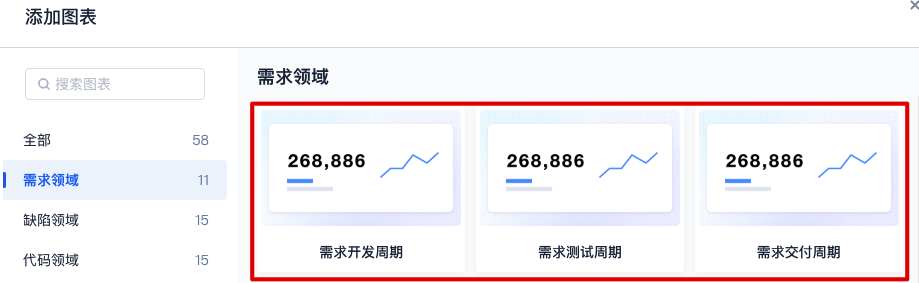
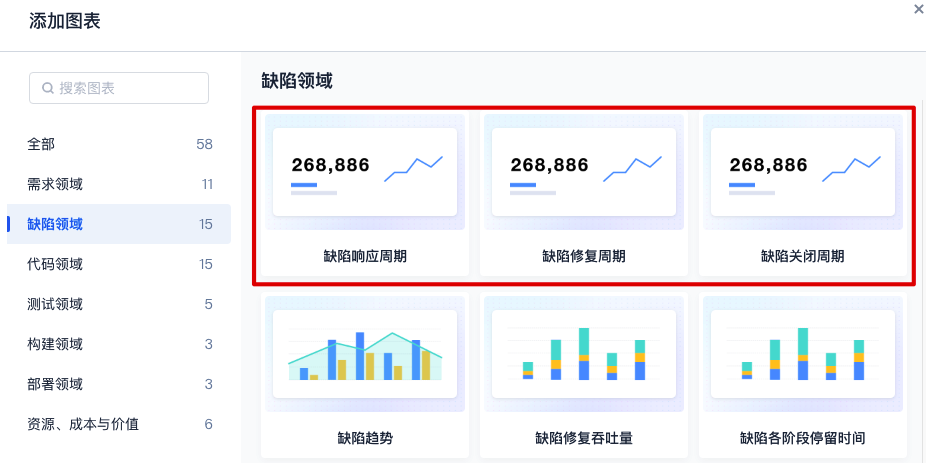
Supports adding indicator plans in the following six chart templates:
Requirement Development Cycle
Requirement Testing Cycle
Requirement Delivery Cycle
Defect Response Cycle
Defect Fix Cycle
Defect Closure Cycle
On the View Templates page, click Add Chart at the top right corner and use the above chart types.


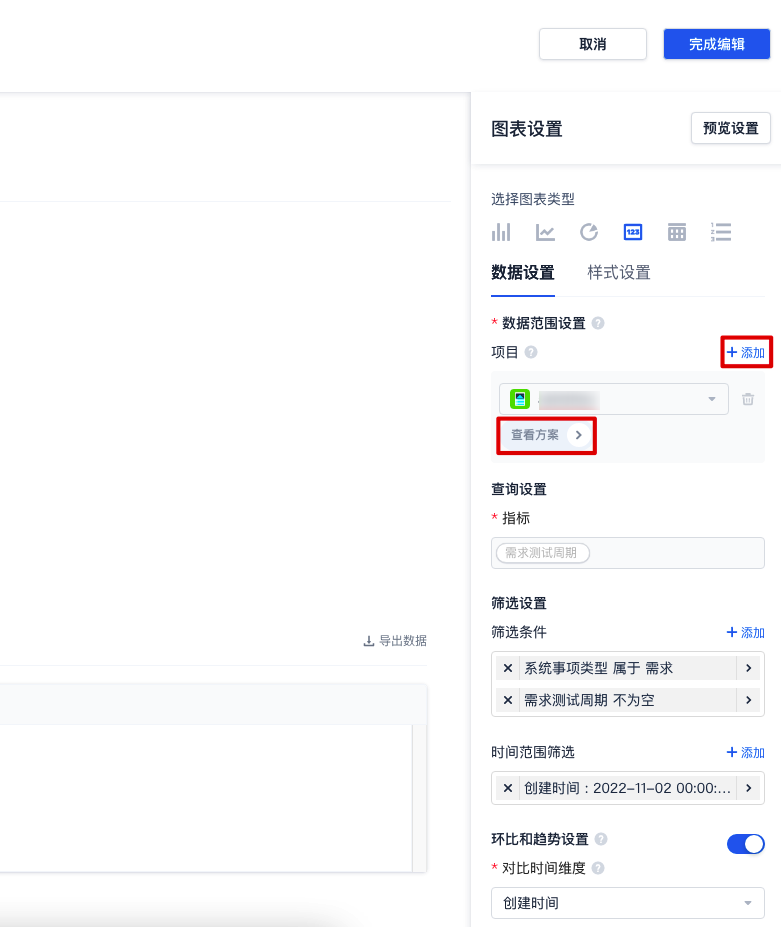
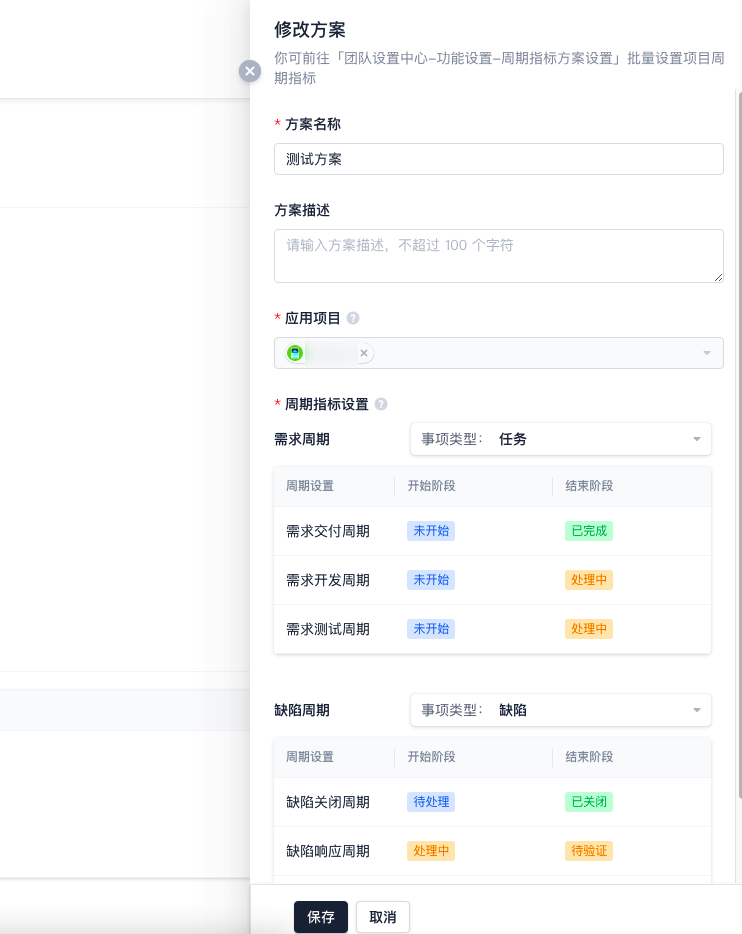
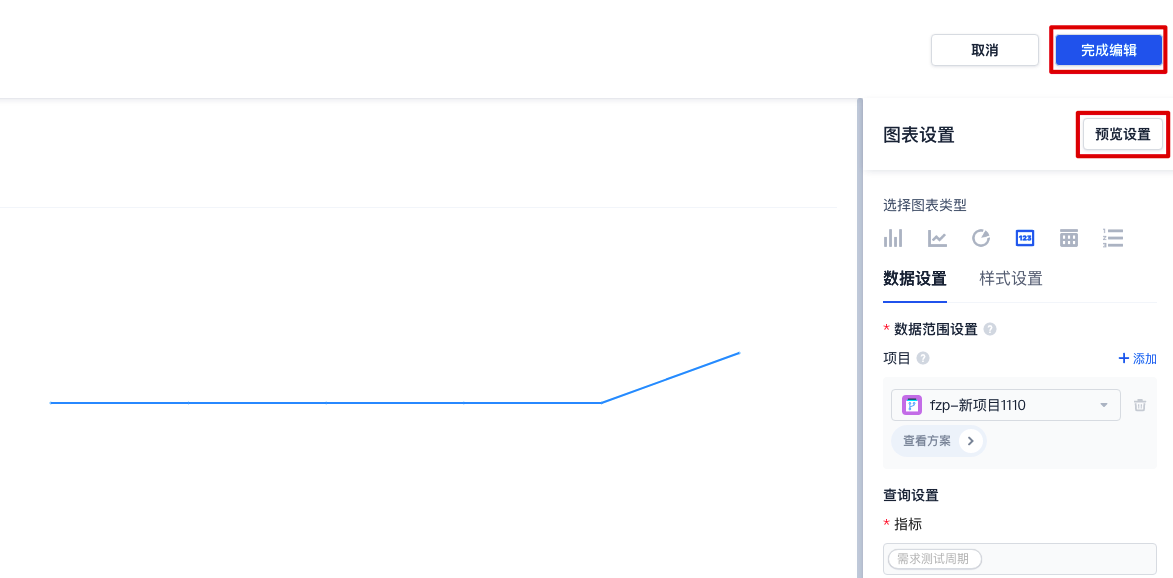
After selecting the project scope, click View Plan.

Specify the statistics scope for the plan.

After configuring the parameters, click Preview Settings to check if the chart meets expectations, if correct, click Finish Editing.