3. Complete identity verification before proceeding with the certificate application.
Applying for a Free Certificate
Note
Free certificates are only available for second-level domain names and their subdomains, and do not support IP or wildcard domain applications. For example, dnspod.cn and docs.dnspod.cn.
Within the scope of TrustAsia (not necessarily applied through Tencent Cloud), a maximum of 20 free certificates can be applied for the same primary domain. When applying, please check whether the domain has TrustAsia certificates on other service provider platforms to avoid reaching the application limit. For more details, please refer to Free Certificate Quota Related Questions.
If you wish to continue using a free certificate after its expiration, please reapply and install it.
1. Log in to the Tencent Cloud Console, navigate to the "My Certificates" management page, and click on Apply for a Free Certificate.
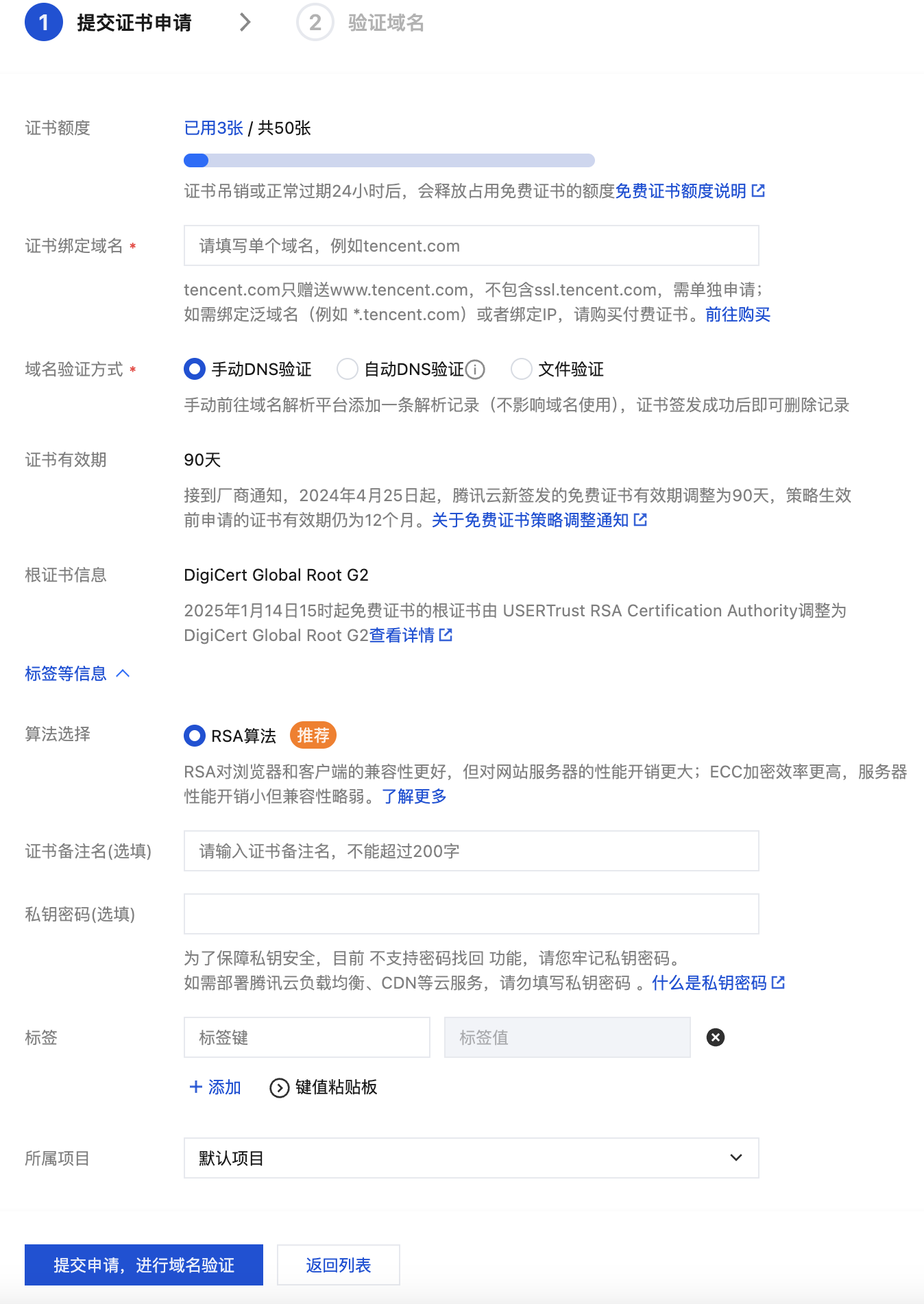
2. Fill out the certificate application form as shown below:
Binding the certificate to a domain: Enter a single domain, such as tencent.com or ssl.tencent.com.
Domain Validation Methods:
Note
Automatic DNS Verification: For the verification method, please refer to Automatic DNS Addition.
If the domain name applied for is successfully hosted on the DNSPod DNS Console, automatic DNS addition is supported.
Manual DNS verification: For the verification method, please refer to DNS Validation.
File Verification: For the verification method, see File Verification.
Project: Please select the project to which your certificate belongs, making it convenient for you to manage your certificates through the project.
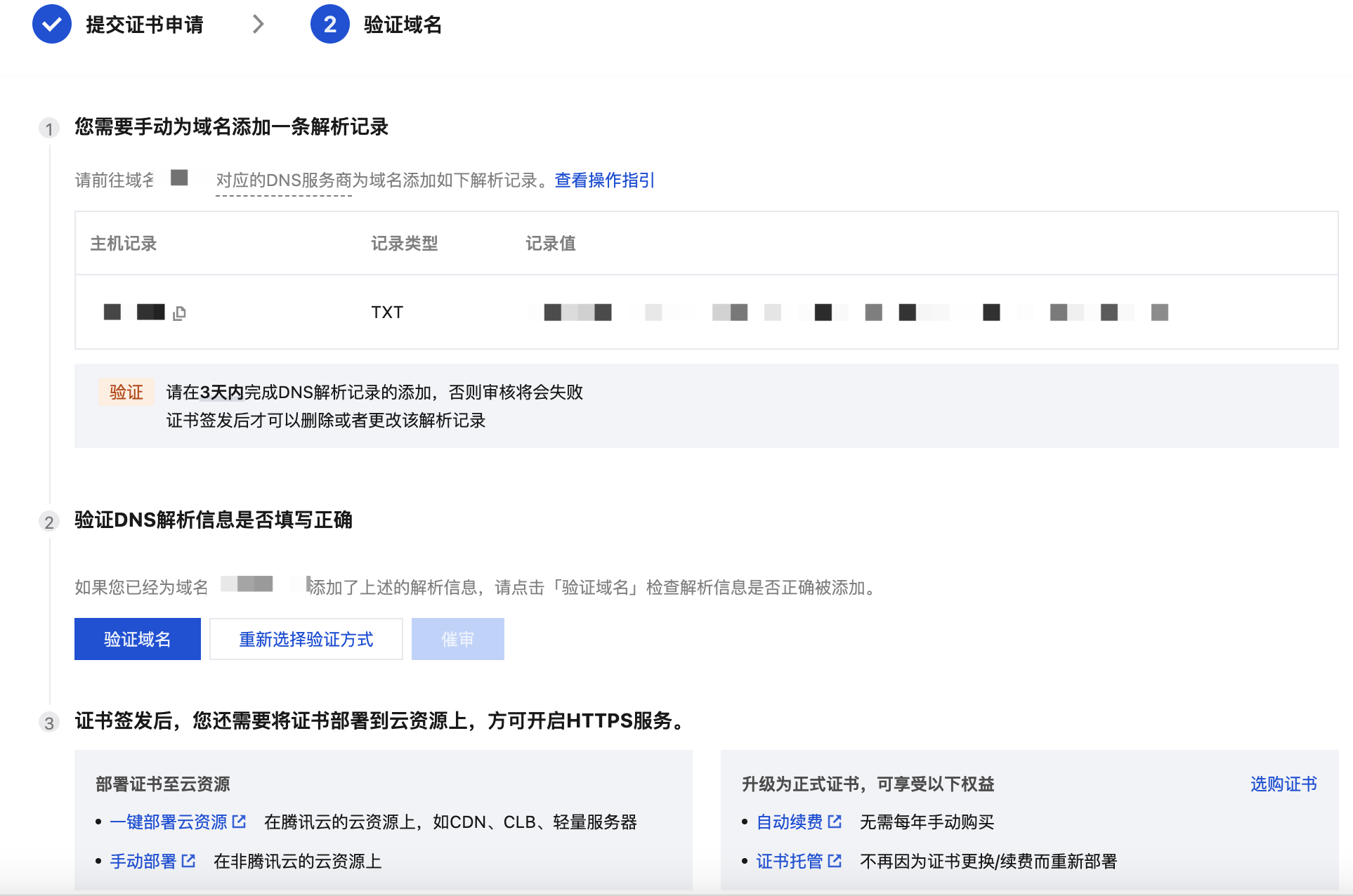
3. Follow the verification instructions to complete domain identity validation, and click Finish. As shown in the image below:
4. Once the domain verification is approved, the CA will issue the certificate within 24 hours. Please be patient.
Note
The submitted domain failed the security review by the certificate authority. For specific reasons, please refer to Reasons for Security Review Failure.
Download and Deployment
After completing the domain verification, you can click Download to obtain the issued certificate for local installation and deployment, or deploy it to relevant Tencent Cloud services. For related operations, please refer to How to choose the SSL certificate installation and deployment type?