Origin Server Configuration

Last updated: 2024-12-31 17:31:44

Configuration Scenario

You can modify the domain name's origin server basic information, origin-pull protocol, origin domain, and other information in the origin server configuration module.
Note
Note: We recommend that you configure your origin server in the same region as the acceleration region. For example, if the acceleration region resides in the Chinese mainland, configure your origin server in the Chinese mainland. If you configure the origin server in Hong Kong (China) or outside the Chinese mainland, cross-border access is required during origin-pull. In this case, the origin-pull effect may not be ensured.
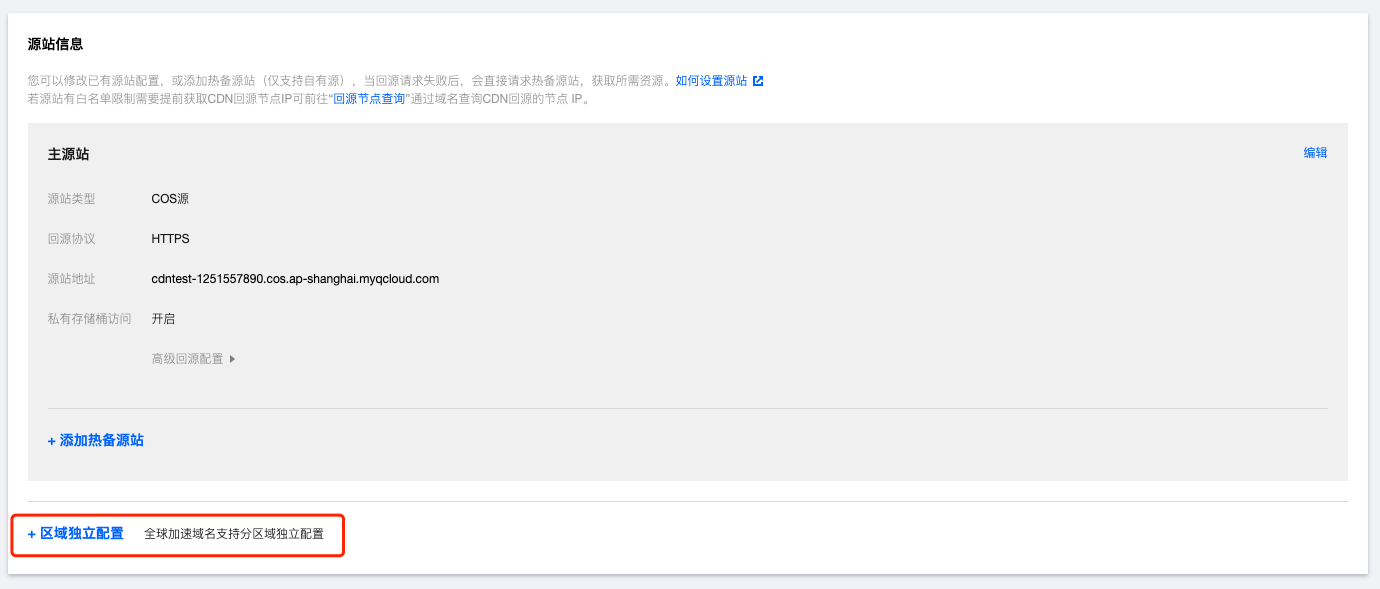
Note: If your acceleration domain name is configured for global acceleration, you can configure independent origin servers respectively for different regions in the origin server configuration module of the domain name. This way, origin-pull requests that are initiated in and outside the Chinese mainland are sent to different origin servers. This ensures the origin-pull effect.

Configuration Guide

Primary origin server configuration

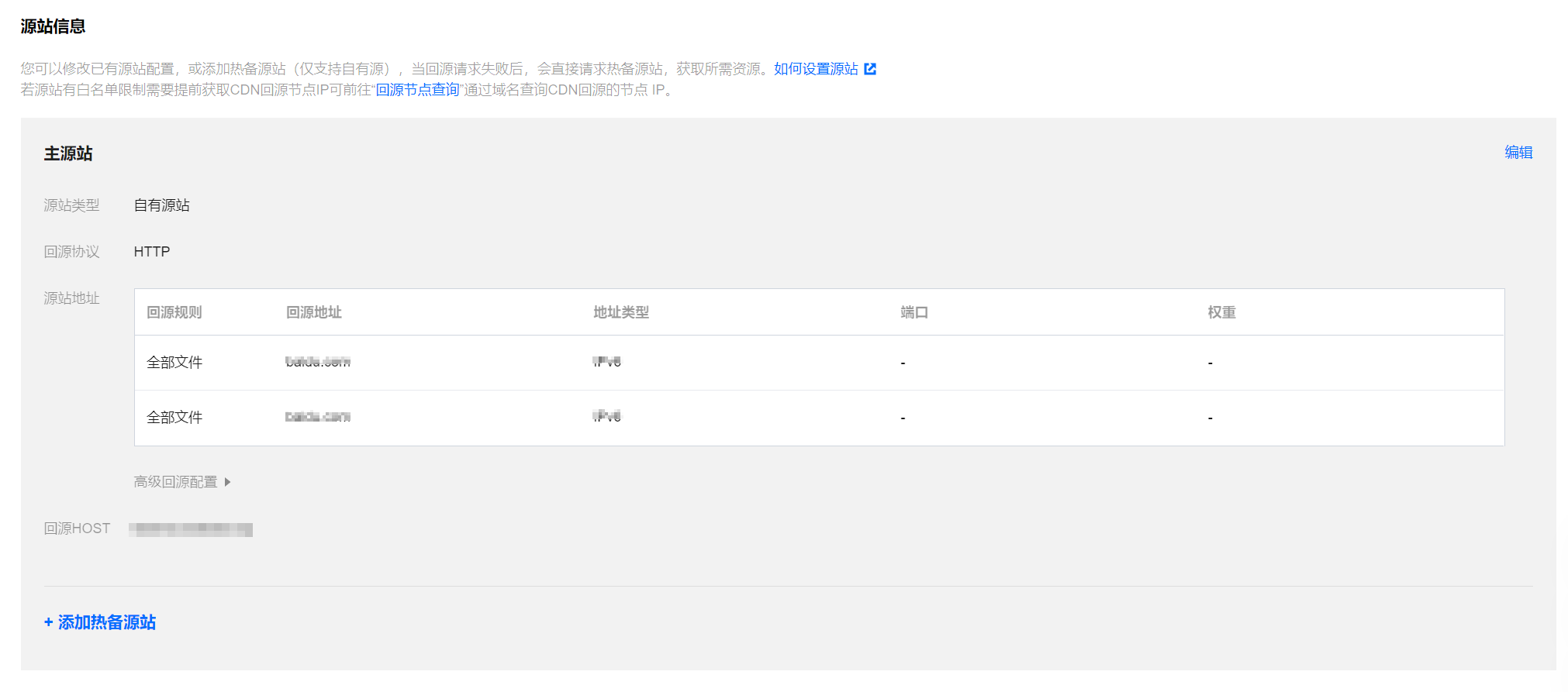
Log in to the CDN console, select Domain Management from the menu bar, click Manage on the right side of the domain name to enter the domain configuration page. The origin server configuration module is located under the basic information in the first column:


Origin server type
Self-owned origin server
An existing server with stable performance (i.e., origin server) supports IPV4 addresses or domain names as origin server addresses. IPV6 origin servers are not supported.
You can select a bucket in cloud storage as the origin server, and private bucket access is supported.
Create a high availability service domain that can proactively isolate origin server failures or switch traffic based on health check results.
Third-party storage
You can use a bucket of a third-party object storage service other than Tencent Cloud COS as the origin server. Currently, the supported third-party object storage services include Amazon S3, Alibaba Cloud OSS, Huawei Cloud OBS, Qiniu Cloud KODO, and other object storage services compatible with the AWS signature algorithm (refer to General Configuration for Using Tencent Cloud COS in S3-Compatible Third-Party Applications).
Note: ECDN does not support third-party object storage.
Origin-pull Protocol The protocol used when a CDN cache node forwards requests to the origin server for origin-pull. You can select HTTP or HTTPS.
HTTP Origin-pull
HTTP/HTTPS requests will use HTTP for origin-pull.
HTTPS Origin-pull
CDN pulls HTTP or HTTPS content from the origin server over HTTPS to prevent theft and tampering of origin-pull data with low CPU usage. Make sure that the origin server is accessible over HTTPS.
Follow Protocol
HTTP requests will use HTTP for origin-pull, and HTTPS requests will use HTTPS for origin-pull. If you only need to use HTTPS for transmitting some key sensitive data and use HTTP for other services, it is recommended to select "Follow Protocol" (the origin server needs to support HTTPS).
Note
If you select HTTPS, make sure your origin server supports HTTPS. Otherwise VOD will fail to pull data from it.
Origin-pull from multiple origin IPs in round robin mode: You can enter multiple origin IPs to pull content from these IPs in round robin mode. CDN checks the availability of each origin IP by default. If content fails to be pulled from an IP or if more than five origin-pull requests that are sent to the origin IP time out within one minute, no more origin-pull requests are sent to the origin IP. The origin IP is blocked for 600 seconds and automatically resumed later.
Origin-pull from a domain name: You can configure a domain name as the origin server address. The domain name must be different from the acceleration domain name. IPv6 domain names are not supported.
Note: You cannot enter a domain name that is connected to CDN and points to the acceleration domain name. Otherwise, resolution loop occurs, which leads to origin-pull failures.
You can add a port that ranges from 0 to 65535 and a weight that ranges from 1 to 100.
The weights are sorted based on the size of the number. The larger the number, the higher the weight, and the higher the priority of the origin IP or domain name.
The origin server address can contain up to 511 characters.
IPv6 origin servers are not supported.
Notes:
As of November 23, 2023, the option to configure IPv6 origin server addresses has been suspended. Existing users with configured IPv6 origin server types will continue to retain IPv6 origin retrieval services without modifying the origin server configuration.
Origin server address
Self-owned origin server
Origin-pull from multiple origin IPs in round robin mode: You can enter multiple origin IPs to pull content from these IPs in round robin mode. CDN checks the availability of each origin IP by default. If content fails to be pulled from an IP or if more than five origin-pull requests that are sent to the origin IP time out within one minute, no more origin-pull requests are sent to the origin IP. The origin IP is blocked for 600 seconds and automatically resumed later.
Origin-pull from a domain name: You can configure a domain name as the origin server address. The domain name must be different from the acceleration domain name. You cannot use IPv6 domain names.
Note: You cannot enter a domain name that is connected to CDN and points to the acceleration domain name. Otherwise, resolution loop occurs, which leads to origin-pull failures.
Supports adding ports (0 - 65535) and weights (1 - 100)
Weights are sorted based on the size of the number. The larger the number, the higher the weight, and the higher the origin priority.
The origin server address can contain up to 511 characters.
Select a COS bucket as the origin server.
Select the default domain name, static website domain name, or global acceleration domain name as the bucket address based on the bucket configuration and your actual business needs. For example, if the static website configuration is enabled for the selected bucket, select the static website domain name.
If the read/write permission of your COS bucket is set to private read access, authorize CDN and enable origin-pull authentication to allow private bucket access.
Select a service domain from Tencent Cloud Intelligent Global Traffic Management (IGTM) as the origin server.
The origin protocol only supports HTTP origin-pull on port 80 and HTTPS origin-pull on port 443. Other ports cannot be specified for origin-pull.
Third-party storage
If your resources are stored in a bucket of a third-party object storage service, enter a valid bucket address as the origin server address. Currently, the supported third-party object storage services include Amazon S3, Alibaba Cloud OSS, Huawei Cloud OBS, Qiniu Cloud KODO, and other object storage services compatible with the AWS signature algorithm (refer to the general configuration for using Tencent Cloud COS in third-party applications compatible with S3).
Example: my-bucket.s3.ap-east-1.amazonaws.com or my-bucket.oss-cn-beijing.aliyuncs.com, do not include http:// or https:// protocol headers.
If you use a private bucket of a third-party object storage service as the origin server, enter a valid key and enable origin-pull authentication to allow private bucket access.
Host Header
It refers to the domain name accessed on the origin server by a CDN node during origin-pull. If only one website runs on the origin server and it matches the acceleration domain name, the acceleration domain name is used as the origin domain by default. If the origin server type is COS or a third-party object storage service, the host header cannot be modified and defaults to the origin address in the console.
Notes:
What is CDN origin domain configuration?
The origin HOST refers to the site domain name that the acceleration domain name points to during the back-to-origin process on a CDN node. If you have deployed several web sites on the origin server, configuring the correct origin HOST can help you successfully access the specified site domain name.
Self-owned origin server
The acceleration domain name is used as the origin domain by default. If a wildcard domain name is connected, the origin domain is the actual access domain name by default and can be customized.
The bucket access address is used as the origin domain by default, which is the same as the origin server address and cannot be modified.
The acceleration domain name is used as the origin domain by default. If a wildcard domain name is connected, the origin domain is the actual access domain name by default and can be customized.
Third-party storage
The bucket access address is used as the origin domain by default, which is the same as the origin server address and cannot be modified.

Hot backup origin server configuration

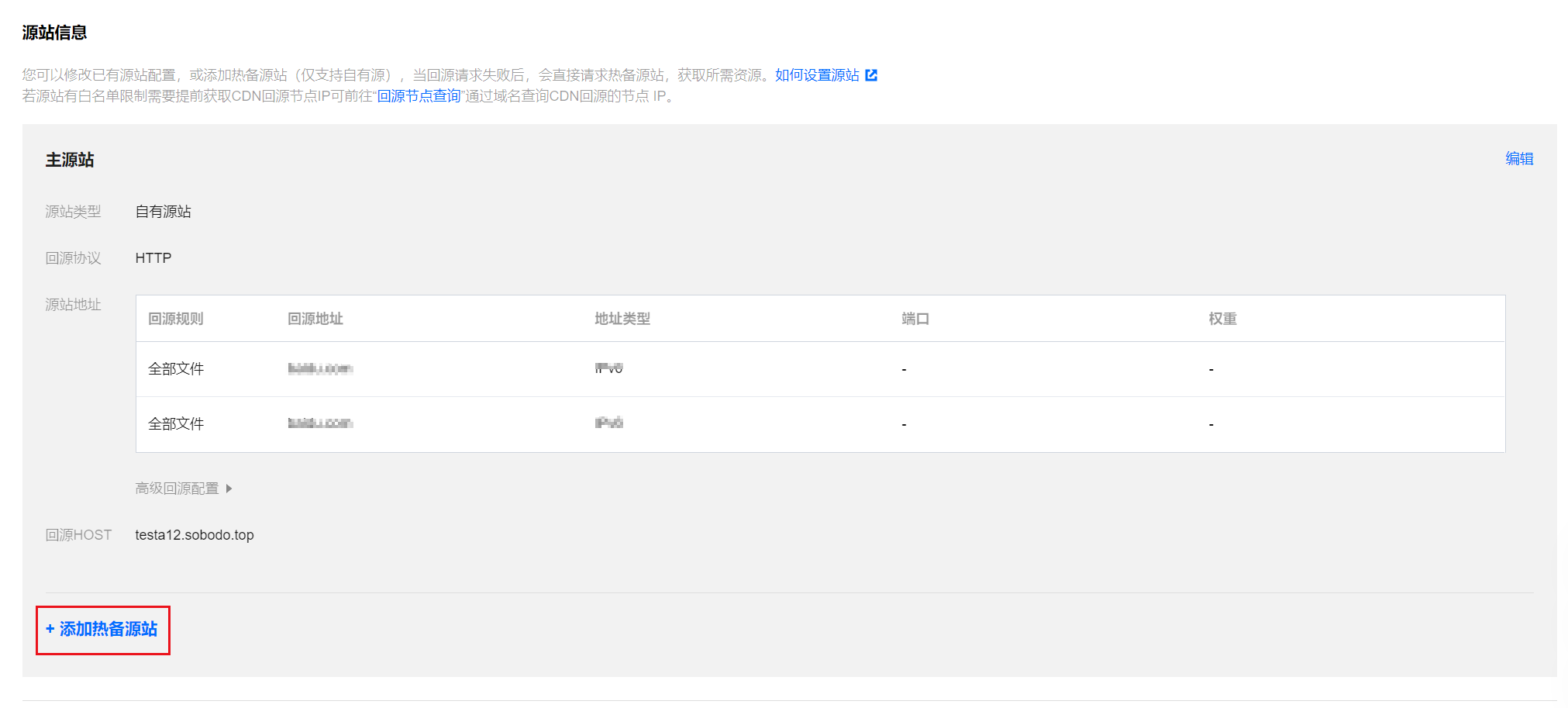
You can add a hot backup origin server for your primary origin server. All origin-pull requests will be forwarded to the primary origin server first. If a 4XX or 5XX error code is returned or an exception such as connection timeout or protocol incompatibility occurs, requests will be forwarded to the hot backup origin server to pull resources, ensuring the high availability of origin-pull.
Note
Non-idempotent requests retried by CDN nodes can cause unexpected issues. When the primary source anomaly occurs, POST requests will not be retried to the origin. (Note)
The hot backup origin server can be configured with its own origin server address and origin host.


Note
The primary origin server and hot backup origin server only allow the same origin protocol. To modify the origin protocol, you need to change it in the primary origin server's origin-pull protocol section. Once modified, the hot backup origin server's protocol will be updated accordingly. (Note)
The hot backup origin server type does not support COS origin and third-party object storage. If you need to use COS origin or third-party object storage as a hot backup, you can enter the public network access address in the private source. (Note)

Region-specific configuration

If your acceleration domain name is configured for global acceleration and you want to avoid cross-border traffic, click Region-specific configuration below to configure different origin servers for different service regions of the acceleration domain name.

Select regions that need different origin-pull policies and enter the corresponding origin server information. For more information, see Region-specific configuration.
Note
You cannot add a region-specific configuration if you use a bucket of a third-party object storage service as the origin server.

Configuration Example

Origin domain configuration

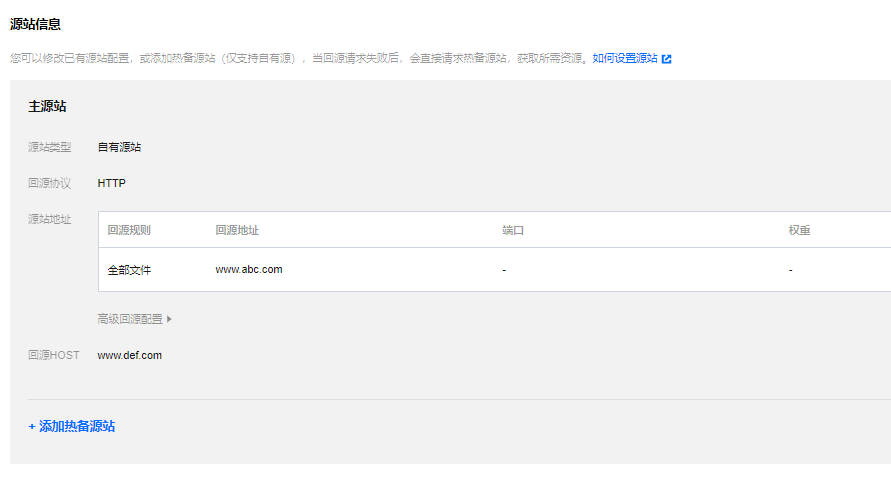
If the CDN origin server is configured as follows and the acceleration domain name www.test.com is configured as follows:

Then the user access path is as follows: When a user accesses the resource http://www.test.com/test.txt, and the CDN node has not cached the resource, the CDN node will resolve the domain name www.abc.com to obtain the origin server address, assumed to be 1.1.1.1. It will then access the server at 1.1.1.1 and find the test.txt file under the Web site www.def.com path, and return it to the user.

Region-specific configuration

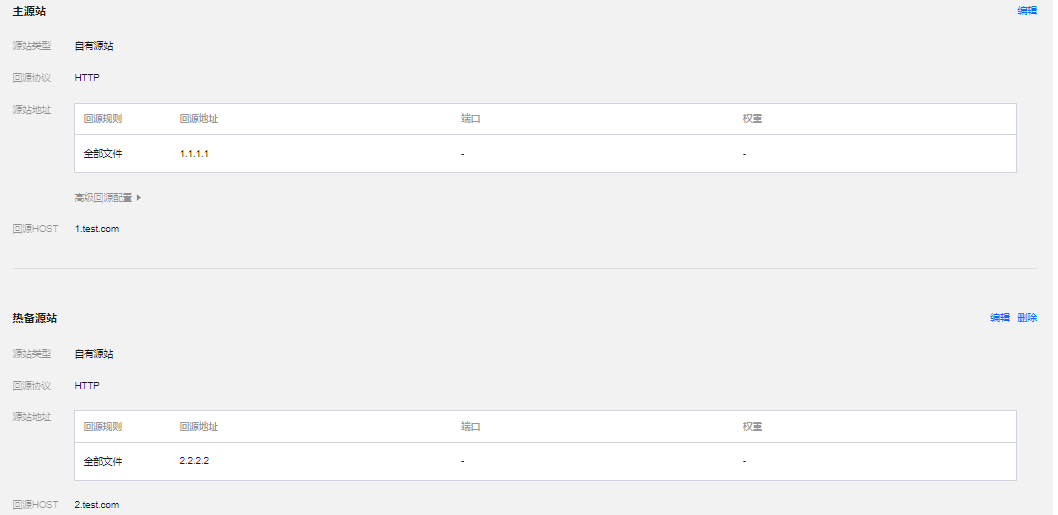
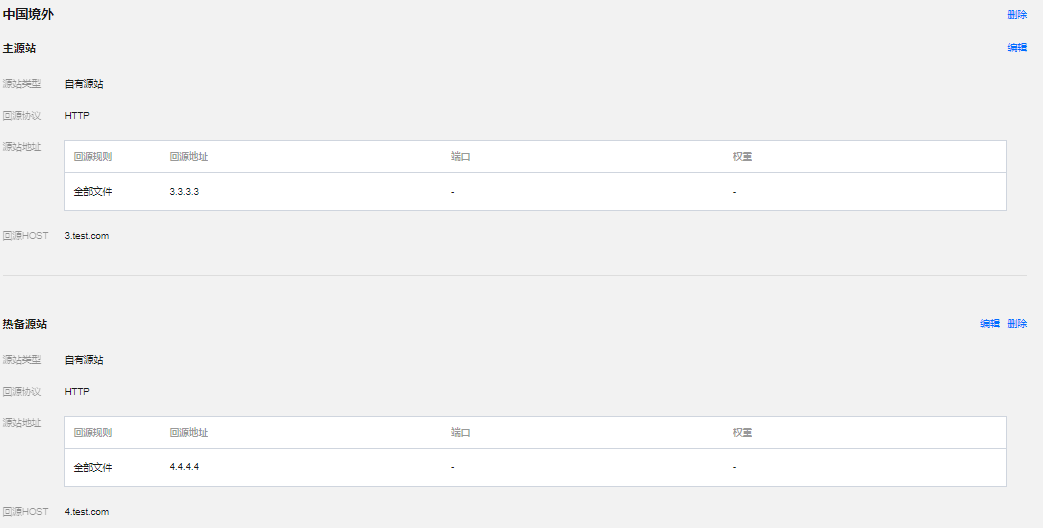
If the Tencent Cloud CDN origin server is configured as follows and the acceleration domain name www.test.com is configured as follows:


The actual origin scenario will be:
1. When users within China access the file http://www.test.com/test.txt, and the domestic node has not cached the resource, the origin pull request will reach the server 1.1.1.1 to find the test.txt file under the Web site 1.test.com. If the resource is available, it will be returned to the customer directly. If not, proceed to step 2.
2. If the CDN domestic node fails to pull from the primary origin server and the resource is not found, the origin pull request will reach the server 2.2.2.2 to find the test.txt file under the Web site 2.test.com, return it to the user, and cache it.
3. At this point, overseas users also access the file http://www.test.com/test.txt. If the overseas node has not cached the resource, the origin pull request will reach the server 3.3.3.3 to find the test.txt file under the Web site 3.test.com. If the resource is available, it will be returned to the customer directly. If not, proceed to step 4.
4. If the CDN overseas node fails to pull from the overseas primary origin server and the resource is not found, the origin pull request will reach the server 4.4.4.4 to find the test.txt file under the Web site 4.test.com, return it to the overseas user, and cache it.