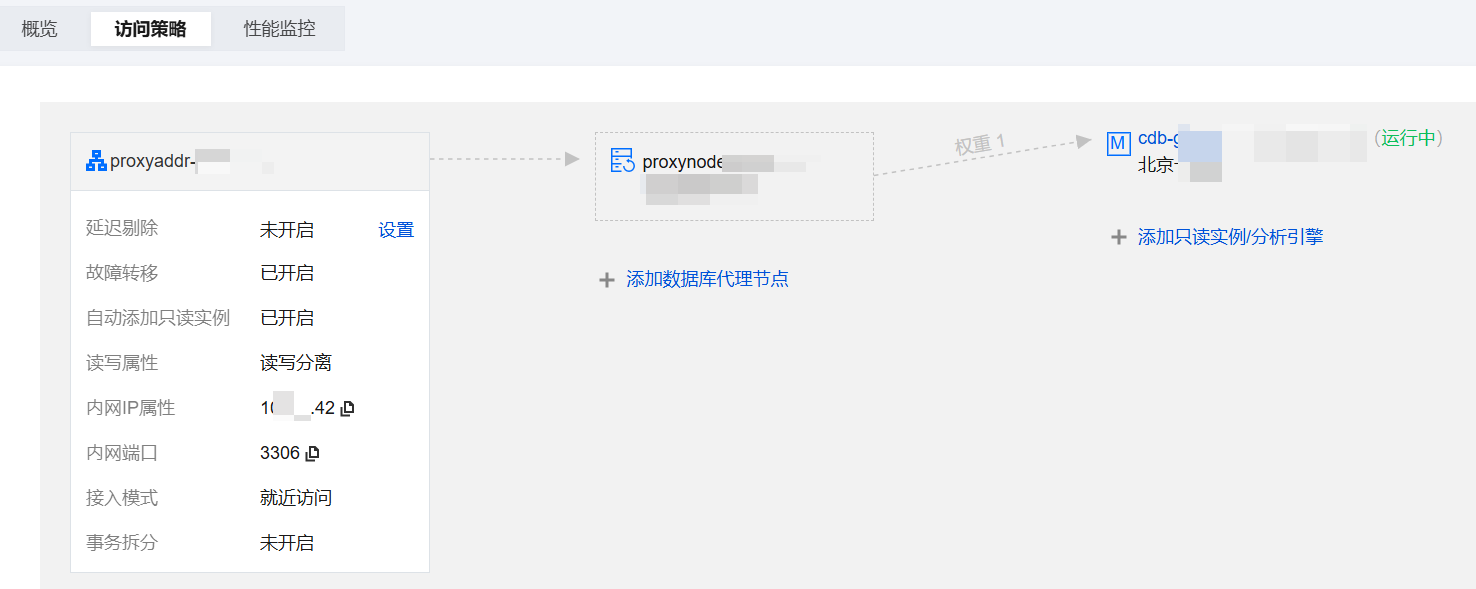
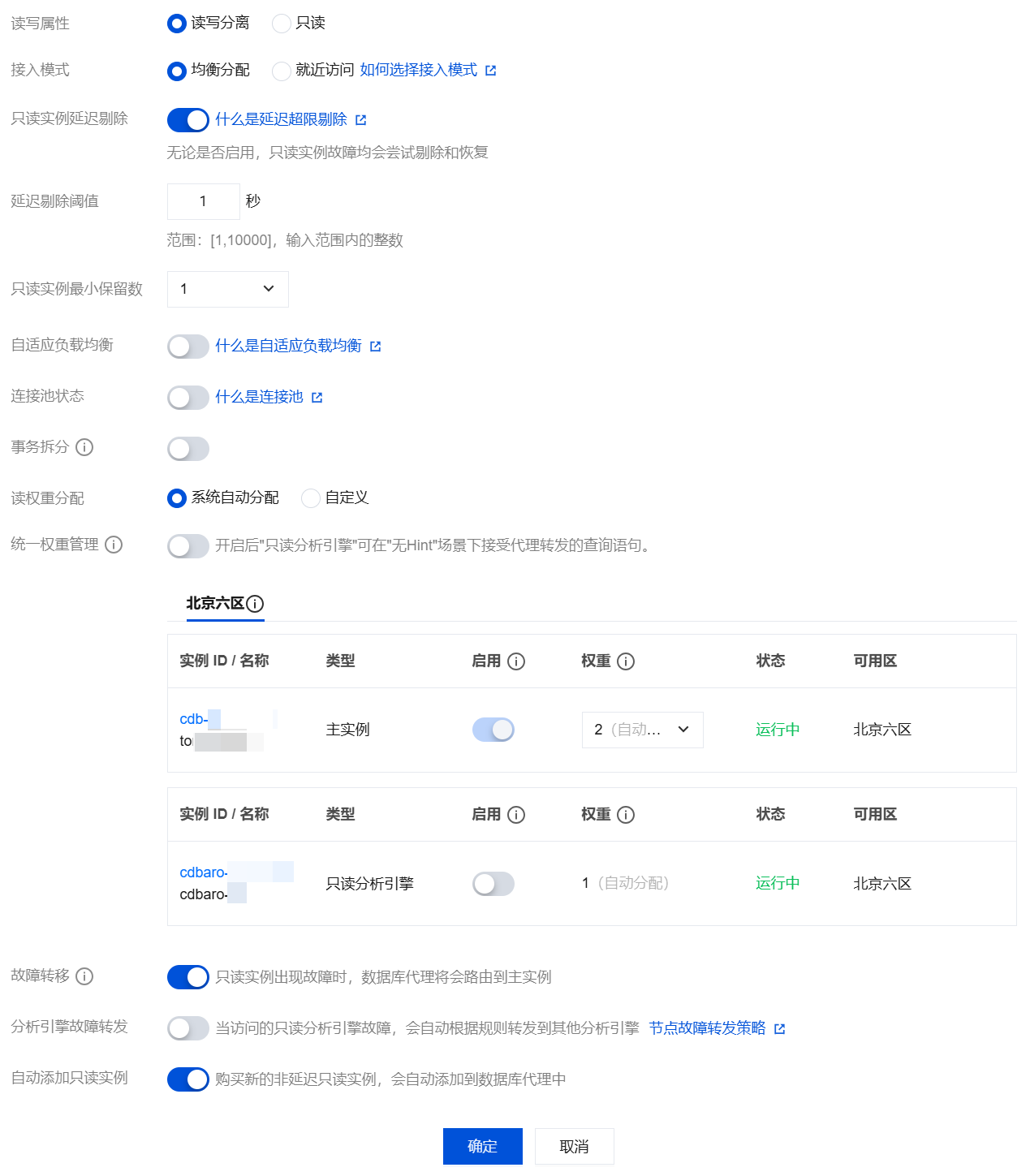
TencentDB for MySQL adds a database proxy connection address by default after database proxy is enabled. You can then add new connection addresses to implement different business logic by using different connection addresses. The number of connection addresses you can create is equal to the number of database proxy nodes. You can view and modify the access policy for database proxy connection addresses through the console.
Prerequisites
View Access Policy
1. Log in to the TencentDB for MySQL Console, select a region at the top, and then click Target Instance ID to go to the instance management page.
2. On the instance management page, choose Database Proxy > Access Policy.

Modify Access Policy
1. Log in to the TencentDB for MySQL Console, select a region at the top, and then click Target Instance ID to go to the instance management page.
2. On the instance management page, choose Database Proxy > Access Policy, locate the target access policy, and click Settings.
Note:
You can also find the target access address under Database Proxy > Overview > Connection Address, and click Adjusting Configurations in the Operation column.
3. In the pop-up window, modify the configuration of the specific policy and click OK.
Note:
The read-only analysis engine does not support database proxy features such as transaction split, connection pool, delayed read-only instance removal, read-write separation, and weight setting. It only supports accessing the read-only analysis engine through Hint Syntax Usage.
If network forwarding is enabled during configuration, the following features cannot be enabled: adaptive load balancing, connection pooling, and transaction splitting.
For detailed configuration options and descriptions, see Setting Database Proxy Connection Address.