功能概述
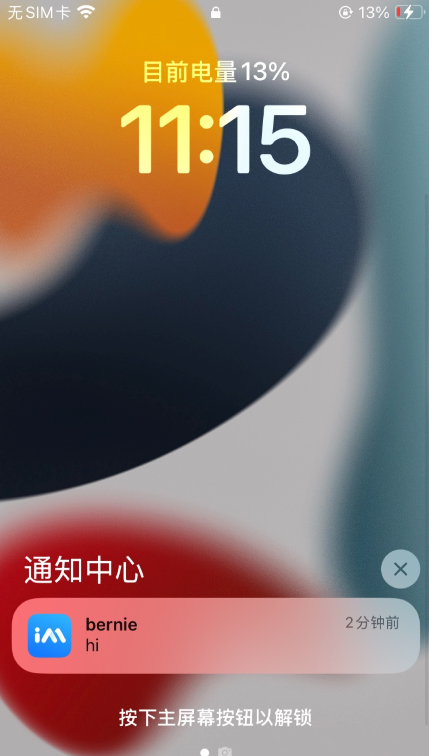
通知图标是移动应用在系统通知栏及状态栏的核心视觉标识,用于用户快速识别消息来源与应用品牌。小图标通常展示在顶部状态栏和通知左上角位置。本文主要介绍各厂商通道对自定义小图标的支持情况以及如何实现该功能。
效果示例
厂商通道支持说明
由于不同手机系统的限制,仅部分厂商通道支持自定义小图标功能,支持情况如下:
设备类型 | 是否支持自定义小图标 |
iOS | 跟随应用桌面图标。 |
华为 | 支持。 |
荣耀 | 跟随应用桌面图标。 |
小米 | 跟随应用桌面图标。 |
vivo | 跟随应用桌面图标。 |
OPPO | 跟随应用桌面图标。 |
魅族 | 跟随应用桌面图标。 |
FCM | 支持。 |
接入说明
支持厂商
华为和 Google FCM 支持自定义,其他厂商不支持自定义,默认使用 App 图标。
配置方法
在应用主工程的清单文件配置生效:
<meta-data
    android:name="com.huawei.messaging.default_notification_icon"
    android:resource="@drawable/图标资源名称" />
<!-- [START fcm_default_icon] --> <!-- Set custom default icon. This is used when no icon is set for incoming notification messages. See README(https://goo.gl/l4GJaQ) for more. --> <meta-data android:name="com.google.firebase.messaging.default_notification_icon" android:resource="@drawable/图标资源名称" /><!-- Set color used with incoming notification messages. This is used when no color is set for the incoming notification message. See README(https://goo.gl/6BKBk7) for more. --> <meta-data android:name="com.google.firebase.messaging.default_notification_color" android:resource="@android:color/white" /> <!-- [END fcm_default_icon] -->
注意:
FCM 图标要求:
小图标必须是带 Alpha 透明通道的 PNG 图片。
背景必须是透明。
周围不宜留过多 padding。
建议统一使用46 x 46px,过小图片会模糊,过大系统会自动缩小。
不支持自定义,默认使用 App 图标。
说明:
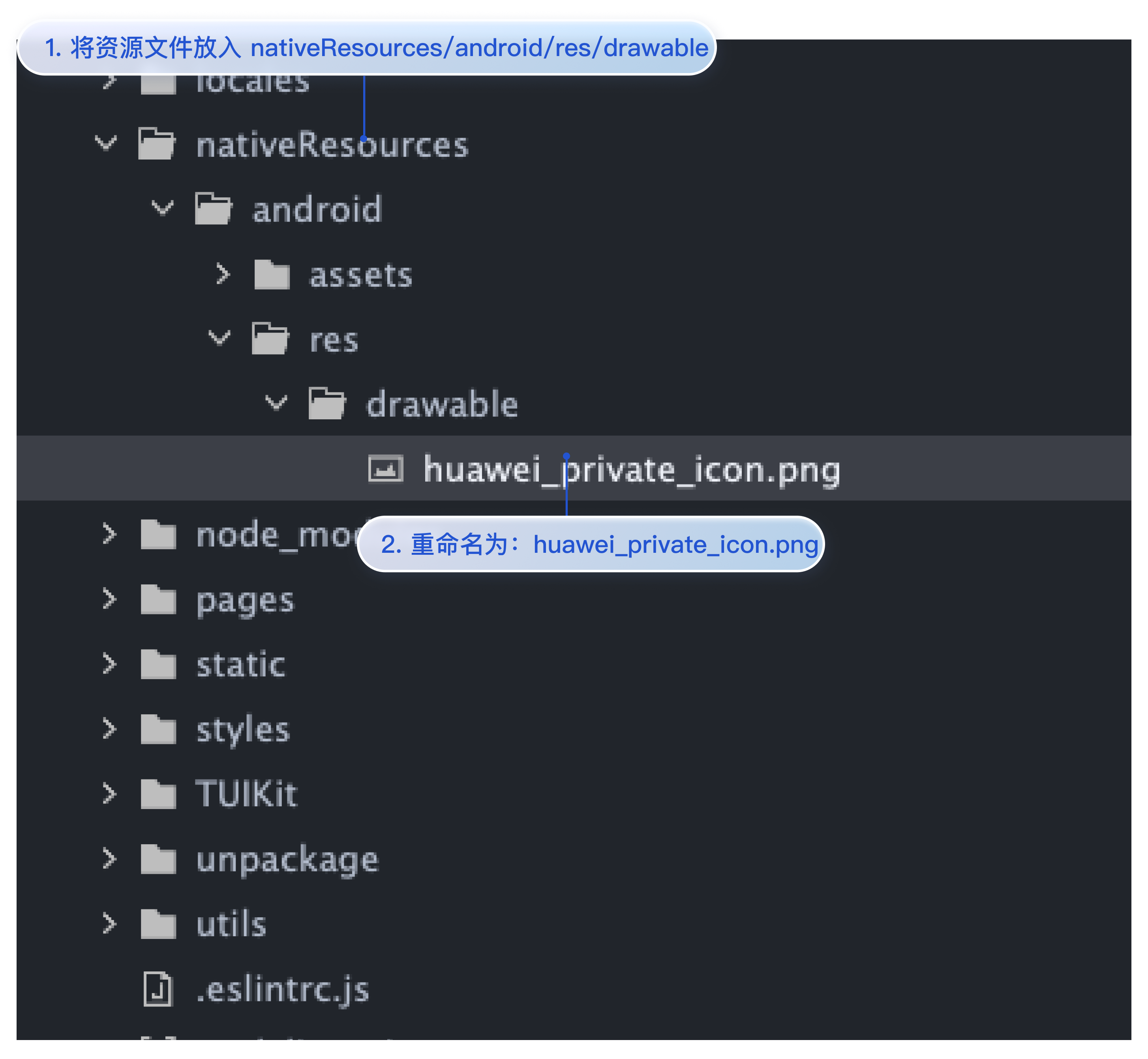
仅华为支持设置,其他厂商不支持,默认使用 App 图标。
将小图标放到
nativeResources/android/res/drawable文件夹中,将资源文件重命名为 huawei_private_icon.png即可。如图所示: