The content of this page has been automatically translated by AI. If you encounter any problems while reading, you can view the corresponding content in Chinese.

Cloud Asset List

Last updated: 2026-03-26 15:40:09

View Asset Security Status

1. Log in to the Anti-DDoS (New Version) Console, and in the left sidebar, click Cloud Asset List page.
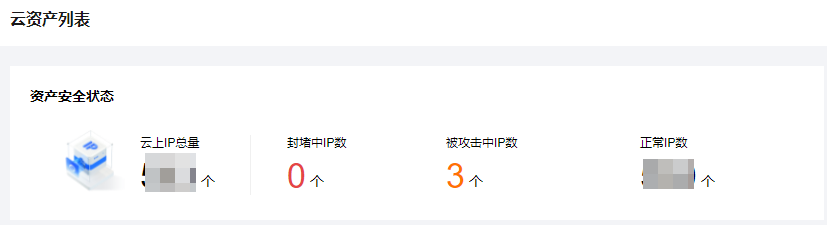
2. In the asset security status module, business IP security status data is displayed, allowing for a quick understanding of the business IP security status.

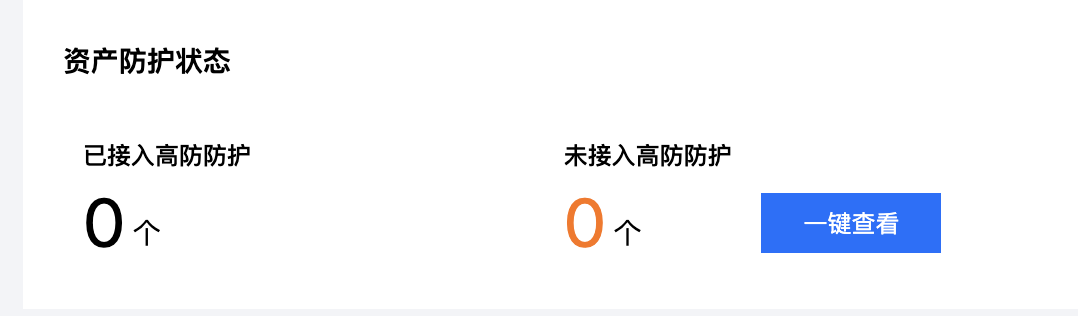
3. In the asset protection status module, business IP protection status data is displayed, enabling a quick understanding of the business IP security status and direct connection to protection.


View Asset Instance Description

1. Log in to the Anti-DDoS (New Version) Console, and in the left sidebar, click Cloud Asset List page.
2. Taking Cloud Host as an example. On the details page, you can view detailed information about the asset, including asset instance name, IP address, protection type, protection instance ID, protection capability, attack status, and more.

Using Anti-DDoS high defense can enhance the DDoS protection capability for the following products:
Cloud Virtual Machine: It is a scalable computing service provided by Tencent Cloud. Using CVM eliminates the need to estimate resource usage and make upfront investments required with traditional servers, helping you quickly launch any quantity of CVMs in a short time and instantly deploy applications.
Cloud Load Balancer: Provides secure and fast traffic distribution services. Access traffic can be automatically distributed to multiple CVMs in the cloud through CLB, expanding the system's service capabilities and eliminating single points of failure.
Web Application Firewall: It is an AI-based one-stop solution for web business operation risk protection.
NAT Gateway: It is a kind of IP address conversion service that provides SNAT and DNAT capabilities and can provide secure and high-performance internet access services for resources in Virtual Private Cloud (VPC).
VPN Connections: It is a transmission service based on network tunneling technology, which realizes the connection between local data center and resources on Tencent Cloud. It can help you quickly build a secure and reliable encrypted tunnel on the Internet.
Cloud Bare Metal: It is a physical server rental service that can be purchased on demand and pay-as-you-go, providing you with a dedicated, high-performance, and secure isolated physical server cluster in the cloud.
Global Application Acceleration: Global Application Acceleration Platform (GAAP) relies on high-speed channels, forwarding clusters, and smart routing technology between global nodes to achieve proximity access for users worldwide. It helps businesses solve the problem of global users experiencing lag or high latency by connecting directly to the origin server area through high-speed channels.
Elastic Network Interface: It is an elastic network interface bound to CVMs in a Virtual Private Cloud (VPC), which can be freely migrated among multiple CVMs. Elastic Network Interfaces are very helpful in configuring and managing networks and building highly reliable network solutions.
Tencent Cloud Lighthouse: It is a new generation of out-of-the-box, lightweight cloud server products aimed at lightweight application scenarios. It helps small and medium-sized enterprises and developers to build websites, web applications, mini programs/mobile games, apps, e-commerce applications, cloud storage/image hosting, and various development and testing environments on the cloud conveniently and efficiently. Compared to ordinary CVMs, it is simpler and closer to applications. It is sold in the form of packages that include basic cloud resources and high-bandwidth traffic packages. It integrates popular open-source software for one-click application building, providing a simple cloud experience.

Manage Cloud Assets

1. Log in to the Anti-DDoS (New Version) Console, and in the left sidebar, click Cloud Asset List.
2. On the Cloud Asset List page, you can click on the products at the top to find the assets for that product. If there are many instances, you can use the search box in the upper right corner to filter.

3. After selecting the desired asset, you can perform the following operations on it:
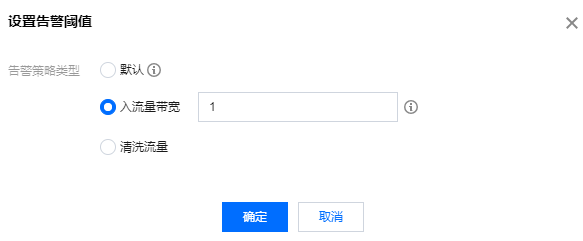
Click Set Alarm Threshold to customize alarm policies according to your needs, click Yes.

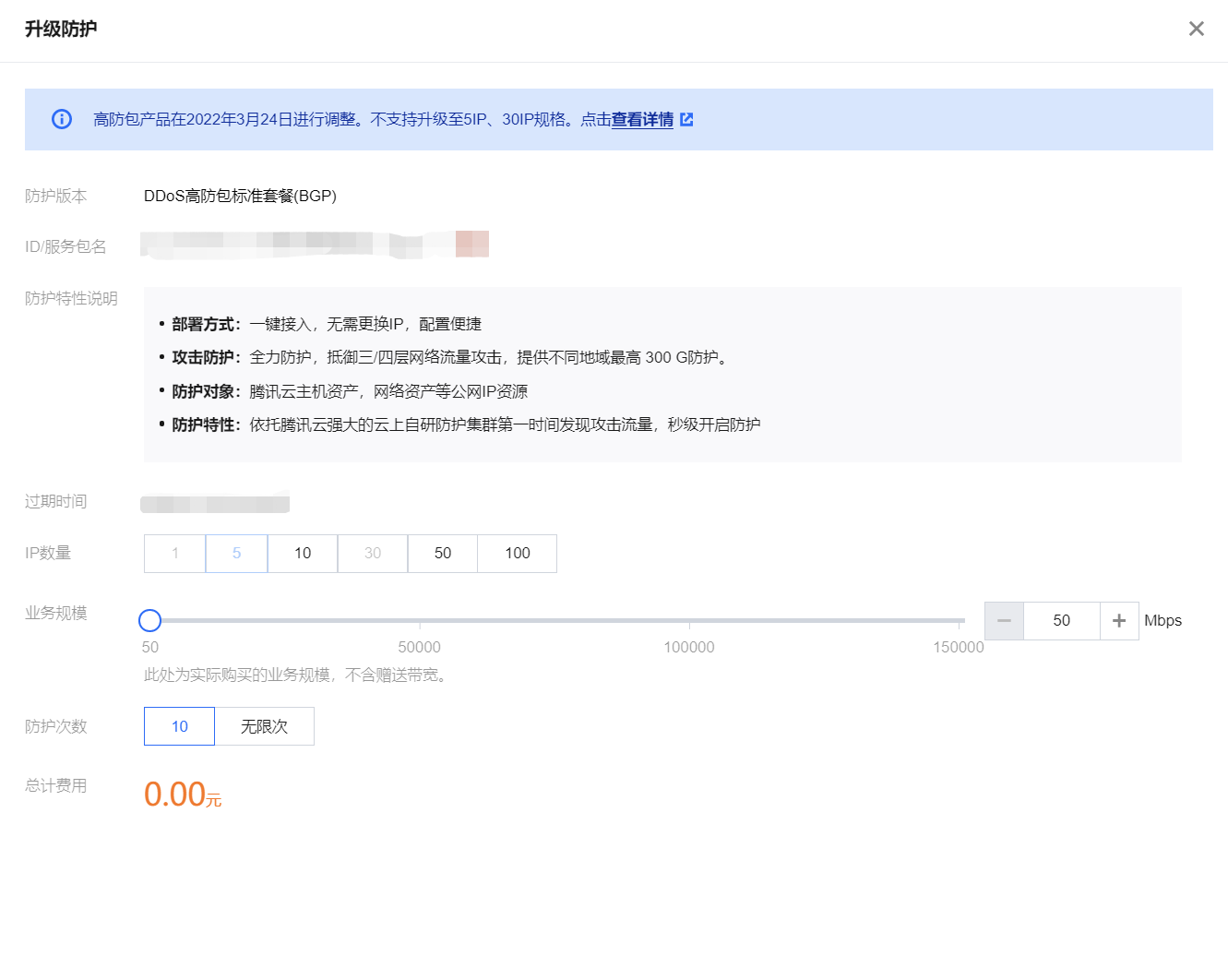
Upgrade protection. When business growth requires one Anti-DDoS Pro to protect multiple business IPs, you can upgrade the protection to cover all business IPs. For details, see Upgrade Protection.

Click Attack Analysis, and the page will jump to the protection overview (general view) page to view the attack situation.

Click Protection Configuration, and the page will jump to the Anti-DDoS protection page to view the Anti-DDoS protection configuration.