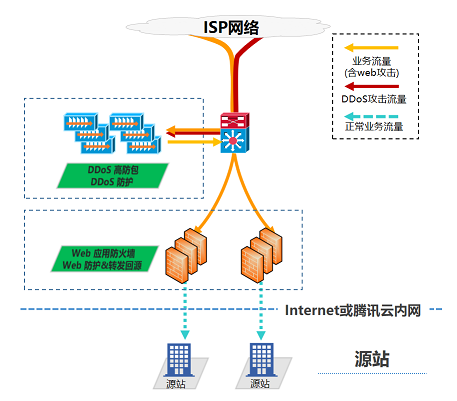
Anti-DDoS Pro can be integrated with Web Application Firewall (WAF) to offer users comprehensive security protection.
Providing DDoS protection capability of hundreds of Gbps at one click, Anti-DDoS Pro can easily defend against DDoS attacks and ensure the stable operation of your business.
The WAF offers real-time protection, effectively intercepting web attack behaviors and ensuring the data and information security of user businesses.
Deployment Solution

Configuration Process
Configure Web Application Firewall
To quickly access the Web Application Firewall, please refer to Web Application Firewall Quick Start.
Configure Anti-DDoS Pro
1. Log in to the Anti-DDoS (New Version) Console, and click on Anti-DDoS Instances in the left sidebar.
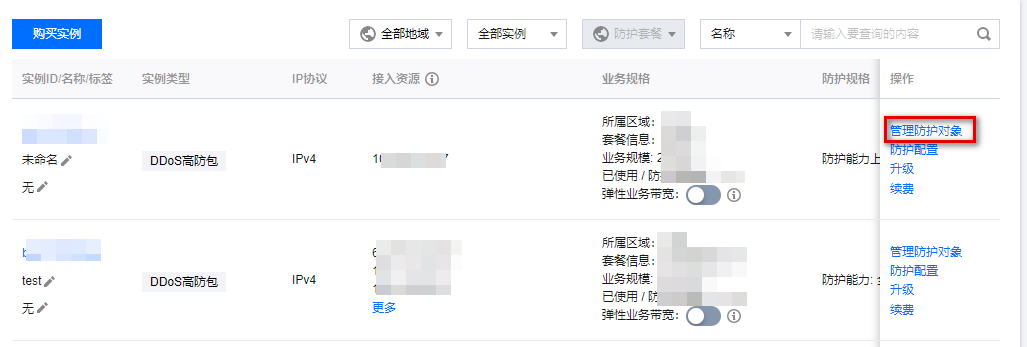
2. On the Anti-DDoS Instances page, select the target instance, and click on Manage Protection Object in the operation column.

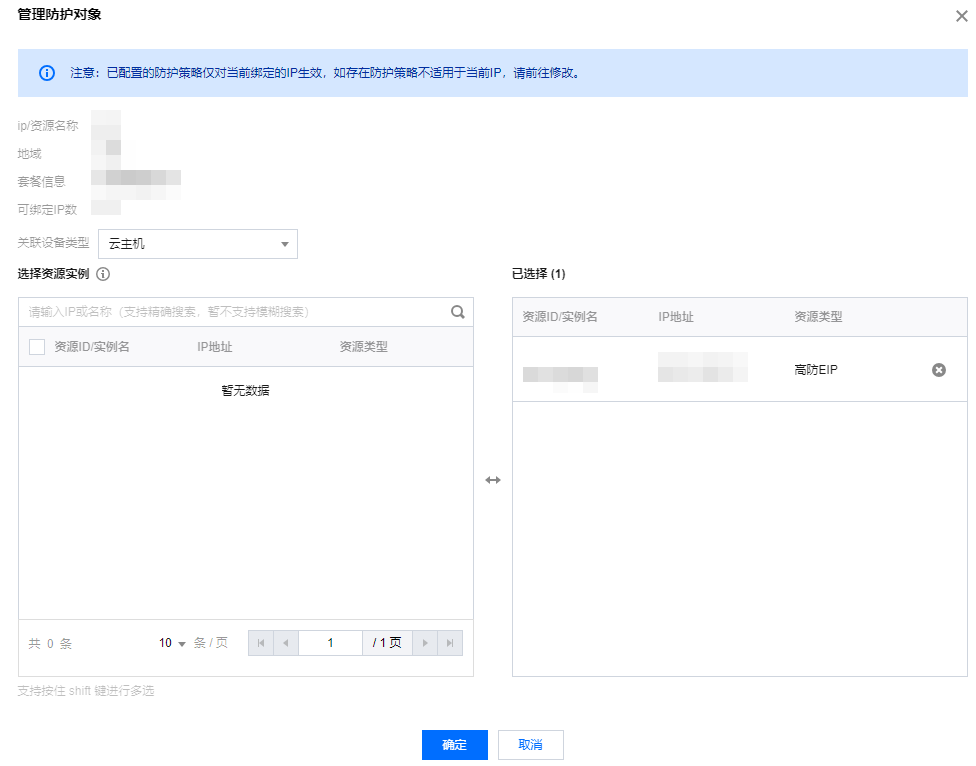
3. In the Manage Protection Object window, select "Associated Device Type" and "Resource Instance" according to actual protection needs.
Associated device types: Supports Cloud Host, Cloud Load Balancer (CLB), WAF, and other public cloud resources with public IP addresses.
Select resource instances: Multi-option selection is allowed, and the number of "selected resource instances" must not exceed the number of bindable IPs.

4. After making selections, click Confirm.