The content of this page has been automatically translated by AI. If you encounter any problems while reading, you can view the corresponding content in Chinese.

Changing authentication aspects

Last updated: 2024-08-16 20:23:21

How do I modify real-name authentication information after passing real-name authentication?

You can refer to the Change Personal Real-name Information document to modify real-name authentication information.

Can I change a personal real-name authenticated account to an enterprise real-name authenticated account?

Yes, for details please see Change Personal Real-name Information document.
Note
Real-name authentication can only be modified once every 30 days.

Does a personal real-name authenticated account support changing from Mainland China personal authentication to overseas personal authentication?

It is not supported.

Can enterprise real-name authentication be changed to a personal real-name authenticated account?

It is not supported.

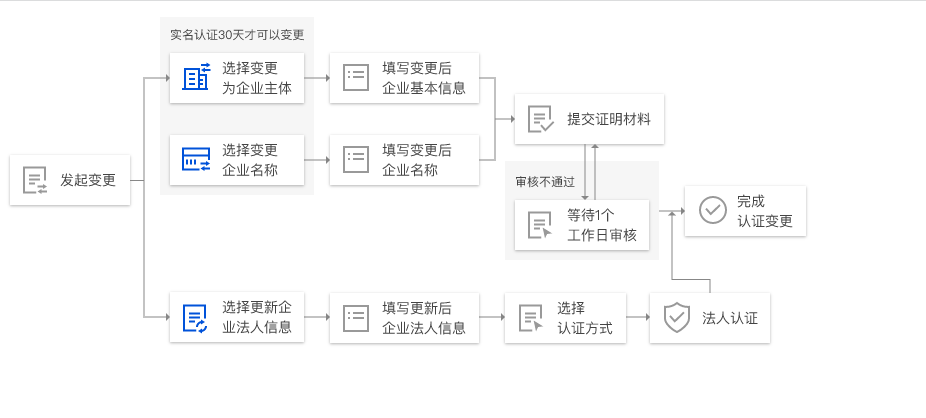
How to change corporate authentication information?

On the Real-name Authentication page, click Modify Authentication Subject to change the enterprise name by re-verifying real-name authentication.


For details please see Change Corporate Real-name Information document.

What should I do if the original corporate real-name authentication subject information has changed when modifying corporate real-name authentication?

Please upload the latest identification documents of the original corporate real-name authentication subject in the upload section for the original subject materials.

What should I do if the original corporate real-name authentication subject has been deregistered and there is no business license when modifying corporate real-name authentication?

Please upload the company deregistration certificate issued by the Administration for Industry and Commerce in the section for uploading the color front photo of the original business license.

How to change the enterprise name?

On the Real-name Authentication page, click Modify Authentication Subject to change the enterprise name by re-verifying real-name authentication. For details, please refer to the Change Corporate Name documentation.

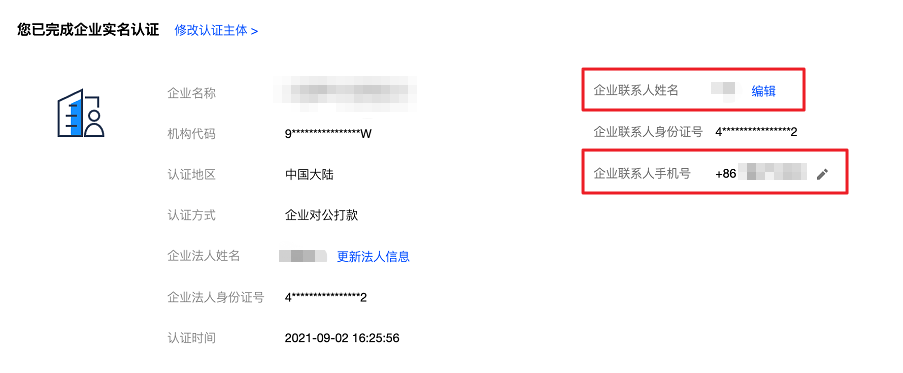
How to update the enterprise contact person?

On the Real-name Authentication page, find Enterprise Contact Person's Name, click >Edit to update the enterprise contact person's name.
On the Real-Name Verification page, find the Company Contact's Mobile Number, click

to modify the company contact's mobile number.


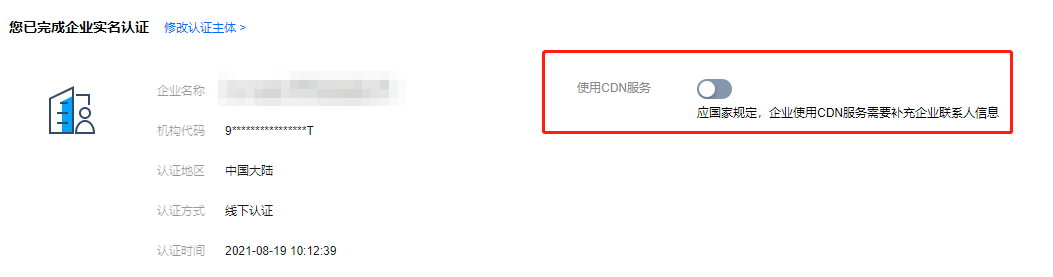
If you cannot find the enterprise contact person's name and mobile phone number on the Real-name Authentication page, you can add the enterprise contact person by following the steps below.
1. On the Real-Name Verification page, find Use of CDN Service, and set Use of CDN Service to

.


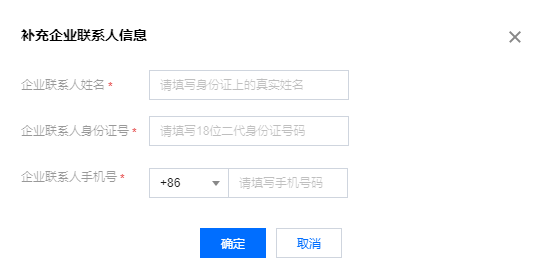
2. In the pop-up window, enter the company contact information, click Confirm.


How to update the corporate legal person?

1. On the Real-name Authentication page, click Modify Authentication Subject or Update Legal Person Information.
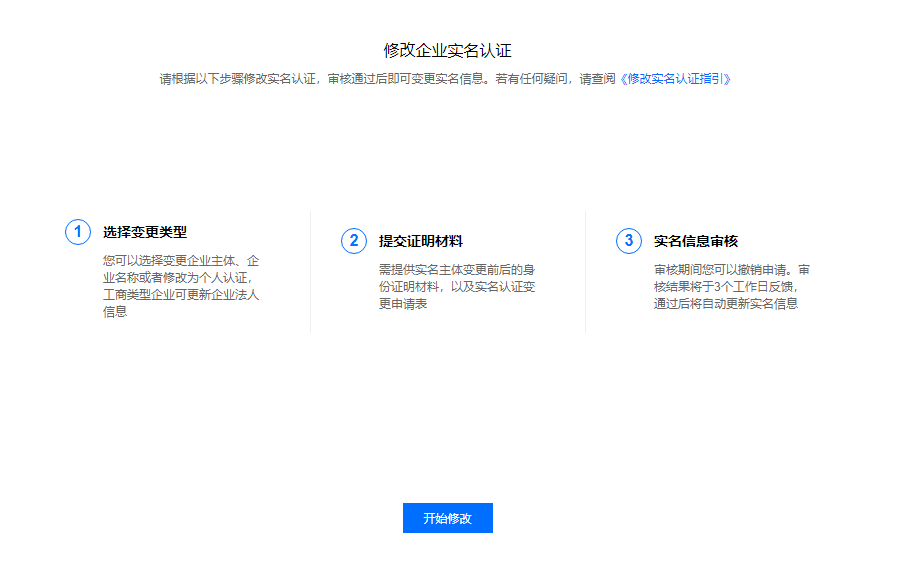
2. On the Change Enterprise Real-name Authentication page, click Start Modification.


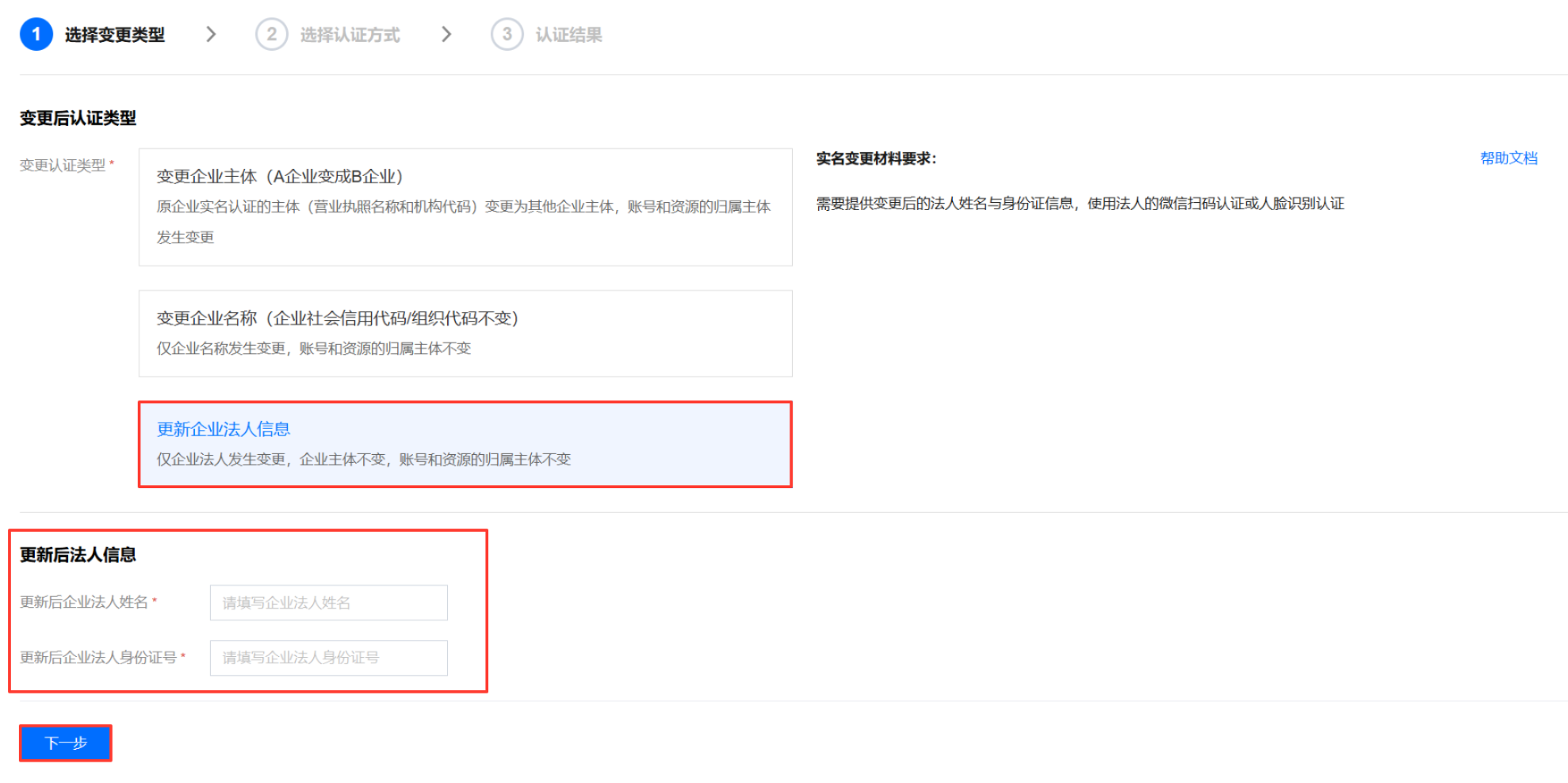
3. On the Select Change Type page, select Update Legal Representative Information, click Next.


4. Enter the changed legal person's real-name information, i.e., the legal representative's name and the legal representative's ID number, click Next .


5. Follow the prompts on the page to complete the authentication.

Can I change the real-name authentication if my account has an overdue payment or advance payment?

No, you must refer to Online Recharge, and Common Issues with Advance Payment to handle the overdue or advance payment before changing the real-name authentication.

If my account is already authenticated, do I need to re-authenticate if the business license's communication address changes?

If the communication address of the business license changes, there is no need to re-authenticate.

Will modifying the real-name authentication affect the use of resources under the account?

After changing the real-name authentication, the resources under the account will belong to the new authentication subject. Please be sure to confirm carefully before deciding to change the real-name authentication.