You can use the feature for sharing the same CLB among multiple Services to support the simultaneous opening of TCP and UDP on the same port for the same VIP.
Note
This feature is not recommended for other scenarios.
Notes
For TKE clusters created before Aug. 17, 2020, the CLBs created by their Services support the sharing of the same CLB by default.
For TKE clusters created after Aug. 17, 2020, the feature of multiple Services sharing the same CLB is disabled by default.
If you need to reuse CLB instances for Services, contact us through online consultation for application.
If your cluster is a TKE serverless cluster, CLB reuse is enabled by default, but you need to keep the following in mind:
1.1 Only CLB instances purchased manually can be reused, and those purchased automatically by a serverless cluster cannot. If those purchased automatically are reused, an error will be reported. This is to protect them from being repossessed by the serverless cluster.
1.2 The following two annotations must be added to the Service once the CLB is purchased:
The management and sync of configurations between Service and CLB instances are based on the resource object of the LoadBalancerResource type named the CLB ID. Do not perform any operations on this CRD; otherwise, the Service may fail.
Usage Limits
In the Service sharing scenario, the number of listeners managed by a single load balancer is limited by the CLB's TOTAL_LISTENER_QUOTA. For more information, please refer to the documentation.
In scenarios where a Service is reused, only the user-created Cloud Load Balancer (CLB) can be used. This is because when the CLB created in the TKE cluster is reused, CLB resources may not be released, leading to a resource leak.
Note
After reusing CLB resources created by the current TKE, you need to manually manage the CLB resources, because the CLB's life cycle will not be controlled by the TKE due to the lack of the tag.
Instructions
1. Refer to Creating CLB Instances to create a public or private CLB in the VPC where the cluster is located.
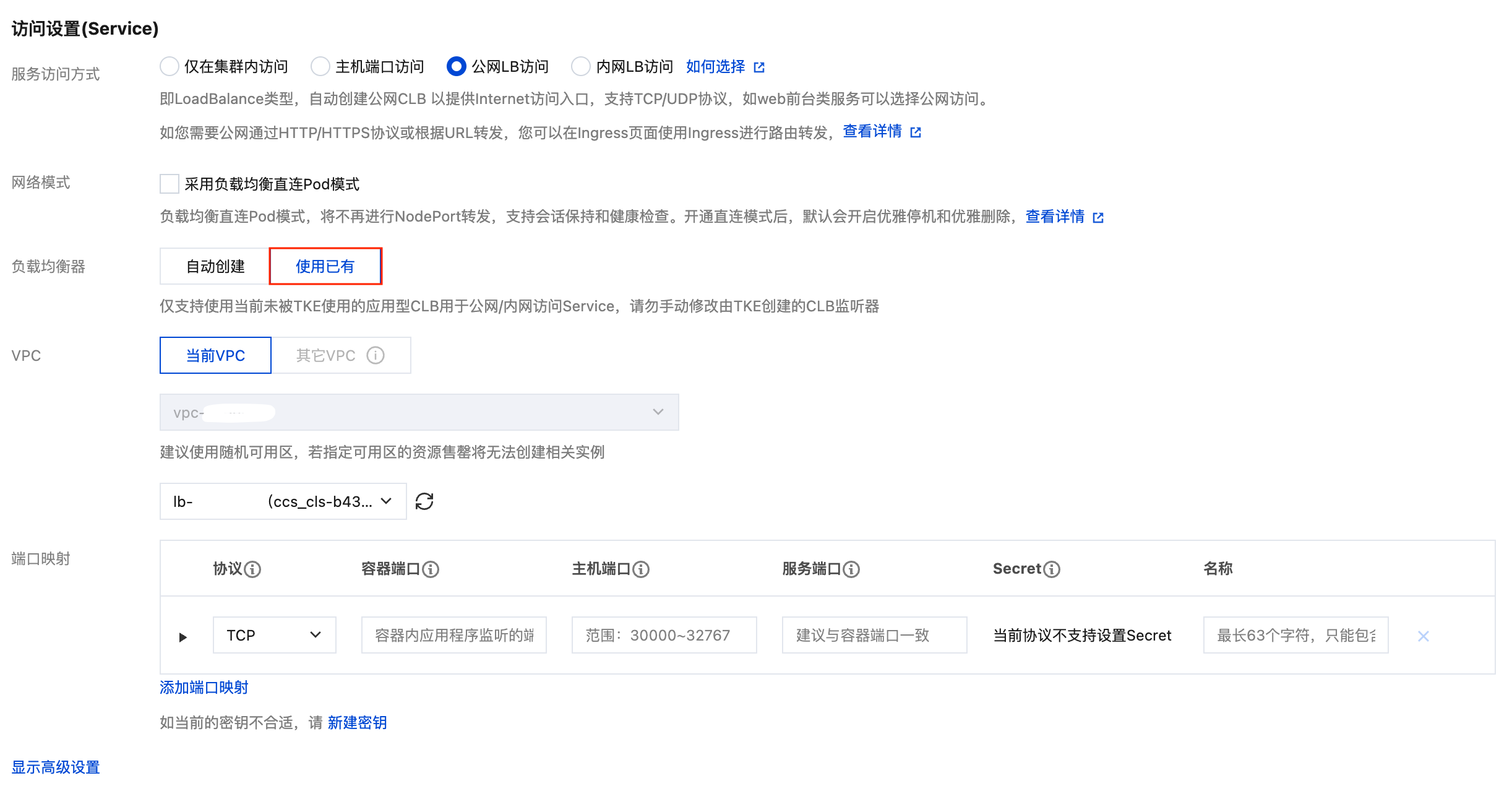
2. Refer to Creating a Deployment or Creating a Service to create a Service of the Loadbalancer type. Select Use existing for load balancer and choose the CLB instance created in Step 1.
3. Repeat Step 2 to share the same CLB among multiple Services.