Help & Documentation>TDMQ for CKafka

Step 2. Migrating Topic to Cloud

Last updated: 2023-09-07 17:32:43

Scenario

This document describes how to use the migration tool provided by CKafka to migrate topics from a self-built Kafka cluster to a CKafka instance.

Preparations

Instructions

1. Download the migration tool and decompress it on a server that can connect to the broker and ZooKeeper of the self-built instance.
2. Enter the configuration parameters in the ckafka-migrate.py file.
Note
Please make sure that the networks of the server where the subsequent migration operation is performed, the CKafka instance, and the self-built Kafka cluster are interconnected.
The user corresponding to the Tencent Cloud API key needs to have write permissions for CKafka. It is recommended to use the key pair of the root account.
# your local broker ip:port list
# Broker list of the self-built instance ["broker1:port1","ip2:port2"]
bootstrapServers = ["$ip:$port"]

# your local zk ip:port list
# ZooKeeper list of the self-built instance ["zk1:port1","zk2:port2"]. This is an optional configuration. If it is not configured, the source cluster information will be obtained via bootstrapServers.
sourceZk = ["$ip:$port"]
# This parameter is required if ZooKeeper has enabled authentication. Format: [("digest", "$user:$password")]
zkAuthData = []
# This parameter is required if the ZooKeeper path has a prefix. Sample value: "/cluster1".
zkPathPrefix = ""

# your cloud instanceId
# CKafka instance ID "ckafka-xxx"
instanceId = "$yourinstanceId"
# topic regex,just migrate match topics
# Regular expression of topic name. If it is not empty, only matched topics will be migrated.
topicRegex = ""

# your secretId and secretKey
# Account key pair
secretId = "$yoursecretId"
secretKey = "$yoursecretKey"

# your cloud instance region
# CKafka instance region and code:
# Guangzhou: ap-guangzhou; Shanghai: ap-shanghai; Nanjing: ap-nanjing; Beijing: ap-beijing; Chengdu: ap-chengdu; Chongqing: ap-chongqing;
# Hong Kong (China): ap-hongkong; Singapore: ap-singapore; Mumbai: ap-mumbai; Tokyo: ap-tokyo; Silicon Valley: na-siliconvalley;
# Virginia: na-ashburn; Toronto: na-toronto; Taipei (China): ap-taipei; Tianjin: ap-tianjin; Shanghai Financial: ap-shanghai-fsi;
# Shenzhen Finance: ap-shenzhen-fsi; Shenzhen: ap-shenzhen; Frankfurt: eu-frankfurt; Seoul: ap-seoul; Qingyuan: ap-qingyuan;
# Beijing Financial: ap-beijing-fsi; Bangkok: ap-bangkok; Changsha: ap-changsha-ec; Jakarta: ap-jakarta
# Hangzhou ec: ap-hangzhou-ec; São Paulo: sa-saopaulo; Shanghai Auto-Driving Cloud: ap-shanghai-adc; Wuhan ec: ap-wuhan-ec, Xi'an ec: ap-xian-ec
region = "ap-tokyo"

# if you make sure the migrate topic List,please modify checkFlag = 1
# Check flag. If it is 0, the list of topics to be migrated will only be displayed, but not be actually migrated. Set it to 0 first to check the list of topics, confirm that everything is correct, and change it to 1 to start migration
# 0: List the topics to be migrated and then stop the script
# 1: List the topics to be migrated and then start migration
checkFlag = 0

# force transfor your cloud-topic config to migrate
# If the value is 0, a local topic will not be migrated to CKafka if its attributes do not match those of CKafka. If the value is 1, the topic attribute values out of the value range of CKafka will be forcibly converted to the closest values within the value range.
# For example, if the CKafka topic supports only 1, 2, or 3 replicas, but a local topic has 5 replicas, it will not be migrated to CKafka. If you forcibly set the parameter to 1, then a 3-replica topic, which is closest to the original number of replicas (5), will be created for the CKafka topic.
# 0: Skip the unmatched topic or topic attributes if the numbers of replicas or attributes of the local and CKafka topics do not match
# 1: Forcibly migrate all topics to CKafka, and modify CKafka topic attributes based on the self-built topic attributes to make them similar to the greatest extent, if the numbers of replicas or attributes of the local and CKafka topics do not match (data in the local self-built Kafka cluster will not be modified)
force = 0
Category
Note
bootstrapServers
Broker list of the self-built instance ["ip1:port1","ip2:port2"]
sourceZk
ZooKeeper list of the self-built instance ["zk1:port1","zk2:port2"]. This is an optional configuration. If it is not configured, the source cluster information will be obtained via bootstrapServers.
zkAuthData
This parameter is required if ZooKeeper has enabled authentication. Format: [("digest", "$user:$password")]
zkPathPrefix
This parameter is required if the ZooKeeper path has a prefix. Sample value: "/cluster1".
instanceId
ID of the CKafka instance you purchased in Step 1. Purchasing CKafka Instance. You can copy the ID on the Instance List page in the CKafka console.
secretId
Account key pair – ID
secretKey
Account key pair – password
region
The deployment region you selected in Purchasing a CKafka Instance is accompanied by region codes in the script annotations.
checkFlag
Check flag. If it is 0, the list of topics to be migrated will only be displayed and migration will not start; otherwise, the topics will start to be migrated.
topicRegex
Regular expression of topic name. If it is empty, all topics will be migrated; otherwise, only matched topics will be migrated.
force
It specifies whether to forcibly migrate topics. If the value is 0, a local topic will not be migrated to CKafka if its attributes do not match those of CKafka. If the value is 1, the topic attribute values out of the value range of CKafka will be forcibly converted to the closest values within the value range.
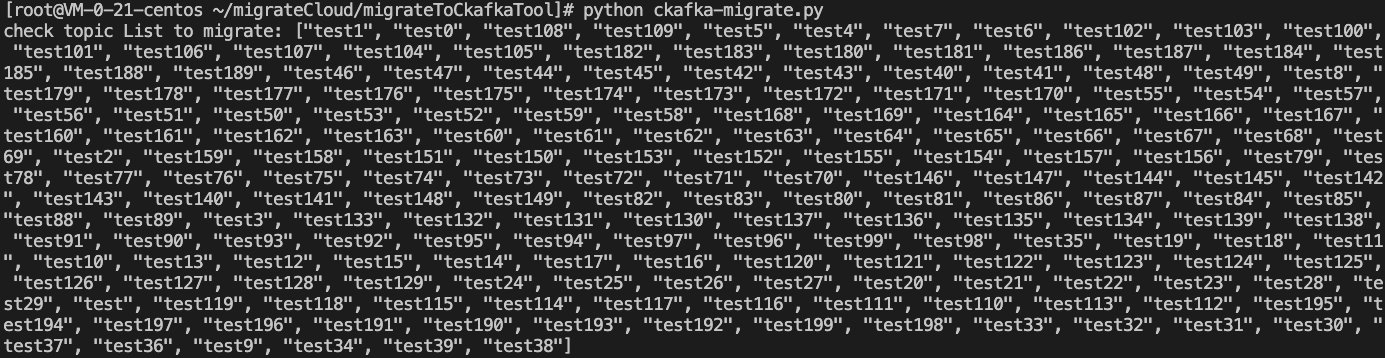
3. Set the checkFlag parameter in ckafka-migrate.py to 0, run python ckafka-migrate.py to execute the script, and check the list of topics that need to be migrated based on the output result.
Note
If some self-built topics are missing, this may be because that their names are non-compliant, or the number of topic replicas or topic attribute values are out of the CKafka value range.


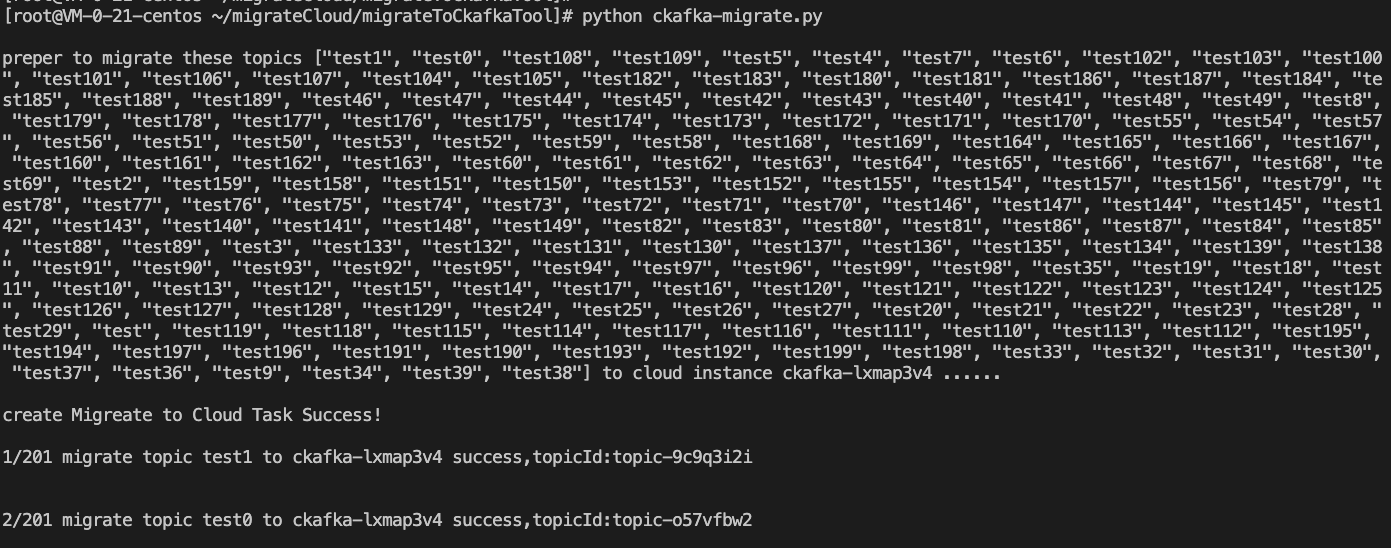
4. Set the checkFlag parameter in ckafka-migrate.py to 1 and run python ckafka-migrate.py to execute the script to start migrating the topics.

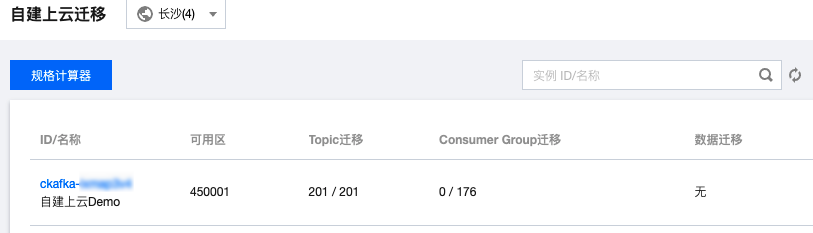
5. Log in to the CKafka console, view the task list on the Migration to Cloud page, and wait for the topics to be completely migrated. The task list is as follows:


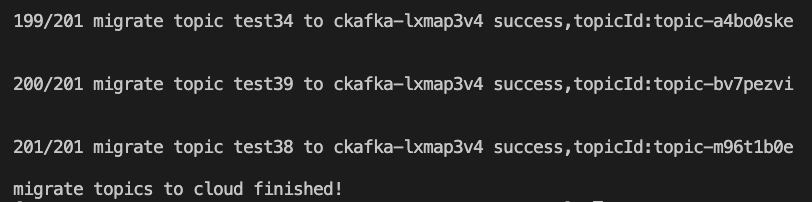
The result of successful migration is as shown below: