How do I download access logs of the last 180 days?
The Access Log feature records the access log information of WAF-protected domains, providing access log queries and download features for the protection domains within the user-defined log retention period (up to 180 days). To download access logs for 180 days, please enable the respective domain's access log switch and set log storage to 180 days in the console. For more details, see Access Logs.
Does WAF support health check?
The SaaS-type WAF supports a Layer 4 health check mechanism and can be enabled upon domain integration for Enterprise editions and above, conducting proactive health status checks on all origin server IPs every 3 seconds. For more information about the health check mechanism, please Submit a Ticket to inquire.
Does WAF support session persistence?
WAF supports session persistence. To enable it, please submit a ticket to contact us for assistance.
Will logging still be available once WAF is disabled for the domain name list?
No. Once WAF is disabled, all its protection features are unavailable, and only the traffic forwarding mode starts to run instead, with no logs recorded.
When will a configuration change take effect?
Generally, the changed configuration takes effect within 10 seconds.
Note
This section is for modifying access configurations (e.g., origin server address, connection method, whether to enable HTTP2.0, etc.), and is not related to protection configurations.
The VIP of WAF-protected domain name is blocked due to DDoS attacks. What should I do?
WAF's VIP comes with the default Anti-DDoS Basic capability (protection capacity of 2Gb). In case of blockage in Anti-DDoS Basic and urgent restoration of service is needed, please purchase an Anti-DDoS Pro instance and bind it to the WAF's VIP address.
If uploading files is blocked, will uploading files using HTTPS or SFTP still be blocked?
If WAF is disabled, the file will not be blocked. If WAF is enabled and the blocking mode is set, WAF will block malicious files uploaded over HTTP or HTTPS, but will not block files uploaded over SFTP. SFTP is a non-HTTP or non-HTTPS protocol beyond the protection of WAF.
Will the persistent connection be disconnected when the WAF certificate is changed?
No. Updating the certificate will reload nginx, and the thread will not be recycled until the end of the old request session, so it will not be disconnected.
What cipher suites does the SaaS WAF support?
In the SaaS WAF, the supported cipher suites and their corresponding TLS protocol versions are as follows:
Cipher Suite Name | Supported Protocol Version | Security Encryption Suite | General Encryption Suite |
DES-CBC3-SHA | TLSv1.0 TLSv1.1 TLSv1.2 | No | Yes |
ECDHE-RSA-DES-CBC3-SHA | | No | Yes |
AES256-SHA | | Yes | Yes |
AES128-SHA | | Yes | Yes |
ECDHE-RSA-AES256-SHA | | Yes | Yes |
ECDHE-ECDSA-AES256-SHA | | Yes | Yes |
ECDHE-RSA-AES128-SHA | | Yes | Yes |
ECDHE-ECDSA-AES128-SHA | | Yes | Yes |
AES256-SHA256 | TLSv1.2 | Yes | Yes |
AES256-CCM8 | | Yes | Yes |
AES128-SHA256 | | No | Yes |
AES256-CCM | | Yes | Yes |
AES256-GCM-SHA384 | | Yes | Yes |
ECDHE-RSA-AES256-SHA | | Yes | Yes |
ECDHE-RSA-AES256-SHA384 | | Yes | Yes |
ECDHE-RSA-AES256-GCM-SHA384 | | Yes | Yes |
AES128-CCM8 | | Yes | Yes |
AES128-CCM | | Yes | Yes |
AES128-GCM-SHA256 | | Yes | Yes |
ECDHE-RSA-AES128-SHA256 | | Yes | Yes |
ECDHE-RSA-CHACHA20-POLY1305 | | Yes | Yes |
ECDHE-RSA-AES128-GCM-SHA256 | | Yes | Yes |
TLS_AES_128_GCM_SHA256 | | Yes | Yes |
TLS_CHACHA20_POLY1305_SHA256 | | Yes | Yes |
TLS_AES_256_GCM_SHA384 | | Yes | Yes |
WAF supports the following TLS versions:
Protocol Versions: TLSv1, TLSv1.1, TLSv1.2, and TLSv1.3.
Cipher suites: EECDH+CHACHA20:EECDH+AES128:RSA+AES128:EECDH+AES256:RSA+AES256:EECDH+3DES:RSA+3DES:!MD5.
Note
SaaS WAF supports ECDHE cipher suites by default (such as TLS_ECDHE_RSA_WITH_3DES_EDE_CBC_SHA).
The CLB WAF cipher suite depends on CLB, Cloud Native Gateway, and the user's definition of the gateway's own support for the TLS protocol.
How do I query the module hit by a block page?
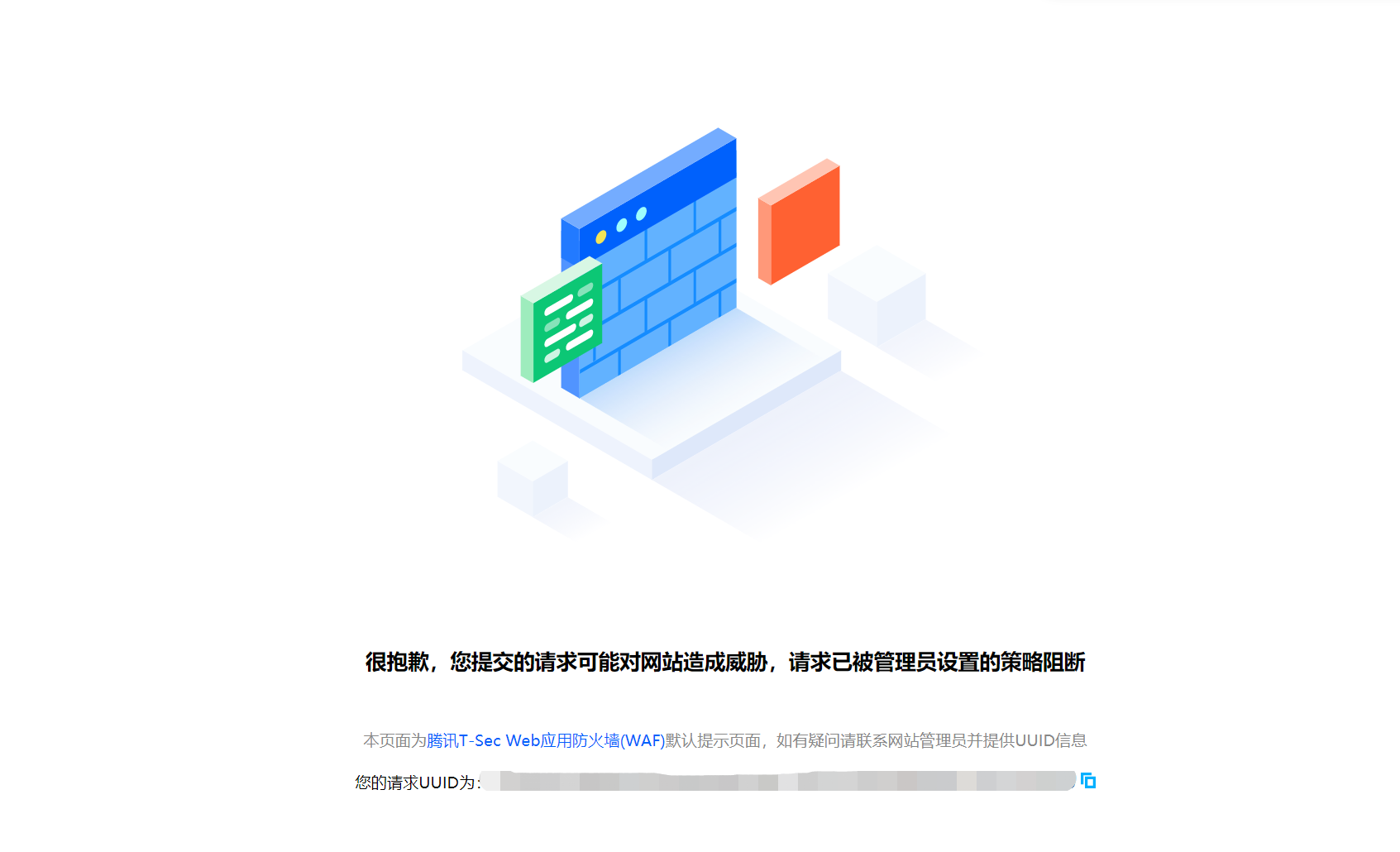
1. When a malicious request is detected, WAF blocks the request and returns a block page with a UUID.
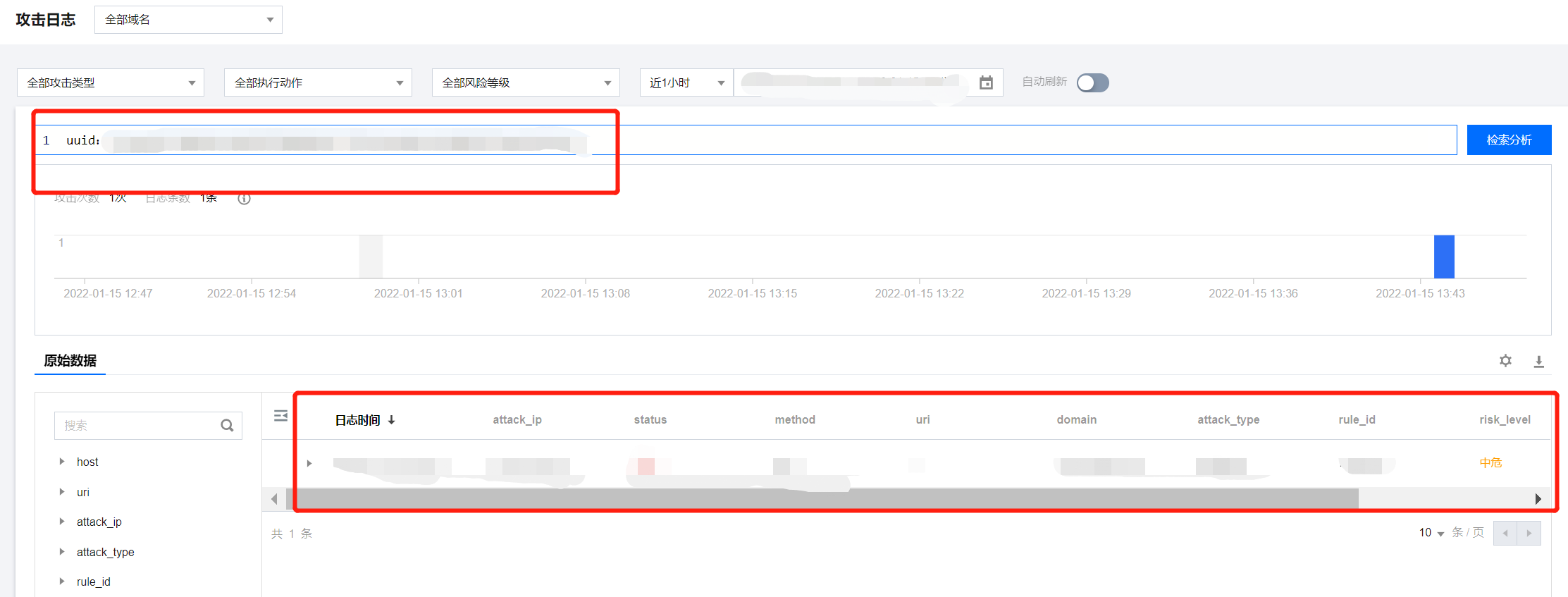
2. Copy the current identification code and search for it on the Attack Log Page to view interception packet information.
Note
Please check the time range during the retrieval.
Intercepted packages are mainly divided into several fields: "attack_type" for the type of attack, "rule_id" for the rule ID, and "attack_content" for the content of the attack field. Based on these fields, the rule that was hit can be identified, facilitating subsequent operations by users.