JavaFX 应用开发中的多线程与任务管理机制探讨
原创

JavaFX 应用开发中的多线程与任务管理机制探讨
本文面向已经会基础 Java 的读者,目标是用实战示例带你快速上手 JavaFX,掌握界面布局、事件处理、样式定制、多线程与打包部署等常用技巧。文章按章节展开,代码示例尽量完整,可直接复制运行。
在这里插入图片描述
前言
为什么选择 JavaFX?
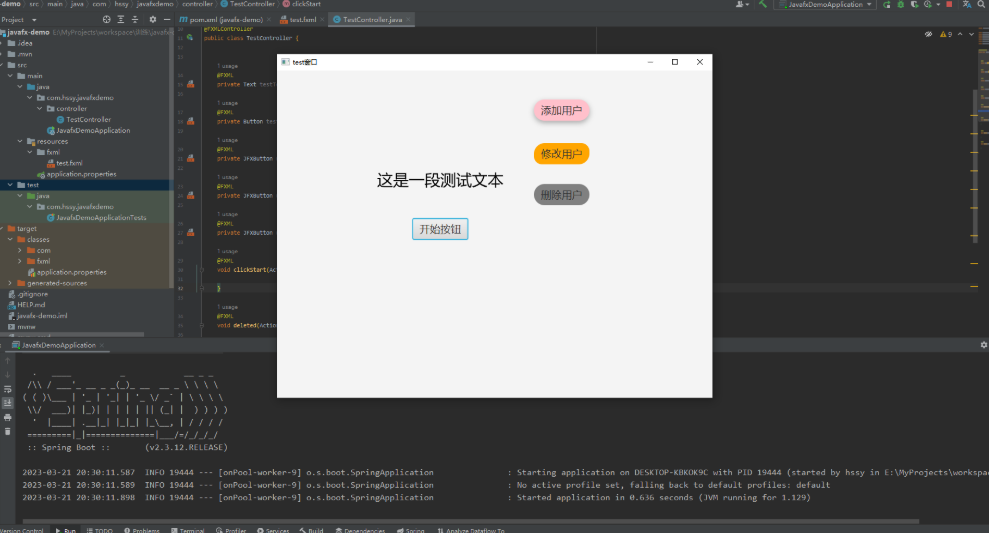
JavaFX 是 Oracle/开源社区维护的现代 Java 桌面 GUI 框架,支持响应式布局、CSS 样式、矢量图形、硬件加速和富媒体(音视频)等特性。相比 Swing,JavaFX 更现代、组件更丰富、易于使用 CSS 美化,且与 Java 生态兼容(Maven/Gradle)。
在这里插入图片描述
环境准备
Java 版本与 JavaFX 库
- 推荐使用 Java 17 或更高 LTS。JavaFX 从 JDK 中独立出来,需要单独依赖(OpenJFX)。
- 可以通过 Maven/Gradle 添加
org.openjfx:javafx依赖,或使用 SDKMAN/手动下载 OpenJFX SDK 并配置运行参数。
Maven 快速配置(示例)
<!-- pom.xml 中关键片段(仅示意) -->
<properties>
  <project.build.sourceEncoding>UTF-8</project.build.sourceEncoding>
  <maven.compiler.source>17</maven.compiler.source>
  <maven.compiler.target>17</maven.compiler.target>
  <javafx.version>21.0.0</javafx.version> <!-- 请根据实际版本调整 -->
</properties>

<dependencies>
  <dependency>
    <groupId>org.openjfx</groupId>
    <artifactId>javafx-controls</artifactId>
    <version>${javafx.version}</version>
  </dependency>
  <dependency>
    <groupId>org.openjfx</groupId>
    <artifactId>javafx-fxml</artifactId>
    <version>${javafx.version}</version>
  </dependency>
</dependencies>

<build>
  <plugins>
    <plugin>
      <groupId>org.openjfx</groupId>
      <artifactId>javafx-maven-plugin</artifactId>
      <version>0.0.8</version>
      <configuration>
        <mainClass>com.example.todo.MainApp</mainClass>
      </configuration>
    </plugin>
  </plugins>
</build>
第一个示例:To-Do 应用(完整可运行)
目标
构建一个简单的 To-Do 列表应用,功能:
- 添加任务(文本)
- 标记完成 / 删除
- 使用 CSS 美化
- 展示后台任务示例(模拟保存或加载)
我们使用纯代码(非 FXML)实现,便于快速理解控件与布局关系。
完整代码(MainApp.java)
package com.example.todo;

import javafx.application.Application;
import javafx.application.Platform;
import javafx.collections.FXCollections;
import javafx.collections.ObservableList;
import javafx.concurrent.Task;
import javafx.geometry.Insets;
import javafx.scene.Scene;
import javafx.scene.control.*;
import javafx.scene.input.KeyCode;
import javafx.scene.layout.*;
import javafx.scene.text.Font;
import javafx.stage.Stage;

public class MainApp extends Application {

    private final ObservableList<TodoItem> items = FXCollections.observableArrayList();

    @Override
    public void start(Stage primaryStage) {
        primaryStage.setTitle("简易 To-Do");

        // 顶部:输入框 + 添加按钮
        TextField input = new TextField();
        input.setPromptText("输入任务,按 Enter 添加");
        input.setPrefWidth(300);
        Button addBtn = new Button("添加");
        HBox topBar = new HBox(10, input, addBtn);
        topBar.setPadding(new Insets(10));

        // 中间:ListView 显示任务
        ListView<TodoItem> listView = new ListView<>(items);
        listView.setCellFactory(lv -> new TodoCell());
        VBox center = new VBox(listView);
        center.setPadding(new Insets(0, 10, 10, 10));
        VBox.setVgrow(listView, Priority.ALWAYS);

        // 底部:状态栏 + 模拟加载按钮(演示后台任务)
        Label status = new Label("就绪");
        Button loadBtn = new Button("模拟加载(后台)");
        HBox bottomBar = new HBox(10, status, new Region(), loadBtn);
        HBox.setHgrow(bottomBar.getChildren().get(1), Priority.ALWAYS);
        bottomBar.setPadding(new Insets(10));

        BorderPane root = new BorderPane();
        root.setTop(topBar);
        root.setCenter(center);
        root.setBottom(bottomBar);

        Scene scene = new Scene(root, 500, 400);
        scene.getStylesheets().add(getClass().getResource("/styles.css").toExternalForm());

        // 事件:添加任务
        addBtn.setOnAction(e -> addTask(input));
        input.setOnKeyPressed(e -> {
            if (e.getCode() == KeyCode.ENTER) addTask(input);
        });

        // 模拟后台加载任务
        loadBtn.setOnAction(e -> {
            status.setText("正在加载...");
            Task<Void> loadTask = new Task<>() {
                @Override
                protected Void call() throws Exception {
                    Thread.sleep(2000); // 模拟耗时
                    Platform.runLater(() -> {
                        items.addAll(new TodoItem("示例任务 A"), new TodoItem("示例任务 B"));
                    });
                    return null;
                }

                @Override
                protected void succeeded() {
                    status.setText("加载完成");
                }

                @Override
                protected void failed() {
                    status.setText("加载失败");
                }
            };
            new Thread(loadTask, "loader-thread").start();
        });

        primaryStage.setScene(scene);
        primaryStage.show();
    }

    private void addTask(TextField input) {
        String text = input.getText().trim();
        if (!text.isEmpty()) {
            items.add(new TodoItem(text));
            input.clear();
        }
    }

    public static void main(String[] args) {
        launch(args);
    }
}
TodoItem 与自定义单元格(TodoItem.java、TodoCell.java)
// TodoItem.java
package com.example.todo;

public class TodoItem {
    private final String text;
    private boolean done = false;

    public TodoItem(String text) { this.text = text; }
    public String getText() { return text; }
    public boolean isDone() { return done; }
    public void setDone(boolean done) { this.done = done; }
}// TodoCell.java
package com.example.todo;
import javafx.geometry.Insets;
import javafx.scene.control.*;
import javafx.scene.layout.HBox;
import javafx.scene.layout.Priority;
public class TodoCell extends ListCell<TodoItem> {
private final CheckBox checkBox = new CheckBox();
private final Label label = new Label();
private final Button delBtn = new Button("删除");
private final HBox container = new HBox(10, checkBox, label, new Separator(), delBtn);
public TodoCell() {
container.setPadding(new Insets(6));
container.setStyle("-fx-alignment: center-left;");
HBox.setHgrow(label, Priority.ALWAYS);
delBtn.setOnAction(e -> {
getListView().getItems().remove(getItem());
});
checkBox.setOnAction(e -> {
if (getItem() != null) {
getItem().setDone(checkBox.isSelected());
updateItem(getItem(), false);
}
});
}
@Override
protected void updateItem(TodoItem item, boolean empty) {
super.updateItem(item, empty);
if (empty || item == null) {
setGraphic(null);
} else {
label.setText(item.getText());
label.setStyle(item.isDone() ? "-fx-strikethrough: true;" : "-fx-strikethrough: false;");
checkBox.setSelected(item.isDone());
setGraphic(container);
}
}
}CSS(styles.css)
.root {
    -fx-font-family: "Microsoft YaHei", "Segoe UI", sans-serif;
}

.button {
    -fx-font-size: 13px;
    -fx-padding: 6 12 6 12;
}

.list-cell {
    -fx-border-color: transparent;
}
进阶主题
在这里插入图片描述
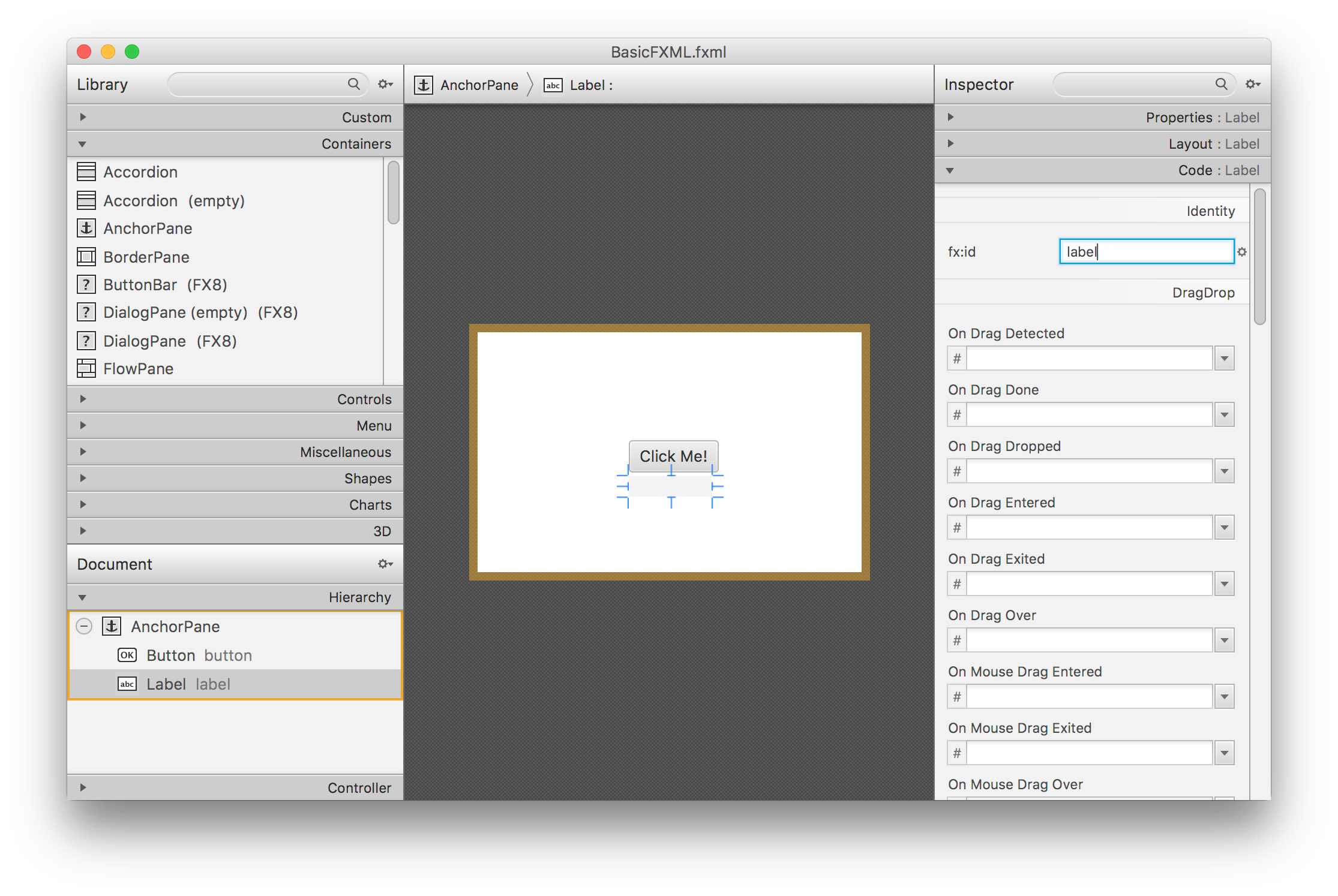
FXML 与 Scene Builder
- FXML 是声明式 UI(类似 HTML),将视图和逻辑分离。使用 Scene Builder 可以可视化编辑 FXML。
- 控制器类通过
@FXML注入控件。 - 推荐:大项目使用 FXML 管理复杂布局,小工具可用纯代码构造。
模块系统(module-info.java)
- 如果使用模块化(JPMS),需要在
module-info.java中requires javafx.controls; requires javafx.fxml;并opens控制器包给javafx.fxml。 - 对初学者,可先用非模块化方式(移除 module-info)以减少配置复杂度。
多线程与 UI 线程
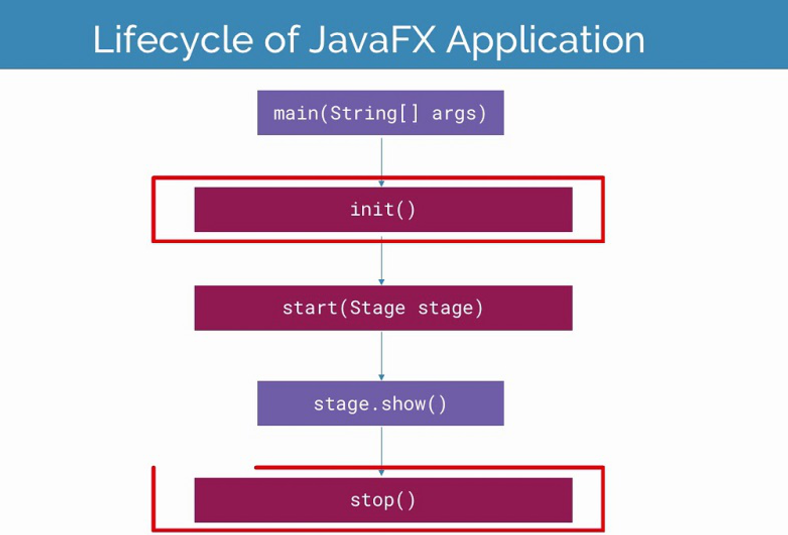
- JavaFX 的 UI 操作必须在 JavaFX Application Thread 上执行。
- 长耗时操作应使用
Task<V>/Service<V>或在后台线程运行并通过Platform.runLater()更新 UI。 - 示例已展示后台模拟加载(
Task+new Thread(task).start())。
响应式与绑定(Bindings)
- JavaFX 提供属性(
StringProperty、IntegerProperty等)和绑定 API,方便实现 UI 与数据同步。 - 示例:
label.textProperty().bind(textField.textProperty());样式与主题
- JavaFX 支持 CSS(大部分 CSS 属性与网页类似,但使用
-fx-前缀)。 - 可加载多套样式表实现主题切换。
部署与打包
使用 jpackage 打包原生安装包
- 推荐流程:
- 使用 JDK 的
jlink或jpackage(JDK 14+ 自带jpackage)打包运行时镜像。 - 注意将 JavaFX 模块包含进去,或使用 OpenJFX 的 SDK。
- 示例命令(示意):
jpackage --name MyApp --input target/ --main-jar myapp.jar --main-class com.example.todo.MainApp- 也可以用
jlink定制运行时,再用jpackage生成 installer。
常见问题
NoClassDefFoundError: javafx/application/Application:表示未正确添加 JavaFX 运行时或 VM 参数缺失。- 在命令行运行时,若使用非模块化方式需要加 VM 参数:
--module-path /path/to/javafx-sdk/lib --add-modules javafx.controls,javafx.fxml开发与调试技巧
使用 IDE 插件与 Scene Builder
- IntelliJ IDEA / Eclipse 都支持 JavaFX 开发,Scene Builder 可与 FXML 配合使用。
- 启用 VM options(运行配置)以调试模块/运行时问题。
单元测试
- UI 逻辑可抽离到无 UI 的服务层,便于单测。
- 对 UI 的端到端测试可以使用 TestFX 等库。
实践建议与最佳实践
项目结构建议
com.example.app:MainApp(启动)controller(FXML 控制器)view(FXML / 资源)model(数据模型)service(业务逻辑、IO、后台任务)
分离关注点
- 将 UI 和业务逻辑分离,使用观察者(Property)或 MVVM 模式(JavaFX 很适合实现简单 MVVM)。
性能优化
- 避免在 UI 线程做耗时操作。
- 对大量数据使用虚拟化控件(如
ListView本身是虚拟化的,TableView也提供虚拟化)。 - 对图形密集型应用尽量使用硬件加速(通常 JavaFX 会自动启用)。
示例扩展与练习
练习题
- 将 To-Do 应用扩展为可保存/加载到本地 JSON 文件。
- 使用 FXML + Controller 重写界面,并添加编辑任务功能(双击编辑)。
- 使用
Bindings实现“剩余任务计数”自动显示。 - 使用
Service定期同步(模拟远程备份)并在任务栏显示进度。
总结
在这里插入图片描述
本文从 JavaFX 的特点与优势 出发,逐步带你完成了一个 完整的 To-Do 桌面应用。通过实战示例,你掌握了:
- 环境搭建:如何配置 JavaFX 依赖(Maven/Gradle),解决常见运行问题。
- 界面构建:使用
Stage、Scene、布局容器(BorderPane、HBox、VBox等)组织 UI。 - 事件处理:按钮点击、键盘事件、任务勾选/删除。
- 自定义组件:通过
ListCell实现可复用的任务显示逻辑。 - 样式美化:利用 CSS 为 JavaFX 界面增添现代感。
- 多线程处理:用
Task和Platform.runLater实现后台任务加载。 - 部署方法:介绍了
jpackage打包为原生安装包的流程。
JavaFX 不仅能让 Java 程序拥有现代化的 UI 界面,还支持 CSS、FXML、硬件加速与响应式绑定,适合快速开发 跨平台桌面应用。
原创声明:本文系作者授权腾讯云开发者社区发表,未经许可,不得转载。
如有侵权,请联系 cloudcommunity@tencent.com 删除。
目录
腾讯云开发者

Copyright © 2013 - 2026 Tencent Cloud. All Rights Reserved. 腾讯云 版权所有
深圳市腾讯计算机系统有限公司 ICP备案/许可证号:粤B2-20090059  粤公网安备44030502008569号
腾讯云计算(北京)有限责任公司 京ICP证150476号 | 京ICP备11018762号