
Vmware Workstation -不能打开磁盘xxxx或它所依赖的快照磁盘之一
Vmware Workstation -不能打开磁盘xxxx或它所依赖的快照磁盘之一
提问于 2016-03-21 02:59:42
我在windows 7笔记本电脑上使用Vmware工作站运行Centos7。直到今天早上我重新启动我的笔记本电脑,一切都很好&我的VM开始抱怨如下
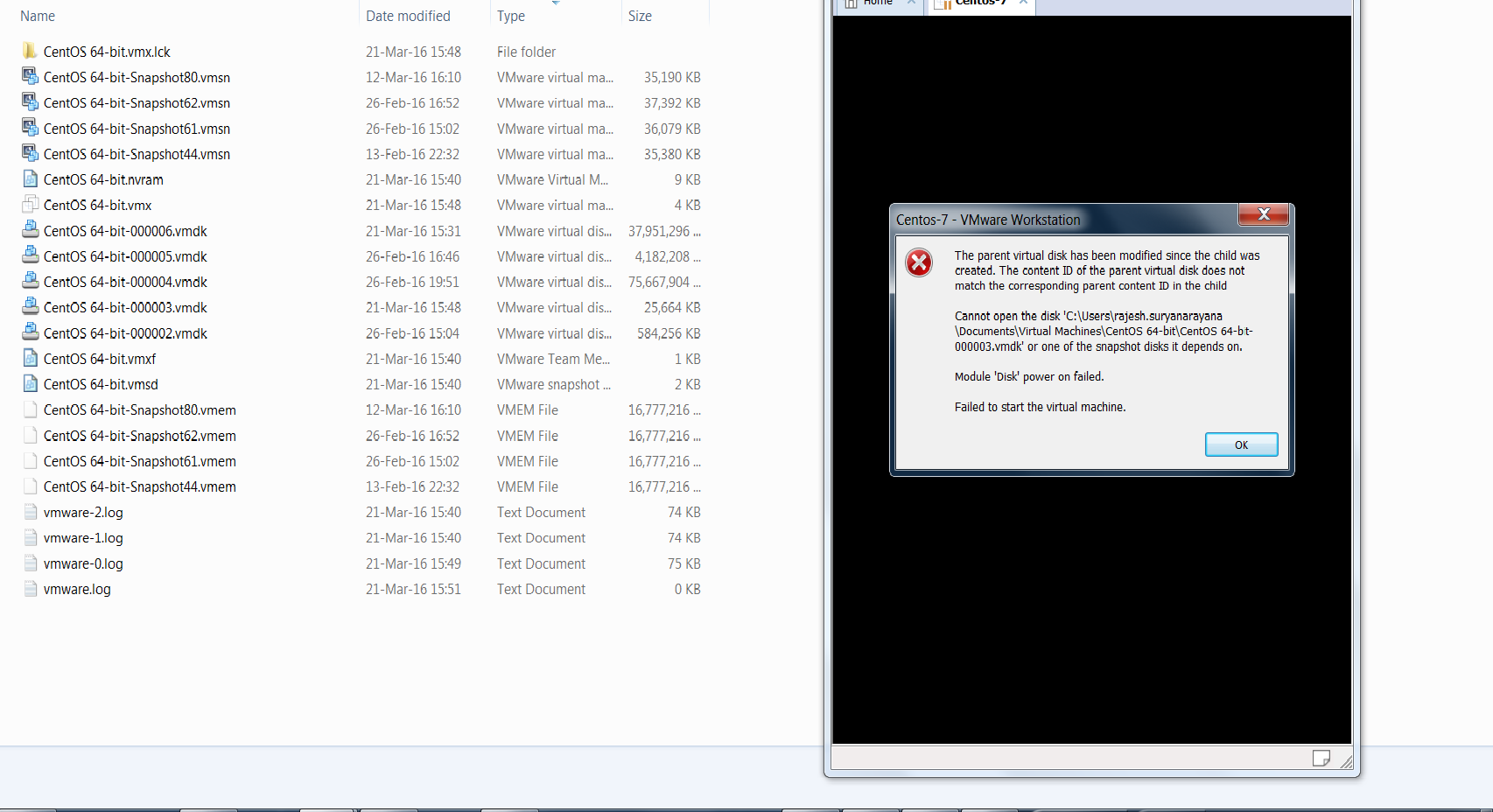
The parent virtual disk has been modified since the child was created. The content ID of the parent virtual disk does not match the corresponding parent content ID in the child

Cannot open the disk 'C:\Users\<user>\Documents\Virtual Machines\CentOS 64-bit\CentOS 64-bit-000003.vmdk' or one of the snapshot disks it depends on.

Module 'Disk' power on failed.

Failed to start the virtual machine.
下面是包含VM的文件夹的图像& VM本身的图像。
我查看了vmware日志&找到了磁盘ID
2016-03-21T15:56:15.685+13:00| vmx| I125: DISKLIB-LINK  : Opened 'C:\virtmac\CentOS 64-bit.vmdk' (0xe): monolithicSparse, 419430400 sectors / 200 GB.
2016-03-21T15:56:15.685+13:00| vmx| I125: DISKLIB-LINK  : DiskLinkIsAttachPossible: Content ID mismatch (parentCID b0f614a0 != a0549cb5)
Stack Overflow用户
发布于 2022-10-20 03:58:03
如果你在VM中使用Kali,
- 转到主目录(Configuration )。
- 确定缺少的文件分区。例:kali-linux-2022.3-vmware-amd64 64-s003.vmdk
- 复制任何其他分区,并给它一个混乱分区的名称。
> copy kali-linux-2022.3-vmware-amd64-s004.vmdk kali-linux-2022.3-vmware-amd64-s003.vmdk
万一您遇到Busybox Initramfs错误
(initramfs) fsck /dev/sda1 -y型
页面原文内容由Stack Overflow提供。腾讯云小微IT领域专用引擎提供翻译支持
原文链接:
https://stackoverflow.com/questions/36122460
复制相关文章
相似问题
腾讯云开发者

Copyright © 2013 - 2026 Tencent Cloud. All Rights Reserved. 腾讯云 版权所有
深圳市腾讯计算机系统有限公司 ICP备案/许可证号:粤B2-20090059  粤公网安备44030502008569号
腾讯云计算(北京)有限责任公司 京ICP证150476号 | 京ICP备11018762号