The content of this page has been automatically translated by AI. If you encounter any problems while reading, you can view the corresponding content in Chinese.

Rule Backup and Rollback

Last updated: 2025-05-20 14:34:53

To respond to possible mis - operations, policy change requirements or emergency fault recovery scenarios, the rule backup and rollback functionality is provided to ensure that your network protection policies are stable and reliable.
Through rule backup and rollback, you can quickly undo recent modifications and return the policy configurations of the Internet edge firewall, NAT edge firewall, VPC boundary firewall, and enterprise security group to the previously saved state.

Process Flow Diagram


Policy Backup

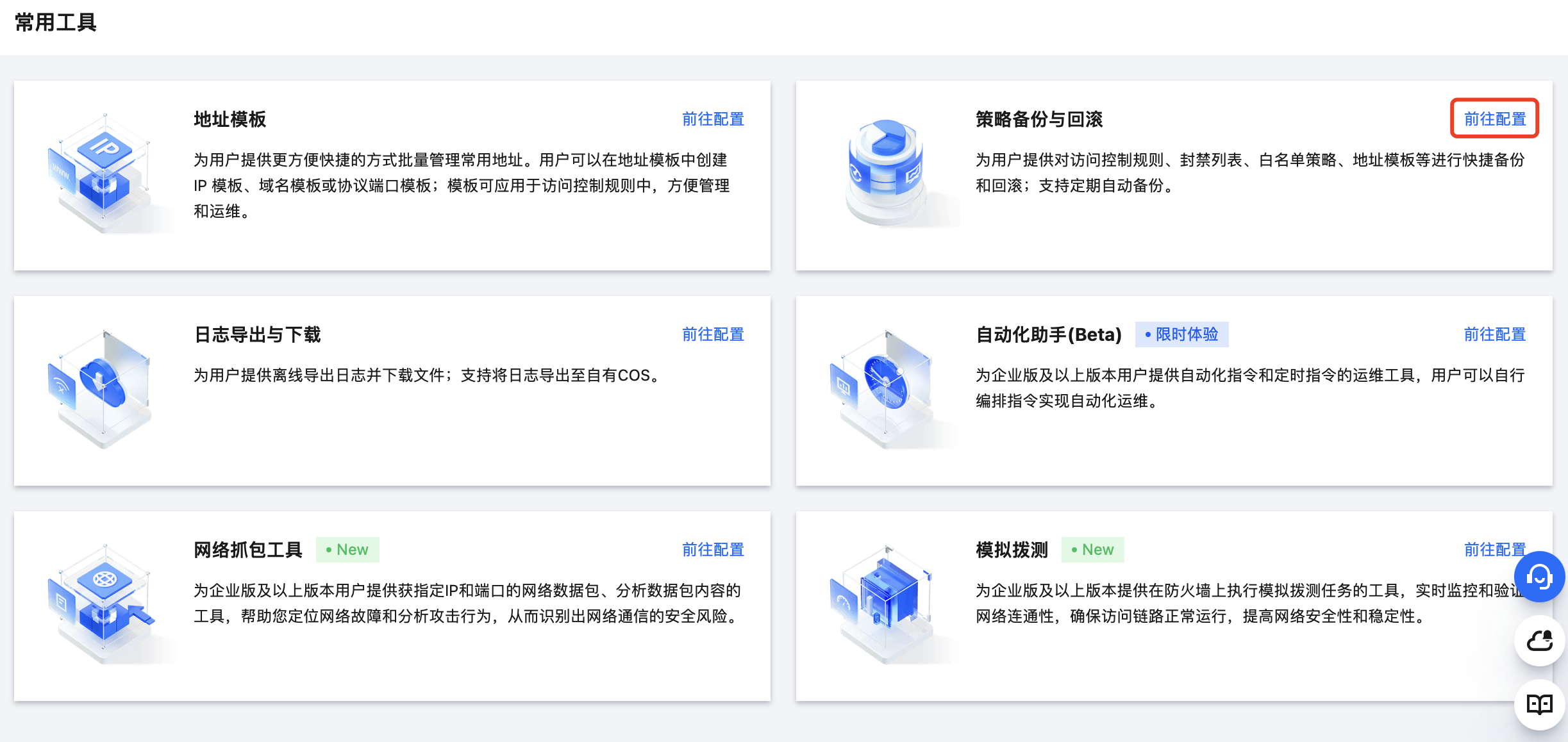
1. Log in to the CFW console. In the left sidebar, click common tool.
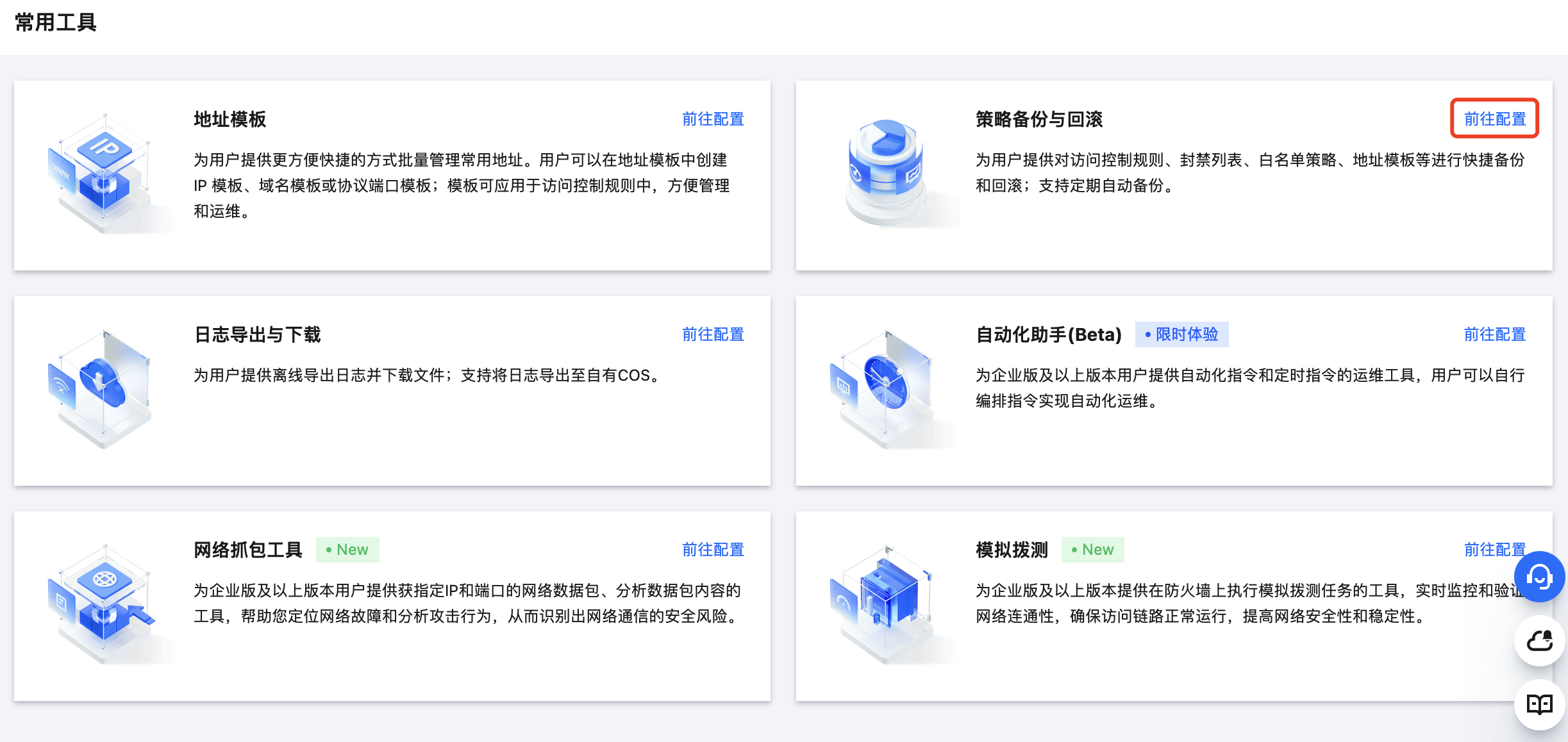
2. On the common tools page, click Go to Configuration of Rule Backup and Rollback.


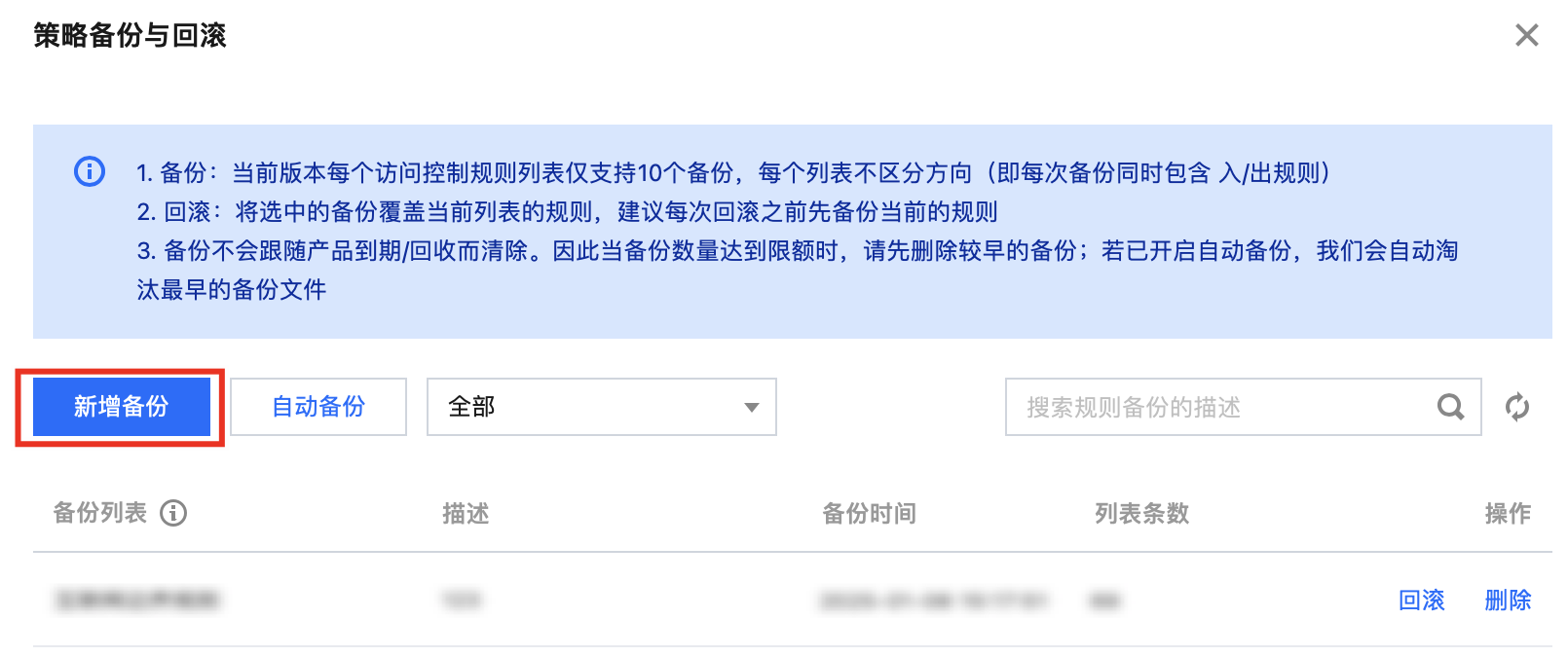
3. On the rule backup and rollback page, click create backup.


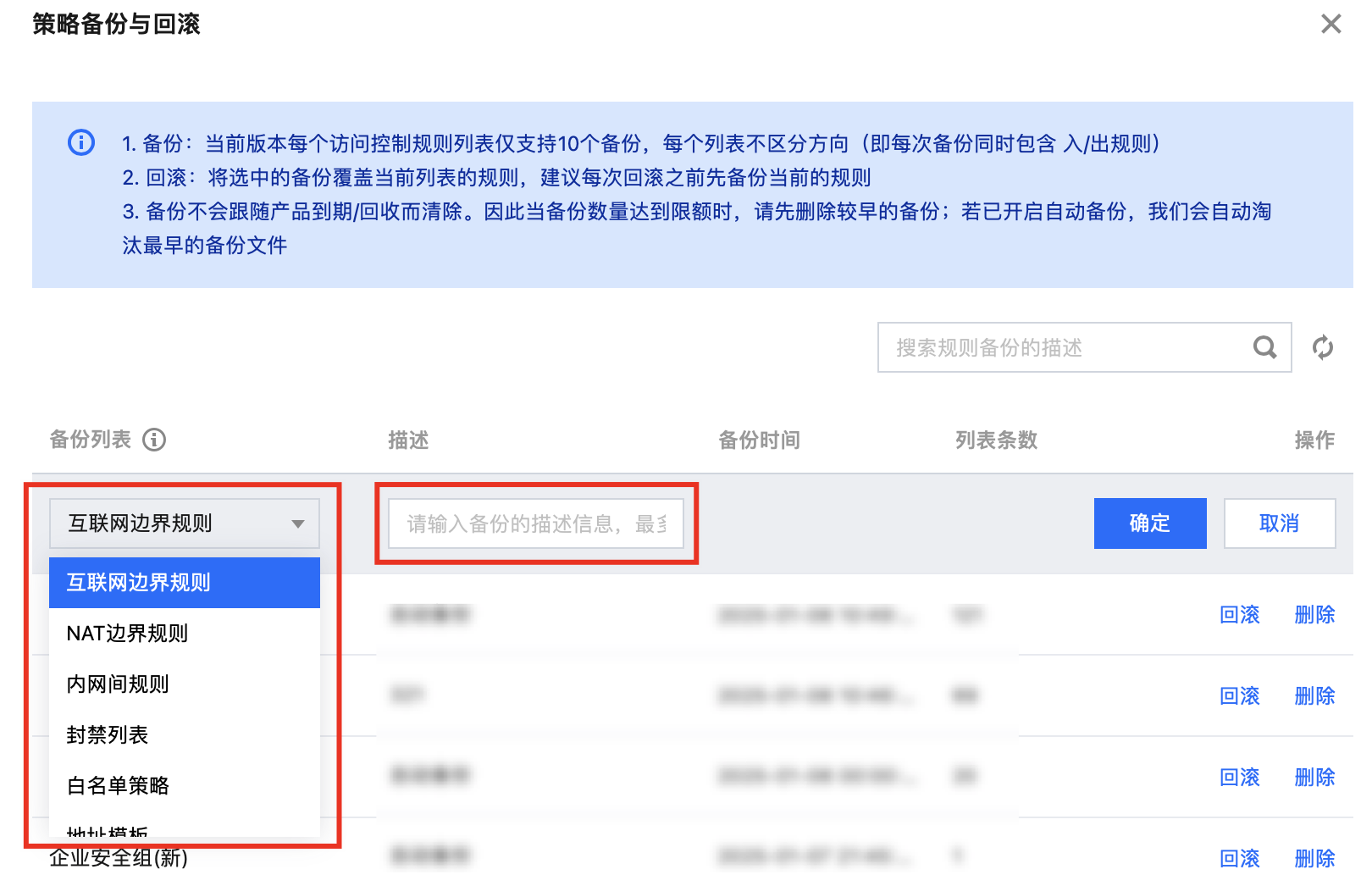
4. Expand the backup list Options. The system will list the current available rule list for backup. You can choose according to your needs. Meanwhile, for easy identification of the backup purpose later, please fill in a clear and concise description in the Description column.


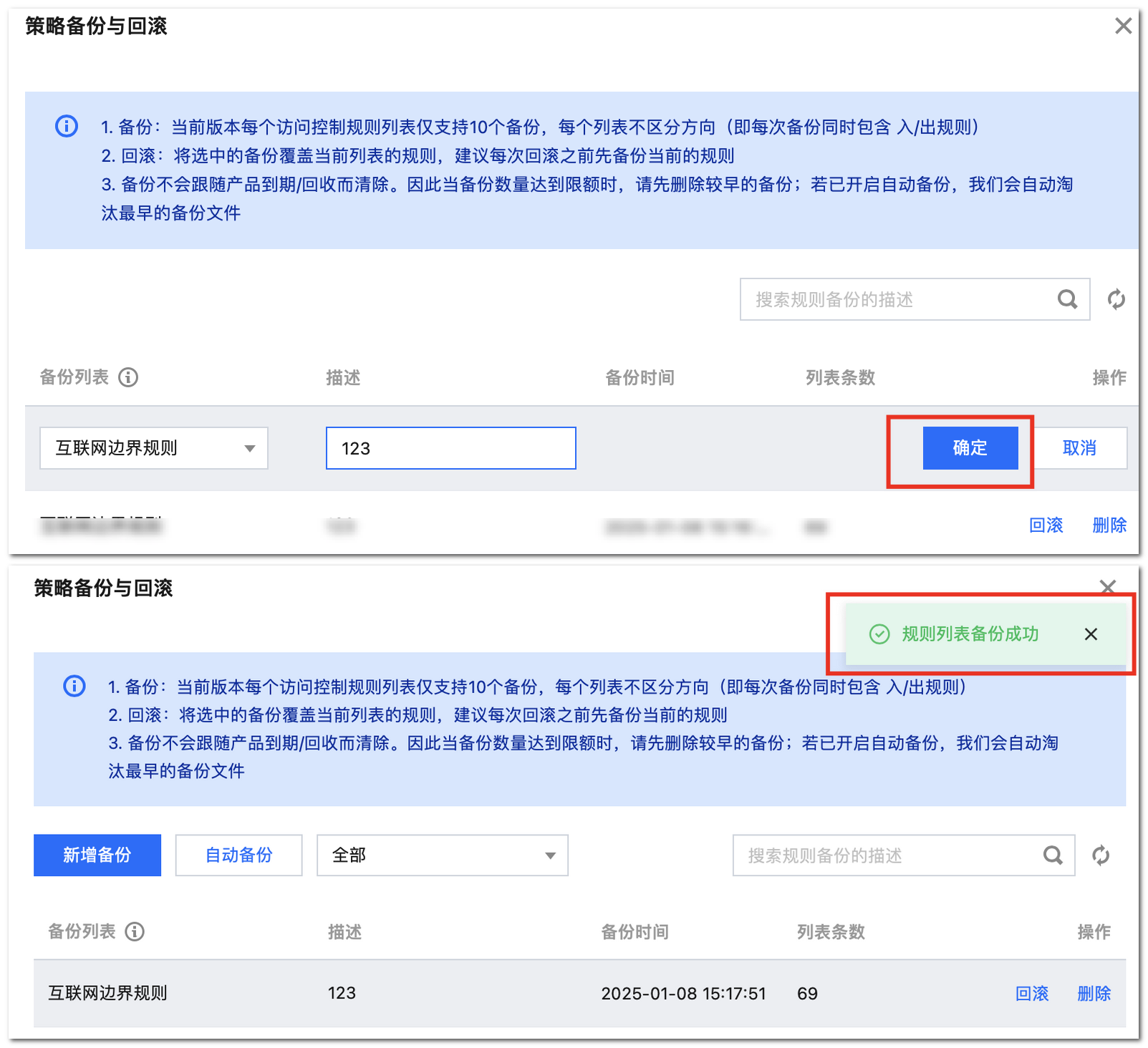
5. After completing the above rule selection and description information filling, click Confirm. The system will start the backup program immediately. After backup completion, there will be a 'backup successful' prompt message, informing you that this backup has been smoothly completed and properly stored.


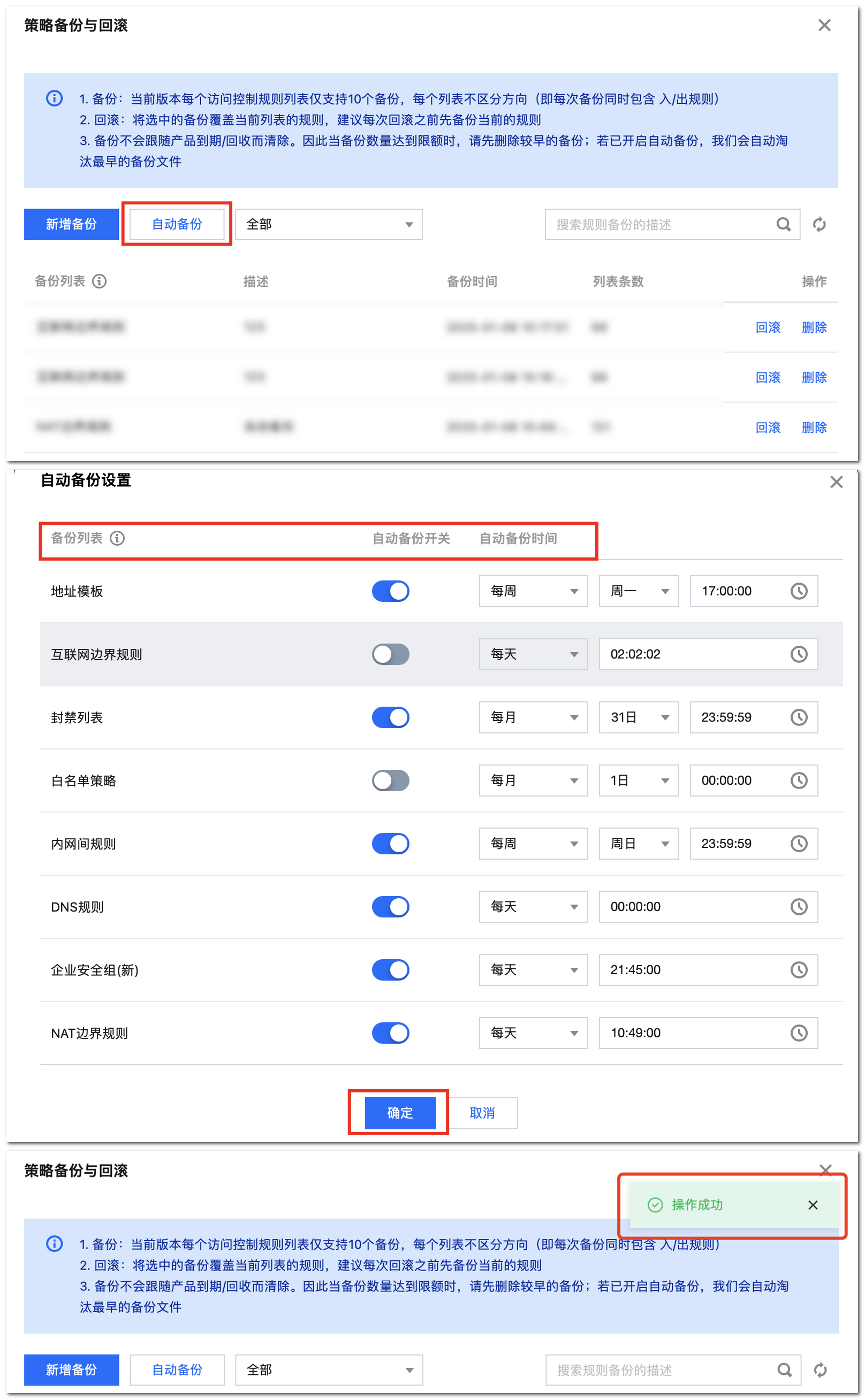
6. The system can also perform automatic backup of your selected rules on a scheduled basis as needed. Click Automatic Backup. The system will list the available rules for backup. Select the rules that require automatic backup configuration and set a suitable time for automatic backup. After completing the selection of rules and time, verify that the information is correct, and click Confirm. The system will start the automatic backup task based on your settings.


Policy Rollback

Note:
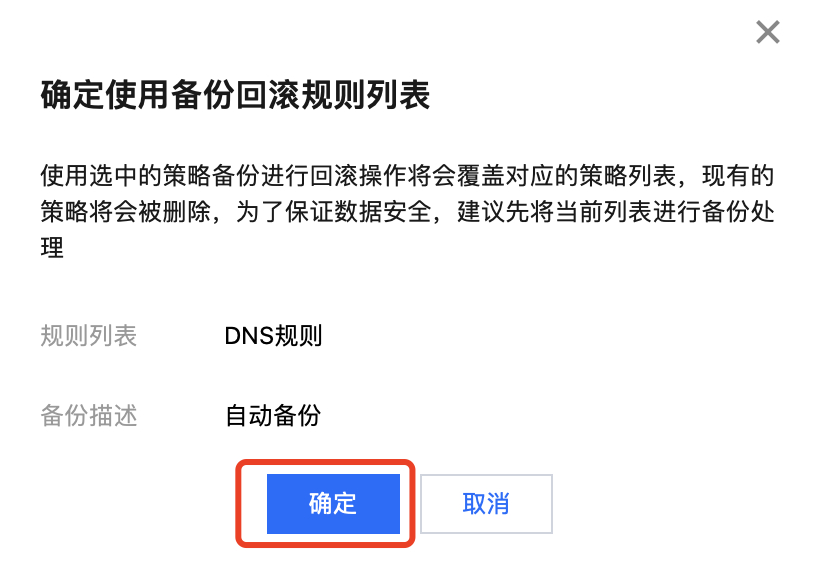
Using the selected policy backup to perform a rollback operation will overwrite the corresponding policy list. The existing policies will be deleted. To ensure data security, it is recommended to back up the current list first.
1. Log in to the CFW console. In the left sidebar, click common tool.
2. On the common tools page, click Go to Configuration of Rule Backup and Rollback.


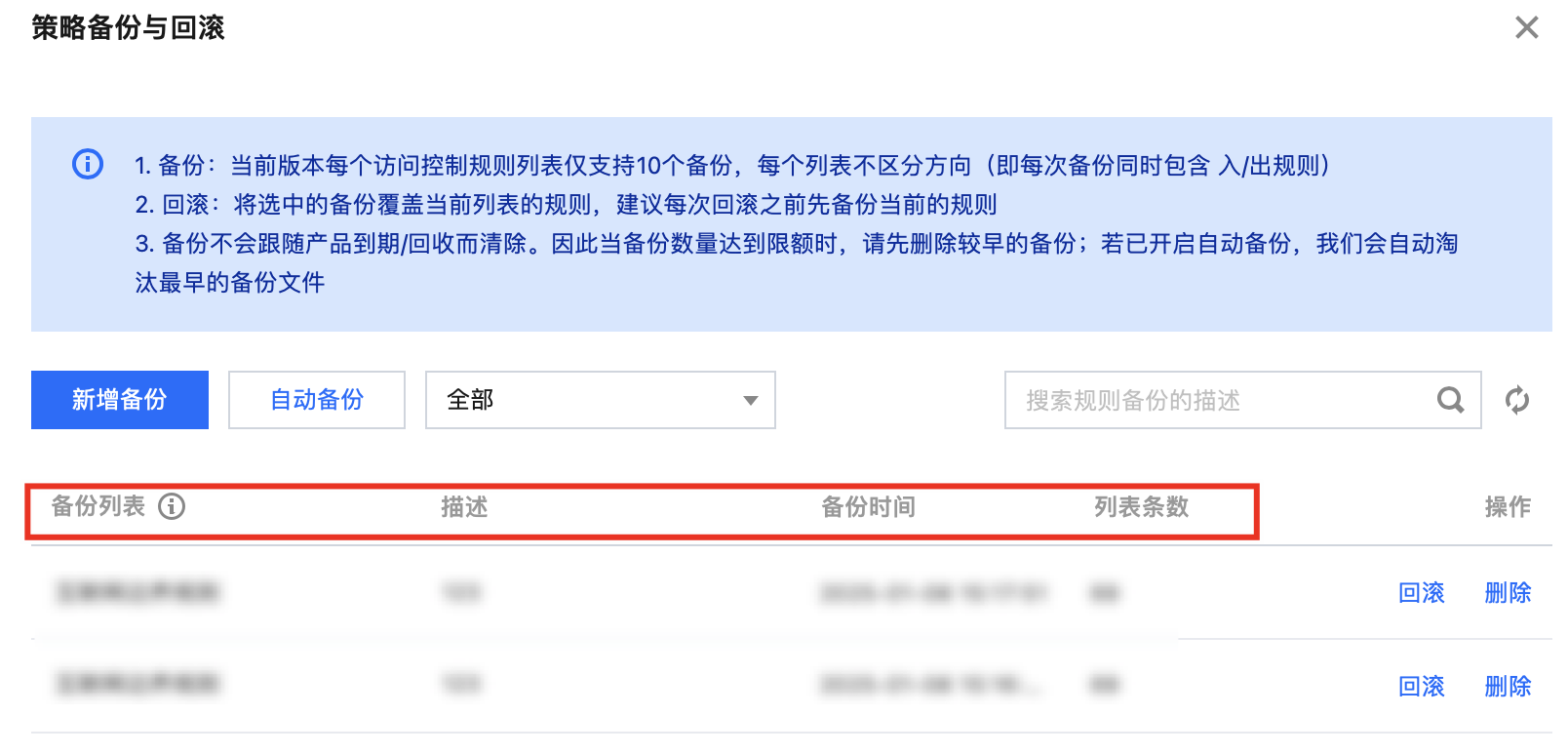
3. On the rule backup and rollback webpage, the popup includes all backed-up rule resources, descriptions, and backup times.


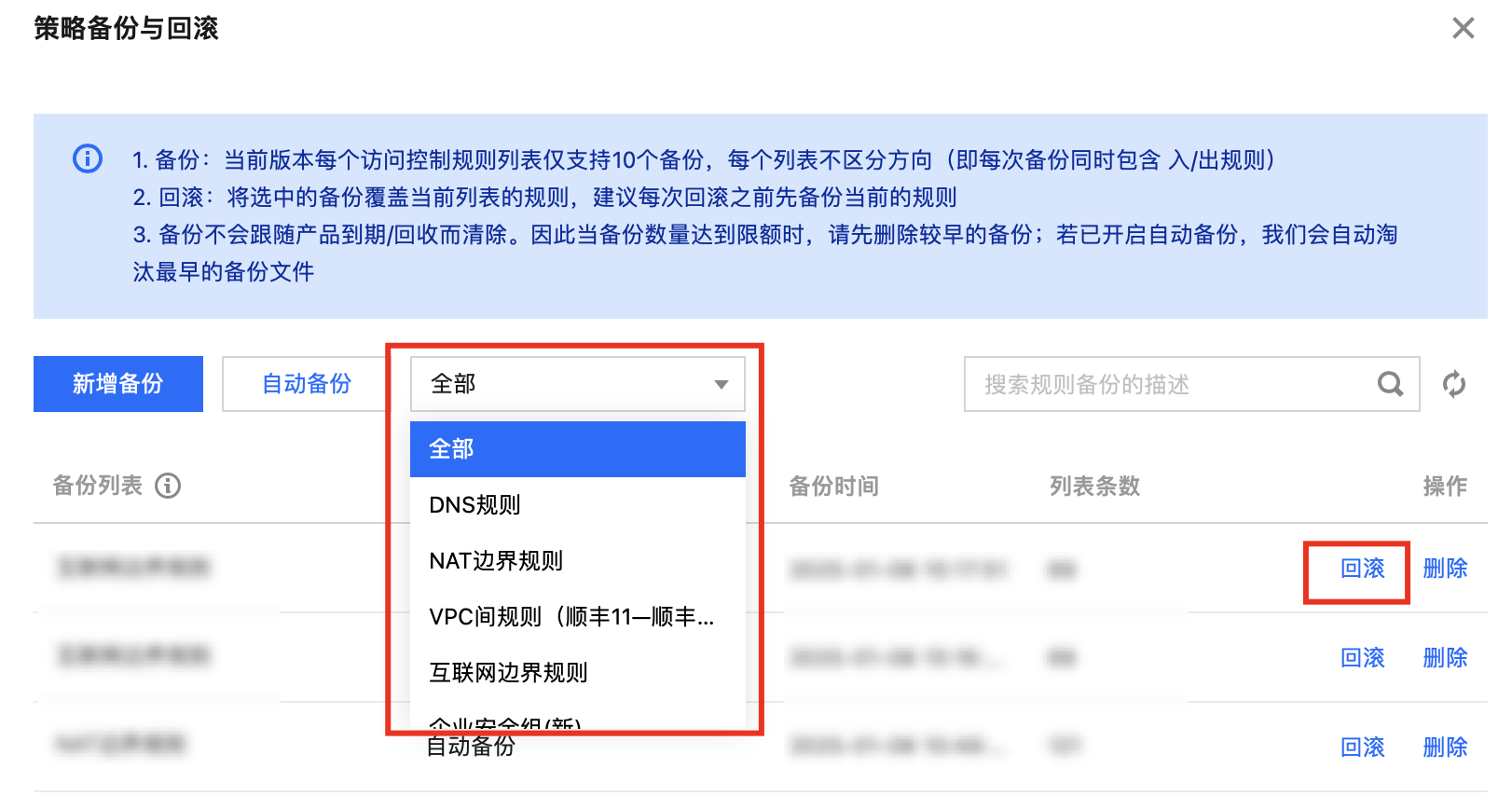
4. Scroll down the Options to find the rule that needs to be rolled back and click Roll Back.


5. Click Confirm, and the system will immediately start to overwrite the current rule list with the backed-up rules.


Application Scenario

Scenario Type
Policy Details
Policy Backup
Scheduled Backup
Regularly back up the firewall policy based on a fixed cycle, helping retain the phase status of the network protection policy. Subsequently, when tracing the evolution of the policy, compliance auditing, or comparing the pros and cons of policies at different stages, materials can be quickly obtained as a basis. For example: In the quarterly internal network security review of an enterprise, relying on regular backups can clearly display the adjustment direction and focus of the firewall policy between quarters.
Before significant business change
Before launching a new business system, scaling out network zones, or making large-scale adjustments to server architecture, businesses must perform policy backup. If the implementation of new policies causes issues such as impact on existing business access, network delay, or exposure of security vulnerabilities, backup policies can be quickly restored to avoid prolonged business disruption and damage. For example, e-commerce enterprises scale out servers and adjust firewall policies before the "Double 11" shopping carnival. If backed up in advance, even if new policies encounter problems, fast rollback can be performed to guarantee smooth online transactions during the festival.
Personnel handover scenario
Back up policies in advance when there is a personnel change in the network security management team. This can reduce work delays and risks caused by personnel changes. Meanwhile, backup policies can be used as a benchmark for subsequent policy adjustments by new members, ensuring the consistency and rationality of policy modifications.
Policy rollback
After an operation error
Due to operation errors, such as accidentally deleting important rules or misconfiguring access permissions, some services may be unable to access properly or potential security risks may occur. In this case, the policy rollback function can immediately restore the policy to the correct state before the operation error, ensuring the normal operation of the business. For example, if an administrator accidentally deletes an access rule for a key business in use while cleaning up expiration rules, rolling back the backup policy from the previous day can quickly fix it.
Policy adjustment test failure
Enterprises adjust and optimize firewall policies due to business development or to cope with new security threats. If in testing, there are situations such as incompatibility with the existing network architecture, inability to block new type attacks, or impact on business performance, use the rollback feature to restore to the stable state before adjustment, reevaluate the test solution, and avoid losses caused by unsuccessful adjustments. For example, after a financial enterprise tests a new intrusion detection policy and finds a high false positive rate affecting efficiency, it rolls back the original policy and then further studies and improves it.
After suffering a network attack or failure
When an enterprise network suffers a malicious attack that tampers with the firewall policy, or due to system failures (such as hard disk damage, software crash) resulting in the loss or damage of policy files, the rollback feature can help enterprises quickly restore to the previous reliable policy configuration, reduce losses, and buy time for troubleshooting and repair. For example, an enterprise suffers a DDoS attack late at night, and the policy is maliciously modified. Roll back the backup policy of the previous day to quickly restore protection, and at the same time, technical staff respond urgently to investigate and repair the source.