The content of this page has been automatically translated by AI. If you encounter any problems while reading, you can view the corresponding content in Chinese.
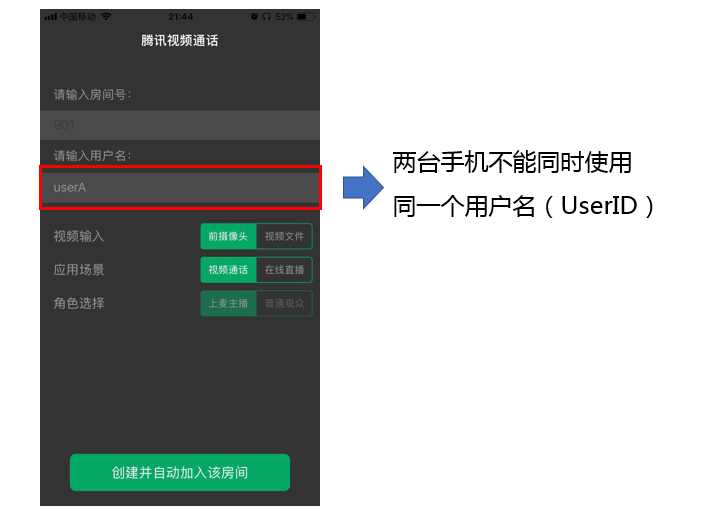
Why Can'T Two Mobile Phones Running the Demo Simultaneously See Each Other'S Visuals?
Ensure that two phones use different UserIDs when running the Demo. TRTC does not support the same UserID (unless the SDKAppID is different) being used on two terminals simultaneously.
What Limitations Does the Firewall Have?
Since the SDK uses the UDP protocol for audio and video transmission, it cannot be used in office networks with UDP interception. If you encounter similar problems, see Responding to Company Firewall Restrictions to troubleshoot and solve them.
iOS Package Running Crash?
Please check if it is an issue with the debug mode in iOS 14 or later. For details, see Official Description.
What Should I Do If Videos Do Not Show On iOS but Do On Android?
Please confirm that the value of io.flutter.embedded_views_preview in your project's info.plist is YES.
Error When iOS CocoaPods Runs After Updating SDK Version?
1. Delete the Podfile.lock file in the iOS directory.
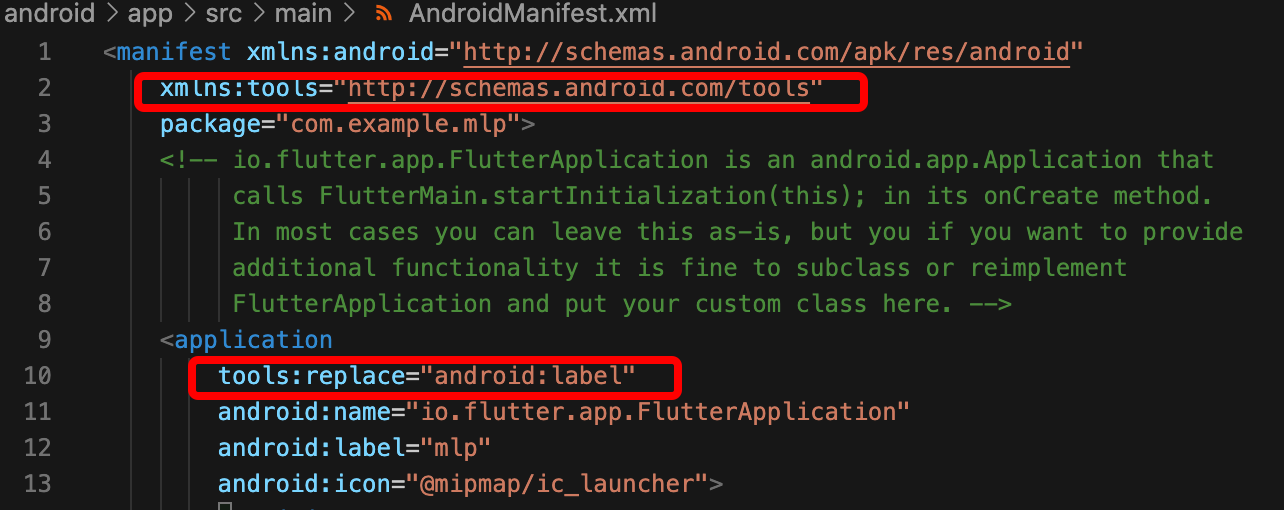
1. Open /example/android/app/src/main/AndroidManifest.xml.
2. Add xmlns:tools="http://schemas.android.com/tools" to the manifest.
3. Add tools:replace="android:label" to the application.
Error in Real Device Debugging Due to No Signature?
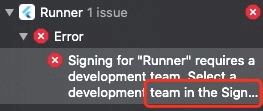
If the error message is as shown below:
1. Purchase an Apple certificate, and you can debug on a real device after configuration and signing.
2. After the certificate is successfully purchased, configure it in target > signing & capabilities.
After Addition and Deletion of swift Files in the Plug-In, Corresponding Files Cannot Be Found During build?
In the main project directory, run pod install under the /ios file path.
Run error "Info.plit, error: No value at that key path or invalid key path: NSBonjourServices"?
After executing flutter clean, rerun it.
Pod install Error?
If the error information is as shown below:
The error information indicates that there is no generated.xconfig file during pod install, so a running error occurs. According to the note , you need to execute flutter pub get to solve it.
Note:
This issue occurs after Flutter compilation. It does not exist in new projects or after executing flutter clean.
iOS Version Dependency Error When Running?
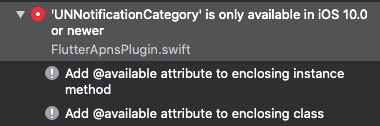
If the error message is as shown below:
The error may occur because the pods target version fails to meet the requirements of the plugin being depended on. You need to change the target in the pods in question to the specified version.
Does Flutter Support Custom Collection and Rendering?
Currently not supported. For details on custom capture and rendering platform support, please refer to Supported Platforms.