The content of this page has been automatically translated by AI. If you encounter any problems while reading, you can view the corresponding content in Chinese.
3. On the task list page, click Create Task at the top of the task list page.
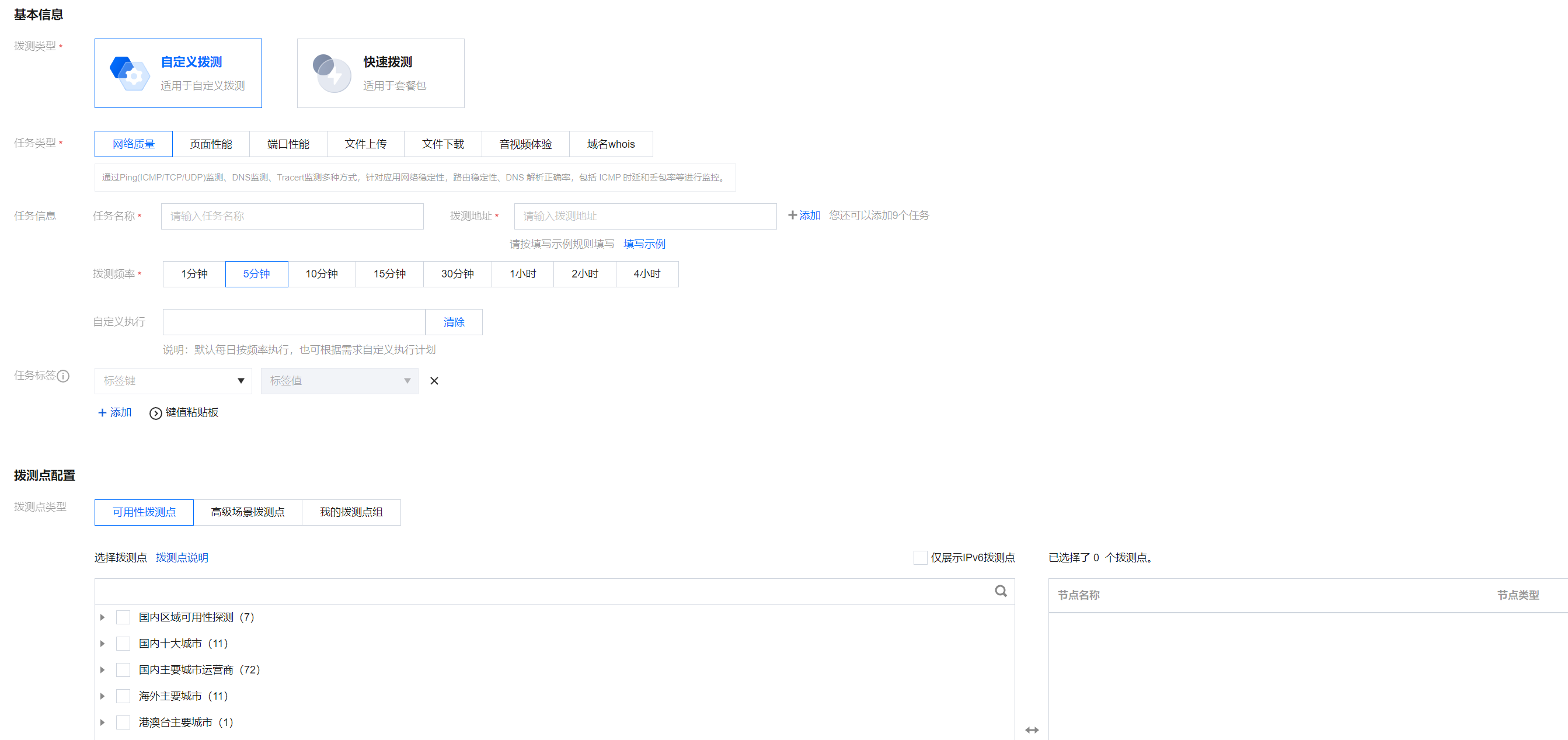
4. Enter the Create Task page, select the dial test type, task type, fill in the task name, and probe address according to the prompts, then choose the testing frequency and testing points. After completion, click Create Task to finish.
Step 2: Multi-Dimensional Analysis of Dial Test Performance Data
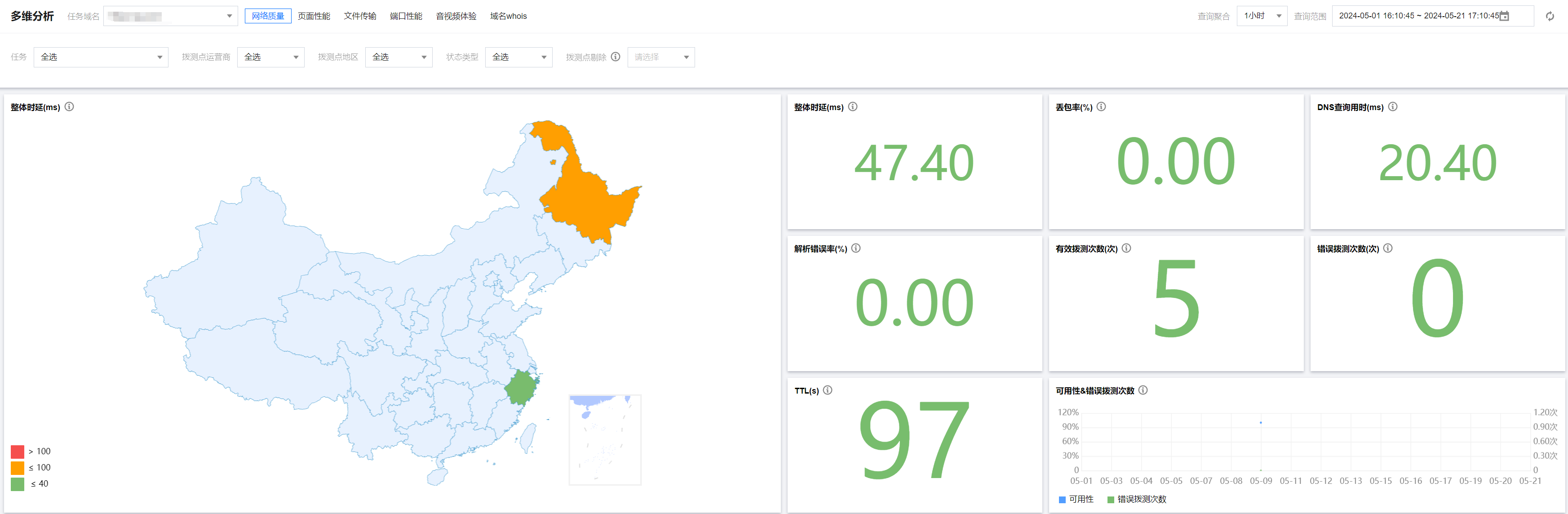
1. Enter the Multi-dimensional Analysis Page.
2. Filter test domains, dial test types, time spans, etc. based on your actual situation to view key metric data of dial test tasks, and you can also check details of individual probe task.