The one-origin policy is a key security mechanism for isolating potentially malicious files. The policy restricts the way files/scripts loaded from one origin interacts with the resources from another origin. Resources with the same protocol, domain name (or IP), and port are considered to belong to the same origin. The scripts in one origin only have permissions to read/write resources in its origin, and cannot access resources from other origins.
Definition of one-origin resources
Webpages from a single origin should have the same protocol, domain name, and port (if specified). The following table shows how to test whether a webpage belongs to the same origin as http://www.example.com/dir/page.html:
URL
Result
Reason
http://www.example.com/dir2/other.html
Yes
Same protocol, domain name, and port
http://www.example.com/dir/inner/another.html
Yes
Same protocol, domain name, and port
https://www.example.com/secure.html
No
Different protocols (HTTPS)
http://www.example.com:81/dir/etc.html
No
Different ports (81)
http://news.example.com/dir/other.html
No
Different domain names
Cross-origin Access
Cross-Origin Resource Sharing (CORS) is also known as cross-origin access. It allows web application servers to perform cross-origin access control to ensure secure cross-origin data transfer. Both the browser and server need to support this feature before you can use it. The feature is compatible with all browsers (for IE, IE 10 or later is required).
The CORS communication process is automatically completed by the browser without any manual intervention. For developers, CORS communication and one-origin AJAX communication work in the same way and use the same code. Once the browser identifies an AJAX request for cross-origin access, it automatically adds some header information. In some cases, an additional request is made, but the user will not perceive it.
Therefore, the key to CORS communication lies in the server. As long as the server implements the CORS APIs, cross-origin communication can be implemented.
CORS Use Cases
CORS is used when you're using a browser. This is because access permissions are controlled by the browser but not the server. Therefore, if you use other clients, you don't need to concern about cross-origin.
With CORS, you can use AJAX on browsers to directly access, upload, and download COS data without using your app server for data transfer. If your websites use both COS and AJAX, you are advised to use CORS for direct communication with COS.
COS Support for CORS
COS supports configuring CORS rules to allow or deny cross-origin requests as needed. CORS rules are configured at the bucket level.
COS authentication and whether a CORS request is allowed are independent. In other words, CORS rules of COS are only used to decide whether to add CORS-related headers. It's up to the browser whether to block the request.
All object and multipart APIs of COS support CORS authentication.
Note
When two webpages from www.a.com and www.b.com on the same browser request the same cross-origin resource, if the request from www.a.com reaches the server first, the server will attach the Access-Control-Allow-Origin header to the resource and return it to the user of www.a.com. When www.b.com initiates a request, the browser will return the cached response from the previous request to the user. If the header content does not match the CORS requirements, it will result in a failed request for www.b.com.
CORS Configuration Example
The following simple example demonstrates the configuration steps for using AJAX to fetch data from COS. The bucket permissions in the example are set to public, and for accessing private buckets, just attach a signature to the request, with the rest of the configuration remaining the same. In the example below, the bucket name is "corstest" and the access permissions are set to public read and private write.
Prerequisites
1. Verify that the file is accessible
Upload a text document named test.txt to corstest. The access address for test.txt is http://corstest-125xxxxxxx.cos.ap-beijing.myqcloud.com/test.txt.
Use curl to directly access the text document, replacing the following address with your file address:
The content of the test.txt file is returned: test. This indicates that the document can be accessed normally.
2. Accessing files using AJAX
Let's attempt to access the test.txt file directly using AJAX technology.
2.1 Create a simple HTML file by copying the following code and saving it as a local HTML file. Open the file in a browser. Since no custom headers are set, this request does not require preflight.
<!doctype html>
<html lang="en">
<head>
<meta charset="UTF-8">
</head>
<body>
<a href="javascript:test()">Test CORS</a>
<script>
functiontest(){
var url ='http://corstest-125xxxxxxx.cos.ap-beijing.myqcloud.com/test.txt';
var xhr = new XMLHttpRequest();
xhr.open('HEAD', url);
xhr.onload =function(){
var headers = xhr.getAllResponseHeaders().replace(/\r\n/g, '\n');
alert('request success, CORS allow.\n' +
'url: ' + url + '\n' +
'status: ' + xhr.status + '\n' +
'headers:\n' + headers);
};
xhr.onerror =function(){
alert('request error, maybe CORS error.');
};
xhr.send();
}
</script>
</body>
</html>
2.2 Open the HTML file in a browser, and click on Test CORS to send a request. The following error occurs, indicating that access is denied because the Access-Control-Allow-Origin header is not found. Clearly, this is because the server has not configured CORS.
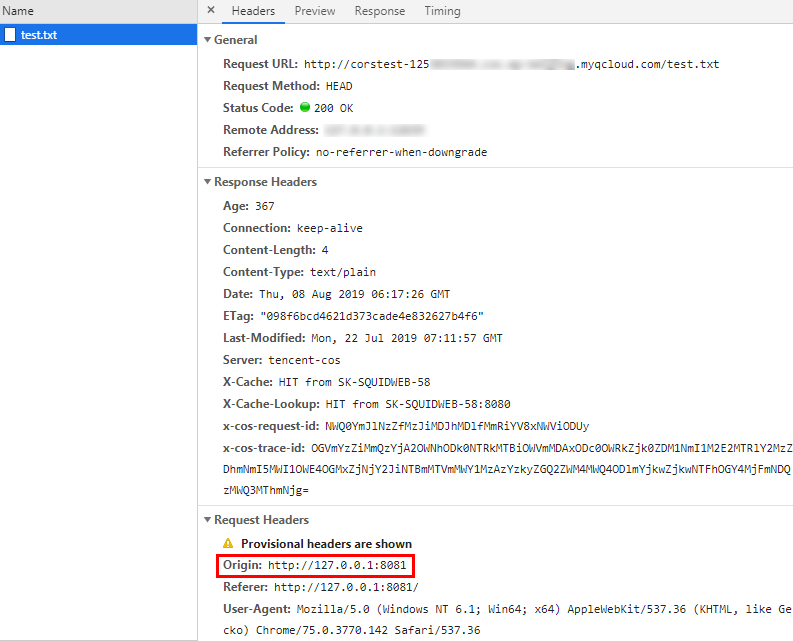
2.3 Access failed. Upon further inspection of the header, it is evident that the browser sent a request with an Origin, indicating a cross-origin request.
Note
You can set up the webpage on the server with the address http://127.0.0.1:8081, so the Origin is http://127.0.0.1:8081.
Configuring CORS
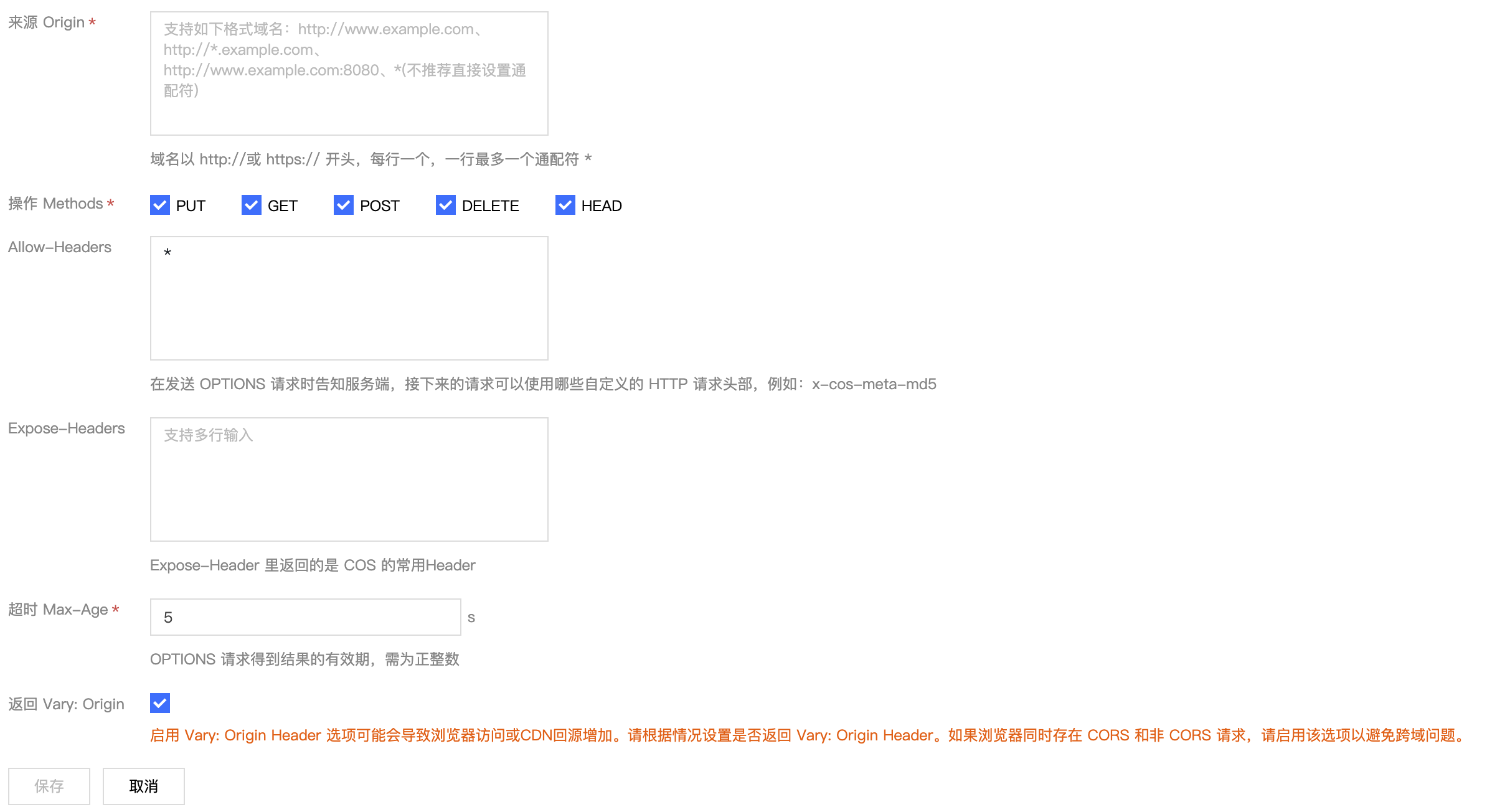
Now that you have identified the cause of the access failure, you can solve the problem by configuring the bucket-related CORS. This example configures CORS in the COS console, which is recommended for uncomplicated configurations. You can configure as follows:
1. Log in to the COS Console, click on Bucket List, enter the relevant bucket, click on the Security Management tab, and scroll down to find the "Cross-Origin Resource Sharing (CORS) Settings."
2. Click Add Rule to create the first rule with the most relaxed configuration, as shown below:
Note
CORS settings consist of a series of rules, which are matched one by one, starting from the first rule. The earliest matched rule takes precedence.
Verifying the result
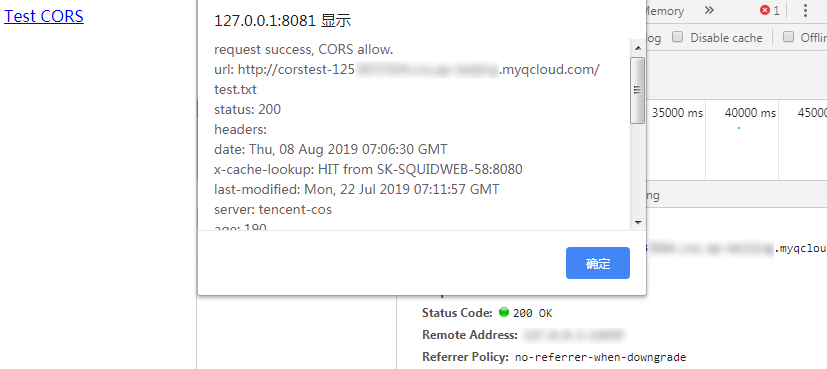
After completing the configuration, try accessing the test.txt file again. The result is as follows, and the file can be accessed normally.
Troubleshooting and suggestions
To avoid problems related to cross-origin access, you can set the least restricted CORS rule as described above to allow all cross-origin requests. If an error occurs even under this configuration, the root cause may lie in other factors rather than CORS.
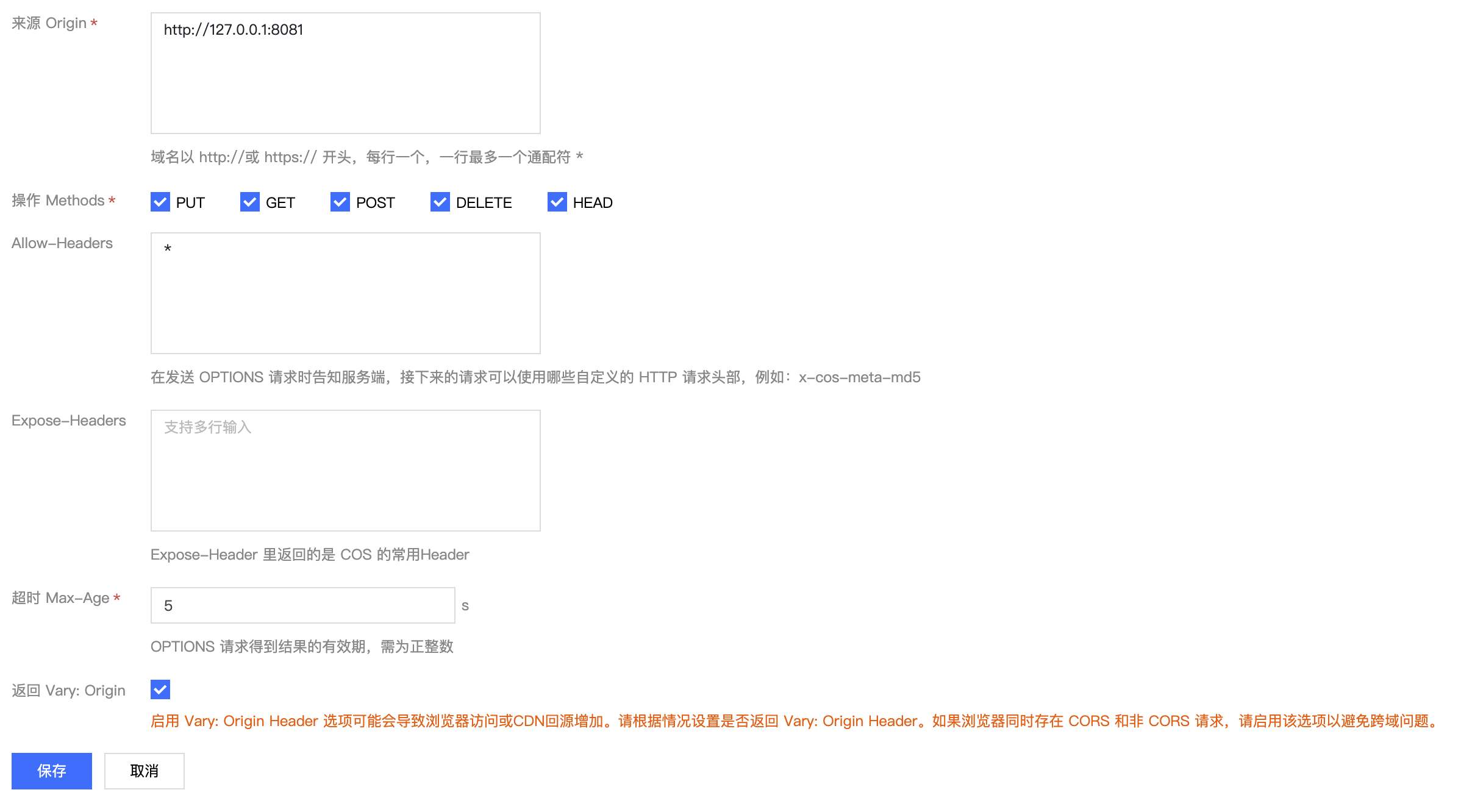
In addition to the most lenient configuration, you can also set up more fine-grained control mechanisms for targeted control. For example, the following minimal configuration can be used for a successful match in this case:
Therefore, for most scenarios, it is recommended to use the minimal configuration based on your specific use case to ensure security.
CORS Configuration Items
CORS configuration items are as follows:
Origin
This refers to the origin allowing cross-origin requests.
More than one domain name can be specified, with one domain name per line.
Wildcard * is supported, which means all domain names are allowed. Not recommended.
A single specific domain name is supported, for example, http://www.abc.com.
Second-level wildcard domain names such as http://*.abc.com are supported. Note that each line can contain only one *.
Do not omit protocol name HTTP or HTTPS, and specify the port if the port is not default 80.
Request methods
Enumerate the allowed cross-origin request methods (one or more).
For example: GET, PUT, POST, DELETE, HEAD.
Allow-Header
Allowed cross-origin request header.
More than one domain name can be specified, with one domain name per line.
Header is easy to be omitted. Therefore, if there is no special requirement, you are advised to set this field to *, meaning that all headers are allowed.
The values are case-insensitive.
Each header specified in Access-Control-Request-Headers must also be provided in Allowed-Header.
Expose-Header
This is a list of headers exposed to the browser, that is, the response headers that the user accesses from the app (for example, Javascript's XMLHttpRequest object).
The configuration should be specific to the requirements of the app. ETag is recommended by default.
Wildcard is not allowed. The headers are case-insensitive, with one header per line.
Timeout Max-Age
This is the time (in seconds) the browser can cache the results of a preflight request (OPTIONS request) for specific resources. In general cases, you can set it to a bigger value, for example, 60 seconds. Note that this configuration item is optional.