Using Cloud Market Images with Pre-installed Tesla Drivers

Last updated: 2025-02-24 15:20:56

Overview

To ensure the Cloud GPU Service to work properly, the correct Data Center Operating System software must be installed in advance. For NVIDIA series GPUs, the following two levels of software packages need to be installed:
The hardware driver that drives the GPU to work.
The libraries required by upper-level applications.
For user's convenience, the Cloud market offers images with pre-installed GPU drivers and AI environments. When creating a GPU instance or reinstalling the system, you can select the relevant image from the market to complete the deployment.
Note:
NVIDIA GPU instances are categorized into two types: physical pass-through card instances (full GPUs) and vGPU instances (fractional GPUs, such as 1/4 GPU).
Physical passthrough GPUs can use the Tesla driver to support computing scenarios or the GRID driver to enable rendering scenarios.
vGPUs can only use specific versions of the GRID driver to support different scenarios.

Operation Steps

1. During the purchase page or system reinstallation process, select the GPU model or instance.
2. In image, select Image markeplace, click Select from Cloud Image market. As shown below:

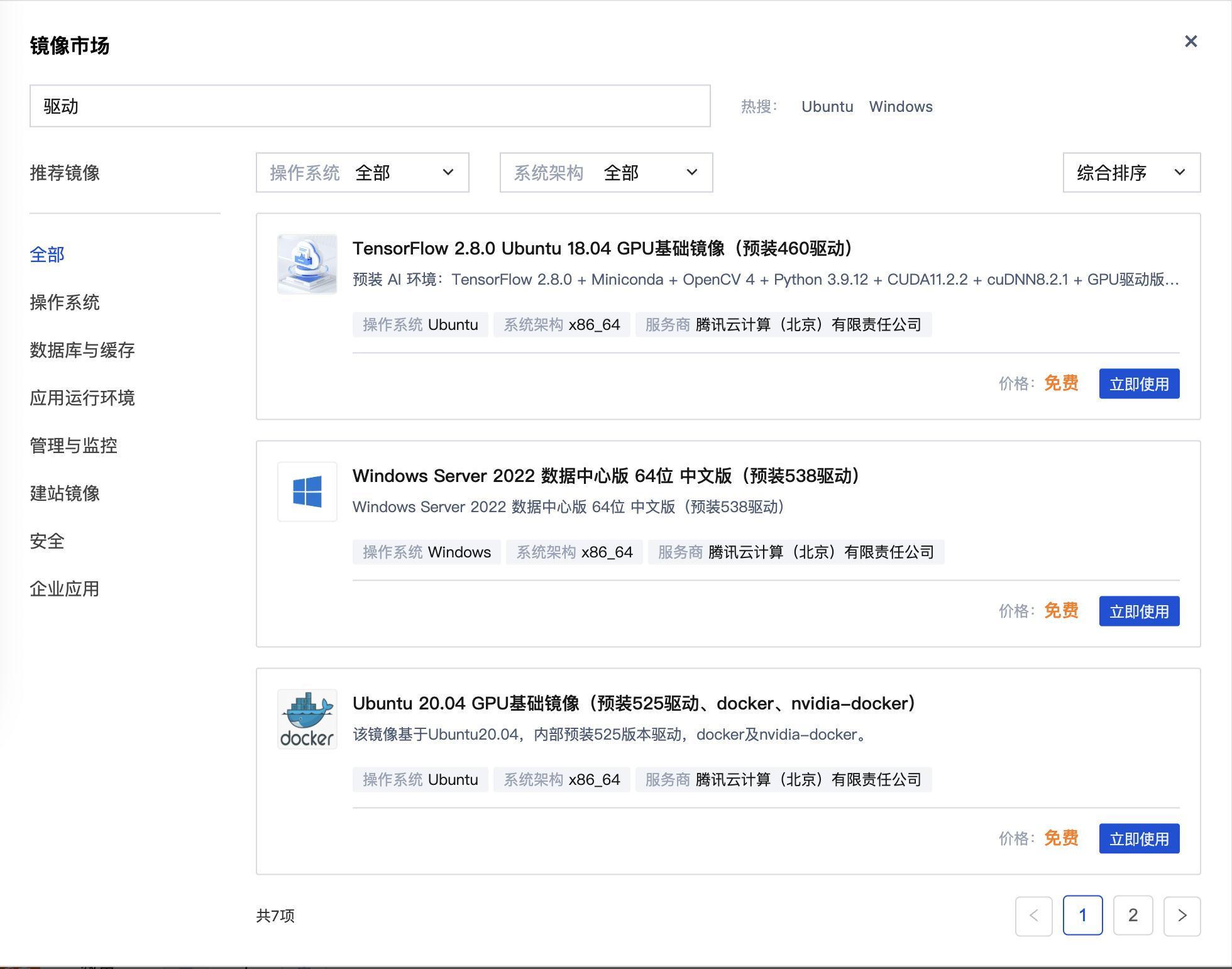
3. In the pop-up Image Market dialog box, enter driver and click Search. This will list all the images with pre-installed GPU drivers, as shown below:

4. Based on your actual needs, select the image with pre-installed GPU drivers and click Use Now. As shown below: This document uses Windows Server 2022 Datacenter Edition 64-bit Chinese Version (with pre-installed 538 driver) as an example. You can choose according to your actual needs.

5. Follow the prompts in the interface to complete the instance configuration.