In this example, we utilize the Serverless Cloud Function (SCF) to implement dial-testing for a specific list of URLs, sending alert emails for URLs that fail the test. We can configure a timed trigger for this function to execute it on an hourly or daily basis.
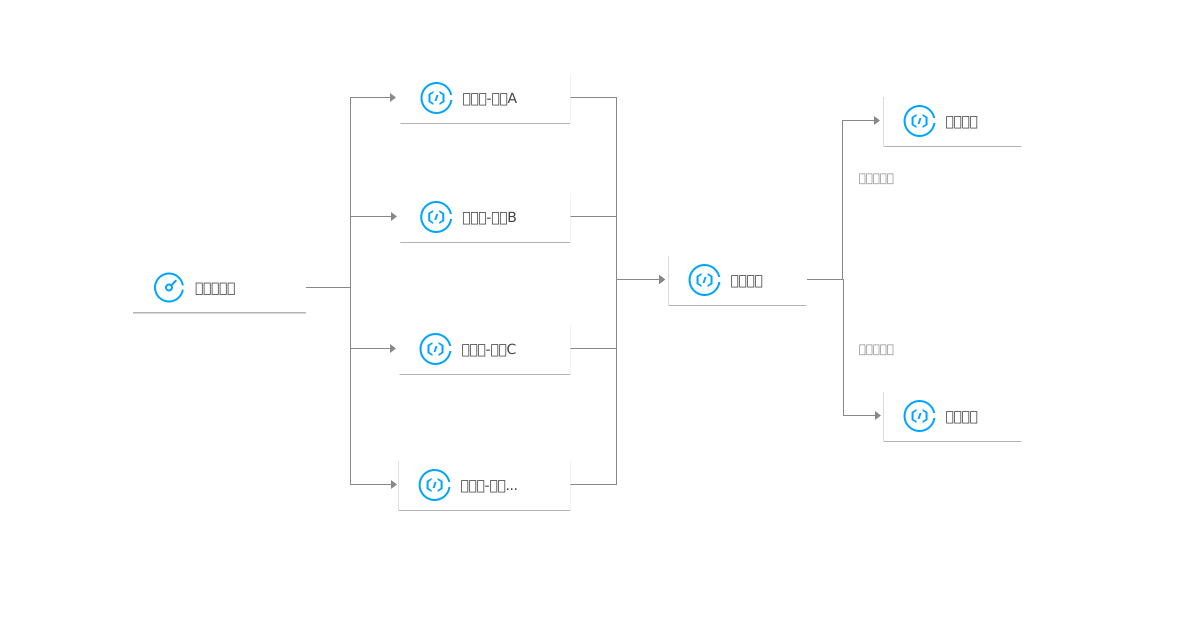
By deploying multi-regional function dial-tests on the same URL, we can achieve high-availability performance dial-testing tasks. The related architectural diagram is as follows:
Procedure
Create the Serverless Function PlayCheck
1. Log in to the Serverless console and select Function Service from the left navigation bar.
2. At the top of the "Function Service" page, select the Beijing region, then click on Create to navigate to the new function page.
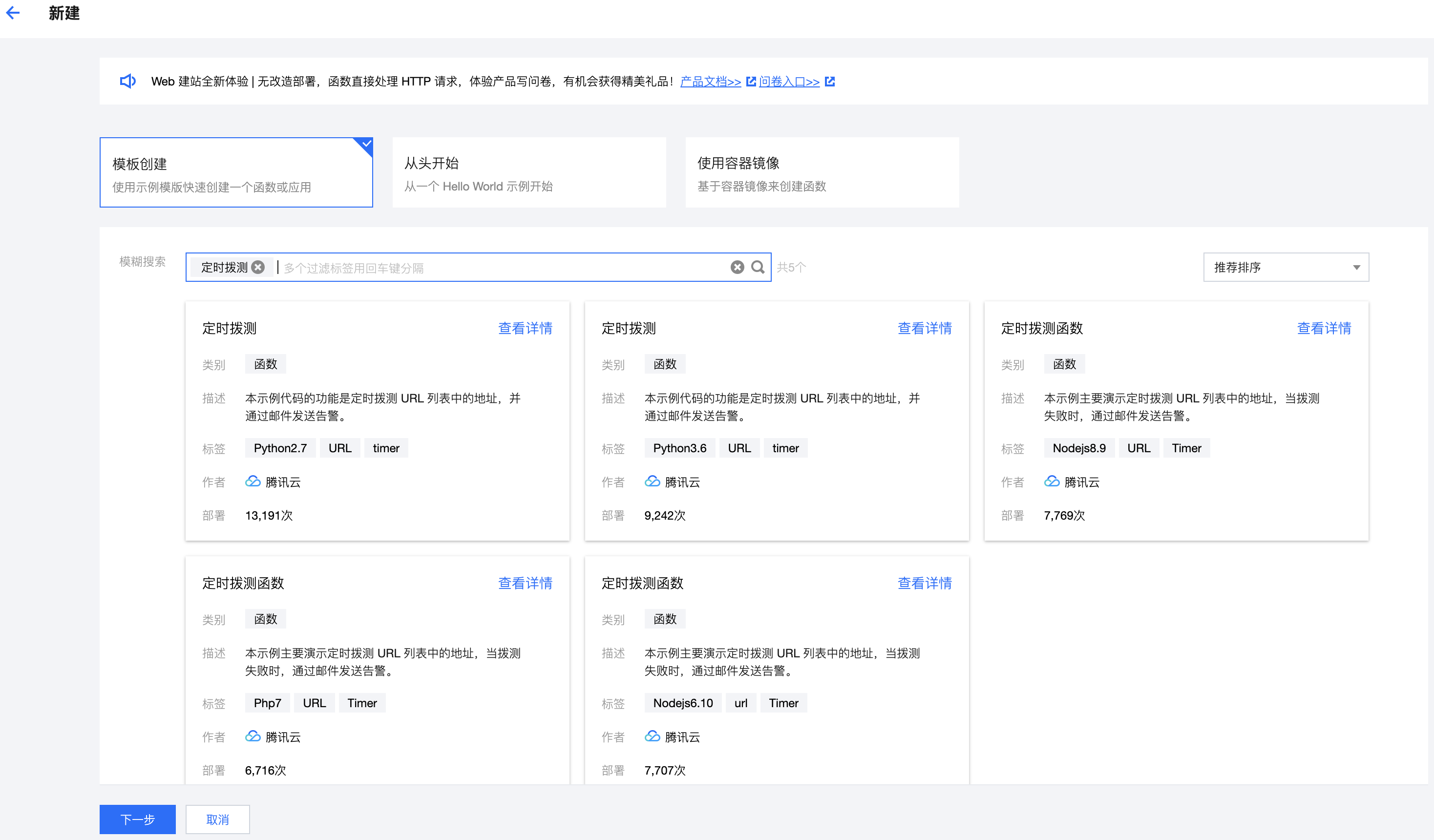
Set the following parameter information and click on Next. As shown in the figure below:
Creation method: select Template.
Fuzzy Search: Enter "Timed Dial Test" and perform a search. This article uses Python 2.7 as an example.
Click View Details in the template to view related information in the pop-up "Template Details" window. Download operation is supported.
3. The function name is filled in by default, but can be modified as needed.
4. In the Function Code, modify the "Third-party SMTP service" in the code. The parameters mail_host, mail_user, mail_pass, and mail_port need to be configured according to the actual sending mailbox or mail server. In this example, we use QQ mailbox for configuration.
Description
You can learn how to enable the SMTP function of QQ mailbox from the QQ Mail Help Center. After the SMTP function of QQ mailbox is enabled, the corresponding parameters are as follows:
mail_host: SMTP server address, that is, smtp.qq.com.
mail_user: The login username is your email address, for example, 123**@qq.com.
mail_pass: The password you set when enabling the SMTP function.
mail_port: The server login port. Since QQ Mail requires SSL login, the port is fixed at 465. At the same time, smtplib.SMTP_SSL is used in the code to create an SSL SMTP connection.
Modify the "URL address that needs to be tested".
Modify the "Alarm Email Notification List".
5. In "Trigger Configurations", select "Auto-create", and keep the trigger parameters at their default settings. If modifications are needed, select "Custom Create". The main parameter information is as follows:
Trigger Method: Select "Scheduled Trigger".
Trigger Cycle: By default, it is set to "Every hour (Execute once at the 0th minute of every hour)". This can be adjusted according to actual conditions.
Testing Function
At the bottom of the function code interface, click Test to view the execution logs of the function, and check your email to see if you have received an alarm email.