本文将为您介绍如何在大模型服务平台 TokenHub 完成您的首次 API 调用。
准备工作
操作步骤
步骤一:登录大模型服务平台 TokenHub 控制台
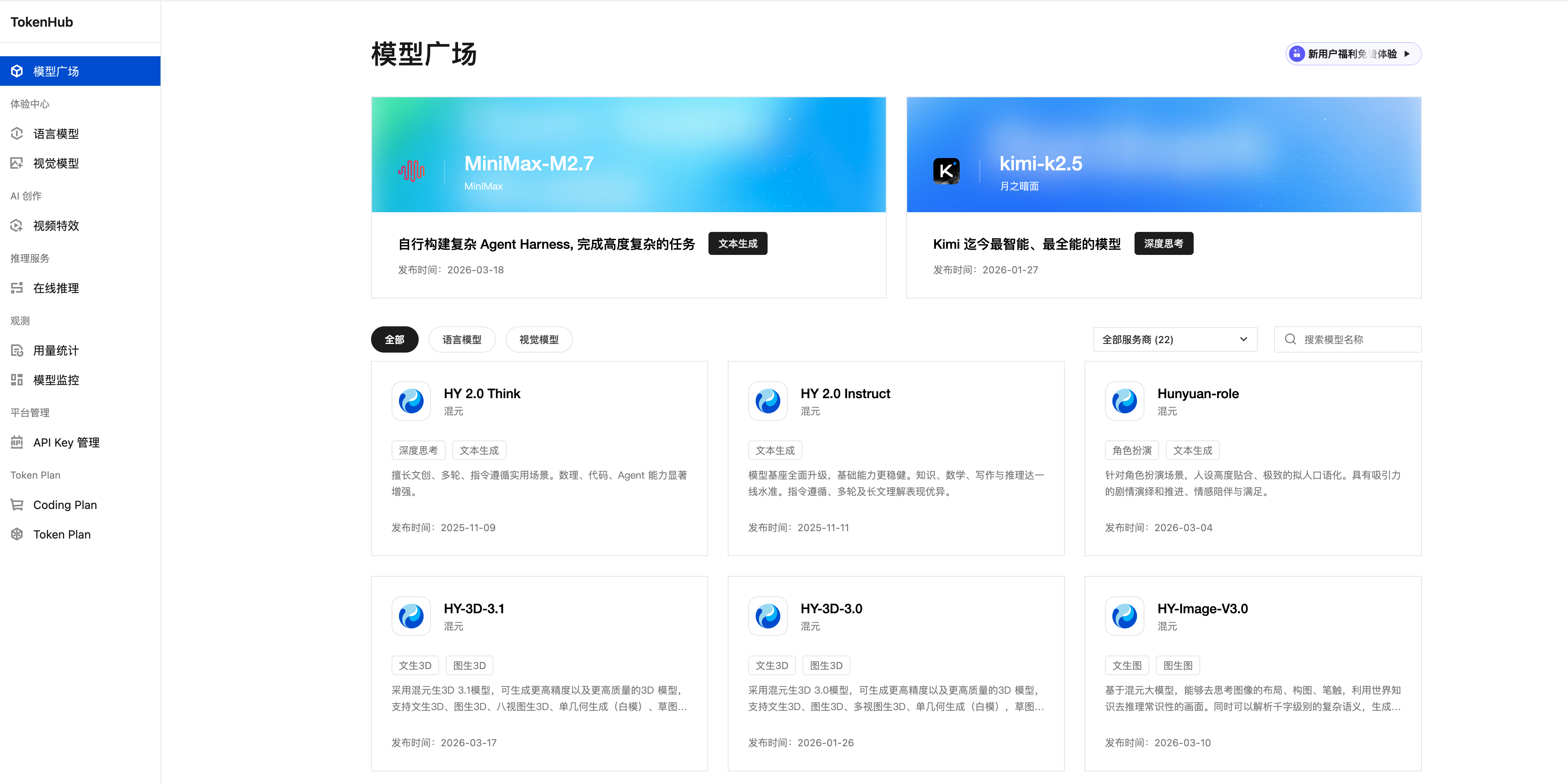
步骤二:领取免费体验包
领取方式
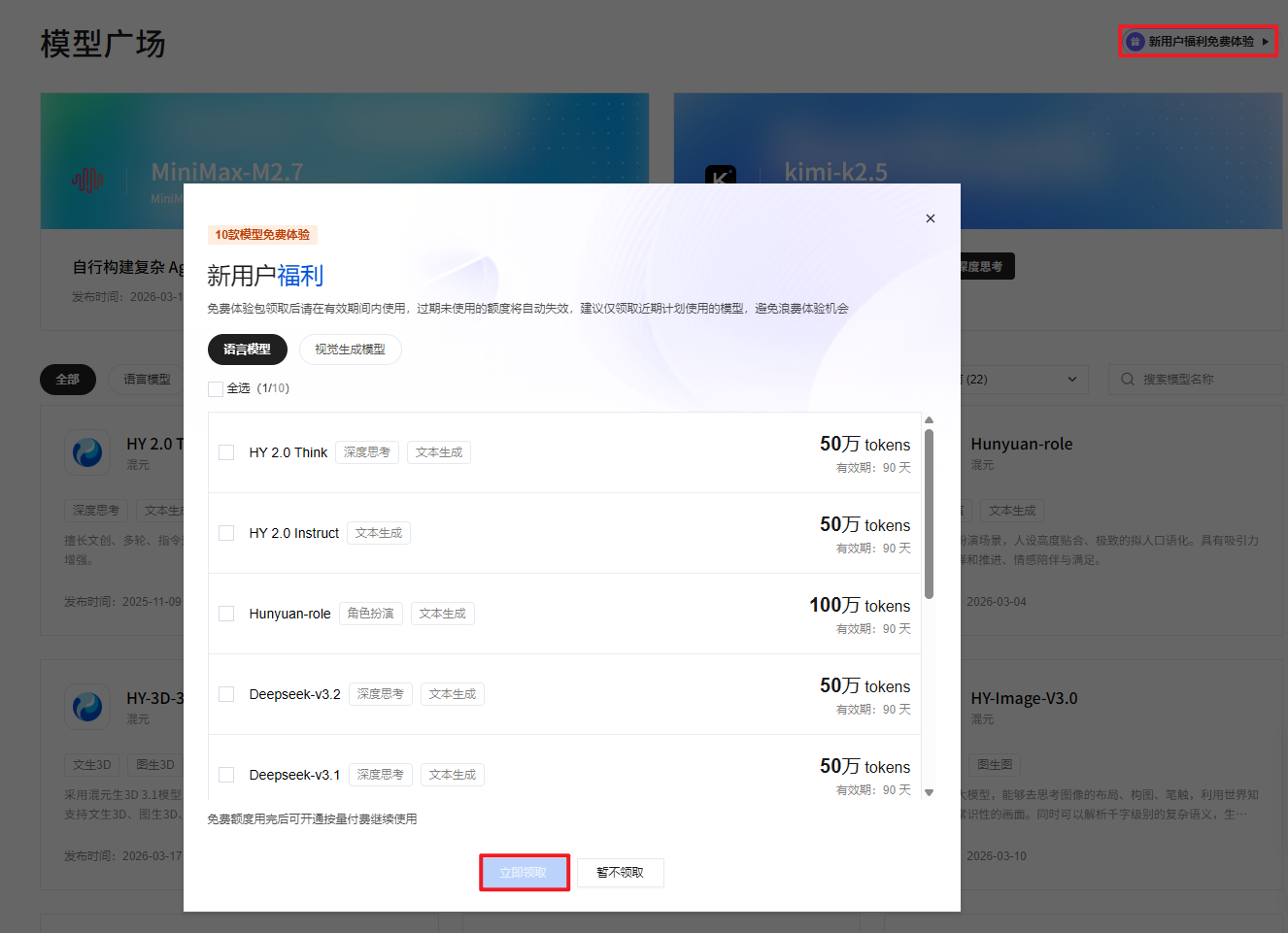
1. 进入 模型广场 页面,单击右上角的新用户福利免费体验。
2. 在弹窗中勾选模型后,单击立即领取,即可获得多个模型的免费使用额度。
步骤三:创建 API Key
在调用模型 API 之前,您需要先创建 API Key 作为鉴权凭证。
1. 进入 API Key 管理 页面。
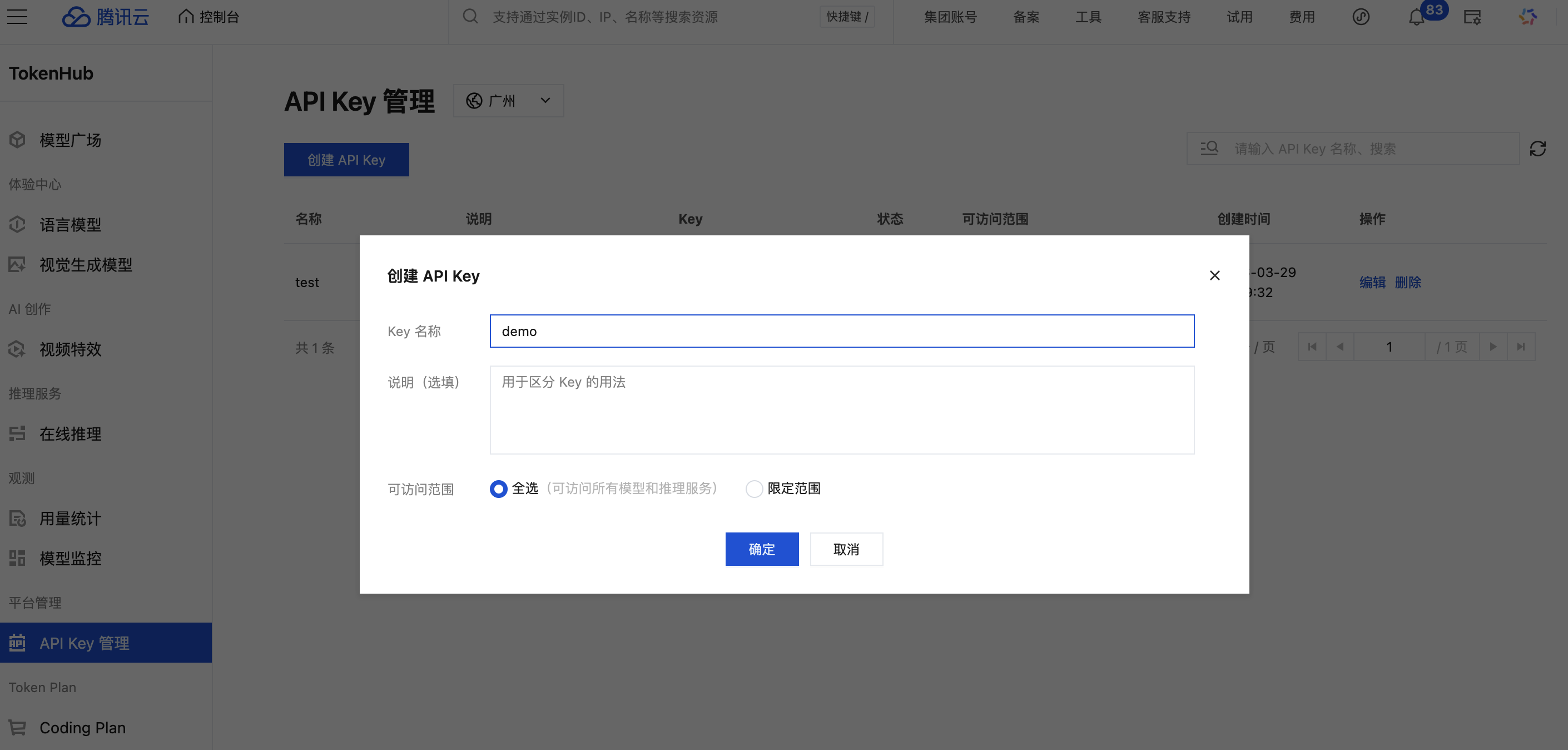
2. 在页面上方选择地域后,单击创建 API Key。
3. 在创建 API Key 对话框填写 Key 名称,并设置可访问范围:
全选:可访问当前账号下所有模型和推理服务。
限定范围:指定当前账号下可访问的模型和/或推理服务,实现访问范围控制。
4. 单击确定,完成创建。
步骤四:调用模型
通过 API 调用模型
说明:
请您将示例代码中的
YOUR_API_KEY 替换为您真实的 API KEY。修改
model 字段,更换您需要调用的模型,各模型对应 model 值可参见 模型列表 中的 model(调用参数)。# 请将 YOUR_API_KEY 替换为您在前面步骤创建的 API KEY# 请在 model 字段中更换您需要体验的模型名称curl -X POST 'https://tokenhub.tencentmaas.com/v1/chat/completions' \\-H 'Authorization: Bearer YOUR_API_KEY' \\-H 'Content-Type: application/json' \\-d '{"model": "deepseek-v3","messages": [{"role": "user", "content": "你好"}],"stream": true}'
from openai import OpenAIclient = OpenAI(# 请将 YOUR_API_KEY 替换为您在前面步骤创建的 API KEYapi_key="YOUR_API_KEY",base_url="https://tokenhub.tencentmaas.com/v1")response = client.chat.completions.create(# 请在 model 字段中更换您需要体验的模型名称model="deepseek-v3",messages=[{"role": "system", "content": "You are a helpful assistant."},{"role": "user", "content": "你好,请介绍一下你自己"}])print(response.choices[0].message.content)
import OpenAI from 'openai';const client = new OpenAI({// 请将 YOUR_API_KEY 替换为您在前面步骤创建的 API KEYapiKey: 'YOUR_API_KEY',baseURL: 'https://tokenhub.tencentmaas.com/v1',});async function main() {const response = await client.chat.completions.create({// 请在 model 字段中更换您需要体验的模型名称model: 'deepseek-v3',messages: [{ role: 'system', content: 'You are a helpful assistant.' },{ role: 'user', content: '你好,请介绍一下你自己' },],});console.log(response.choices[0].message.content);}main();
import java.net.http.*;import java.net.URI;public class MaaSExample {public static void main(String[] args) throws Exception {// 请将 YOUR_API_KEY 替换为您在前面步骤创建的 API KEYString apiKey = "YOUR_API_KEY";// 请在 model 字段中更换您需要体验的模型名称String body = """{"model": "deepseek-v3","messages": [{"role": "user", "content": "你好"}]}""";HttpRequest request = HttpRequest.newBuilder().uri(URI.create("https://tokenhub.tencentmaas.com/v1/chat/completions")).header("Authorization", "Bearer " + apiKey).header("Content-Type", "application/json").POST(HttpRequest.BodyPublishers.ofString(body)).build();HttpClient client = HttpClient.newHttpClient();HttpResponse<String> response = client.send(request,HttpResponse.BodyHandlers.ofString());System.out.println(response.body());}}
package mainimport ("bytes""encoding/json""fmt""io""net/http")func main() {// 请将 YOUR_API_KEY 替换为您在前面步骤创建的 API KEYapiKey := "YOUR_API_KEY"body := map[string]interface{}{// 请在 model 字段中更换您需要体验的模型名称"model": "deepseek-v3","messages": []map[string]string{{"role": "user", "content": "你好"},},}jsonBody, _ := json.Marshal(body)req, _ := http.NewRequest("POST","https://tokenhub.tencentmaas.com/v1/chat/completions",bytes.NewBuffer(jsonBody))req.Header.Set("Authorization", "Bearer "+apiKey)req.Header.Set("Content-Type", "application/json")resp, err := http.DefaultClient.Do(req)if err != nil {panic(err)}defer resp.Body.Close()result, _ := io.ReadAll(resp.Body)fmt.Println(string(result))}
通过 AI 工具调用模型
详情参考:
在 Claude Code 中调用
在 Cursor 中调用
在 OpenClaw 中调用
在 Hermes Agent 中调用
在 WorkBuddy 中调用
在 CodeBuddy Code 中调用
在 OpenCode 中调用
在 Cline 中调用
在 Kilo Code 中调用
在 Roo Code 中调用
下一步
您可以前往体验中心,在线体验模型能力,详情请参见 体验中心。
您可以前往在线推理,管理正在使用的模型服务,详情请参见 在线推理。
如果您需要查看模型用量,请参见 用量统计。


