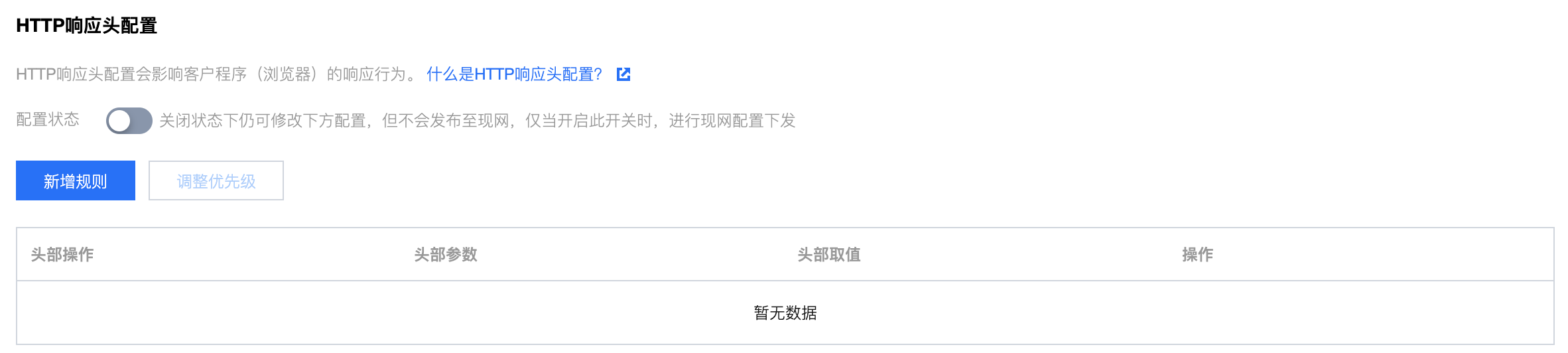
When your business users request business resources, you can configure headers in the returned response message to achieve purposes such as cross-domain access. Header configuration works on the domain dimension, so once configured, it will take effect for any resource's response message under the domain. Configuring response headers only affects the client's (e.g., browser) response behavior and does not affect the caching behavior of CDN nodes.
Configuration Guide
Viewing Configuration
Log in to the CDN console, select Domain Management from the menu, click Management on the right side of the domain to enter the domain configuration page. In Advanced Configuration, you can see the response header configuration, which is off by default. Click Add New Rule to configure HTTP response header rules:
Operation Type
Operation Type
Description
Settings
Change the value of the specified response header parameter to the set value.
If the specified header does not exist, it will be added.
If there are multiple duplicate header parameters, they will all be changed and merged into one header. For example, if the configuration rule is set x-cdn: value1, and the request contains multiple x-cdn headers, all headers will be changed and merged into one header x-cdn: value1.
Delete
Delete specified response header parameter.
Note
Some headers do not support self-service setting/deletion. For the specific list, see the document Note.
Up to 10 HTTP response header configuration rules can be set.
Rule priority can be adjusted: rules at the bottom of the list have higher priority. If multiple rules are configured for the same header parameter, the rule at the bottom, i.e., the one with the highest priority, will take effect.
Header Parameter
Header Parameter
Description
Access-Control-Allow-Origin
Used to solve the cross-domain permission issue for resources, the domain value defines the domains allowed to access the resource. If the origin request Host is within the domain configuration list, the corresponding value is directly filled in the return header. A wildcard "*" can also be set to allow requests from all domains. For more information, see Access-Control-Allow-Origin Configuration. Supports inputting "*" or multiple domains/IPs/mixed domain and IP (must include http:// or https://, example: http://test.com,http://1.1.1.1, separated by commas) (Note: The input box can accept up to 2000 characters).
Access-Control-Allow-Methods
Indicates which HTTP methods are allowed for cross-origin requests. You can specify multiple methods at a time: Access-Control-Allow-Methods: POST, GET, OPTIONS.
Access-Control-Max-Age
Used to specify the valid time of preflight request, in seconds. For non-simple cross-origin requests, an additional HTTP query request, called a "preflight request," is required before formal communication to determine if the cross-origin request is safe and acceptable. The following requests are considered non-simple cross-origin requests: initiated by methods other than GET, HEAD, or POST, or using POST with data types other than application/x-www-form-urlencoded, multipart/form-data, or text/plain, such as application/xml or text/xml. Use the custom request header: Access-Control-Max-Age:1728000, indicating that within 1728000 seconds (20 days), no additional preflight request will be sent for cross-origin access to the resource.
Access-Control-Expose-Headers
Used to specify which headers can be exposed to the client as part of the response. By default, only 6 headers can be exposed to the client: Cache-Control, Content-Language, Content-Type, Expires, Last-Modified, Pragma. If you want the client to access other header information, you can set it as follows. When entering multiple headers, separate them with "," such as: Access-Control-Expose-Headers: Content-Length,X-My-Header, indicating that the client can access the Content-Length and X-My-Header headers.
Content-Disposition
This header activates download in the browser and sets the default name of the downloaded file. When the server sends a file to the client browser, if it is a file type supported by the browser, such as TXT, JPG, etc., it will be opened directly with the browser by default. If you need to prompt the user to save, you can override the browser's default behavior by configuring the Content-Disposition field. Common configuration is as follows: Content-Disposition:attachment;filename=FileName.txt
Content-Language
Used to define the language code used by the page. Common configuration is as follows: Content-Language: zh-CN Content-Language: en-US
Custom
Support adding custom headers, custom key-value settings. Custom header parameters: composed of uppercase and lowercase letters, numbers, and -, length support 1 - 100 characters. Custom header values: length 1 - 2000 characters, Chinese not supported.
Introduction to Access-Control-Allow-Origin Matching Patterns
Matching Mode
Value
Note:
Full Match
*
When set to *, the header Access-Control-Allow-Origin:* is included in the response.
The origin https://cloud.tencent.com hits the list, so the header Access-Control-Allow-Origin: https://cloud.tencent.com is included in the response.
The origin https://www.qq.com does not hit the list, no change in response.
Second-level wildcard domain matching
https://*.tencent.com
The origin https://cloud.tencent.com hits the list, so the header Access-Control-Allow-Origin: https://cloud.tencent.com is included in the response.
The origin https://cloud.qq.com does not hit the list, no change in response.
Port Matching
https://cloud.tencent.com:8080
When the source is https://cloud.tencent.com:8080, which hits the list, the header Access-Control-Allow-Origin:https://cloud.tencent.com:8080 is added to the response.
When the source is https://cloud.tencent.com, which does not hit the list, the response is not changed.
Note
If there are special ports, you need to enter the relevant information in the list. You must specify the port as arbitrary port match is not supported.
Must-Knows
This feature does not support the following headers, meaning the following headers will not take effect: